One popular feature on Snapchat is its Lenses, which use AR (Augmented Reality) to enhance the user experience and are an important part of Snapchat's marketing strategy. With over 350 million Snapchat users who use the feature, it's one of the key drivers of the platform's popularity.
That means brands can use the feature to drive engagement, raise awareness, or run events, such as product launches. In this article, we guide you on how to use Snapchat lenses to increase brand awareness.

What are Snapchat Lenses?
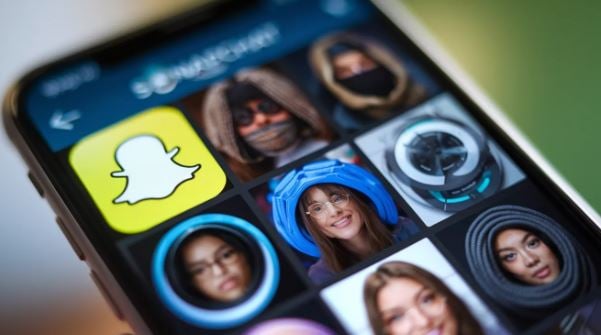
Snapchat lenses are AR experiences integrated into the Snapchat camera app that transform your surroundings or your face in real-time by adding 3D animation, objects, and facial distortions, or enabling users to play games, try out new products, or interact with their environment. They are, therefore, among the great Snapchat features for increasing audience engagement.
You can access the features that use computer vision and machine learning by tapping the camera screen to enable it to detect surroundings or faces and add digital overlays. Snapchat lenses are used by users and brands to engage and entertain their audience as they are unique and non-intrusive.
Benefits of Using Snapchat Lenses in Marketing
If your brand is looking to connect with a young, creative audience in a memorable, innovative way, Snapchat lenses are a great way to do so. Here are the benefits of using the lenses:
Higher Engagement
Snapchat lenses can increase engagement in different ways, such as:
- Fun interaction. With lenses, users can play and interact with your brand in spontaneous and fun ways.
- Social sharing. Users of lenses often share them with their social media networks, therefore expanding your campaign's reach.
Offer a Memorable Experience
You can use Snapchat lenses in different ways:
- Better personalization. Lenses let users personalize their looks and create unique content, thereby improving your brand recall.
- Immersion. Lenses act as a bridge between the real world and the digital environment, therefore providing an immersive experience for users.
Higher Visibility Level
You can use Snapchat lenses to ensure:
- Mass reach. Snapchat is the 7th-largest social media platform, with a primarily young audience. It is, therefore, a great choice for brands looking to reach a larger, younger audience.
- Virality. Lenses can go viral easily, making them perfect for boosting your brand's visibility.
More Accurate Targeting
You can ensure your lenses reach the right audience by leveraging Snapchat segmentation, which lets you target users based on age, location, gender, and interests.
Better Brand Differentiation
Lenses are a unique feature that isn't available on many social media platforms. That means they can make your campaigns unique and also ensure that your Snapchat ad campaign stands out from the competition.
Types of Snapchat Lenses
Snapchat lenses can be categorized into two. These are:
- Facial lenses. These feature an innovative technology that enables users to manipulate the head, mouth, eyes, and even the shoulders, thereby transforming their faces. One way that brands can use these lenses is to transform people into their brand's icons. They can also enable brands to showcase the impact of their products in categories such as jewelry or makeup.
- World lenses. These usually appear on the exterior of the camera, enabling users to map and detect their environment. It's a great choice for allowing snapchatters to interact with different 3D objects superimposed on the world. These also allow the product's features to be displayed on the camera.
How to Create Snapchat Lenses From Scratch
Creating a Snapchat lens from scratch gives you full control over the 3D assets it includes, including any text or sound. You can begin with a template that lets you use pre-selected 3D assets as the base for the lens, rather than having to customize the different elements from the start. That means you can reuse all the filters you create.
Here are the steps to create Snapchat lenses from scratch:
Define Your Goal
You need to determine what you want to achieve with the Snapchat lenses before you start creating. Your AR creativity goal should align with a specific objective, such as driving traffic, user engagement, or brand awareness. When defining your goal, you will need to consider:
- Target audience. You should ensure the lens is designed to appeal to the Snapchat user's demographic.
- Brand messaging. Make sure the lens conveys your brand's messaging and effectively promotes your product.
Snapchat Lenses Design
When creating an AR lens, the design stage is one of the most important, as you want to ensure it is engaging and visually appealing. Make sure the Snapchat lenses are original and relevant to your target audience. When designing a Snapchat lens, you can use the following tips:
- Use vibrant colors and outstanding animations that reflect your brand's style.
- Add interactive elements that enable users to use the lens.
- Make the lens fast-loading and lightweight to improve user experience.
Use Lens Studio
Snapchat offers a powerful desktop app, Snapchat Lens Studio, that lets anyone create their preferred AR Snapchat lenses. It comes with tools and templates that make it easier for anyone, even those without a coding background, to create lenses. You can use Lens Studio in different ways, such as:
- Go to the official Snapchat website and download Lens Studio.
- Select a design that will match your brand's objective.
- Add animations, effects, and sounds to create a visual programming environment.
- Use the preview feature to test the lens and ensure it works across different lighting and shape conditions.
Test and Iterate
When creating an AR lens, one step you shouldn't miss is the testing stage. You need to test your brand's lenses thoroughly to ensure they work perfectly and are optimized for users. Some of the issues you need to test with the lenses include:
- Whether the lenses are compatible with different operating systems and devices.
- Ease of use and user engagement
- Performance stability and load time.
Lens Submission and Promotion
After you have finished making the lenses, they must be approved by Snapchat. After approval, plan the launch to increase its visibility. You can promote lenses in different ways, such as:
- Use social media platforms to announce your new lens launch.
- Ask users and influencers for lens reviews.
- Add the lenses to your bigger marketing campaign to increase engagement.
Using Lens Web Builders to Create Snapchat Lenses
Another alternative for creating Snapchat lenses is the Lens Web Builder tool, which lets you create an augmented reality lens. You can access this feature directly from the internet without downloading any software. The tool is a great choice for brands looking to use the Snapchat filter in their advertising campaigns. Some of the key features of the tool are:
- Simple. The tool enables brands to create an AR experience by simply choosing from hundreds of other 3D animations and objects.
- Fast. Within a few minutes, you can create your first lens.
- Free. No creative fees are charged, even though you will need to run an advertising campaign.
In Conclusion
By bridging the gap between the real world and digital experiences, Snapchat lenses have emerged as a popular tool for communication, self-expression, and play. The tool enables you to transform your look and add 3D objects to your environment. Therefore, you can use our guide to Snapchat lenses to increase brand awareness, especially when paired with the top Snapchat AR innovations.
