One way to increase the visibility of your Google Business Profile (GBP) post is to create more posts. However, the posts on the GBP platform last for 7 days before disappearing, which means maintaining a consistent posting schedule to rank in local search results.
While posting on Google Business profiles differs from other social media platforms, it can be a good strategy for driving results, such as more visits, more website clicks, and more visits from nearby customers. In this article, we look at how you can schedule your GBP posts to rank for local SEO.
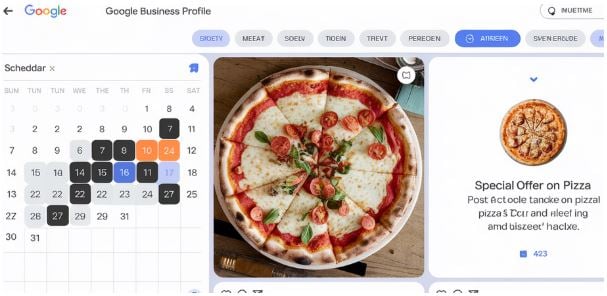
What are GBP Posts?
GBP posts is a feature that provides brief, timely updates to help businesses keep their listings on Google Maps and Search up to date. They act like a short social media post suitable for sharing announcements, product updates, and events with prospective customers. Posts can take the form of product offers, updates, and events.
These posts typically appear in knowledge cards and local cards to keep your profile fresh, informative, and engaging, driving action and interest at critical moments. The posts you publish in the Google Business post usually appear next to the listing in the Google search results when someone searches for your business.
The GBP posts can consist of four different posts, such as:
- Update posts. The goal of an update post is to inform customers of the latest changes and news for your business. For instance, if you are a university, your update post can list the degree programs you offer and include an invitation to your event.
- Offer post. You can also use your GBP to promote products through limited-edition discounts, sale events, and deals. These can be great posts for grabbing your audience's attention to seasonal products, discounting only your best-selling items, and offering exclusive deals for your loyal customers.
- Event post. You can imagine hosting a musical evening, a gala opening, or a seminar. You can use the GBP post to promote the event and encourage users' participation. Consider these messages as virtual invitations that include all relevant details, such as the time, date, location, and expected attendees.
- Product posts. These posters are great for providing your visitors with a visual representation of the product you are selling.
How to Publish Google Business Profile Posts
Here are the steps to follow when publishing your GBP posts:
- Sign in to your Google Account. You can choose to add an Update, add a photo, edit a product, or edit a service.
- Choose the type of post you would like to create. You can upload your video or photos to create outstanding posts and add a caption that should be engaging. You can also include a CTA button that prompts your audience to take the desired action, such as "Order online," "Learn more," "Call now," or "Sign up."
After publication, your posts will no longer appear in Google Maps or Search.
Understand the Expiry of the Google Business Post
Google posts usually expire after 7 days, except for upcoming events. After the post expires, a notification is sent to inform you of the expiration and remind you to create the next one. This is why it is necessary to use a scheduling tool to plan for your Google Business post. Therefore, just as scheduling tweets with AI is important, you can do the same with your GBP.
How to Schedule GBP Posts
If you would like to remain in control of your Google Business Listing, you need a reliable scheduling tool. This is also important because, unlike social media platforms such as Facebook, Instagram, and LinkedIn, GBP lacks a native scheduling tool. Therefore, the platform only allows manual posting from your dashboard. If you are a small business, this may result in missed opportunities due to forgetting to post or running out of time.
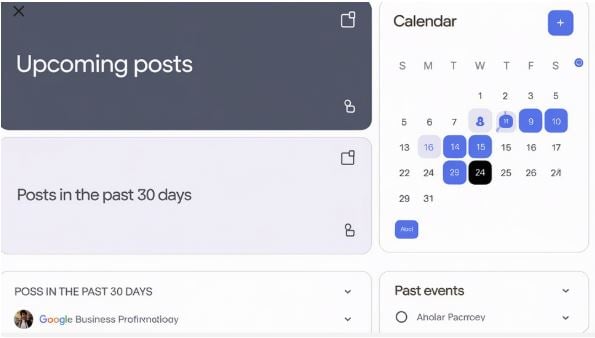
The good news is that you can use third-party tools such as Sendilbe and Social Bee to schedule your posts on GBP. Let us look at how to do that with one such tool.
Here are the steps to follow when planning a post on GBP using SocialBee:
- Connect your profile. Go to SocialBee and click on Profiles. Add your profile and select Google Business Profile. You can then authorize the location you need to manage.
- Click Create Post, then choose the GBP profile to enable the editor to apply the Google-specific fields and limits.
- Select the type of post, such as the Offer, Hours update, Event, or What's New.
- Add a short caption that includes key details, such as the offer, the offer date, or a change in operating hours.
- Add a short caption that includes the key details, such as the data, the offer, and any changes to operating hours.
- Add visuals. You can upload an image of your photo or use Canva to create one.
- Set an action. Add a strong CTA button that works in GBP, such as Book, Shop, Order, or Call. You can also use Sign up or Learn More, and include a destination link if possible.
- Optimize for GBP. You can use the 4:3 image ratio for a square while keeping your text short. Don't add hashtags; instead, confirm the location and phone calls if they change.
- Stay consistent. You can click on the calendar and add necessary details, such as recurring slots for Monday at 8 a.m.
- Keep organized. You can add a dedicated category, such as a folder, to organize the posts. You can leave comments, assuming they will be reviewed, or use approval to ensure quality across different teams.
In Conclusion
Google Business Profile is a free, powerful tool that boosts your business's visibility, increases engagement, and drives conversions by displaying your available events and offers directly in Google Search results and Maps. Since the posts expire after 7 days, you need to keep posting to gain the necessary visibility.
The Google Business Profile offering lacks a native scheduling tool, as it can be challenging to post every day manually. The good news is that you can use a third-party tool to schedule your post on GBP. By reading the article, you will learn the steps to follow.
