If you are creating website content based on ideas that come to mind, you are not likely to achieve the desired results. An important step you shouldn't miss in content creation is keyword research. When you find the right words and phrases that people in your niche are using to search for content, you can rank higher on the SERPs and attract the right traffic.
One of the tools you can leverage to find the right keywords to target is Google Trends. The tool can also provide important data on market and search demand, enabling marketers and website owners to create better content for their SEO campaigns. In this article, we will guide you on the top ways of using Google Trends to conduct SEO keyword research and drive more traffic to your site.
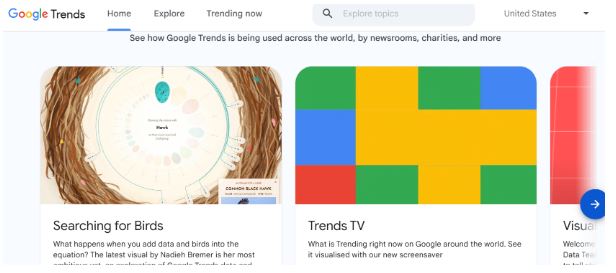
What is Google Trends?
Google Trends is a tool that shows you trending topics on Google and YouTube. It can be a useful tool for showing you trending keywords worldwide on both Google and YouTube. The tool shows you the popularity of certain search terms, their search volume, the location with the most interest, and more.
Google Trends uses search data to measure interest in a given topic and presents the results as a graph. What is even better is that the tool is available for everyone, even those without a Google Search Console or Google Analytics Account. You can, therefore, use it to find social media trends and identify hidden patterns surrounding the keyword. This can reveal seasonal changes and help you determine whether a particular keyword is worth pursuing.
Data from Google Trends is usually divided into two categories. These are Explore, which helps in keyword research, and Trending Now, which can also help you to find keywords that are growing in popularity. The tool will provide you with fresh data updated within minutes.
How to Use Google Trends for Keyword Research
As noted earlier, Google Trends can help you identify the top keywords in your niche and add them to your site for SEO. You can add a keyword tracking tool to monitor the progress of your SEO efforts and make improvements where necessary. With Google Trends, you can find opportunities for different businesses, no matter what business you are in.
Here are some ways to use Google Trends:
Conducting Keyword Research
Google Trends is a major keyword research tool. While it may not provide the data you need for in-depth SEO, it can offer essential insights into what people in different countries are searching for and how interest in the topic changes over the long term. You can leverage the Explore Sections on the left to find information on keywords with considerable search volume.
To start using the feature, enter your seed keywords in the search box. You can then click the Explore button to proceed. You will see the Related queries and Related topics at the bottom of the Explore tab. You can see the keywords categorized into:
- Top. This will show you the most popular keywords along with their interest scores.
- Rise. This option will show you the keywords whose popularity is increasing over a given period. The metric shows the percentage growth of a keyword over a given period. When you notice that a keyword is labeled as a Breakout, it means there isn't enough data on the keyword.
Google Trends lets you enter the keyword as either a search term or a topic/category. A good idea is to choose the latter option to get the most relevant keyword suggestions. When using the tool, begin with a broad term, such as fashion, and explore narrower terms to generate better topic ideas.
To find the most relevant data, you can filter according to:
- Location. If you are running a local business, you can filter keywords to find trending ones in your area.
- Period. Select the most suitable period for your brand. By default, Google Trends analyzes data from the last 12 months.
- Category. You can maintain your search for a particular category or a subcategory.
- Data source. Data from Google Trends is typically sourced from platforms such as Google Search, Google Images, Google Shopping, and YouTube.
Get Seed Keyword Ideas
With Google Trends, you can explore search terms not related to any topics, such as "what is and how to," to provide you with keyword ideas. Also, you can filter by category or subcategory to find trending topics and keywords in your niche.
Keyword Trends Analysis
Google Trends will also help you analyze specific keywords, allowing you to choose between them. This can be an essential tool if you have identified several keywords and are unsure which one to target. You can check the trends for both keywords and choose the one with the more positive trend.
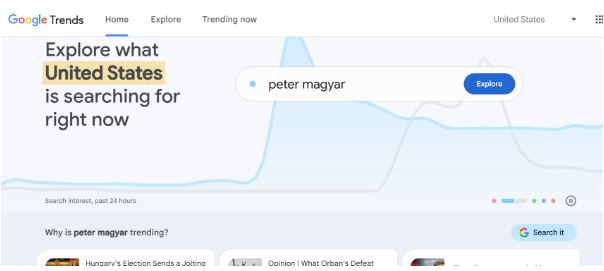
You can even compare terms across locations to see differences in interest by geographic area, such as cities and countries. You can also compare data to analyze how the term changes and how different terms compare within the same timeframe.
Determine the Evergreen vs. Time-Sensitive Keywords
Google Trends can show you the terms whose search volumes spike over a short period before dropping. This can be especially handy, as traditional keyword research tools don't update their data in real-time, meaning their data may not capture the time sensitivity of keywords.
This can be an especially useful tool for brands running an SMM campaign and pages looking to stay on top of their trends. For other brands, it can show them the keywords gaining popularity rather than those that are just a fad. Trends are topics that spike at certain times of year.
On the other hand, fads tend to spike once before they fade away. For instance, a TikTok dance challenge can go viral for one week before it is forgotten. Google Trends can, therefore, be a key resource for finding content ideas, but it isn't a replacement for traditional keyword research tools.
Check the Curve for Keyword Popularity
Before you select a keyword, ensure there is sufficient interest. To do that, you will need to enter the keywords in the search box of Google Trends and see if there is interest in the long term. On top of validating your new keywords, you can use the tool to check your current target keywords.
When you notice that some keywords are consistently bringing less traffic, it indicates their popularity is diminishing. You can check the popularity graph to determine whether the drop is due to a loss of public interest in the topic.
In Conclusion
Google Trends is a free, powerful tool that provides important insights into a keyword's popularity, search volume, and long-term trends. It can provide insights into the seasonal search terms and help you identify emerging terms to gain a competitive advantage. You can use the tool to take your campaign to the next level. You can, therefore, use it to find high-intent keywords to boost your conversion.
