One of the most critical steps in running a Threads social media marketing strategy is tracking your campaign's performance. Threads Analytics can help creators and brands understand their audiences by providing essential data on follower demographics, reach, and engagement.
This will enable you to optimize your campaigns by gaining insights into their performance, identifying improvement areas, and making data-driven decisions. However, it can be hard to turn the metrics into an actionable strategy if you don't know how to check Threads analytics. This article will guide you through the steps and key metrics to find on Threads Analytics.
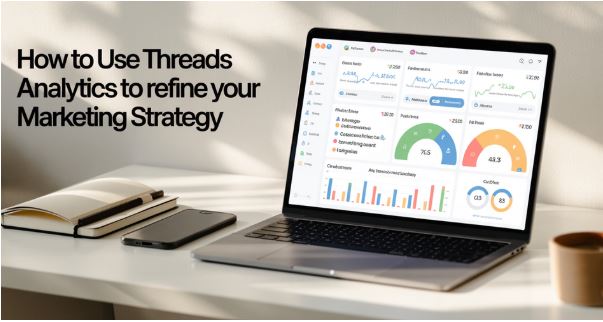
What Metrics Are Available on Threads?
When you visit Threads metric, you will see a wide range of metrics, such as:
Views
The analytics will provide insights into the number of views you have received. You can even see the breakdown of the views according to the number you have received from followers versus those from non-followers. This is, therefore, a good metric for determining which of your content has the highest reach. It will also hint at how your content is being shown to potential audiences. To view the metric, visit your overall profile or the profile of a particular post.
Thread analytics is helpful because it shows you the views of posts by other creators, including your competitors. This can be a valuable feature for helping you determine how your posts are performing compared to the competitor. To view a competitor's post, simply go to the post and click on View activity. However, you will not see the data if the creator has hidden the like and share counts.
Engagement Rate
On Threads, engagement rate is the total engagements divided by impressions, multiplied by 100. This metric shows the number of people who have seen a post compared to those who have not, which is a better reflection of how people engage with the post than just counting basic impressions. You can read more about the engagement rate on TikTok.
Interactions
Interactions are another key metric you need to track in Threads. This shows how many people engage with the content—likes, quotes, reposts, and replies. As with the views, the metric can be broken down into followers and non-followers. The numbers are visible for any public post. Threads will provide data for a single post or for your entire account.
You can see interactions by media type, showing interactions for a given type of content, such as images, carousels, text posts, videos, or audio. You can use the metric to test your content strategy and improve your threads going forward.
Top Post
This is a good metric for tracking your most popular posts over a specific period. You can view the top post with the most likes or views. This can provide you with insights into the content themes or post types that resonate more with your target audience, helping you expand your reach.
Followers
While this may seem obvious because it reflects your number of followers, Threads offers additional insights into how your followers have changed over a given period. When tracking this metric, check for spikes or dips. Doing so will help you understand the impact of a specific post on your audience growth rate.
Audience Demographic
This metric will answer the question of who your current audience is based on age, gender, or location. When you understand your target audience, you can focus on creating content that speaks to your Threads audience, which may differ from other social media platforms.
Tips on Using Threads Analytics to Create Content
So, how do you use Threads analytics to develop your following content? Here are a few tips:
Build an Audience Persona
We have already seen how Threads analytics offer helpful information about your audience, such as age, gender, city, and country. This information can help you build a persona for your Threads audience, and the buyer persona can help you plan your content strategy. When you understand your audience's persona, you will understand the correct language. It will provide insight into whether to use a friendly, confident, formal, or humorous style.
Get Your Competitor's Insights
As noted earlier, Threads Analytics will provide essential insights into most public Threads posts with just a few clicks. Analytics can be a good choice for competitor analysis, helping you benchmark your content's performance and identify content strategies that work well in your niche.
This doesn't mean you should copy your competitor. Instead, it should provide insights into the kind of content working in your niche. You can then get A/B testing ideas without putting in too much handwork.
When performing competitor analysis, check the post with the most quotes and reposts. These posts often have an extensive reach beyond the poster's audience. You can also gain more visibility and reach by testing a similar content styler and adding your voice by responding to the conversation.

Thought Leadership on the Highly Engaging Topics
If you see high engagement with your Thread posts, it could be an opportunity to create longer-form thought leadership content on Threads and other platforms. The Thread conversation moves quickly, giving you insight into emerging interests and topics. These can work not only on blogs, but also on videos and other social media accounts.
When you realize one of your posts has received extremely high engagement, pay attention to the conversation to understand the questions your audience is asking and their thoughts. If you find more questions than answers, you will gain insights into the content gaps your audience needs to fill.
In Conclusion
Launched in August 2024, with additional metrics added in January, Threads Analytics has proven to be an essential tool for helping creators improve their content and overall strategy. The tools are available on the mobile app and the PC, providing insights into campaigns for up to 90 days. Therefore, you can use the tool to supercharge your posts and take your Thread marketing campaign to the next level. You can read our guide on using Threads for product announcements.
