Statistics indicate that there are over 3 billion users of Facebook Messenger worldwide. Other statistics indicate that 82% of adults use Facebook Messenger most often. This is quite a considerable number, considering that the average user spends 24 minutes on Messenger.
If you are looking to increase your community engagement, consider the best way to leverage Facebook Messenger as part of your wider DM marketing strategy. In this article, we will guide you on how to do that.
What is Facebook Messenger?
Facebook Messenger is a standalone messaging app that allows Facebook users to communicate with one another using instant text messages, file sharing, and video and voice calls. In an era when social media users want instant answers, Facebook Messenger can be a valuable part of your DM marketing strategy, helping you communicate with your followers and customers. You can, therefore, use it to engage in real-time conversations and address any queries.
By providing real-time support, fostering communities, and enhancing brand awareness, Messenger can be a powerful tool for building a strong brand presence and meaningful connections.
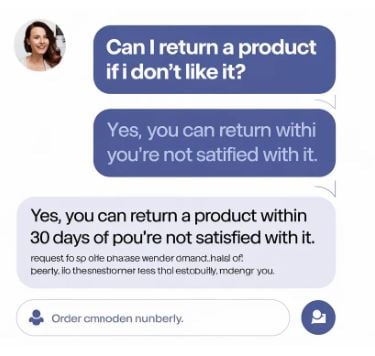
How Community Managers Can Leverage Facebook Messaging
Facebook Messenger is a valuable tool for community managers, enabling instant, direct communication with their audience. You can use it to engage in real-time conversations and address your queries.
As a community manager, you can use Facebook Messenger to build stronger, more personalized relationships with your audience. It can also be a good tool for providing real-time support and increasing brand loyalty. When you use Messenger effectively, you can establish an instant, direct communication channel that meets customer expectations and delivers a fast, tailored response.
Tips for Using Facebook Messenger for Community Building
If you are a community manager, here are some top tips for using Messenger for community building:
Create Personalized Messages
While automation is important for streamlining your workflows, you want to avoid offering generalized responses. Instead, personalize Facebook messages to ensure they align with your brand voice. Make sure you are meeting your prospects' and customers' needs. When using an automated message, include the first sentence to let the customer know it is automated, which helps demonstrate transparency.
The answer provided should match your brand's tone of voice and be friendly and helpful. If you align your answer with your brand's tone, it will help your prospects and customers connect more effectively with your brand, leading to greater loyalty.
Leverage Appointment Scheduling
While Facebook Messenger doesn't have an appointment-setting feature, it can still be a great tool for prompting customers to schedule an appointment on the Facebook page. You can even manage appointments directly from the Facebook page. You can schedule various details such as:
- Customer communication. If there are upcoming appointments, you can send some automated reminders,
- Customizations. Add a customization menu that will work well for your brand.
- Availability. Ensure your availability is set so customers can choose their most convenient time without having to wait for someone to contact them.
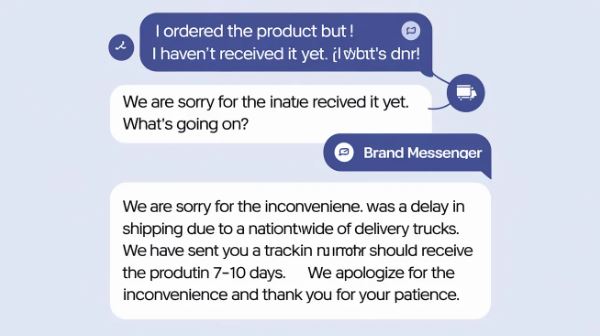
Set up Order Updates and Tracking
Facebook Messenger can be used to show customers their active or past orders from the business they're chatting with. After an order confirmation via Facebook Messenger, the order will appear immediately under the Orders tab, allowing customers to track its status and see when it ships. Instead of manually providing your client with these details, Facebook Messenger will handle it for you. With a single click, you can enable order and tracking information.
Enable Quick Response
There is no doubt that people's attention span has been decreasing in recent years. That means when a customer asks for information, they will often need it immediately. Therefore, community managers should ensure that they provide customers with quick responses. You can add a set of buttons that offer quick replies in conversations. These can be used to request details such as a person's location, phone number, and email address.
When you set up quick replies, you'll get a head start on your customers' needs and provide an instant answer.
Use Chatbots for Repetitive Tasks
Chatbots can be excellent tools for handling routine tasks, thereby freeing up your team to focus on bigger projects. You can set certain keywords with their automated replies to have control of what the chatbots say to the customer and ensure that everything remains in your brand's voice. When chatbots take over repetitive tasks, your team can focus on higher-value projects and strategy.
Personalize Customer Support Messages
Facebook Messenger can be a great tool for customer service. You need to ensure your clients feel heard by personalizing customer support messages to match your brand's tone and feel. Find a creative way to personalize the customer experience and to show empathy while remaining within the brand voice. If customers are looking for a direct connection to team members, the automation options will provide it.
When a customer is dissatisfied and would like to speak with a team member, ensure they have a way to contact someone and that they are connected promptly. This will enable customers to relate more closely to your brand, deliver a more personalized experience, and ensure their concerns are addressed.
In Conclusion
Facebook Messenger can be a great tool for building trust with your audience. It can also help you cultivate stronger relationships with your current and potential customers, which is critical to your brand's success. Remember that effective communication is essential to accessibility and authenticity, which is why Messenger is important.
Customers like to be heard, and providing them with a channel to do so will demonstrate your high level of customer care. By using the tips outlined in this guide, you can better manage your community, foster strong relationships, and meet your brand needs. Therefore, use our detailed guide to make Facebook Messenger a hub for your brand's communication.
