Let's face it. Running a business and even growing your personal brand on LinkedIn can feel quite overwhelming. Not only are you posting content, but you're also trying to connect with others. Amidst all of that, you're also trying to stay on top of the changing trends.
But the real challenge doesn't start there. The real challenge is understanding what your audience cares about, and that's why LinkedIn Polls are so important.
Now, you may have come across LinkedIn Polls before. Many professionals use it to gain insight into what others are thinking, and some even use it to initiate interactions.
But what happens after that?
For many, nothing. The poll ends, and everyone moves on. That's a huge missed opportunity. Polls might look like another way for you to grab some engagement, but that's not all it has to be.
When you understand what people want, it becomes easier to provide for them while growing your business. That's the LinkedIn strategy to follow in a nutshell.
As you read on, you'll learn how to use LinkedIn Polls to learn more about your audience. You'll also get to know how you can shape your content accordingly.
Why Polls Are Different From Other Content
For many years, posting content on LinkedIn has been quite straightforward. You casually share a link to an article, post a quick update, or even upload a photo with a long caption. Engagement used to be measured in likes and occasional comments.
However, the platform has matured, as have the users of LinkedIn. The app has become more crowded, and it's harder to gain people's attention because of the sheer saturation in the market.
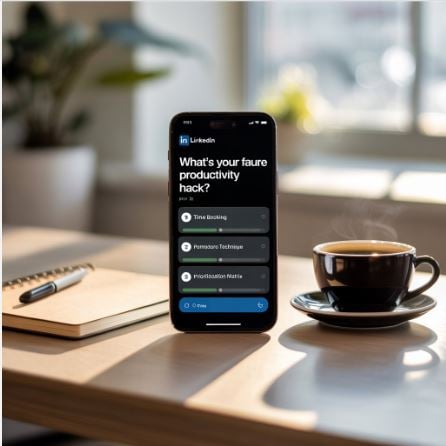
This is why polls have emerged as a powerful tool. Unlike boring and non-interactive posts, polls don't just invite people to react passively. It is a way of directly getting people to interact, and it's done without making it feel forced or inconvenient.
That small shift from being passively online to active involvement changes everything. When you ask a question to others, you not only share your perspective but also give the public audience a voice to hear them out.
The Unique Advantage LinkedIn Polls Provide
Quick Engagement
The beauty of LinkedIn Polls is that they combine something so simple with something that gets an immediate reaction. People can respond in a single click, and they don't even need to think about what to write in the comment section.
Easy Access
LinkedIn Polls come with a visibly low barrier to entry, and that's a reason why polls consistently do better than other types of posts in engaging audiences. In addition, LinkedIn's team has designed the algorithm to give polls that extra boost.
This means that your question can travel further if you are lucky enough. It could even reach a second or third-degree connection, which makes it an easy way to get new followers.
Provides Clear Data
Apart from the quick interactions and increased reach, the clarity of data you get is second to none. Instead of sorting through a pile of subjective responses, you get structured insights from a large sample.
Through the responses to your poll, you can also get an idea about what your audience is thinking. It provides info on how much of your audience follows along with the things you post.
What You Need to Know Before You Start Posting Polls
Before creating your first poll, it's important to know a few key pointers that could pave the way for you. In the long run, this would help build trust and loyalty in a way that one-way communication rarely does.
First, you'll need a clear idea of who and where you want to hear from. Not every poll needs to address your entire network. Sometimes, you'll want opinions from potential clients, peers, or bigger firms.
With the right audience, you can create the right questions. Once you've got the topic noted, you have to make your poll topic clear and relevant. If it takes more than a few seconds to understand what you are asking, most people will scroll away.
Thirdly, you should always have a personal goal for every poll that you create. Try to figure out what you'll be doing with the data. Are you developing a new idea or tailoring your idea to align with everyone's responses?
Lastly, sharing the poll results with your audience can also generate discussions from the people who genuinely care about your topic. In this way, you continue to get responses and engagements from those who replied. Then, you can also find out things in depth while creating awareness for your brand or product.
Setting Up Your LinkedIn Poll Correctly
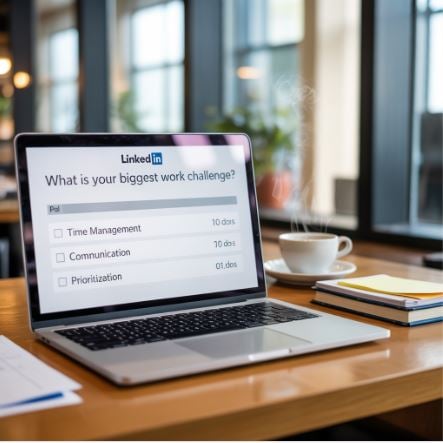
When you're ready to create your poll, these steps will help you set everything up the right way.
Step 1 – Create a Question
The best questions are:
- Short, preferably under 150 characters
- Clear and concise
- Relevant to your audience's work
Clear questions attract better quality data. They also remove any chances of doubt in your mind and the audience's mind.
Step 2- Provide Useful Answer Options
For your polls, it's better to limit yourself to three or four options. Too many choices can overwhelm participants, and that can lead to lower responses.
Try to make each answer distinct so that they are clear enough for respondents not to get confused. Make sure your options:
- Cover the main possibilities
- Are mutually exclusive
- Don't show bias in the outcome
- Include relevant keywords
Step 3 – Add Context to Your Post
Don't just drop your poll on your audience. Everything on LinkedIn requires some context.
Make sure to include at least two to three lines about where your poll stems from. You can even let them know what their responses will be used for.
Having context within your polls helps your audiences feel included in something bigger. In turn, this can get them to respond more often.
Step 4 – Choosing the Right Duration
LinkedIn lets you pick from:
- 1 Day
- 3 Days
- 1 Week
- 2 Weeks
For most purposes, one week is ideal and carries a good balance between people finding your post and having enough time to reply to it.
Leaving your poll on for too long can help it get lost amongst people's feeds. They'll forget they ever responded to the poll, and that can ruin your chances of turning the poll into something meaningful.
Step 5 – Posting and Engaging
The work isn't done when your poll has gone live. You have to make sure to:
- Share it with your connections
- Reach out to relevant individuals privately
- Tag experts, groups, or companies related to your niche
- Respond to comments to keep discussions going
- Analyze engagement metrics to understand your audience
Turning Poll Results Into Insights and Content
Once your poll ends, it's all about using the responses properly. Knowing this info allows you to make targeted content for specific groups within your network.
It's easy to focus solely on the final percentages. But quite often, the real value lies in the comments that your audience leaves. These comments can reveal why people respond to your polls and what they're thinking about your post.
You can also consider following up your content with references and summarizing your poll. This kind of follow-up shows that you're listening to your audience and that the poll isn't for show.
Your LinkedIn Polls can also help you segment and distribute your audience. By putting up these polls on various themes, you can see exactly what part of your audience is engaging with which topics.
Measuring the Impact of Your Polls
While watching the votes come in is exciting, it's even more important to measure whether your polls are supporting your broader goals or not. A simple way to track the impact of your poll is to keep looking at the number of votes, comments, and shares. You'll notice patterns for which topics gain the most traction, and by looking over the comments, you'll get an idea about why.
You can also measure the downstream effects. This includes polls bringing in more profile views, connection requests, or inquiries about your services.
If you're putting up polls to pique interest in new products, make sure to put follow-up posts. These follow-up posts can start up conversations about your products. By combining engagement data with business approaches, you can easily adapt your strategy and focus on the polls that truly help your goals.
The Bottom Line
By now, you've learnt how LinkedIn Polls are more than just a trendy engagement tool. They are a direct line into the minds of your audience. In an online space where everyone is trying to be heard, polls allow you to truly listen.
They offer a low-effort yet high-reward method to gather real inputs and shape content that resonates. You can't expect engagement unless you're also engaging with others.
If used with the right intention and effort, polls can build deeper connections. But it's not just about asking a question; it's also about knowing why you are asking it and getting your audience engaged.
So, whether you're a creator or a brand, polls give you a chance to build something that truly connects. That connection can go a long way for your reach!
