At least 2 billion people interact with Instagram Reels every month. If you are looking for a way to show your creativity, these short videos (under 90 seconds) can be a good way to do so. Creators and brands can use them to interact with their audiences in a fun and engaging way.
However, with over 737K reels uploaded to Instagram every day, the competition for visibility can be stiff. If you want your reel to be outstanding and to put you ahead of the competition, you must edit it well. In this article, we guide you on editing reels to boost your engagement as part of your Instagram Reels strategy in 2026.
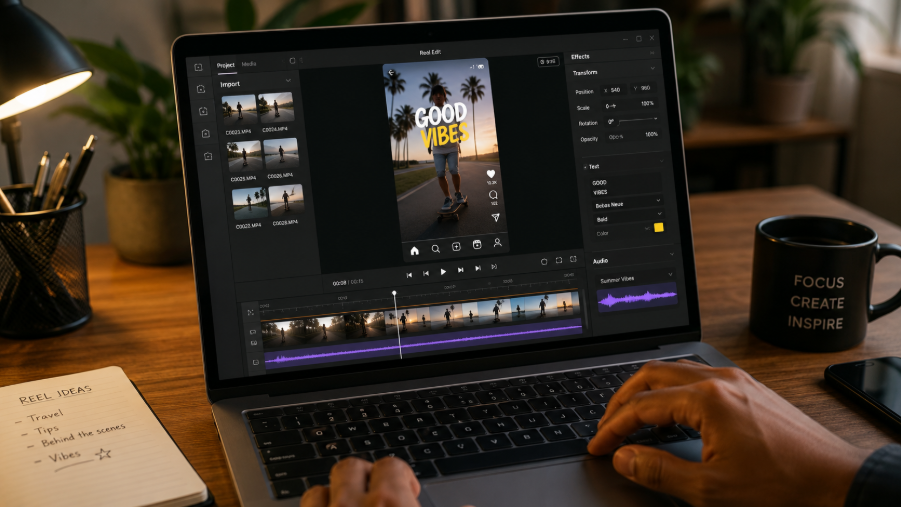
How to Make an Instagram Reel in Simple Steps
Before we get into the details of reel editing, let us look at the actual steps of making an Instagram Reel. Here are the steps to follow:
- Open Instagram and tap the + sign located at the bottom of your screen. To start creating a reel, you can scroll using the bar located at the bottom just above the Reels tab. You can select one or more videos and photos from your gallery. You can also trim them using the slider located at the bottom before tapping Next. You can also record the Reel in-app and hit the record button at the centre of the screen.
- Tap Add Clips to add more clips to the reel, and tap Edit to trim the individual clips.
- Reel enhancement. At the far right corner, you can tap on the music note icon to add to the sound effects, music, and original audio. There is also a stars icon that enables you to add animated graphics elements.
- Include transitions. You can now swipe up and tap the bar between the different clips. You can also include the elements we mentioned earlier for the individual clips, so they can tap each of them.
- After you finish editing, you can tap Next at the bottom. You can select a cover image for the reel to display on the Instagram profile feed, and add a caption below. You can scroll down to tag products and people under the reel feature. To save the reel, tap Save draft. You can then either share the post or complete it later.
How to Edit Instagram Reels For Maximum Engagement
When editing Instagram reels, you should focus on three key things:
- Cut for pacing. Get rid of filler words, dead air, warm-up intros, and repeated sentences. You can use jump cuts because they don't negatively affect retention, but avoid long pauses.
- Crop to ensure focus. Most long-form videos are horizontal at 16:9, while reels are vertical at 9:16. Make sure edits are cut to look like they were made for mobile.
- Add captions. Assume some users will watch the video without sound and add captions in bold font with high contrast. Avoid using tiny text and ensure there are no captions at the bottom of the UI.
Best Practices When Editing Instagram Reels
If you want to boost engagement when using Instagram Reels, use the following best practices:
Use the Right Aspect Ratio
As noted earlier, Reels are meant to be viewed in a vertical format, so use the 9:16 aspect ratio. This ensures the video fills the screen, providing viewers with a more immersive experience. As you record the video, consider its look in the format and eliminate any poor cropping.
The Instagram algorithm favors content that meets the platform's native specs, increasing the likelihood that videos will reach a wider audience. Remember that a change in the aspect ratio affects how the video looks and feels. For instance, although the 16:9 aspect ratio is usually wide and cinematic, the 4:3 ratio is more rectangular and traditional. You can use a resolution of 1920 by 1080, as it provides HD quality without taking up much space. You can, however, adjust the video's aspect ratio to meet your needs.
Add Trending Sounds and Music
One feature that affects the success of reels is the use of music. When you use trending music in your reels, you can boost their visibility by leveraging the platform's promotion of content that uses popular music. However, you must do this well to ensure that your video transitions and cuts.
There are several ways to use audio in your trending music. This can be in the form of:
- A funny video clip. Funny video clips perform better when used for original trending music.
- Background noise. You can also use a video clip with serene or calming music; it can be used for your trending audio.
Leverage Visual Storytelling
Visual storytelling requires you to grab people's attention and share a Short in less than 30 seconds. Use eye-catching effects, transitions, and quick cuts to maintain your audience's interest. Ensure that the reel also has a clear start, middle, and end. When you focus on visual storytelling, you can use the three-act narrative, consisting of a hook, context, and payoff in 15 seconds.
Other measures you can use for visual storytelling include:
- Showing instead of telling. Use visual action instead of long text explanations, like a five-second video that shows the product's benefits rather than listing them.
- Three-second hook. Begin with a question, strong visual, or a scroll-stopping problem.
- Use a narrative arc. Make sure the reel has a beginning that highlights the problem, a middle that consists of the process or journey, and an end that presents the solution or result to improve viewer retention and comprehension.
- Authentic and emotive content. Leverage behind-the-scenes content, human stories, interesting stories, and UGC to increase trust and build emotional connections with audiences.
Add Captions and Texts
Captions and texts will make the content more accessible, as many users watch the video without sound. Use clear fonts and place the text in an area where it can be easily read to ensure the message gets across without audio. Adding captions to Instagram Reels can help improve inclusivity, engagement, and overall success.
Captions offer various benefits for your reels, such as:
- Higher engagement level. Captions add additional context to help people watching without sound understand your reel.
- Higher reach. Reels with captions have a higher reach because they can be understood by people with hearing impairments.
You can add captions to Instagram Reels using the built-in caption tool. All you need to do is choose stickers and select the captions option. You will be able to type your desired text before you can change the formatting and positioning of the vertical video captions automatically on the reel.
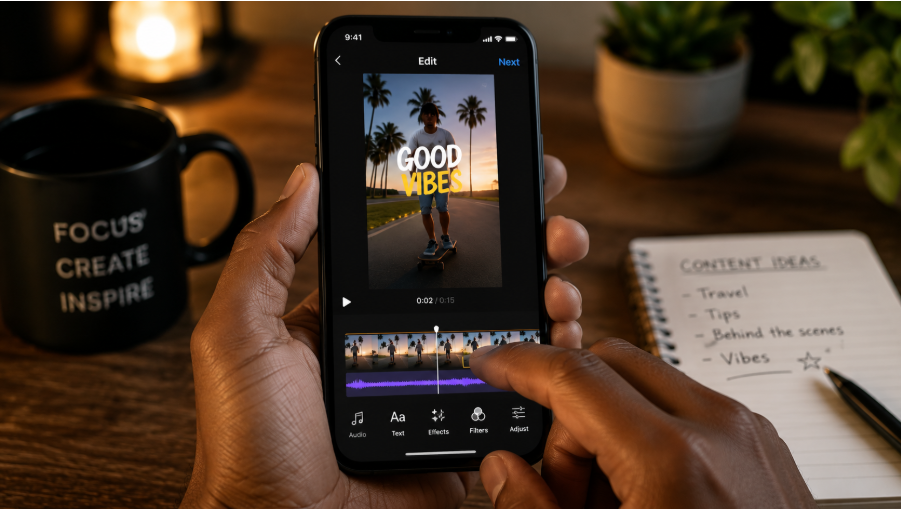
How to Use Instagram's Built-In Tools to Edit Reels
You can also improve your reels by leveraging Instagram's built-in features to add timers, AR effects, and filters. These tools will enable you to create professional, polished content directly within the app.
Some of the key features of the tool include:
Reverse Clip
With the reverse clip, you can reverse your reel directly in the app with a single tap, making it a great choice as a scroll stopper. If there is unexpected movement within the first few seconds, it can help increase the view by a second or two, significantly boosting the viewer's attention. This feature can potentially help creators in fields where motion-based content works, such as fashion, food, and fitness.
Highlight the Original Audio by Lowering the Music
Instagram also allows creators to lower the volume of the background music to prioritize the audio originally recorded. This update aligns with Instagram's push for audio personality or voice-driven content. Adding a clear, dominant audio can enhance watch time, completion rate, and save rates, especially when you are searching for reels in tutorials, branded collaborations, and storytelling content. When viewers can hear you without straining, you can make them stay until the end.
Include Clickable Links
Instagram now lets creators add clickable links to their Reels before exporting from the Edits app. This can help make your reel a great conversion tool, not just a discovery tool. Therefore, whether it's an affiliate link, digital products, email sign-ups, or a brand partner page, you can use links to send traffic.
Direct Save of Edits
Instagram Edits now allows creators to save their projects as an Instagram draft, ensuring a smoother transition from the editing to publishing. The feature also supports batching, creative iterations, and strategic positioning. Rather than publishing in a rush, you can enhance your captions, hooks, and pacing.
Final Thoughts
Well-crafted, created, and edited reels can mean the difference between a flopped reel and one that drives high engagement. By using the editing tips outlined in this guide, you can edit your reel to boost engagement.
