With over 3 Billion Monthly Active Users, Instagram is one of the most popular social media platforms. It is, therefore, understandable why everyone wants to be on the platform. However, at times, you might try to sign up on the platform only to be met by the message that you can't sign up for Instagram. You are left wondering why this happens. If that sounds like you, we guide you on the problem and provide you with actionable steps on how to fix the issue. You'll learn this now.
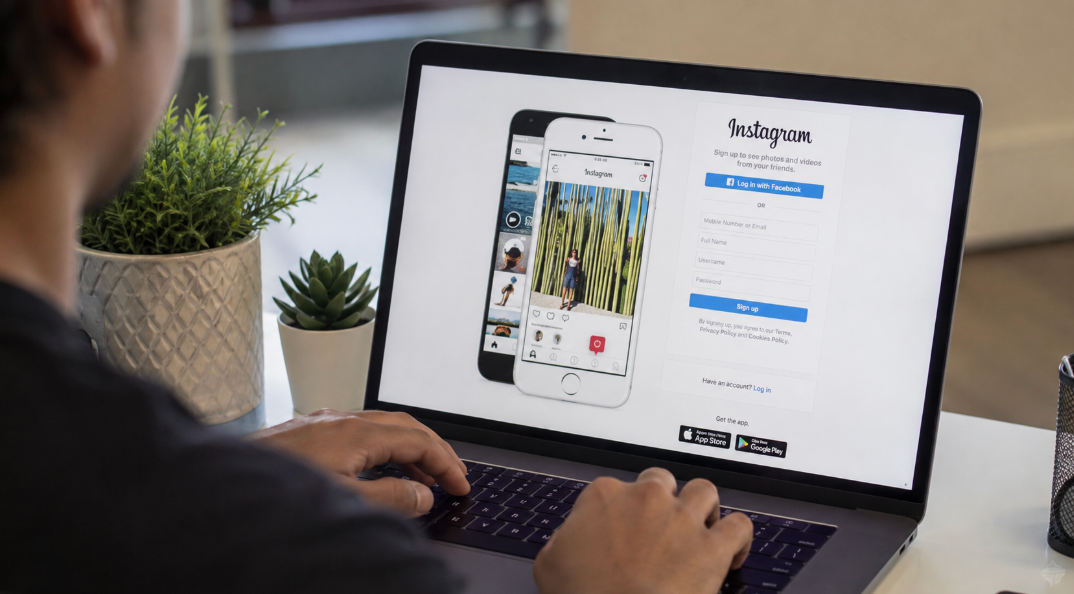
Why Instagram is blocking your signup
Unlike what many think, it's not obvious that you will seamlessly create an Instagram account. At times, the platform will block your sign-up. This can be attributed to a number of factors, such as:
Attaining the maximum number of accounts
On Instagram, you are only allowed to create a maximum of five accounts with one email address. That means if you are trying to create the 6th account, you will be blocked. This is understandable as having five Instageam accounts is enough. If you really, really need to create an extra account, you will have to delete one of your current accounts.
Blocked IP address
Just like the other social media platforms, Instagram comes with some terms and conditions that should be met by all users. If your activity is considered suspicious by Instagram, you can be added to the list of banned Instagram users.
Remember that all devices that connect to the internet feature a unique IP address. If your IP address is flagged as Spam by Instagram, it will be impossible to create a new account or even sign up to the current account. There are several reasons why Instagram may block an IP address, such as:
- Harmful behaviors.
- Unauthorized use of third-party apps
- Spamming
- Suspicious activities such as logging into accounts with several devices, en masse liking of posts, or commenting, etc.
Remember that at times it may not be your fault, but just the fact that you are using satellite internet or public wifi, which means there are multiple people using the same IP, and your account can be flagged by IG. When that happens, you might consider connecting your device to another wifi or using data to see if it will work.
Blocked phone or email
We noted earlier that Instagram can block your IP address in the same way; it can block your email address or phone as a result of violating its terms & conditions. This particularly happens when you use the same phone or email to create over 5 accounts. When that happens, you can try using a different email or phone number to see if that will work.
Quick Fixes to Instagram Now Working
If Instagram isn't allowing you to create an account, here are some quick fixes to consider:
Check the status of the Instagram server.
At times, the problem may be caused by the Instagram servers being down, making it impossible for them to register your request. They therefore show an error when creating an account. To solve the problem, you need to check the server status of Instagram. If there is an outage report, you can wait before trying again.
Restart the Instagram app.
Perhaps you were already using Instagram, but you are unable to create a new account. The problem could also be with the app. You can therefore fix the issue by first closing it and reopening it before trying again.
Use VPN
If you discover that your Instagram account has blocked a particular IP address, you can hide or change the IP address using a VPN before you use the app again.
Use a desktop to sign up
If you have a problem creating an account on the app, you can try signing up using a desk. If the issue is happening with the web browser, you can create the account using the Instagram app.
Try another device.
At times, the issue of signing up on Instagram may be caused by a certain device; you can then try using a different device to determine if the issue will be fixed.
Check out app updates
At times, the problem of creating an account on Instagram may be caused by an outdated app. You can therefore solve the issue by installing the latest app.
Why Instagram May Require Age Verification
At times, Instagram may require you to verify your age as a result of a number of reasons, such as:
- Changing the birthday. If you try to change your birth date from an under 13 or an under 18 to an adult age, this may cause Instagram to require you to verify your age.
- Content review. If your account is flagged by the automated system or the human reviewers as belonging to an underage, that may require verification.
- Account reporting. If your profile is reported by other users as belonging to someone who is underage, this may cause you to be required to verify your age.
What to Do if Instagram Blocks You Completely
If your account is permanently blocked by Instagram, there are several things you can do, such as:
- Request a review. Start by opening up the app, logging in, and following the prompts on your screen to request a review.
- Identity verification. You can provide the necessary details, such as the email address, phone number, or image verification, if you are required to prove to be a real human.
- Confirm if the block is temporary. At times, you may be blocked by Instagram temporarily. When that happens, make sure you do away with all your account activity, such as liking, commenting, or messaging other people, for 1 to 3 days.
- Change your connection. If you suspect that it's your IP address that was banned, you can switch from mobile data or wifi and use a different gadget to sign in.
- App reinstallation. You can delete the app and download it to clear cookies and cache files.
Conclusion
If you are unable to sign up for an Instagram account, this could be attributed to a number of factors, such as a blocked IP address, having more than 5 accounts, or the Instagram app not working. Therefore, you can use our tips to troubleshoot the issue. After you are able to sign up, here are the Instagram services that will help you grow your account.
Frequently Asked Questions
How many Instagram accounts can you create?
Instagram allows the creation of a maximum of 5 accounts.
Does using a VPN help with signing up?
Yes. If the problem with logging into your Instagram account was caused by a blocked IP address, then it goes without saying that changing the IP address can help you sign up. But if it was a result of another problem, then changing the IP may not help.
Why does Instagram keep saying try again later?
When you see Instagram saying 'try again later', it has put a temporary block on the account. This can be attributed to various actions, such as liking posts en masse or using automated tools that trigger the anti-spam rule.
