If you are a creator on YouTube, one of the must-have skills is keyword research. Creating videos without keyword research is like shooting an arrow in the dark, hoping it falls on the prey. The aim of keyword research for YouTube is to help YouTubers understand the words and phrases users use to search for videos. That means you can then create and optimize videos for those keywords.

When done well, keyword research for YouTube will ensure that your videos appear in the search results when someone searches for the keyword. However, with many factors to consider when choosing the right keyword, such as competition level and search volume, a good keyword research strategy should involve more than picking phrases from the YouTube search bar. In this article, we guide you on how to conduct keyword research for YouTube that will help your videos rank in YouTube search and on the Home page.
What is Keyword Research for YouTube?
Keyword research for YouTube involves finding the terms and phrases that users on the platform use to find videos on the platform. It's a key step in YouTube search to ensure that your videos are seen by the right people on YouTube, just like on other platforms. When you take time to match your videos to the keywords that people in your niche are searching for, it becomes easier for your video to be put in front of them.
Therefore, keyword research is important for ranking your videos highly on the search engine, understanding the user's search intent, and growing your organic views, as you create videos that people are really interested in watching.
Your videos will rank highly in YouTube search and even on the homepage. Additionally, YouTube users can clearly see what your videos are about, meaning they don't have to waste time trying to figure out what products you are offering. This can, therefore, be important for driving views and building an audience that really cares about what you get to share.
Understanding YouTube as a Search Engine
First, it is important to note that YouTube and Google belong to the same company. But that's not all: both of these platforms function like search engines. Just like on Google, the YouTube algorithm determines which videos users see organically and which stay hidden. When doing that, the algorithm considers two key factors: engagement and relevance. That means you need to create videos that are relevant for the people searching and are quite engaging for the viewer.
To determine which videos to show to your target audience, the YouTube algorithm considers several factors. These are:
- Video length
- Watch time
- CTR
- User engagement (comments, likes, and shares).
Like the other social media platforms, YouTube's goal is to retain viewers on the platform for the longest time possible by showing them the content they can enjoy and also engage with. To increase the chances of your YouTube videos succeeding, you need to understand this.
How Keyword Research For YouTube Differs From Traditional Keyword Research
While the fundamentals remain the same, there are some slight differences between keyword research for YouTube and traditional SEO keyword research. First, when searching for a keyword on YouTube, people are often looking for educational content that helps them overcome a challenge or entertains them.
People searching on YouTube use keywords that are video-specific.That means they are likely to use terms that include words like demo, review, guide, or tutorial. While these keywords may not be very popular on Google, they work great on YouTube. Therefore, when doing keyword research for YouTube, you need to understand that people are searching for video content.
Additionally, unlike SEO keyword research, YouTube SEO considers engagement factors such as click-through rate and watch time rather than the videos that use the same keywords.
That means when properly done, keyword research for YouTube will help you to:
- Select a topic that offers real business value. Make sure the idea is validated against demand and clearly fits your brand and channel.
- Select how you will be packaging the video by using the format, language, and angles your audience will use.
That means your whole YouTube strategy will be shaped by the keyword research for YouTube.
Steps in Conducting Keyword Research for YouTube
To conduct your keyword research for YouTube, follow these steps:
Determine Your Seed Keywords
The YouTube seed keywords are the broad terms consisting of one or two words that can be used to describe your channel niche. These are the foundation of your keyword research, as they are what you will be using to find your YouTube keywords.
At this stage, you are getting general keywords that will produce the longer keywords. You can use several tips to find these terms:
- Core niche. If you were asked to describe what your business, products, or channel topic is in one or two words, what would that be? This is the core topic your channel will cover, such as cooking, weight loss, money, or even business.
- YouTube autocomplete. You can type broad ideas in the YouTube search bar to see the topics that will be automatically produced by the platform. These can provide insights into your seed keyword.
- Google Trends. Google Trends can provide insights into broad keywords that people are searching for in your niche, which can act as your seed keywords.
- Competitor analysis. You can check the videos of businesses competing for the same audience, as you determine the keywords they use.
When thinking of these keywords, be sure to think laterally and within the YouTube context. That means you want to ignore the transactional and navigational keywords and instead focus on the informational keywords. As noted earlier, people are searching for a video that educates, entertains, or helps them solve a problem. It is very rare to find people going to YouTube to search for directions to a site such as Amazon or to buy a product.
Find YouTube Keywords
Once you have the seed keyword, you can now focus on generating keywords that you will be using in your videos. You can use different methods to find the keywords.
These are:
YouTube Features
The seed keyword you entered in the previous step is what you will be using to get more keywords. Now you can enter it in the YouTube features, such as:
- Search bar. Type the seed keyword and check the autocomplete feature that YouTube auto-populates. Remember that these are real keywords that people are searching for and are ranked using factors like similarity and popularity. You can use the alphabet trick to expand this result. All you need to do is enter the topic followed by a space and one letter of the alphabet. For instance, "home workout a" for the platform to autocomplete the keywords with the letter a. You can repeat the same with letters b, c, d, etc. Each of these letters will provide new keyword suggestions.
- YouTube Analytics. The traffic source on YouTube Analytics can also provide data on the keyword audience you're using to search for content on YouTube. Unfortunately, the tool doesn't provide data on search volume, the keywords generating views for your videos, the impressions each keyword is bringing, etc. If you notice that a particular keyword is bringing a lot of traffic but you haven't created a video on it, perhaps it's time to create one to get even better results.
Competitor Analysis
Another source of your keyword research for YouTube is competitor analysis. To use this method, you need to visit your channel's competitors to determine the topics they are covering, how they package their videos, and their best-performing video.
To do that, start by choosing 2 or 3 videos that are of a similar size to yours. You can then analyze:
- The topics they cover. Check their video grid and sort them according to popularity. By looking at the title and the number of views garnered, you can determine the topic that you addressed that they haven't.
- Video packaging. Pay attention to the title, video format, and thumbnails. Are they using talking heads, walkthroughs, or screen capture, and at which angle (beginner intro, comparison, or mistake fixer)? Check which pattern you will see in their most popular list.
- The overperforming video? If a video is overperforming, imagine another video five to ten times; this can be an illustration that something is done right. It could be that the topic, angle, and approach tapped into an interesting topic.
Check the competitor tags to get insights into their target keywords. While these don't impact the search results, they can provide insights into the keywords other channels are targeting. Remember that these are not visible on other people's channels and, therefore, you might need to install an extension on your browser such as YouTube Tags. Pay attention to the gaps in your competitors' content.
For instance:
- Are they creating videos on outdated topics?
- Are they using a similar angle on the topic?
- What questions are viewers repeating in the comments that the competitors have yet to address in a video?
These gaps can prove to be a high-value opportunity for your audience.
Keyword Research for YouTube Tools
If you don't want to put in the hard work of searching for a keyword using the search bar or competitor videos, the YouTube research tools can do the hard work for you, but at a fee.
Here are some of the top keyword research tools for YouTube:
VideoIQ
This is an AI-powered keyword research tool for YouTube growth that comes with a mobile app and a browser extension that has been streamlined to enhance keyword research and conduct competitor analysis. The tool can help to analyze trends and optimize thumbnails, tags, and titles.
The good thing about this tool is that it will provide insights into the search volume and the opportunity score. It can also provide insights into the keywords that are currently trending related to your seed keyword.
TubeBuddy
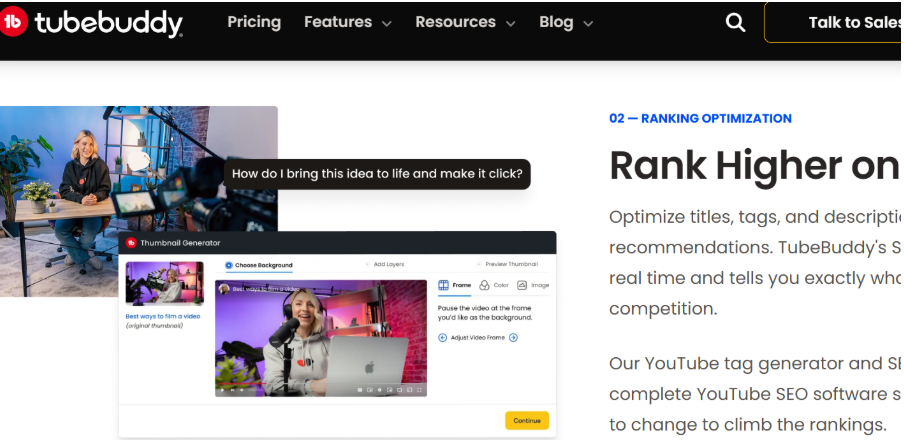
If you are looking for a free tool to help you with keyword research, TubeBuddy is an option worth considering. In this case, all you need to do is add a topic idea, and you will be provided with data on the keyword, such as the search volume and the competition score. Depending on the channel relevance, the tool will also provide you with related keywords to explore and include in your keyword list.
Ahrefs
This is one of the tools that will provide you with very comprehensive data for your keyword research and refinement. The tool enables you to analyze both phrase and term matches. You can also group and export your ideas, on top of viewing the relevant metrics for the return rate.
Keyword.io
This is a freemium tool that has both a free and a paid version. It can be a good choice for showing you the relevant YouTube keywords and exporting them to be processed later. If you want an estimate of the search volume, you will need the paid tool. However, you can still use the free version to generate and get keyword ideas.
Research the Search Volume
Now that you already have a number of keywords to use in your YouTube video, it doesn't mean the work is complete. You will still need to analyze them further, as not all keywords are worth creating content on. One of the most important metrics when analyzing a keyword is to determine its search volume. Otherwise, if you choose to create a keyword with zero search volume, you can rank it on YouTube, but nobody will view the video.
On the other hand, a keyword with 10,000 monthly searches doesn't mean it's good. This is because the competition level of such keywords is likely to be high. Major channels may already be ranking for the keyword, and it would be hard to outrank them unless you are also an authority in your niche.
When conducting keyword research for YouTube, you will need to balance the search volume and competition. Usually, short-tail keywords are shorthand, broad keywords, usually with a high search volume, but are very competitive. For instance, a keyword like cooking can have millions of searches and thousands of videos competing for attention.
On the other hand, long-tail phrases are usually more specific. While their search volume is lower, they also have less competition, making it easier to rank for them. Your goal should be to find a good balance where you have a keyword with a considerable search volume but without too much competition, to the point that it gets lost in the competition.
Therefore, a good thing would be to refine the keywords to only include those with some considerable search volume but with low competition. Again, the keyword research tools we mentioned earlier, like Ahrefs, can provide insights into the search volume of the keyword and the competition level. The tool also enables you to export the data into an Excel sheet, where you can sort it according to the search volume. As a rule of thumb, avoid keywords with less than 100 search volume.
Conduct Competitor Analysis
Previously, we used competitor analysis to determine the keywords competitors were using. You also need to understand how your competitors use the keyword. Visit the YouTube site and check the top 5 videos ranking for the keyword. Pay attention to the quality of the videos, using a score of 10.
If you find that there was one quality video, while other videos were outdated and low-quality, you can rate it 4 or 5. If you find a particular video was well-produced and engaging, you can give it an 8 or 9. But if a video didn't really meet the searcher's need, you can give it a 2. The goal is to use this as a general guideline for competitors' performance.
You will be using this data to calculate the compound metric to determine if there is an opportunity in a keyword. When you discover there are many videos already meeting the need of the searcher, you will struggle to gain traction with a similar video. However, if you find that a keyword has demand and there is not great content, it means there is an opportunity you can take advantage of.
Add an Opportunity Score
You can add an opportunity score to determine the potential value of the keyword for the channel. To do that, you can divide the search volume by the average score. You can then use this as your video creation guide.
Consider the Keyword Reliance
No matter how good a keyword is, if it's not relevant for your target audience, it will not work well. That is why, before you start creating videos on a keyword, you want to analyze its relevance. You need to choose keywords that truly reflect what your video covers and who it's for. That means you need a clear understanding of the video's content and target audience.
When a keyword is quite relevant for your video and audience, you can have a good chance of garnering views and making viewers truly interested in the content. Relevance can also result in higher engagement, higher watch time, and a stronger relationship with the audience.
Search Intent Consideration
Getting the keyword is good, but it is not enough. You need to understand the search intent behind the keyword. Consider what people have in mind when they enter a keyword in the search bar on YouTube. Do they want to get entertained, solve a particular problem, or get a product review? When you understand the intent, you can better select a keyword that truly matches the video topics and aligns with your audience's desires and needs.
When you understand the intent behind a keyword, you can focus on creating content that addresses the search journey of the user and their pain point, positioning your channel as the resource for people searching for a solution in the niche.
How to Use the YouTube Keywords
After discovering your target keyword, the next step should be to use the keyword strategically in your videos to maximize visibility and engagement. You can use certain tips to increase the chances of users clicking on your videos:
- Optimize the title. Remember that the title is the first thing that YouTube users will see. Therefore, you need to include the primary keyword here in a natural and engaging way. Make sure the video is very clear, compelling, and provides your audience with a reason why they should click.
- Speak keywords. The YouTube algorithm is getting wiser and now understands if the keyword is spoken in the video. Therefore, mention the keyword in the audio and add it to the transcript.
- Engaging thumbnails. Even if you don't add the keyword in the thumbnail, adding a captivating thumbnail can drive your click-through rate. When viewers realize that the content delivers on what the title and thumbnail promise, they can watch through the video, increasing its ranking.
- Description. A common mistake that creators make is to assume that the description is an area for them to dump some links. Instead, they should use it to add their target keyword, especially in the first line. However, they should make sure that the viewer still gets value from the description.
- Categories and tags. Your keywords should be used as tags to enable you to categorize videos in the YouTube algorithm. This can improve the chances of the video appearing under related videos.
In Conclusion
One of the most important steps in YouTube SEO is keyword research. This involves finding the keywords that people are using to find the videos in your niche. When well done, it can be a great source of organic traffic. Therefore, use the above steps to conduct your keyword research for YouTube.
