The social commerce market is projected to account for 17% of all e-commerce sales by 2025, which is primarily driven by social media platforms turning into marketplaces. With the increasing popularity of social commerce, every brand should have a strategy for selling on social media.
When creating a social selling strategy, one of the most important decisions you need to make is the platform you will use for selling. As the world's most popular platform, Facebook offers an unmatched reach for your social selling strategy. Additionally, Facebook is one of the most cost-effective platforms to advertise. No matter the product or service you sell, chances are that you already have a ready audience on the platform. In this guide, we look at how to market like a pro on Facebook Marketplace in 2025.
What is Facebook Marketplace?
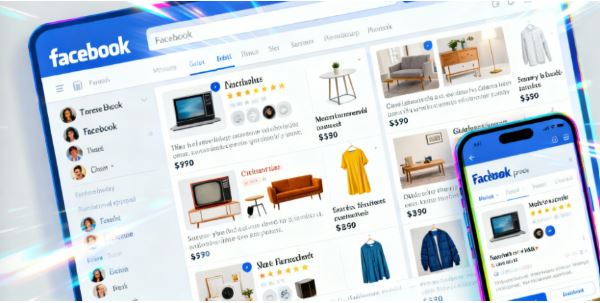
Facebook Marketplace is an online platform that allows users to discover, buy, and sell products to other Facebook users. Launched in October 2016, Marketplace has changed from a small local listing to a large e-commerce ecosystem. While the platform offers a kind of peer-to-peer arrangement for the sale and pickup of products, Facebook plays a more direct role, facilitating payment and shipping at a fee. This means it plays an essential role in the B2C or C2C selling.
Through the Facebook marketplace, you can complete different tasks such as:
- Browse through buying products. You can search for products available and those nearby. You can even filter the listing to ensure a narrow search.
- Make the listing detailed. You can add videos, descriptions, and images to the items you want to sell.
- Provider shipping. If there are buyers outside your location who are interested in your product, you can offer them a shipping option.
- Communicate with sellers and buyers. Facebook enables direct communication between buyers and sellers, allowing them to ask questions, negotiate the purchase, and arrange shipping or pickup.
- Activity management. You can track your past sales, current listing, and communications under the section labelled "Your Account".
- Use AR for account preview. Some products allow you to view how they will look in your room using AR and VR. You can read our guide on the future of VR interaction.
If you are selling locally, Facebook will not interfere with the selling process, including payment. It is the role of the user to arrange that between themselves, without charging any fee. For products requiring shipping, payment is processed by Facebook to protect both the seller and the buyer.
Users can access their Facebook Marketplace in nearly all countries worldwide, on both desktop and mobile. However, users need to be at least 18 years old to sell. Users under that age are allowed to browse and purchase products.
Determining if Facebook Marketplace is the Right Option
If you are wondering if Facebook Marketplace is the right option for you, here are a few factors to consider:
Audience
If your goal is to reach local customers, the Facebook Marketplace is a great choice, but you need to ensure that your target audience is on the platform. The biggest demographic on Facebook is aged between 35 and 44, with the popularity among Gen Z users waning. If you are targeting Gen Z audiences, Facebook may not be the best option for you.
Product Category
You can sell items in various product categories on Facebook, such as electronics, furniture, clothing, and more, with some categories doing better than others. If your goal is to sell niche, vintage, or unique items, Facebook Marketplace is the right place for you.
Seller Requirements
To start selling on the Facebook Marketplace, you need to have a Facebook account. However, if you have a U.S.-based business account and a Facebook Shop, you can manage your listing directly from the Commerce Manager dashboard. You also need to ensure that you have adhered to Facebook's commerce policies so that your selling experience remains positive.
Costs
The pricing structure of Meta has changed. In the past, local sales attracted zero charges but a shipping fee of 5% of the sales price. Today, all orders only have a processing rate between 2.9% to 3.49%.
What is the Facebook Shop?
Introduced in 2020, Facebook Shops were designed to cater to vendors who had outgrown the marketplace but still needed access to Facebook's large user base. This also helped larger brands find a more effective way to showcase their products on Facebook.
The Facebook Shop differs from a Business page, which is a personal page for businesses that displays similar information. However, businesses can still add for-sale products on a business page even though this may be more challenging, and the buyer cannot complete the purchase on the page.
Therefore, a Facebook shop involves the use of bundled or individual products that are offered for sale either in a shopping cart or a complete product listing, and lives within the Facebook ecosystem. Ensure you advertise the products to get the buyers before they click or browse more in the Shop.
While Facebook Marketplace offers a basic listing, Facebook Shop is a promotional tool for e-merchants, providing sales, conversion, marketing, and customer support. It also includes third-party platforms like Shopify, BigCommerce, and WooCommerce. This offers a unified shop presence in the Facebook app and services.
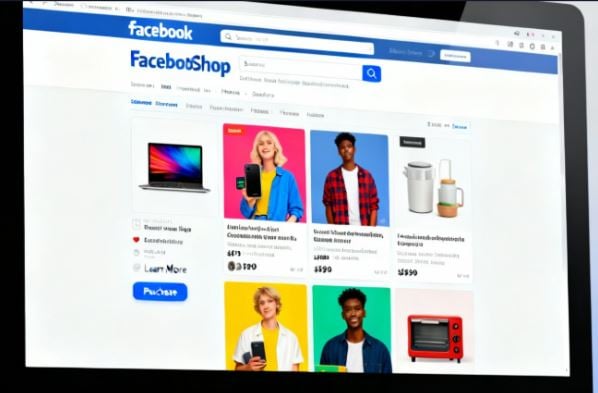
Your Facebook shop can be visible on other social media apps, such as Facebook Stories, Facebook Ads, WhatsApp, and Messenger. Use the Commerce Manager located below the Shop's dashboard. In the Facebook Shop, you can also add a Facebook checkout feature to store the shopper's payment information when they make a purchase, enabling faster checkout for future purchases. Rather than visiting external sites, buyers can make purchases directly within the app, including Facebook, WhatsApp, and Instagram.
A key difference between Facebook Marketplace and Facebook Shops is that the latter provides users with access to the Facebook Pixel, an analytics and tracking tool that has been available since the beginning. This ensures a more specific micro-targeting of the target audience and comparisons of the performance for the ad campaigns. You can read our guide on setting up a Facebook Shop.
Why is It Worth Selling on Facebook Marketplace
There are numerous benefits to selling on the Facebook Marketplace. You can use the platform to declutter, earn more income, and reach a larger audience. Some of the key benefits of selling on Facebook Marketplace include:
- Large audience. Facebook has over 2.91 billion users, providing a significant opportunity to reach your target audience.
- Easy communication with customers. Facebook Marketplace allows sellers to connect with potential buyers through Facebook Messenger, improving the room for meetings and negotiations.
- Local reach. The local listings on the marketplace are usually given priority, providing sellers with an opportunity to reach their target audience.
- Free listings. Listing products on the marketplace is free of charge. There is no upfront cost, which means you can be assured of a high profit margin.
- Easier transactions. The Facebook Marketplace has streamlined the selling process on the platform, making it easier for buyers and sellers to arrange in-person meetups and handle payments.
- Better Facebook reputation. As a well-recognized brand, many buyers recognize and trust Facebook and the sellers using the platform, primarily through the escrow services.
- Wide range of products. No matter the product you are selling, such as furniture or clothing, you can use Facebook Marketplace to sell, making it a good platform for catering to the diverse interests of different users.
- Mobile-friendly. The Facebook app offers sellers an opportunity to manage their listings while on the move.
- Higher community engagement. If there are buyers in the local community, you can connect with them, increasing the sense of trust and connection.
- Encourage sustainability. Facebook Marketplace offers an opportunity for people to sell their used items, reducing the amount of waste.
How to Start Selling on Facebook Marketplace
If the Facebook Marketplace is the right option for you, follow these steps to start selling:
Set up a Facebook Marketplace Account
You can set up the Facebook marketplace by logging into your personal account and tapping on the Marketplace icon. If this isn't available immediately, go to the menu bar and click on See More. You will now be ready to create the list. For a more comprehensive Facebook selling experience, go with a Facebook Shop. To make one, you will need to have a Facebook business page, where you will have a dedicated storefront to customize as per your needs using Commerce Manager.
One of the benefits of the Facebook Marketplace is that it will allow your customers to buy from three places:
- Facebook shop.
- Facebook marketplace.
- Online store.
Create an Outstanding Listing
Unless your listing on Facebook Marketplace is outstanding, it will struggle to capture the buyer's attention. To create your first list, go to the Marketplace panel located in the left sidebar. You can now click "Create New Listing." There are three listings from which you can pick:
- Vehicles.
- Property to rent or sell.
- Other items.
After selecting the correct category for your products, add a clear title and a detailed description list. Ensure that you have the right keywords in the copy to make it easier for the copy to be seen. To get the necessary data, act as the buyer and copy their search behaviors.
Check the listing that appears first in the search results, ensuring it includes the essential details, such as the keyword to be used in the title and description. Include a high-quality video or photo of the product you are selling. This is important because potential buyers can click on listings that feature detailed and clear images.
Add the Shipping Method
Before publishing the listing, you will need to select your delivery method.
- Shipping only. In this case, the seller will be responsible for shipping the item to the buyer within 10 days. Please note that Purchase Protection typically covers most purchases made through Facebook Checkout.
- Local pick-up. This option requires the buyer to arrange for the pickup of the item, even though they can also use a current store location as the pickup or drop-off location.
- Local pick up and shipping. This option allows buyers to select either shipping or pickup, depending on what they find most convenient.
Listing Promotion
When you promote an item on the Facebook Marketplace, it doesn't guarantee visibility to potential customers. You will, therefore, need to invest money and time into promoting the listing. You can do that in several ways:
- Tap locals. Utilize the group features on local selling and buying groups by leveraging Facebook group features. You should join several groups in your niche.
- Listing cross-promotion. It's also essential to ensure that you are promoting the list on other social media platforms, such as Instagram.
- Leverage Facebook Ads. Ensure that you leverage ads to make your listing as visible as possible to the relevant audience.
Communicating with Buyers
For a smooth transaction and final sale, effective communication with the buyer is essential. You can communicate efficiently within the Facebook Messenger tool in the Facebook app and use it to answer any questions the customers may have about the listing. You can then negotiate the price and arrange for delivery or pickup details.
The payment method on Facebook Marketplace differs. For in-person deliveries, you can agree on cash payment. You can also opt for online checkout if you are using debit cards, Meta Pay, credit cards, or PayPal.
Tips for Success on Facebook Marketplace
To increase your chances of success on the Facebook marketplace, use the following tips:
Build the Consumer Trust
Unless your potential customers trust you, they will likely be uninterested in your listing. To gain the trust of potential customers on the Facebook Marketplace, treat the listing as a storefront. Here are a few tips to help you increase customers' trust:
- Have a complete profile. Ensure that you include all the necessary details in a personal profile, such as the profile picture, cover photo, and bio. Doing this will ensure your business page, profile, and Shop are in good standing.
- Respond to any questions. If the potential buyers have any questions, you need to respond promptly. If your product has any shortcomings, you need to keep buyers informed throughout the entire sales process. Responding quickly to questions will make the buyer understand the right turnaround time by adding an automated message in the bio.
- Be honest in the description. You must ensure that the product's attributes and features are clearly and accurately described. In the event of any disputes or negative customer experiences, resolve them promptly and efficiently.
With continued sales on Facebook Marketplace, remember that building customers' trust is an ongoing process, so ensure that each transaction is treated with dedication to outstanding customer support. Doing so will ensure that you have an excellent reputation on the Facebook marketplace.
Understand the Best Posting Time
To increase your Facebook Marketplace sales, you need to time your listings effectively. You may not be able to pinpoint the exact time when your audience is most active online. However, according to a recent study, the best time to post on Facebook is on Wednesday between 11 a.m. and 1 p.m. You can use this as your starting point and keep adjusting to see what works best.
Encourage Customers to Leave Ratings and Reviews
According to research, the majority of customers read negative reviews more often than positive ones. This is why one of the steps you should take is to manage your seller reputation. You can reach out to your previous customers and ask for their review. While this may seem like hard work, studies show that 65% of customers are willing to leave a review when a business prompts them to do so.
Ensure that you also work toward gaining organic positive ratings by providing excellent customer service and responding quickly to any inquiries. According to a BrightLocal study, resolving customers' issues is likely to increase their chances of leaving a positive rating by 79%.
Perform Competitor Research
There are several reasons to conduct competitor research:
- Get deeper insights. You can gain insights into the product offerings and pricing of competitors, thereby helping you identify market gaps and create unique products.
- Understand the preferences of your customers. By understanding the expectations and experiences of your customer, you can focus on tailoring your products to their needs.
- Marketing inspiration. By observing your customers, Facebook marketing campaigns, and tactics, you can get a deeper understanding of the best approach to use.
Understand the Marketplace Algorithm
If you want to make your Facebook marketplace listings more visible and reach more potential buyers, you need to understand the Facebook algorithm. This takes into account various factors when determining which listings to show to users, including their engagement, seller reputation, and relevance. Let us look at these factors in detail:
- Relevance. The relevance of a listing is typically determined by the details included in the listing, such as relevant keywords and product information.
- Engagement. The algorithm takes into account the interactions of users through comments, shares, and likes.
- Reputation of the seller. The algorithm will also consider previous transactions, as well as overall marketplace activity.
Using Facebook Ads to List Your Marketplace Listing
You can increase the visibility of your listing using Facebook ads, as these ads can help you drive traffic to the listing and its overall website. Once you understand who your target audience is, you can then use ads to target that audience. You can set the ad's parameters to enable it to reach the right people, such as those based on interests, demographics, and locations.
As compared to other social media sites, Facebook ads are cost-effective and produce a high ROI. However, to enjoy these benefits, you need to optimize them well. You can use several tips to increase the chances of customers clicking on your Facebook ad.
- Add a call to action (CTA). This informs the potential customers of the action they should take after seeing the ad. A good idea would be to add a sense of urgency and direct customers to resources where they can learn more about the product.
- Share the product you are selling. Ensure that your descriptions provide ample information about the product you are selling and explain why buyers should choose it over similar products on the platform.
- Edit your listing. To ensure that your potential customers engage with the ad, it is essential to ensure that the copy is free from grammatical errors. You can leverage tools like Grammarly to detect errors in your listing.
Top Facebook Marketplace Rules to Know
When selling on Facebook Marketplace, you need to follow these rules meant to ensure user safety and compliance:
- Prohibited items. Do not post dangerous or illegal items that are in violation of the community standards. This can include items such as weapons, counterfeit products, and other regulated items.
- Communicate accordingly. Be polite and professional when interacting with potential buyers. Don't use offensive or discriminatory language.
- Responsible pricing. Ensure that your prices are competitive and fair. Don't use misleading prices.
- Accurate description: Ensure there is a truthful and precise description of the item, such as its features, conditions, and other flaws. Make sure the items posted are of high quality and contain clear images.
- Be safe when transacting. If meeting with buyers, it should be in public places with good visibility and lighting. You can go with family members or a friend for added safety.
- Payment methods. Ensure your payment method of choice is acceptable, such as electronic transfer or cash. Avoid payment methods such as money orders or cashier's checks.
- Ensure personal data safety. When buyers enter personal information such as their home address and phone number, avoid sharing these with strangers. All your communication should be done using Facebook Messenger.
- Be aware of a scammer. Remember that Facebook Marketplace has scammers. Therefore, be on the lookout for unrealistic offers. Don't give out your personal information. When buyers try to scam you, report them to Facebook and don't engage with them. If you believe a certain deal may be unsafe, avoid it.
- Follow community guidelines. Do not engage in prohibited activities such as bullying, hate speech, or harassment, or you may be banned for not following the community guidelines.
- Follow the privacy policy. The Facebook marketplace requires users to adhere to the privacy policy so that there is transparency regarding user behaviors and profiles. Ensure that you are compliant with the requirements, such as internet privacy, online advertisement, and surveillance.
In Conclusion
Facebook Marketplace offers sellers a unique opportunity to sell on the platform. With Facebook having over 3 billion active monthly users, this is an excellent opportunity to reach your target audience. However, to increase your conversion and prevent potential scams, you should use the tips outlined in this guide.
