AI has revolutionized how social media content is made. From generating text posts to captioning and creating hashtags, most content creation tasks can now be handled by AI. With videos being one of the most popular content formats, you also need good video tools for your AI content creation for social media.
While it's easy to watch video content, it is not easy to create a video. From writing a script, creating the video, and editing it, there is a lot of work that goes into making a perfect video. The whole process can take a lot of time. Fortunately, AI video creation tools can make the process easier. However, to achieve that, you will need the best AI Video creation tools. Join us in this article as we explore the top options.
What are AI Video generators?
AI video generators are software that leverages artificial intelligence to generate or edit videos from images, text prompts, or even other videos. That means you don't need specialized tools to film or edit videos, making them perfect for batch video creation.
Some of the key features of the AI video generator include:
- Text-to-video generators. The tools can turn simple prompts into cinematic scenes with some realistic motions and physics.
- Image and video animation. You can use AI video generators to animate static images, creating short, dynamic clips.
- Talking heads and AI avatars. You can use the virtual human avatars for explainer videos and presentations.
- Automatic editing. The AI video tools can perform other operations such as script generation, adding subtitles, music, voice-overs, and transcriptions.
How to Choose the Best AI Video Generator
When choosing the top AI video generator, you need to consider various factors such as:
- Quality of video output. While AI tools have come from far, they are still not perfect. Some do not adhere to prompts, and when they do, the quality isn't so good. They often include strange artefacts and are inconsistent. That's why you need to research to ensure the tool you choose produces high-quality videos. They should allow you to export high-resolution videos at least 720 pixels wide. The final video should be realistic and have outstanding visual fidelity. The tool should incorporate creative elements and interpret the video in a unique way.
- Intuitive and user-friendly results. Whether you are a beginner in AI video generation or have prior experience, you need to choose a tool with a user-friendly interface that lets you create polished, professional-grade videos.
- Branding consistency. The AI content creation tools should enable you to save your branding, such as the logo, colors, and fonts, so you can maintain consistent branding across different platforms, even when you have no creative experts.
- Life-like AI avatars. Modern AI tools offer intuitive tools for creating AI avatars and talking head videos that can drive engagement without the need for human actors.
Top 5 Top AI Video Generators
Now that you understand how to choose the right AI video generator, let us look at some of the top options you should consider.
Google VEO
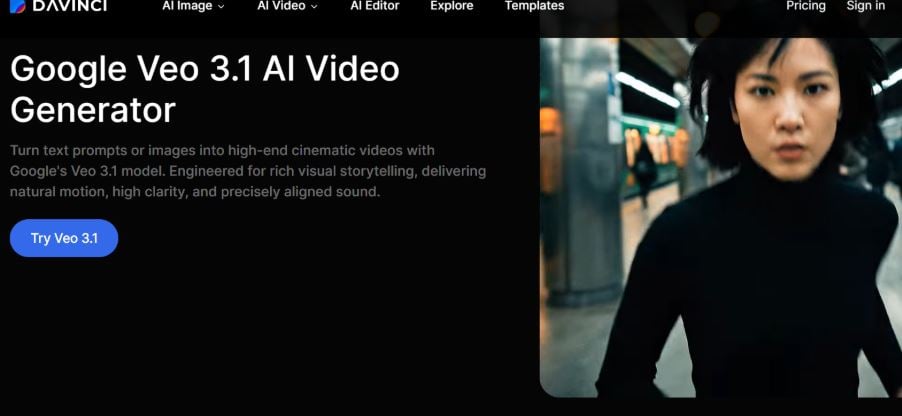
When it comes to prompt adherence and generating high-quality videos, Google VEO is arguably the best tool out there. Whether you are creating an image from text or from an image reference, the tool will generate realistic-looking audio and video. In fact, the quality of the videos generated by the AI tool is so realistic-looking that people are left wondering whether the generated video is real or AI-generated.
Key Features
- Outstanding output. Veo 3 produces some stunning, near-photorealistic videos.
- Character consistency. The AI tool generator can maintain consistency in the character's look across different shots.
- Natural language understanding. Veo 3 can understand both natural language and cinematic prompts.
The only downside of the AI tool is that it is one of the most expensive AI video generators, with packages starting at $19.99 per month, providing users with 1,000 credits and watermarked videos. It has an ultra plan that costs $249.99 per month and offers up to 25,000 credits without a watermark.
Runway AI (gEN 4.5)
This is another powerhouse when it comes to AI video generation, featuring a wide range of advanced tools to provide users with some granular control in the creative process. The tool is a favorite among VFX artists and filmmakers who want to generate a clip from a prompt. Some of the key features of the tool include:
- Advanced camera control. Make sure you provide precise control over camera movements, such as tilt, pan, and zoom, to ensure more intentional and dynamic shots.
- AI training. You should ensure that you train AI models on specific styles to maintain brand consistency across projects.
- Multi-motion brush. This unique feature allows you to animate certain parts of a video or image, bringing static elements to life.
It is one of the top AI tools for Instagram content creation.
HeyGen
Another tool that has made a reputation for creating high-quality AI video is HeyGen. The tool is great for marketers, sales teams, and businesses. The tool is considered a market leader in creating realistic avatars, digital twins, and even AI-powered marketing and educational content.
With HeyGen, you can ensure fast video production using the text-to-video tool, helping save time for creators and marketers.
Key Features
- AI-video translation. These standout features allow creators to translate their videos into different languages with high accuracy.
- Custom creation of avatars. The tool enables the creation of interactive avatars that work well for sales and marketing videos, ensuring a more engaging experience for viewers.
NextGen features a neat avatar setting, where users can choose from an avatar library or even create their own avatars. The tool also offers video lengths ranging from 15 seconds to 3 minutes, which is higher than many other generators.
Sora 2
Sora 2 is another great tool that acts like an AI director but with the intuition of a machine. The tool is a great choice for turning a narrative or story into a beautiful, coherent sequence, including audio. The tool will easily convert text into outstanding and cinematic 1080p videos. It's a great choice for creating stylized animations and B-roll.
Some of the key features of the tool include:
- Text to video. You can use Sora AI to create high-quality, high-definition videos up to 1080 pixels wide with natural language prompts.
- Video editing. You can use the tool to modify videos or even remix different video content, including changing backgrounds and styles.
- Physical simulation. Sora AI understands how to simulate real-world experiences such as gravity, fluid dynamics, and object persistence.
- Character consistency. The tool can maintain the same character in different scenes with the same video.
- Diverse aspect ratios. The tool supports the creation of videos in different aspect ratios, such as vertical (9:16), Widescreen (16:9), and Square (1:1).
Luma Dream Machine
The Luma Dream machine is a good choice for delivering quality and speed. It's a good choice for producing visually appealing, cinematic results, making the tool perfect for social media marketers and creators who want to create outstanding visuals.
Some key features of the tool are:
- Fast generation speed. Luma has one of the highest generation speeds, making it perfect for fast iterations.
- Keyframes. This is one of the great features that allows you to define where an image begins and ends, providing the AI tool with a clear path to follow.
- Cinematic output. The tool can consistently produce outstanding, visually beautiful images.
When you start with the free version, you're limited to 3-5 seconds with a watermark. The tool features a workaround in the ideas tab to ensure some prompt entry, with options for aspect ratios. The tool also has a helpful library of different camera styles, angles, and lighting for inspiration. The keyframe feature lets you upload the start and end of the image, while the AI fills the middle.
Best Practices for Using Video Generation Tools
For the best results with AI video generation, use the following best practices:
- Understand the right prompting methods. Make sure you describe the plot clearly, including the subject, action, location, and aesthetic. Leverage camera directives such as zooming and panning, and instead focus on a single idea to avoid confusion in AI.
- Be consistent. To ensure the character's consistency, you can begin with a static image and use it as a reference for the video generation.
- Workflow structure. You can leverage the progressive detail method, where you begin with the prompt and then add specifics in the interactions that follow. You can refine the prompt using tools such as ChatGPT for character refinement.
- Ensure human refinement. Use the output you get from AI as your first draft. You can then add human elements such as emotional nuances and the right language for your brand.
- 30% rule. A rule of thumb is to keep the final work to no more than 30%. The rest should be modified by a human.
In Conclusion
The right AI video generator can help you hasten the process of creating, editing, and scaling your video production while saving you time you would otherwise spend on production. You can use text prompts to generate some high-quality videos without the need for specialized skills, expensive equipment, and a lengthy editing process. If you are searching for the best tools to enable you to do that, consider one of the above options. You can read our guide on building ethical AI models.
