According to one study, 65% of content marketers say repurposing content is one of the most effective ways to boost engagement. By repurposing your social media content, you can increase its reach without creating new content from scratch. Unlike the past, when you had to spend hours tweaking your articles, repurposing has now become easier if you have the right tools and strategy. In this article, we look at picking the right tools for content repurposing.
Definition and Roles of Repurposing Tools
Repurposing content aims to transform it from its original state into different formats that can be shared across social media platforms, increasing discoverability and visibility. It can, therefore, be a good strategy for increasing the value of your content. Once you have decided to repurpose content, you can find a tool to make the work easier by helping in various stages, such as:
- Video clipping. You can use video clipping tools to turn long-form videos into shorter ones that easily capture the average user's attention span.
- Adapting to social media. If you have already created a video for one social media platform, it might not work well for another. For instance, if you turn your video into a blog post or a text-based post on platforms like Reddit, LinkedIn, or X, the social media adaptation tools will help you do so.
- Captioning and transcription. These are great tools for transcribing audio or video content to repurpose into email newsletters and blog posts.
- Multi-language support. You can use the tools to repurpose your content from one international language to another.
- Content extraction. You can use the tools to extract the audio from your video and use it as an episode for your podcast.
Top Tools for Repurposing Content
If you want to repurpose content, consider the following tools.
FlareCut
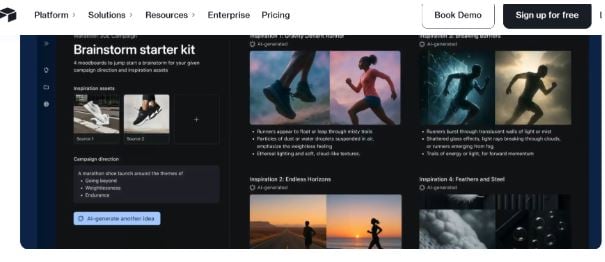
Flarecut is a great tool for repurposing blog posts into short clips. While it's not a comprehensive repurposing tool, it covers all the key details needed to turn blog posts into short social media videos. Additionally, you can use Flarecut to generate videos from your text prompts, providing creative spaces to explore your inspirations and ideas.
Pros
- User-friendly, with a clear interface, it only takes a few clicks.
- Easy to find some interesting parts of the blog and to generate some great scripts.
- Create outstanding videos from a text prompt.
Cons
- Has a single payment plan for buying, based on every 10 downloads.

PodSqueeze
If you want a comprehensive tool that meets all your podcast needs, PodSqueeze is the best choice. On top of repurposing video, you can repurpose text, video, and audio, turning them into captivating content that encourages engagement. The tool is a good choice for turning videos into short clips, blog posts, email newsletters, and more.
Benefits
- Great tool for generating blogs, transcripts, and newsletters at the click of a button.
- Helps tune the content to meet your needs.
- Repurpose accurately without much human touch.
- An outstanding dashboard that is easy to use and clean.
Cons
- Allows repurposing of up to 50 minutes on the free plan.
VideoTap
VideoTap is a great tool for converting your videos into SEO-optimized log posts. The tool is a great choice for people who want to repurpose their audio or video content into written blogs. The tool uses AI technology to transcribe and structure content into SEO-optimized articles, helping you save time and effort.
Pros
- Great tool for saving time, repurposing your content.
- Enhances discoverability by integrating with SEO.
- Support for multiple languages.
Cons
- Doesn't offer many customization options.
- Needs a bit of adjustment to accurately capture complex topics.
Quso AI
Quso AI features an AI generator that finds a viral hook in long-form content and easily creates TikToks and reels ready to post. You can upload a webinar, podcast, or video, and the tool will automatically select the most engaging moments, add animated captions, progress bars, and brand fonts, then resize everything for Instagram, TikTok, YouTube Shorts, and LinkedIn.
In addition to the clips, the platform can be a good choice for converting your blog posts into videos, generating hashtags and hooks, and even scheduling the final assets. This makes the repurposing process easier.
Pros
- AI can identify the highlighted segments without manual scrubbing.
- Over 50 animation styles, including colors and fonts.
- Can auto-resize to different sizes such as 1:1, 9:16, and 16:9.
- Scheduling and analysis at the click of a button.
Cons
- Tends to lag when processing heavy videos.
Airtable
Airtable is an online tool that will work better than any Spreadsheet. The tool makes it easier to repurpose and create content by turning it into a distribution method or format that will meet the needs of your target audience. The tool features keywords and lists that make it easy to search, optimize, and continue working on the task.
Pros
- Allows multiple views for different stages.
- A customizable content repository.
- Relational data structure.
Cons
- It can be a bit technical.
The tool is hybrid, combining the features of a database and a spreadsheet, making it easier for marketers to store, adapt, and share their content across different social media platforms. It's a great choice for workflow management, content calendar creation, and automating the transformation from one piece to another.
Storyy
Storyy is a tool designed specifically for marketers to repurpose their short-form content into trending short-form videos. The tool lets you turn short written content or short-form videos into fast, visually appealing clips for platforms like Stories and Reels.
Pros
- It has outstanding AI features.
- It has an AI script generator and a teleprompter.
- Ease of use.
Cons
- A bit expensive.
LongShot AI
If you would like to turn your videos into a blog post, VideoTap is a great tool for doing so. It uses AI to transcribe and structure content into SEO-optimized articles, saving you time and effort.
Pros
- Helps save your time and effort.
- Supports your SEO efforts. It can, therefore, help you improve your social media SEO.
- Support for multiple languages.
Cons
- Doesn't offer many customization options.
- Need to be adjusted a little to capture the more complex topics.
In Conclusion
Content repurposing can help creators and brands save a lot of time and effort they would otherwise have spent creating content from scratch. To save even more time, they can use the top content repurposing tool. These tools can make the process seamless. If you are searching for a good option, consider one of the above. You can also read our guide on the best social media management tools.
