If you want to create a high-quality video that maintains high retention, one of the most important factors you should keep in mind is editing. Good video editing is like storytelling. It helps to stitch the flow of the video to keep viewers hooked throughout the video.
Video editing enables you to control the video pacing and use auditory and visual effects to keep your viewers engaged. A well-edited video shows quality and acts as a signal to the algorithm to push the video faster. However, to get the most out of your video editing, there are some common mistakes you need to avoid, which we will discuss in this article.
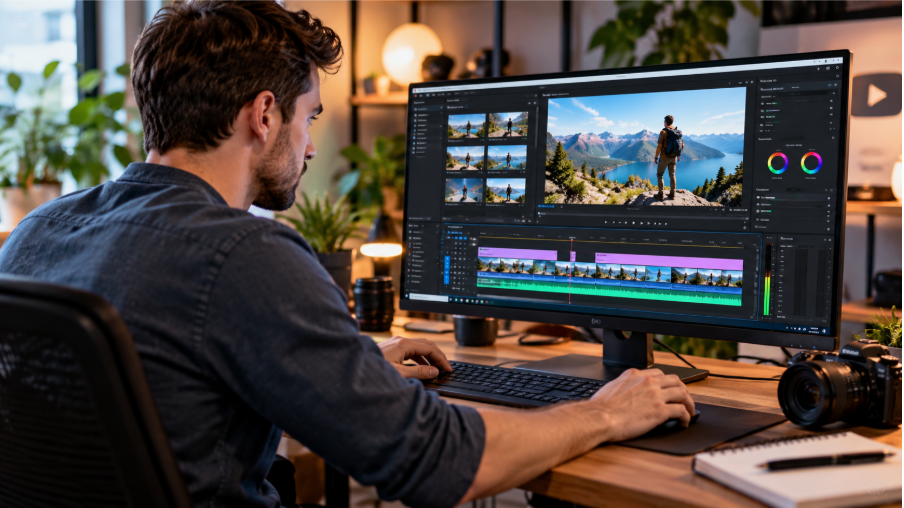
How Video Editing Impacts Viewers' Retention
A well-edited video offers several benefits, such as:
- Ensure a good, fast impression. When you eliminate the dead air and long introductions in your videos, you can have a compelling introduction that will draw in the audience.
- More visual appeal. When you have some smooth transitions, better visual effects, and color correction, you can give your video a professional feel, making your audience more likely to stay longer.
- Ensure steady pacing. When your video is too fast or too slow, you can easily lose your audience.
- A visually captivating story. Good editing can enable you to tell a more visually captivating story. When you use a visual narrative and a storytelling method, you can keep your viewers engaged, making them want to watch to the conclusion.
Common Mistakes to Avoid in Video Editing That Impact Impressions
Despite the importance of video editing in improving retention, many creators often make common mistakes that hurt their retention. These include:
Starting Editing without a Plan
If you just open the video editor and start slicing without a plan, you will end up with a poorly edited video that results in a fast audience drop-off. On the other hand, a video editing plan will enable you to:
- Save time. You don't have to spend many hours searching for the perfect clips in a large and unorganized file. Instead, a script or plan ensures that you understand what you need to keep in mind.
- Improve the flow. When you have a clear storyboard or vision, this can be the roadmap for ensuring you have a coherent video that engages the viewer. This is important as early engagement matters after publishing.
- Avoid over-editing. When you have a plan, you don't have to add some random transitions and effects to distract from the key message.
A good idea would be to start by fixing the storyline.
A Slow Start
Many studies suggest that people decide in the first 5 seconds whether a video meets their expectations and whether to watch it to the end. If your video has a slow start, it will result in an early drop-off as viewers try to determine if your video meets their expectations. When there is an early loss of viewers, the social media algorithm will also interpret that as a sign of poor-quality content, reducing the watch time and limiting the distribution. That means you also need to understand how social media algorithms recommend content.
With the attention span of social users reducing, viewers want a video that instantly delivers on the promise in the thumbnail and title. If you don't hook your audience instantly, you will waste the important window necessary for the baseline watch time.
Awkward Pause and Slow Pacing
If your video has uneven timing, it will feel awkward and will make viewers lose their focus. This could happen as a result of scenes switching too fast or dragging for too long, impacting the viewer's experience. Even when you have the perfect messaging, if the rhythm drags, it will drag the entire video. If there are some unnecessary tangents, repeated phrases, and pauses, it can break the whole flow of the video. To deal with this mistake, eliminate those unnecessary parts, maintain the pace of the video, and keep the viewer's interest.
Ensure that you have smooth transitions between scenes to avoid having an abrupt cuts and ensure a visually pleasing experience. Include different visual elements such as text overlays, text effects, and animated graphics to drive viewers' engagement and keep them entertained.
Overusing Transitions and Jump Cuts
The jump cut refers to two simultaneous shots taken with similar settings and focal lengths to make the clip shorter, causing time to jump. The aim of the jump cut is to make the story move quickly, and it can be quite tempting to use it regularly. But when overdone, the video will appear poorly edited.
Too many transitions will cause a flashy effect, making your video look unprofessional. While creative transitions make the video more appealing, they can become a distraction if each scene spins, wipes, and crashes over the others. Additionally, when jump cuts are added to the same shot, they can show movement, making the video feel disorienting, jarring, and unprofessional as it breaks the visual identity, causing the subject to jump to a new position.
Weak Storytelling
According to one study, 84% of respondents suggested that they were convinced to buy by a brand's video. This can be an indication that a compelling video narrative can help to drive action. No matter how perfect the sound and content are, a video will not work if the storytelling is weak, and that is why the creative part is also an important part of video editing. If your video doesn't have a clear beginning, middle, and end, it will appear lost and will struggle to make an emotional connection.
Poor Quality Sound
No matter how good a video is, if the audio is below average, it will impact the video's retention. In fact, according to one study, poor-quality audio results in mental fatigue and usually causes viewers to click away faster than poor-quality visuals.
Poor-quality audio can consist of:
- Dialogue that is barely audible.
- Music that is excessively loud.
- Muffled dialogue.
- Uneven volume.
- Background noise, etc.
All of these are more likely to make the viewer click away. On the other hand, good audio quality should be clear, balanced, and pleasing, keeping viewers more engaged and making them watch. Use a high-quality microphone and audio tool to ensure the sound and voice are very crisp and can be easily understood.
This will ensure that your audience remains connected and focused. When you have a thoughtful sound design and some clear transitions, you can stir the viewers' feelings to dive deeper into the content, enabling them to stay until the end. Therefore, remove the distracting noise and balance the volume levels to ensure that the videos are more enjoyable, encourage the viewer to watch to the end, and to keep returning for more.
For good quality audio, start by watching the clip without the sound to see the flow. You can then turn on the commentary or dialogue to see if it works without sound and to identify if there are any unclear parts or errors. Finally, you can turn on the background music to determine the loudness. If it's too loud, turn it off.
Uneven Lighting
In most cases, lighting problems aren't always a result of shooting but of editing, too. If your video has clipped white or dark patches, or inconsistent exposure, it will result in poor results. To fix the problem, you need a good balance between the dark and bright colors using certain tools, an AI relighting effect, and keyframing. You can adjust the highlight and the shadow separately or use masked or graduated adjustment layers.
No Adding Captions and Multiple Languages
If you don't add captions to your videos, you will lose viewers who are playing in the autoplay feed and miss the accessibility standards. When your videos are in a single language, the reach of the content will be limited.
Therefore, take time to create subtitles for the whole video. If there is a geographical region you are targeting, translate the voiceover and captions for the region. Make sure the line length is short and the screen text is long enough in a way that it can be read.
Bad Text and Typography
While the title and captions are not given a lot of prominence, they greatly impact the viewing experience. If your video has bad typography, it will look cheap, no matter how great your visuals are. Avoid using crowded fonts, poor placement, wrong sizes, or text that is hard to read.
With 85% of users on social media saying they watch videos without sound, adding some effective, legible titles and captions can be quite important. When you have subtle text, you will show professionalism. On the other hand, flashy text will clutter, impacting credibility. The correct choice of text will validate your editing discipline.
In Conclusion
By removing the dead air, removing inconsistent pacing, and ensuring your video begins with a hook, good video editing can help improve retention. By avoiding the mistakes outlined in this guide, you can have a well-edited video that keeps viewers watching to the end.
