#1 Social Media Marketplace
Accelerate Your Social Media Growth with SocialWick. Quickly gain real followers, viewers, likes & more with our blend of marketing tactics. SocialWick is known for its fast delivery, premium quality, and low prices. With over a million satisfied customers since 2017, trust SocialWick to take your social media game to the next level.
Customers
Orders
Followers sold
Likes sold
How to delete Facebook Page
Published on 23.08.2023 by Tracey Chizoba Fletcher / Last Update: 29.10.2024
A Guide on How to Delete a Facebook Page
Source: https://helpdeskgeek.com/how-to/how-to-delete-facebook-pages-groups-and-accounts/
Having an online platform where you can introduce and interact with your prospective and existing customers is one of the best ways to promote your business and brand. There are many channels for achieving this objective, and one of them is having a Facebook page. You may ask, what makes a Facebook page different from a Facebook profile?
A Facebook profile is your personal Facebook account where you share your ideas and connect with friends and family, while a Facebook page is specifically created for business purposes, to connect with your customers, market and promote your products and services, and gain a wider audience as you increase your online presence. This platform has assisted businesses and corporations to increase their brand awareness and productivity.
There will be instances when you may choose to delete a Facebook page. It could be because the business has collapsed or it has shut down, or other personal reasons. It can be quite herculean to do this if you don’t have a guide. This article will lead you through the steps to get this done without breaking a sweat.
First, you must be the administrator of your page. This means that you're either in control or the manager of your page is in control. If you're not an admin of the page and you can’t reach the manager, then you might not be able to delete your Facebook page. If you're trying to delete a duplicate page and you don't have access to it, claim ownership of that page first. By doing so, you become an admin, and you can now access the option to delete the Facebook page.
Why Can't I Delete My Facebook Page?
If you're unable to delete a Facebook page, then you are not an admin of that Facebook page. In a rare case, another admin may have canceled the deletion of that page before the 14 day trial elapsed. The other admin may have reasons to cancel the Facebook page, especially if he is unaware of the reason for the Facebook page deletion.
However, if your page is registered with a Facebook Business Manager (FBM) account connected to a “parent” company, you can learn how to delete the Facebook Page using the Facebook Business Manager.
What Does Deleting A Facebook Page Mean?
Deleting your Facebook page means that it will be taken down and nobody will be able to see or access it. However, there is a clause. If the page deletion is not intentional or you later change your mind within 14 days, you can restore the page. All its contents, posts, and engagements will be restored, including data and Facebook reviews. If the 14 day period elapses, then all content will be lost and you can’t retrieve the page. You must be sure of your intent to delete your Facebook page before taking action.
Unpublishing a Facebook Page
If you’re uncertain about your intention to delete your Facebook page or you're being careful about losing your Facebook business page’s content and data, you have the option to “unpublish” the Facebook page. Unpublishing your page means that it will be hidden from the social media space and people who follow your page. It will only be visible to the admin who manages the Facebook page.
You can publish or unpublish your Facebook page whenever you want to. However, if you permanently delete a page, it cannot be undone after 14 days when the review period is over.
How to Delete a Facebook Page
The first thing to note when you want to delete your Facebook page is your certainty about your decision to delete your page. Once this is confirmed, these are the steps to take:
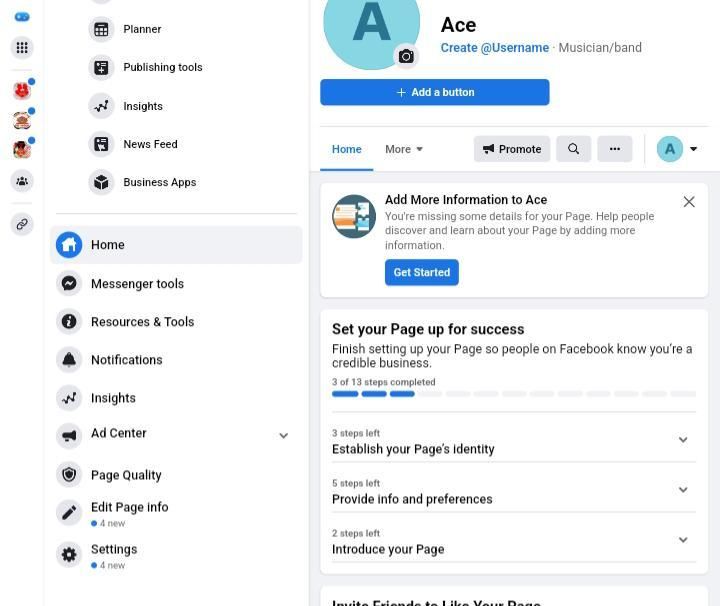
- Log into your Facebook account
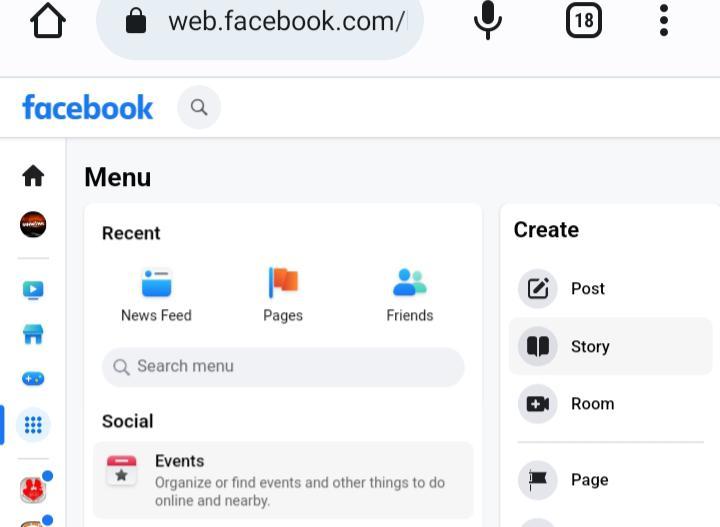
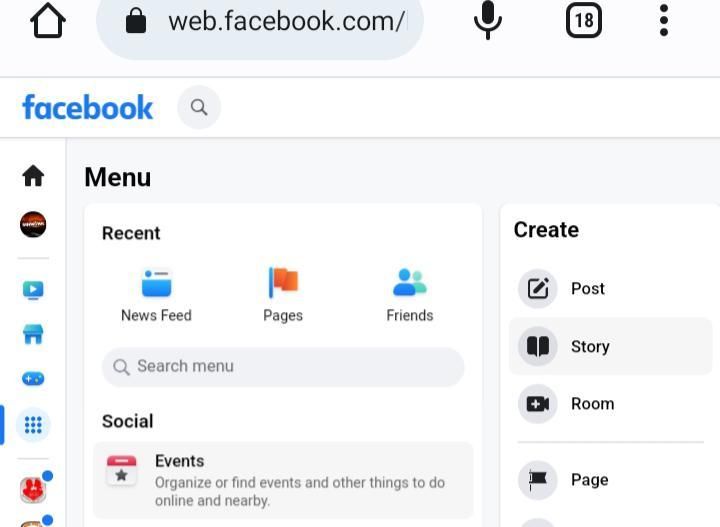
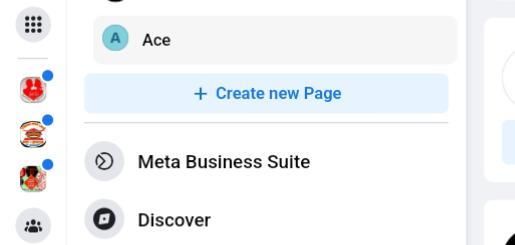
- Go to the sidebar menu of the homepage and click on “Pages”

- Click the page you intend to delete
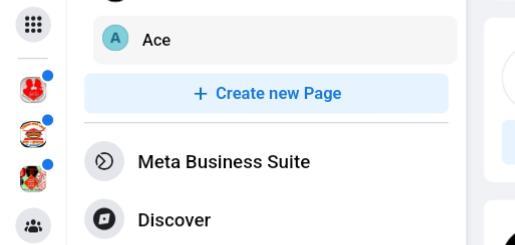
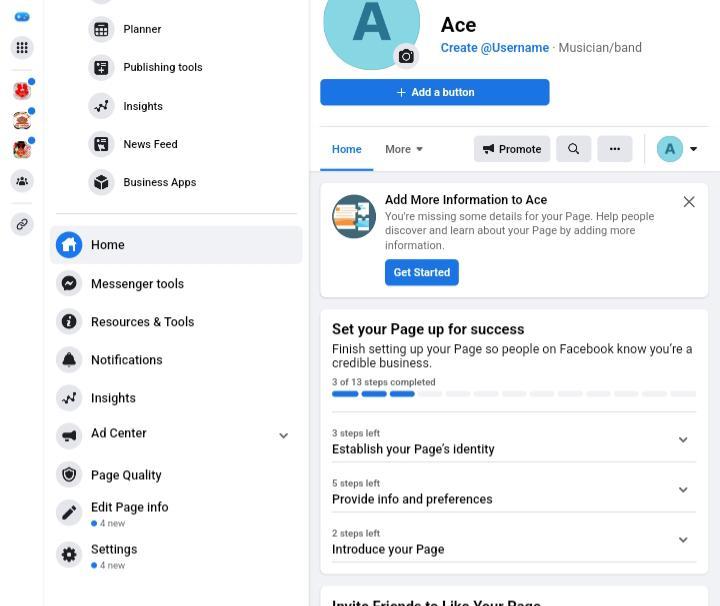
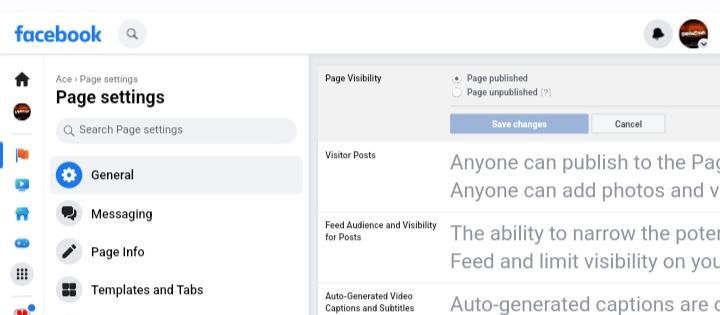
- Navigate the sidebar menu and select “Settings”

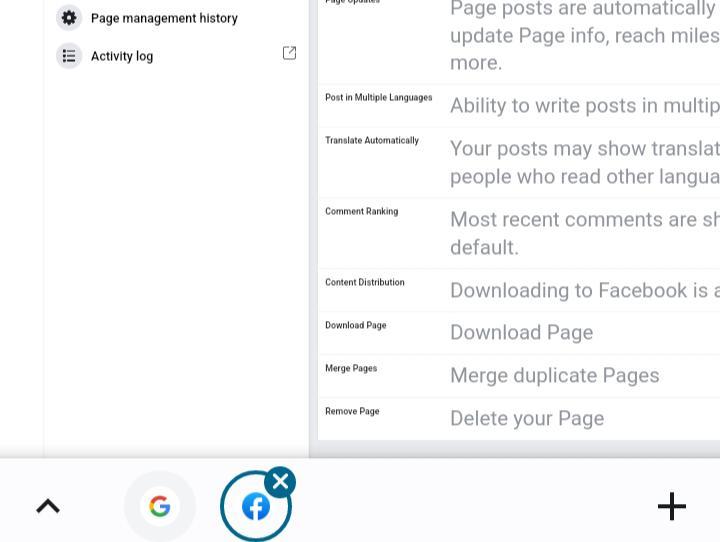
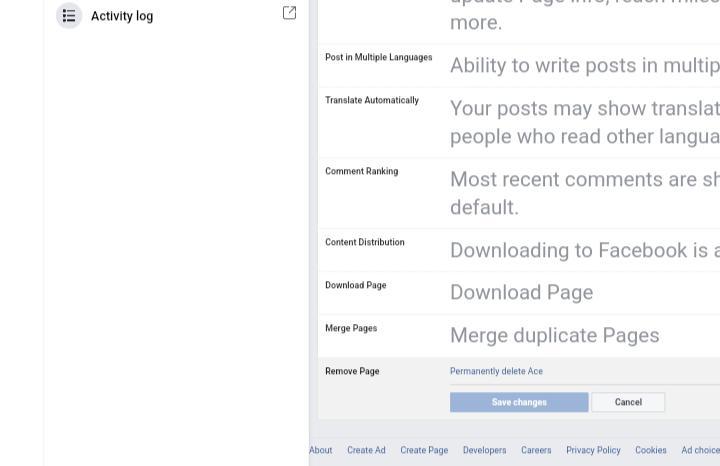
- Navigate to the General tab and click on “Remove Page”

- Tap the Delete Page icon

- Click “OK” on the pop-up alert
By going back to the General tab on the Settings page within the 14 day window, you can reactivate your page. If you scroll down, you'll see a tab alerting you that your page is about to be deleted. Click “Cancel Deletion” and on the following page, click “Confirm.”
On the website for Facebook Business Manager:
Log into your account on the Facebook Business Manager website.
On the website for Facebook Business Manager:
- Log into your account via the Facebook Business Manager website
- Click “Settings”
- Select Settings for more businesses
- Click “Pages” under Accounts
- Select the Page you desire to delete, then proceed to the top right side and click “Remove”
- You will receive a notification to confirm the deletion process. Confirm the Delete Page.
For Facebook mobile app:
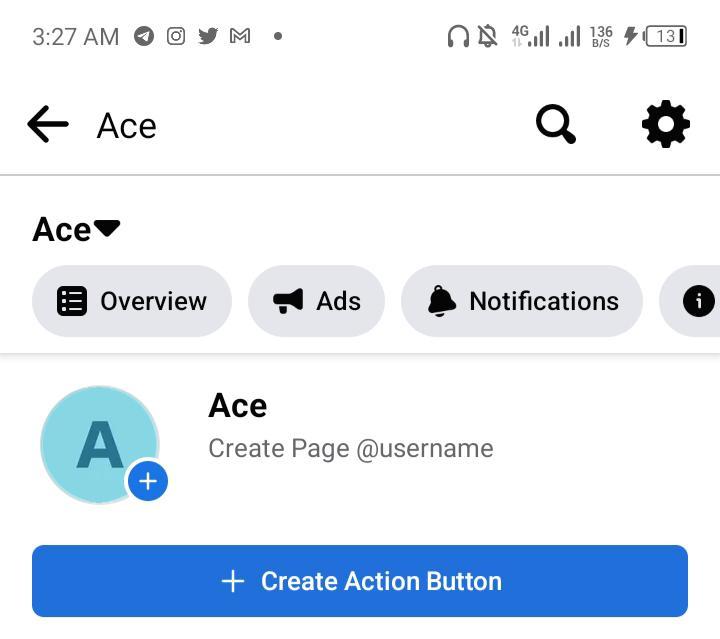
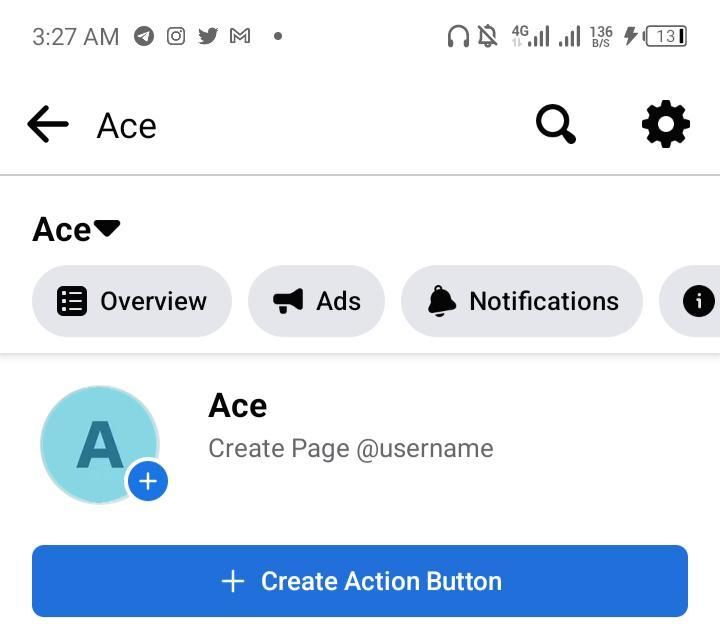
- Re-open the Facebook app, log in, and tap the three grid lines on the top-right corner
- Select “Pages” and click the page you want to delete
- Click “Settings”

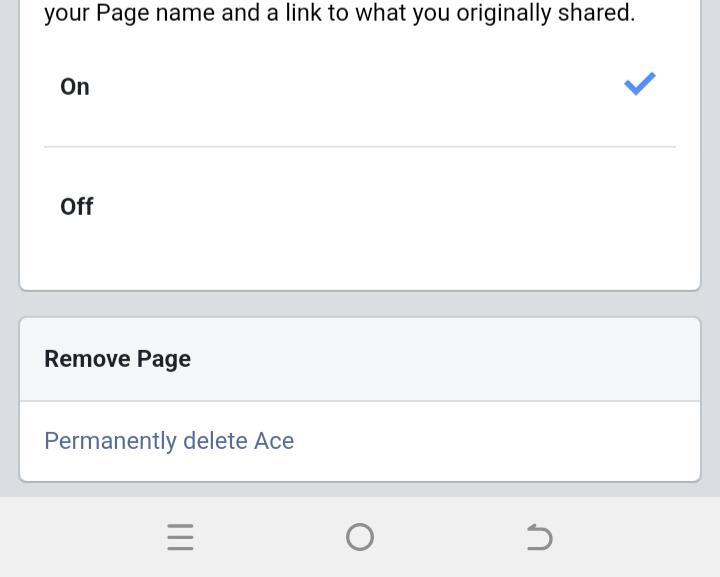
- Navigate the General tab to the Remove Page section
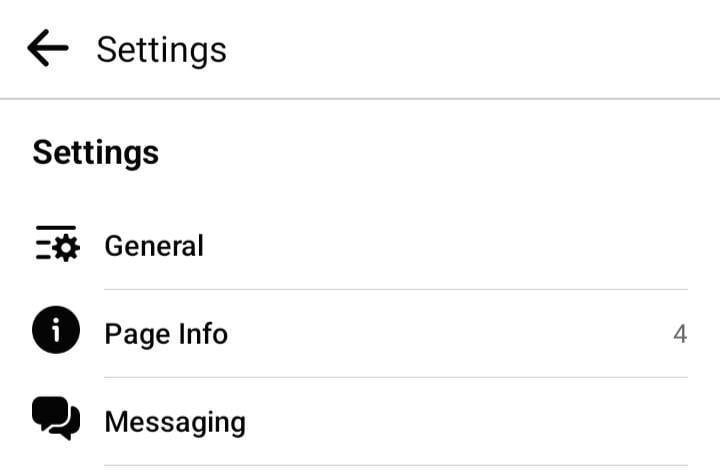
- Click the hyperlink Delete [your page name] and tap “Delete Page” in the pop-up

- You will be notified that your page is in “deletion mode” and to cancel it in 14 days. Click “OK.”
You can reactivate your page in the next 14 days by returning to the General icon on the Settings page. Scroll down and you will see a tab saying that your page will be deleted. Click on the “Cancel Deletion” icon and select “Confirm.”
Unpublishing a Facebook Page
Rather than removing your page permanently, choose to make it hidden from other Facebook users by unpublishing it.
On the Facebook website:
- Log into the Facebook website
- On the homepage, navigate to the sidebar menu and click “Pages”

- Select the page you intend to delete
- Select “Settings”


- Navigate the General tab and select “Page Visibility”
- Click the button for “Unpublished” and Save the Changes

- Click “Next” after selecting a justification for unpublishing your page
- Click “Unpublish”
For Facebook Business Manager:
- Enter the website for Facebook Business Manager
- Within the sidebar menu, select “Settings”
- More business environments to navigate
- Under accounts, select “Pages”
- In the top-right corner of the page you desire to delete, tap “View Page”
- At the top of the page, at the right corner of the menu grid, click “Settings.” Instead of the gear-shaped icon at the right top corner, look between Edit Page Info and Help. You'll be returned to office settings
- Click the General tab's Page Visibility link
- To save changes, select the Page Unpublished button.
- Click “Next” after selecting a justification for unpublishing your page
- Choose a choice, then tap “Unpublish”
When using the mobile app:
- To load your news feed, launch the app, log in, and tap the three gridlines
- Select the page you want to remove from publication by clicking pages on the menu
- Select “Settings”

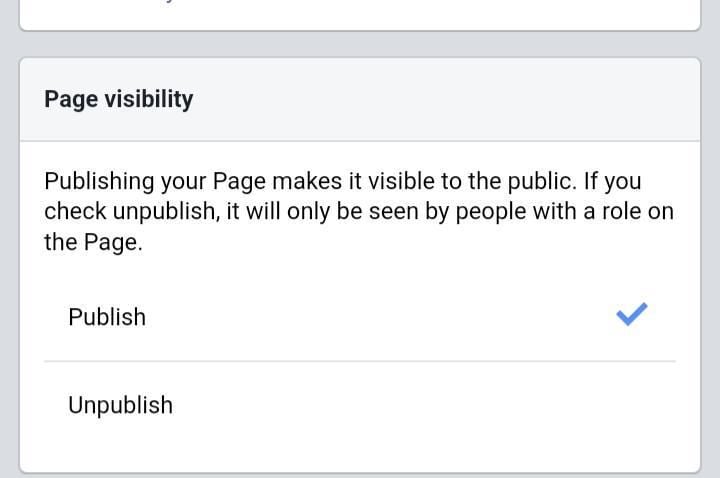
- Navigate the General icon and click “Page Visibility”

- Tap “Unpublish” and you'll see the blue mark indicating that your page is now hidden from the public
FAQs
How can I permanently remove a Facebook page
You must be the page's administrator to delete a page. Facebook's top right corner should be clicked. Navigate to your page by tapping Pages. Select “General Settings” from the menu. Tap “Delete” [page name] under Remove Page. Choose “Delete Page.”
Why am I unable to delete a Facebook page?
If you are not the page's administrator, you can’t delete the Facebook page. Also, another admin might have halted the deletion of that page prior to the expiration of the trial's 14 days review period. If the other admin is unaware of the cause of the Facebook page deletion, he may have good reason to delete the page.
You can find out how to delete the Facebook page using the Facebook Business Manager if your page is associated with a Facebook Business Manager (FBM) account linked to a "parent" company.
Sign up for SocialWick
Login
Checkout
Order processing usually starts within a few minutes, but some services may take a few hours or even a few days. We offer free refills for up to 90 days if needed. Our services are 100% secure and discreet, with a focus on gradual and safe delivery for your peace of mind.
Where should we send your order confirmation?
No account needed! We send your confirmation and tracking link here.
Secure checkout. We never share your email.
Log in
Use your account to pay faster with your saved details.
Create account
Create an account to track all your orders in one place.
Affiliate & Reseller Program
Customer Support
How may we help you?
General Support
Order Support
Frequently Asked Questions
1) What services do you offer?
We are a social media marketing company, and we offer a wide variety of services across several platforms that our clients can choose from. Once selected, we create a plan that fits your needs. We offer several types of services, such as followers, subscribers, likes, views, song plays, etc.
2) Is your service safe?
Yes, as we only sell real followers, likes, views, etc., and we hold every service to strict authenticity and quality standards. In order to protect your account, we deliver every order carefully and gradually. We closely monitor all our services. For more information, we strongly recommend reading our Terms of Service before you order.
3) Will I need to give you the passwords for my accounts?
No, you can keep your passwords to yourself because our services don’t need a password to influence your accounts. And if an email ever shows up claiming to be from us and asking for a password, it’s definitely not us, so please let us know right away.
4) Are the likes, followers, and subscribers real, or are they bots?
Unlike many other services, all our likes, followers, and views come from real accounts operated by real people. You won’t find bots, fake profiles, or hijacked accounts anywhere in what we deliver. Every order has to pass our strict authenticity standards, and we keep checking our quality to make sure it stays that way.
5) How fast can you deliver my order?
We will show you the estimated delivery time when choosing the service. However, this is only a rough estimate. In most cases, the services are delivered much faster. In some cases, it may take longer. We always aim for a natural and safe delivery!
6) What are your best-selling social media marketing services?
Although we have many services across most social media companies, our services for Instagram, TikTok, and YouTube are our best-selling options.
7) How do I know my account will not be flagged or banned?
We take safety very seriously. We never ask for your password, all followers, likes, and views come from real accounts, and orders are usually delivered gradually and naturally. What we can promise is careful delivery and strict quality standards. Plus a support team that’s there whenever you need us. We are not aware of a single case since 2017 where a customer got his profile banned.
8) What is the best method to communicate with you?
Do you have a question or run into a problem? Our customer support is available 24/7 for you. Just click Contact and you’ll land right on the support form. When you buy one of our services, we will email you to see if there were any problems. Your satisfaction is our main priority.
9) Are there discounts for large orders?
Yes! If you would like to request a large order that isn’t on our ordering layout, we will have no problems accommodating you. Just reach out through the support form and we’ll put together a buying plan that fits what you need.
10) What methods of payment do you accept?
We accept all forms of credit and debit cards, as well as Klarna, eps, PayPal, and Crypto.
11) If I am unsatisfied with your services, am I able to receive a refund?
Yes! Every purchase comes with a 30 day money-back guarantee. Not satisfied? Just contact our support within 30 days of your purchase and send us your order details and a short note on what went wrong, and we’ll take a look at your case. The full conditions are in our Refund Policy.
12) I haven’t received my order
Please make sure the following criteria are met before placing an order to make sure we can deliver it successfully.
- Your account is set to public
- You have typed in the correct username or link
- You have not changed your username before the order’s completion
- The post or account still exists and has not been deleted
- The post or account has not been restricted or removed in some countries
- Allow the estimated delivery time for completion of your order
For further assistance, please message our support team through the contact form.
13) How can I request a refill?
Just send us a refill request through the contact form. Please note that we can only provide you with a free refill within the first 90 days of your purchase.
Learn More
What is SocialWick?
We are the leading marketplace for social media promotion. You can buy followers, likes, views, subscribers, and a lot more for almost all social media networks. We offer affordable prices without making any compromises in terms of the service quality. We have a strict policy to only sell social media signals from real people. Part of our engagement, for example, comes from ad-based promotion where real users discover the content through ads. Bots, fake profiles, and hijacked accounts have no place in our services. Every delivery has to meet our authenticity standards, and we run regular quality checks, and anything that does not meet them is removed from our catalog. Our services are available for personal use, whether you want more Instagram likes, TikTok followers, YouTube views, or something else for your own profile.
With over a million satisfied customers, SocialWick is the go-to platform for all your social media needs. Our services are discreet and secure, with gradual and careful delivery to keep your social media accounts safe.
About SocialWick — The Market Leader since 2017
With more than 10 million orders, SocialWick is one of the world’s biggest social media stores. You can find everything on our website to improve your presence on major social media platforms like Instagram, TikTok, YouTube, Twitter (X), Facebook, etc. We offer different types of services for several social media platforms. Your wish is our command, and whatever your goal might be, SocialWick will help you achieve it. Whether you need more likes on your Instagram photos or want to make your LinkedIn profile more popular by getting additional followers, SocialWick is there to turn your goal into reality.
Thanks to our effective services and our customer-oriented work, SocialWick has become a top player. You will not find a better service anywhere else, especially not at such affordable prices. SocialWick is operating since 2017.
365 Days Per Year Customer Service
Your satisfaction is our motivation! We’re not here just for the money; we do our work to help people find their road to social media success. And that’s why our team will do all to make sure everything goes according to plan. If there’s something wrong with your social media campaign, or worry that there might be some problems with your account, or want to learn more about how our services work, feel free to reach out. Our service staff is there for you seven days a week, ready to answer any of your questions. You can get in touch with us using the contact form on our website.
Buying Followers and Likes is Essential
Unless you’re Kylie Jenner, you definitely need some help with social media. The more followers you have on Instagram, TikTok, Twitter (X), or YouTube, the more people will automatically notice you. Having all those eyes on your content isn’t just impressive, it’s genuinely fun. The bad news is that everyone wants to be famous these days, but only a few can succeed. The good news is that you can be the chosen one who will get social media fame and everything that comes with it. But, for that, you need a little help from your friends at SocialWick.
With our help, you will increase the number of followers on social media, which can have a domino effect and bring you even more new followers. Once people see that you got a big followership, they will decide to give you a follow. "If a profile has so many followers, it means that it’s interesting" – you can be sure this is going to be their reasoning. Furthermore, more followers mean more visibility for everything you post. Finally, a large number of followers also do great for your credibility. Our social media services will help you to create a better overall picture of your profile.
Let’s be honest; a profile with 30,000 followers looks much better than one with 74 followers. And that’s exactly what new visitors will pay attention to. A weak social media profile can be a real deal-breaker. At the same time, a fantastic social media profile can do wonders for you. And SocialWick can make your social media profile amazing!