With over 2.7 billion MAUs, YouTube offers an unmatched opportunity to connect with audiences and drive brand awareness. However, with over 500 hours of videos uploaded on the platform every minute, you need to understand how to optimize your videos to drive organic views.
With the majority of YouTube traffic coming from mobile devices, you need to ensure that your content is easy to find and can be watched and enjoyed on a mobile screen. The foundation of optimizing your videos is keyword research. In this article, we guide you on how to optimize YouTube videos with relevant keywords.
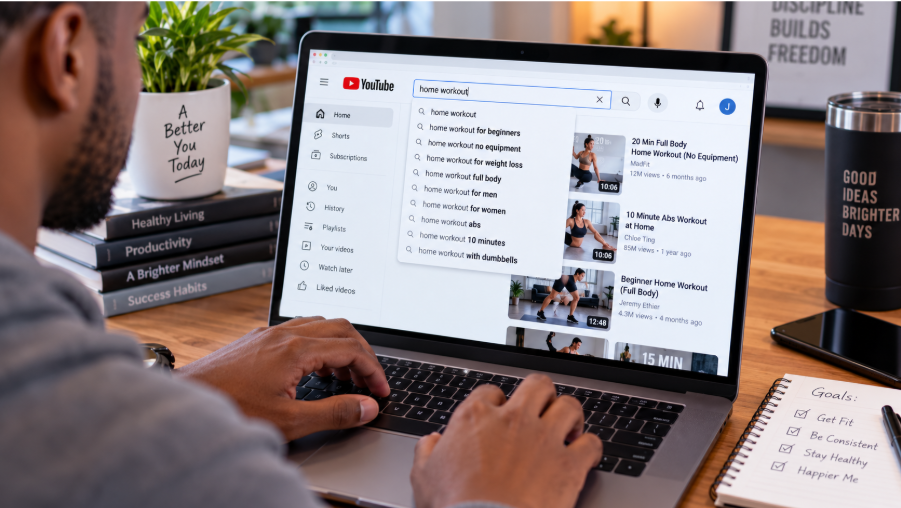
The Role of Keywords in YouTube Video Optimization
YouTube keyword research involves finding the terms and phrases that people are using to find content in your niche. After finding the relevant keywords, you can use them in your video to enhance discoverability. Therefore, keyword research enables you to:
- Attract the correct audience. As the largest search engine, keyword research will enable you to understand the information people are searching for. By using the terms and phrases that people care about, you can be sure your content is seen by the right people.
- Content idea validation. When you conduct keyword research before creating videos, you can avoid wasting time creating videos in a highly competitive field that can be difficult to rank in or with no interested audience. Keyword research provides a good balance between keywords with a high search volume and low competition.
- Provide important signals. When you add essential keywords in your video titles, description, tags, and chapters, you can provide the YouTube algorithm with a clear picture of what the content is about. This metadata can be helpful to categorize your content, improving its ranking on the SERPs and increasing the chances of YouTube recommending your videos.
- A source of long-term and passive traffic. Unlike the traffic from the homepage and browser, which can increase and disappear quickly, the SERP can be a source of steady, recurring traffic. That means with one well-optimized video and the right keyword, you can continue getting views and generating revenue for a long time.
Tips for Optimizing YouTube Videos with Relevant Keywords
Here are the steps to follow when creating videos optimized with relevant keywords:
Research the Relevant Keywords
Unless you understand the keywords people are using for videos in your niche, it can be hard to optimize for them. That's why you need to start with keyword research.
When researching the relevant keywords, you can use different tools, such as:
- YouTube autocomplete feature. You can enter your keyword research on Google and wait to see the keywords the tool will produce. This information is based on real user data.
- Use third-party tools. Tools such as Google Trends, TubeBuddy, and VideoIQ can also help you find rising video topics.
- Conduct competitor analysis. Checking competitor videos can provide more insights into the keywords they are using to drive traffic to their channel. It can also enable you to find content gaps and opportunities. However, don't just copy the competitor's strategy; use their data to improve your own content strategy.
You can read more in our detailed Guide on Mastering YouTube Keyword Research for Beginners in 2026.
Add Keywords in Your Click-Worthy Titles
One of the most important parts of adding your keyword is the title. However, this will only work well when combined with a click-worthy title. Unless you provide your viewer with a reason to click on your title, show value, and remain true to the content.
There are several tips to use to create titles that add value:
Add Keyword-Optimized Titles
The video title is one of the most visible locations where you can add keywords on YouTube. However, when doing so, you need to avoid affecting the title's catchiness. Remember that YouTube will truncate long titles, so you will want to front-load the most important details, including the keyword. Make sure you add these in the first 30 characters to enable the YouTube algorithm and your audience to better understand. This can be particularly important for mobile users who can only see the title in the search results.
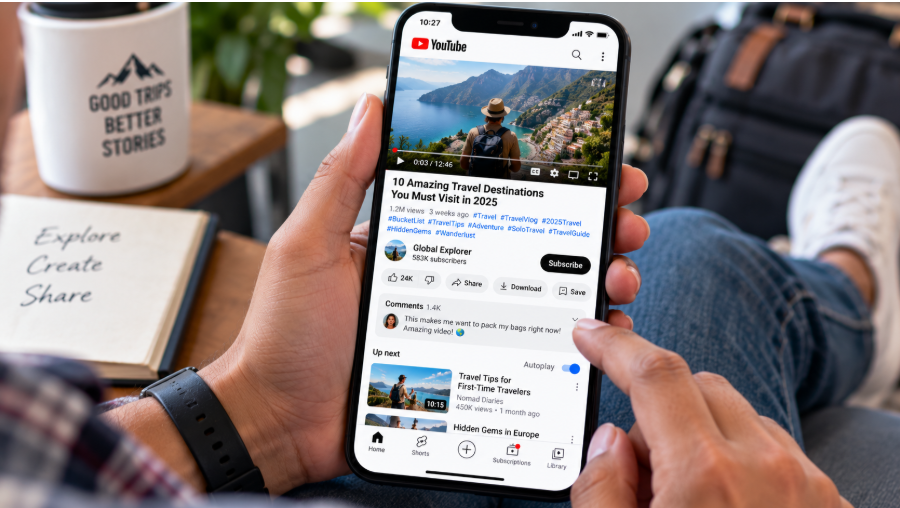
While crafting the title, add curiosity while delivering what the video promises, so that viewers can feel that the video is worth clicking on.
Some of the tips for creating great titles include:
- Adding a number. For instance, 7 Little-known…
- Adding a clear benefit. These editing tips will double your views.
- Emotional triggers. Nobody told you that you were making a mistake in your YouTube thumbnail.
The title is a kind of tagline that helps your audience understand what you stand for.
Add Keywords in the Video Description
The description is one of the top places to add several keywords in your YouTube videos. However, you should remember that you can only add a maximum of 1000 characters for your keywords, but YouTube will only show the first 100 characters. To view the entire description, viewers will need to click on "Read more".
Therefore, for the maximum effect of your keyword, it's advisable to use it in the first 25 characters to increase the chance of the keyword being visible without having to expand the description. If you are creating a 250-word description, you can add the keyword 2 to 4
times. Avoid overusing the keyword, or else YouTube may flag your account for spamming.
Video Tags
Another key place where you can add your keywords is in your video tags. Make sure that you include the main target keyword as the first tag, which you want your video to rank for. You can also include several other tags with keyword variations or any other effective topic.
A good way of determining the tags to use is by checking your competitors' videos. In addition to that, use the following best practices:
- Combine broad with specific keywords. For instance, broader keywords, such as weight loss, can be combined with exact-match phrases like "how to lose weight when pregnant."
- Limit to 500 characters. Instead of adding some irrelevant tag, your tags should be limited to 500 characters, or else you might be penalized by the YouTube algorithm.
- Add commas. Make sure your keywords are separated using a comma. There is no need to use the # symbol when adding keywords in the tag box.
- Ensure natural formatting. There is no need to capitalize, but you should ensure that the words and phrases are a clear reflection of the content in the video.
Adding Keywords in Video Subtitles and Closed Captions
When you add your target keywords to the closed captions and video subtitles, you can provide search engines such as YouTube and Google with impactful text-based metadata that the algorithms can use to index your content, increasing its visibility in search and enabling viewers searching for that topic to easily find the video.
Also, use the keywords in your YouTube video, as the platform now naturally uses automatic speech recognition for audio transcription. Therefore, speaking the keywords acts as a strong and natural signal for the YouTube platform. However, make sure you are speaking the keywords naturally so that you don't sound like a robot. You organically talk about the topic like you do in a normal conversation. The spoken words should match the metadata in the title of the video, chapter, and description to ensure maximum visibility.
Add Keywords in the YouTube Channel Info
Another area where you should not forget to add keywords is the basic channel information. This can help reinforce the keywords added in the title and enable your content to rank better on Google and YouTube. Make sure that the keywords you use are a good description of the purpose of the channel and even reflect some of the videos.
Best Practices When Adding YouTube Keywords
When adding keywords to YouTube, you need to follow these best practices:
- Add the keyword to the front part. Make sure the keywords appear in the first part of the title, description, or tags.
- Add keywords naturally. Don't try to force terms in the video, or else you may be penalized. Ensure that they appear naturally in the same way you speak.
- Add Google keywords. Remember that YouTube videos now also rank on Google SERPs, and this can therefore be a great place for adding your keywords.
In Conclusion
Keywords are an important part of YouTube SEO. If you want your videos to rank naturally in the YouTube Home or even the Search Results, you need to identify the relevant keywords and include them in your video. Therefore, use our guidelines above for optimizing YouTube videos for search engines.
