When creators want to monetize their YouTube channels through the YouTube Partner Program, they realize they need to reach 4,000 hours and gain 1,000 subscribers. While they can still earn through methods such as gifts, the only way to earn through ad revenue is to hit this milestone.
This often makes them question how to interpret YouTube analytics to increase their YouTube watch time. In this article, we provide you with a detailed guide on tracking watch time when leveraging YouTube analytics to grow your channel. We also provide actionable steps on how to grow your channel.
What is YouTube Watch Time?
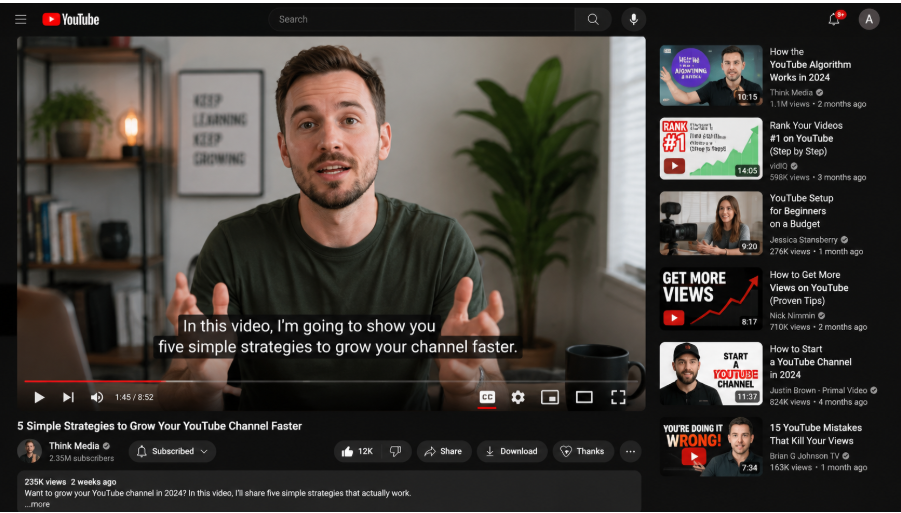
Watch time refers to the number of hours a YouTube user spends watching videos on the platform. YouTube has acknowledged that watch time is an important factor in its discovery and search algorithms. This metric is a good measure of the engagement level of a video. The longer people watch your YouTube video, the more it is seen as a sign that it adds value to your audience.
YouTube interprets a higher watch time as a sign that the video should be promoted in the suggestions and feed areas. This can offer opportunities for revenue generation, such as brand partnerships and sponsorships. With YouTube channels having a retention rate of 50-60%, the higher your rate, the better it is for your channel. Watch time is calculated in both minutes and as a percentage of your total video length. This makes it an important metric for growing a channel and reaching a bigger audience.
The watch time includes public long-form videos, premieres, and public live streams. It doesn't count views for Shorts, private, deleted, or unlisted videos. Additionally, for the livestream to work, it should be public. If you haven't added a default visibility, you will lose the hours in the stream. When you create a video and delete it, the hours watched are removed as well.
How to Access YouTube Watch Time Data
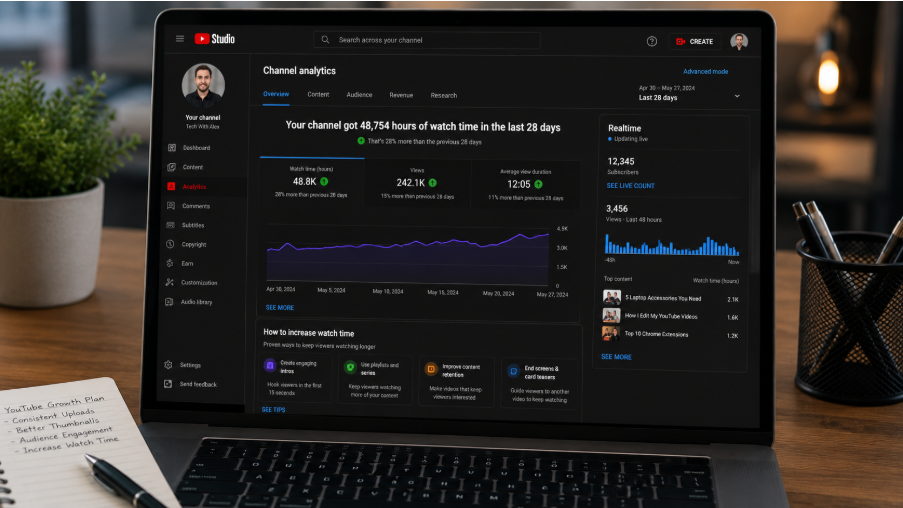
To see YouTube watch time metrics, you should follow these steps:
- Get into YouTube Studio.
- From the left-hand column, check Analytics.
- Select the Advanced Mode option.
- In the dashboard, you will find your various data options.
- Choose the preferred date range, from daily to lifetime.
You can view the main chart showing the channel's highest watch time.
How Long Does it Take to Reach 400 Watch Hours?
Many creators earn 4000 watch hours within 6 to 12 months if they are already uploading consistently. Most of the channels that reach that milestone faster combine evergreen long-form video with regular live streams. If a channel depends on a single type of content or uploads sporadically, it might even take longer.
Why Are Long-Form Videos Reducing in Watch Time?
It can be discouraging to see videos that had a considerable watch time start to decline. When that happens, a good idea is to start by reviewing the audience retention data. To do that, you can visit YouTube Studio, open your videos, and tap Analytics, followed by the Engagement tab. By looking at the retention curve, you can get these insights:
- If viewers leave within the first 30 seconds, it shows your introductions are weak.
- If views are consistently dropping at a certain point in the video, you have a pacing problem.
- If there is a sharp drop near the end, your outro will need to be redone.
Remember that watch hours are also important, as are the distribution of suggested videos and those appearing in search results. If your video features a strong retention curve, it can be shown to bigger audiences in the Home Feed and as recommendations. If a video has a weak retention curve, it can be hard to recommend it. When you improve your retention, you increase the chances that your videos will be recommended.
How to Increase YouTube Watch Time
Now that we understand why watch time matters, let us look at the steps to increase your watch time using the top YouTube video retention hacks.
Use Strong Introductions
The first 30 seconds are what most viewers use to decide whether a video is worth watching. That means the introduction is the most important part affecting watch time. A common mistake creators make is to start their videos with context rather than offering value. That's why you see many videos that start by welcoming viewers to the channel and describing the topic they will be discussing. This strategy doesn't work because the viewer has already seen the title and thumbnail and understands the topic.
A good strategy would be to use a payoff. For instance, if you are creating a video on improving thumbnails, show a before-and-after image. This will hook the viewers and make them feel like there is something important they will miss if they don't watch the video.
Add Pattern Interrupts Every 30 Seconds
One reason for lower watch hours is that viewers' minds wander. You can change what the viewer is looking at or hearing using a pattern interrupt. This can include a zoom, a reaction video, a sound-effect B-roll cut, text overlays, and a jump cut.
The rule should be that every 60 seconds, an interrupt should occur if nothing is changing on the screen. Pay attention to the before-and-after images of the retention curve; you will see the difference in the data.
Create High-Quality Videos Consistently
This is a no-brainer: poorly created content will harm your watch time. Therefore, when creating a video, provide the viewer with a reason to keep watching for the next minute. Use the top tool and edit the video flawlessly. When you make the videos enjoyable, you can reduce the likelihood of viewers dropping off in the middle. Use eye-catching visuals to capture the viewers' attention.
Also post consistently, as the YouTube algorithm recommends content from channels that publish regularly. If you are consistent for six months, you can outperform another channel that creates with intensity for six weeks. However, consistency doesn't mean daily posting. The most important thing is to have a cadence to ensure sustainability without burnout.
Add Video Captions
Many YouTube viewers scroll the platform with their sound off. If you add an audio hook, it may not work for most people. Captions can be a great tool for reaching viewers who are watching with the sound off. In addition to retention, captions offer other benefits.
For one, YouTube tends to index captions for search. Therefore, if your captions are accurate, it becomes easier to cover a topic. Additionally, YouTube uses the captions to generate subtitles, enabling viewers who are watching in other languages to understand. You can use the built-in editor to add the caption, so that the automatic transcript is generated from the video.
Ensure the Video Length Matches the Retention
If you have 30-minute videos and the watch time is 10 minutes, that's 30%. A 15-minute video viewed for 10 minutes gives you a 75% retention rate, which is far better. Therefore, longer videos may not be better if people are not watching them for longer. The watch time isn't calculated solely by YouTube, but rather in combination with retention data from other similar videos.
That means when creating videos, it is important to match the length of other high-performing videos in your niche. Some content formats, such as how-to content and educational videos, support longer videos as viewers try to learn new skills. Content with shorter attention spans includes commentary and entertaining topics. Check your YouTube Analytics data for videos with average view durations, and create more of such videos.
Add Auto-Playing Playlists
When you organize your videos on a playlist, your viewers can continue watching the next video when the current one ends. That means even when they have a plan to watch one video, they can end up watching two or three without having to click another. Since YouTube tracks session duration rather than individual viewing time, you can increase the likelihood that the platform will recommend the video.
Therefore, go ahead and organize your videos in playlists consisting of 5 to 10 videos. Put them in an order so that one video leads to the next one. Otherwise, without a playlist, viewers will need to decide for themselves what they want to watch. But when you organize your videos into a playlist, the platform decides for them.
Use Livestreams to Increase Watch Hours
Livestreams are the best format for increasing your watch hours. If you have a livestream running for 2 hours with 50 concurrent viewers, it can add up to 100 watch hours. It is more important to maintain a steady stream of content in a variety of formats, such as behind-the-scenes content, Q&As, live tutorials, and more. No matter the format you choose, make sure to stream consistently.
Remember to make the recording private so others can still view it after the livestream ends. Keep checking your YouTube Studio. If a livestream detail is unlimited, you can easily lose the hour gained.
In Conclusion
Watch time is one of the most important metrics you need to pay attention to, as it determines whether your channel is monetized and even the actual amount you earn. Therefore, you should follow the steps outlined in this guide to track and increase your watch time.
