#1 Social Media Marketplace
Accelerate Your Social Media Growth with SocialWick. Quickly gain real followers, viewers, likes & more with our blend of marketing tactics. SocialWick is known for its fast delivery, premium quality, and low prices. With over a million satisfied customers since 2017, trust SocialWick to take your social media game to the next level.
1.4 M
Customers
13 M
Orders
362 M
Followers sold
1.8 B
Likes sold
The Ultimate Guide to Using GIFs for Social Media Marketing
Published on 07.12.2025 by Tracey Chizoba Fletcher
There is no doubt that GIFs have become a staple of modern communication, as they help bridge the gap between text and visual communication. Since text messaging can lose its tone and nonverbal cues, this can lead to miscommunication. On the other hand, GIFs, such as reaction GIFs, help communicate a wide range of emotions.
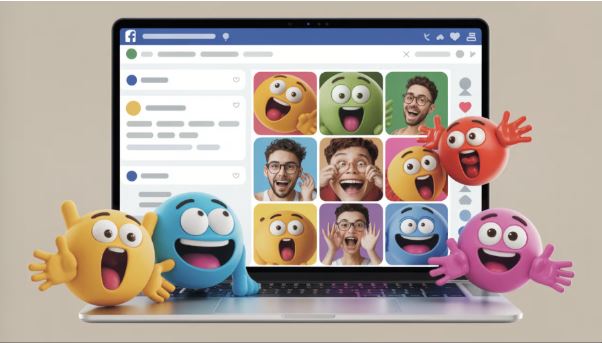
For instance, you can reflect joy using a happy dance, while a facepalm can show dismay. These small visual elements can convey emotions more quickly and effectively than words. While regular social media users primarily use GIFs, they can also be an invaluable tool for bloggers and marketers to capture their audience's attention and ensure that the message is conveyed accurately. In this article, we will guide you on using GIFs on social media.
What are GIFs?
GIFs, meaning Graphic Interchange Format, are a format for images that consists of both animated and static images. These elements are often used online in the form of brief, looping animations that resemble mini videos without sound. They are often used for entertainment, website design, and communication, and consist of several frames that are displayed in quick succession to create the illusion of movement.
In layman’s language, it means they are silenced and condensed image frames that are looped together so that they play continuously as a single file. Due to their short span, they have become an essential tool for conveying emotions, actions, messages, or information.
Brands can also be part of these moments by adding GIFs in their stories or on TikTok. These micro-trends can impact GIF search engines on a day-to-day basis, as people search for GIFs to add context to their social content and conversations.
Brands can leverage this by creating content for these micromoments. Instead of creating content for an Instagram post about a micromoment, they can make a GIF that captures the moment. Unlike the Instagram post that will only be seen by three people who follow you, a GIF can be seen by people who don't follow your brand. They are a great tool to help your brand reach a new audience.
GIFs are, therefore, designed to capture the viewer's attention. Due to their compact nature, they typically have a smaller file size than videos. Unlike what many think, GIFs have been around for a long time and will mark their 40th anniversary in 2027.
Why Use GIFs in Your Brand's Marketing Strategy?
Statistics indicate that over 10 billion GIFs are sent across various popular social media apps and platforms. This is a clear indication that these have become essential tools for people to express themselves and add context to their day-to-day conversations and messaging on popular social media platforms.
Here are some key reasons why brands should use GIFs for marketing:
Attention-Grabbing
When used in social media, GIFs can be an excellent tool for grabbing the user’s attention. That's why, whether you are scrolling through Twitter or an Instagram story, your eyes are more likely to catch the attention of a moving image compared to a still one.
While videos are moving pictures, they don't play automatically. That means unless a social media user makes a conscious decision to play a video, they will not view the clip. However, GIFs automatically capture the user’s attention, increasing their chances of engagement.
Increased Engagement
Any marketing strategy should also focus on increasing the visibility of your brand’s profile. Since GIFs autoplay, they are hard for social media users to ignore. They can be a good option for capturing a user’s attention and increasing engagement on Instagram and other platforms.
Enhancing Brand Persona
You can use GIFs to enhance your brand's voice and persona, enabling your brand to connect with its target audience in a way that resonates with them. You can even create your own GIF to show your tone, personality, or company values. It is a good strategy for building your brand voice on Threads.
Mobile-Friendly
Compared to the size of videos, GIFs are usually smaller. That means they take the same level of effort to load as an image, making them the perfect choice for mobile browsing. This is useful as the majority of social media users access their favorite platform through mobile tools.
Other GIFs Benefits
Other benefits of using GIFs in marketing include:
- Reaching a new audience outside your current following.
- Improving relationships with your current customers.
- Positioning your brand to stay ahead of trends and pop culture.
- Providing consumers with a way of becoming part of your brand.
According to a Reuters report, 80% of communication can be considered to be visual. This is a clear indication that marketers should use GIFs for their daily marketing to:
- Highlight feelings.
- Share reactions.
- Note events, etc.
Animated GIFs can be a good addition to marketing campaigns on social media, emails, and blog posts. They can help to increase engagement and drive sales.
Steps in Creating GIFs for Your Marketing
No matter the platform you are creating GIFs for, you will need to follow the following steps to create GIFs:
Design Planning
There are different GIF creation platforms you can choose from. But before you visit them, you need to plan your marketing campaign. Consider whether you will be using the elements in your blog post, email marketing, or Instagram stories. You can even reverse engineer so that you begin by defining your goals and creating the content before building the GIFs.
For instance, if you are creating an email marketing campaign for an upcoming Christmas sale, you can make a GIF that captures the holiday's mood and the excitement generated by your sales campaign.
Select the GIF Creation Platform
There are different platforms you can use for GIF creation, such as Canva, GIPHY, Adobe Photoshop, Gyazo, Recordit, and GIFBrewery. Keep in mind that some of these, such as GIFBrewery and Adobe Photoshop, are paid platforms. While Canva is free, it also offers a paid plan that unlocks additional features. However, even the free version has all the key features needed for creating a GIF.
Consider experimenting with different platforms to find out which one works best for you. However, Canva comes with a range of backgrounds, fonts, layouts, and graphics that enable users to create GIFs seamlessly. If you require maximum control over the GIF creation process, opt for Adobe Photoshop.
Frame Creation
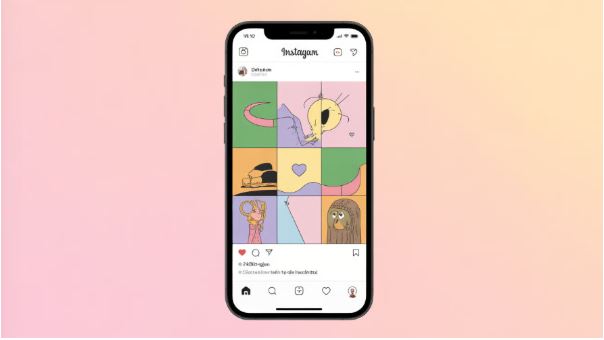
Let's assume you are using Canva to create your GIF. You will need to begin by choosing a background for the GIF. This is one of the elements that remains unchanged across the different frames. You can add the texts and elements to the animated GIFs, then duplicate your first frame twice by clicking on the copy icon located at the right side of the frame beneath the page number. By making two copies, you will have a total of three frames, with each one building on the previous content when considering the text.
On the first frame, modify the elements that will display on the subsequent frames. Go ahead and make changes to the rest of the frame, too, such as changing the text color. Remember to add a call to action to the first frame if you are making a marketing GIF, as some applications, such as Outlook 2007 and 2010, may only show the first frame of the GIF.
Condensing the GIF
After creating the frames in Canva, the next step is to compress them. This is especially important because adding GIFs to an email marketing campaign can impact the loading time. You can use different tools to compress the GIF, such as Kraken.io and compressor.io.
When using these tools, select the Lossless option to preserve the quality of the GIF, ensuring it remains clear and sharp after compression. This will make it easier for your users to read the GIF easily. However, platforms such as Adobe Photoshop offer users additional options for reducing the file size.
Build the GIF
The final steps after compressing the GIF are to complete on GIPHY, a platform that turns your images and videos into GIFs. Simply click on Create at the far right corner, followed by Choose image or GIF. You will see a pop-up enabling you to choose the file. After tapping on upload, you can add, reorder, or remove images.
GIPHY also enables you to create the image’s duration. To add the GIF effect, set a duration of no more than a second, but you can increase it if necessary. If you have forgotten any images, it's time to upload them. You will see a pop-up allowing you to select your preferred file.
Once everything is set, you can click on “continue to decorate.” You will have the opportunity to add stickers, flyers, scribbles, and captions to the GIFs. You can use GIPHY to link together these tools. Once your GIF is complete, on GIPHY, you can upload it using the following steps:
- Tap the copy link.
- Select the GIF link.
- Use your internet browser to copy the GIF link.
- Right-click on the GIF and select "Save Image As."
- Use the correct file name to save the GIF in the correct folder.
Best Practices in Using GIFs for Marketing
Before you start using GIFs for marketing, you need to pay attention to the following tips:
Ensure that the GIF is Relatable
While pictures are attention-grabbing, this is only true when your target audience can relate to them. This is especially true with GIFs, as they don't have audio. If you use the GIF, it should help your audience understand the message you want to convey. If you make your GIF relatable to its target audience, they are likely to respond to it positively.
For instance, if you realize that your target audience is passionate about sports, you can use that concept to capture their attention. Remember that popular and current topics tend to capture the audience's attention, so avoid using GIFs that are outside your theme or topic.
Make the GIF Enjoyable
One of the reasons why GIFs are popular is that they are interesting and fun. You can use them to convey a message within a short time that your other media can't, so ensure that you stay creative in analyzing the GIF’s potential. The good news is that GIFs provide users with the freedom to create, which ensures the target audience stays entertained. Therefore, use GIFs to bring your unique vision to life and let your imagination run wild.
Keep Tabs on the Competitor
A good way of making your GIFs stand out is to keep tabs on what your competitors are doing. Pay attention to what methods they are using to get maximum visibility. Also, ensure you stay up-to-date on the latest trends. When you do that, you will stay current and ensure that your content remains relevant, with the potential to go viral.
Avoid Overdoing the GIFs
As you would guess, too much of anything is poisonous. This is also true for GIFs, meaning that if you cram too many GIFs, it will be counterproductive as it will show the animation and reduce its impact on your target audience.
Avoid Using GIFs to Replace All Words
GIFs aren't meant to replace every word. Instead, they are intended to help your audience relate more effectively to the words. That means you need a good balance between written words and GIFs, so ensure you strike a good balance between the two.
Understand Your Audience
Understanding your target audience is one of the most effective tips for any type of social media marketing, as it enables you to connect more effectively with them. If you are a medical institution or palliative care service, posting numerous memes and GIFs may cause you to lose your target audience.
On the other hand, if you create entertaining content, providing your audience with excessive academic and statistical content will not be effective. Ensure you understand your target audience and tailor your content to resonate with them.
How to Use GIFs on Social Media
The way you use GIFs on social media depends on the specific platform you are using. Here are some general guidelines on different social media platforms:
X (Twitter)
X has an integrated GIF library that was launched in partnership with Tenor and Giphy in 2016. That means when you are using GIFs for Twitter marketing, you may not even need to create your own GIFs. All you need to do is browse through the GIF library of Direct Messages.
You can click on the new GIF button to find the one you plan to add or search by keywords or browse by category, such as Dance, MiC Drop, Happy, or Funny. You can also navigate to the GIF button and select the kind you would like to share on the timeline and schedule your GIF using social media tools such as SocialPilot.
How do you make a GIF part of your tweet? A good idea would be to do that on an action-oriented post. You can use a GIF to evoke an emotion and connect with your target audience, ensuring your messaging is loud and clear.
Other ways to use GIFs on Twitter are:
Adding Animated Events or Sales
If you want to cut your budget for investing in ads, GIFs are a good choice to help you do that. When properly done, they can have a significant impact, mainly because of their high shareability level.
Product Features
You can use GIFs to advertise your products. This can be important, as brands now struggle to capture their audience’s attention while ensuring that the message is well understood within a short attention span. Therefore, a good idea would be to share a GIF highlighting the key features of your products. You can also add an instructional snippet on usage where necessary.
Data Visualization
A good way of presenting your facts and data is through data visualizations and statistics. Instead of explaining these as just graphs or texts, you can use GIFs to make them more appealing and, therefore, make them more engaging. The visual appeal of the graphs and charts will make your readers appreciate them. In fact, this is one of the strategies used by Harvard to animate their data.
It wasn't until recently that Facebook started supporting the use of GIFs. The good news is that the platform makes it easy to share a GIF on your timeline. Simply copy the link to the GIF and paste it into your desired location. You will see a preview of the GIF before it is posted.
As a business looking to boost its posts and increase engagement using GIFs, you can use the same procedure. You can then click on Boost Post. Facebook has specific guidelines for using GIFs. These are:
- Add a high-quality animation or image.
- Ensure that the GIF you are using is of a file size of less than 8 MB.
- Ensure the link ends with a .gif
- Text in your GIF should be less than 20%.
- Avoid using grainy or flashy GIFs, as this may cause the GIF to be rejected.
Here are several ways to use the GIF in your Facebook marketing strategies:
Showing Behind-the-Scene Content
One of the factors that brands consider before they buy from a brand is the level of trust. Before following a brand, audiences want to know if they can trust it. This is why you need to work toward gaining the goodwill of your target audience. One way to achieve this is by using GIFs to capture the audience's attention.
You can also provide them with behind-the-scenes content featuring your office and employees, such as photo shoots, PR activities, and events.
Product Features
As we noted with Twitter, you can also use GIFs to post product features. You can either present how your product works or simply showcase your products.
Provide Instructional Content
Social media users now have one of the shortest attention spans, making GIFs a perfect choice for connecting with your target audience. Therefore, find how-to or instructional GIFs relevant to your brand and leverage them to catch your audience’s attention.
Another great platform to leverage for GIF marketing is Instagram. You can use these tools in your direct messages, story, or comment. When adding to Instagram Stories, simply click on the sticker icon and select the GIF option. You will get an option to choose one of the GIPHY GIFs.
If you want to add a GIF to a comment on Instagram, you can tap on the GIF icon or smiley face located next to the comment bar. This will take you to the GIPHY library. Finally, you can add a GIF to Instagram DM by opening chat and tapping on the GIF option located next to the typing field. You can then choose the GIF.
You can use GIFs for an Instagram marketing strategy to:
Showcase Your Brand’s Personality
The use of animated images in GIFs can help you showcase your brand’s personality. An example of a brand that does that well is Pop-Tarts. This strategy works well for them because they are a brand targeting Gen Z.
Product Demonstrations
Just as on Facebook and X, you can use GIFs to showcase your products in an interesting and fun way. Starbucks does this well, enhancing the appearance of its products to make them more appealing to its target consumers. Similarly, Nike uses GIFs to showcase the high energy derived from their products.
How-to-do Content
We mentioned earlier that the human brain processes visuals better than text. This makes GIFs a suitable choice for demonstrating how to act. This could be an illustration, a tutorial, a process, or a recipe.
Customer Thank-You
Appreciating your customers can be a great way to gain their trust. GIFs can make it easier for them to resonate better with the message. An example of a brand that does it better is Kotex.
In Conclusion
GIFs are great tools for social media marketing because they are eye-catching, showcase a brand’s personality, and increase engagement. This makes them a good choice for telling your brand story. If you have a static feed, it is also highly shareable and can be more cost-effective and engaging than videos. If you are wondering how to use GIFs for social media marketing, our detailed guide will take you through the steps.

Sign up for SocialWick
Login
InstagramYouTubeTikTokFacebookTwitchSpotifyTwitter (X)SoundCloudIGTVLinkedInThreadsWebsitePinterestVKApple MusicSEO
Checkout
OK

Information
Order processing usually starts within a few minutes, but some services may take a few hours or even a few days. We offer free refills for up to 90 days if needed. Our services are 100% secure and discreet, with a focus on gradual and safe delivery for your peace of mind.
Order processing usually starts within a few minutes, but some services may take a few hours or even a few days. We offer free refills for up to 90 days if needed. Our services are 100% secure and discreet, with a focus on gradual and safe delivery for your peace of mind.
Where should we send your order confirmation?
No account needed! We send your confirmation and tracking link here.
Secure checkout. We never share your email.
Have an account?•
Log in
Use your account to pay faster with your saved details.
Create account
Create an account to track all your orders in one place.
Service
+0,00
Voucher
-0.00
Total
+0.00
OK
Affiliate & Reseller Program
Customer Support
How may we help you?
General Support
Order Support
Frequently Asked Questions
1) What services do you offer?
We are a social media marketing company, and we offer a wide variety of services across several platforms that our clients can choose from. Once selected, we create a plan that fits your needs. We offer several types of services, such as followers, subscribers, likes, views, song plays, etc.
2) Is your service safe?
Yes, as we only sell real followers, likes, views, etc., and we hold every service to strict authenticity and quality standards. In order to protect your account, we deliver every order carefully and gradually. We closely monitor all our services. For more information, we strongly recommend reading our Terms of Service before you order.
3) Will I need to give you the passwords for my accounts?
No, you can keep your passwords to yourself because our services don’t need a password to influence your accounts. And if an email ever shows up claiming to be from us and asking for a password, it’s definitely not us, so please let us know right away.
4) Are the likes, followers, and subscribers real, or are they bots?
Unlike many other services, all our likes, followers, and views come from real accounts operated by real people. You won’t find bots, fake profiles, or hijacked accounts anywhere in what we deliver. Every order has to pass our strict authenticity standards, and we keep checking our quality to make sure it stays that way.
5) How fast can you deliver my order?
We will show you the estimated delivery time when choosing the service. However, this is only a rough estimate. In most cases, the services are delivered much faster. In some cases, it may take longer. We always aim for a natural and safe delivery!
6) What are your best-selling social media marketing services?
Although we have many services across most social media companies, our services for Instagram, TikTok, and YouTube are our best-selling options.
7) How do I know my account will not be flagged or banned?
We take safety very seriously. We never ask for your password, all followers, likes, and views come from real accounts, and orders are usually delivered gradually and naturally. What we can promise is careful delivery and strict quality standards. Plus a support team that’s there whenever you need us. We are not aware of a single case since 2017 where a customer got his profile banned.
8) What is the best method to communicate with you?
Do you have a question or run into a problem? Our customer support is available 24/7 for you. Just click Contact and you’ll land right on the support form. When you buy one of our services, we will email you to see if there were any problems. Your satisfaction is our main priority.
9) Are there discounts for large orders?
Yes! If you would like to request a large order that isn’t on our ordering layout, we will have no problems accommodating you. Just reach out through the support form and we’ll put together a buying plan that fits what you need.
10) What methods of payment do you accept?
We accept all forms of credit and debit cards, as well as Klarna, eps, PayPal, and Crypto.
11) If I am unsatisfied with your services, am I able to receive a refund?
Yes! Every purchase comes with a 30 day money-back guarantee. Not satisfied? Just contact our support within 30 days of your purchase and send us your order details and a short note on what went wrong, and we’ll take a look at your case. The full conditions are in our Refund Policy.
12) I haven’t received my order
Please make sure the following criteria are met before placing an order to make sure we can deliver it successfully.
- Your account is set to public
- You have typed in the correct username or link
- You have not changed your username before the order’s completion
- The post or account still exists and has not been deleted
- The post or account has not been restricted or removed in some countries
- Allow the estimated delivery time for completion of your order
For further assistance, please message our support team through the contact form.
13) How can I request a refill?
Just send us a refill request through the contact form. Please note that we can only provide you with a free refill within the first 90 days of your purchase.
Learn More
What is SocialWick?
We are the leading marketplace for social media promotion. You can buy followers, likes, views, subscribers, and a lot more for almost all social media networks. We offer affordable prices without making any compromises in terms of the service quality. We have a strict policy to only sell social media signals from real people. Part of our engagement, for example, comes from ad-based promotion where real users discover the content through ads. Bots, fake profiles, and hijacked accounts have no place in our services. Every delivery has to meet our authenticity standards, and we run regular quality checks, and anything that does not meet them is removed from our catalog. Our services are available for personal use, whether you want more Instagram likes, TikTok followers, YouTube views, or something else for your own profile.
With over a million satisfied customers, SocialWick is the go-to platform for all your social media needs. Our services are discreet and secure, with gradual and careful delivery to keep your social media accounts safe.
About SocialWick — The Market Leader since 2017
With more than 10 million orders, SocialWick is one of the world’s biggest social media stores. You can find everything on our website to improve your presence on major social media platforms like Instagram, TikTok, YouTube, Twitter (X), Facebook, etc. We offer different types of services for several social media platforms. Your wish is our command, and whatever your goal might be, SocialWick will help you achieve it. Whether you need more likes on your Instagram photos or want to make your LinkedIn profile more popular by getting additional followers, SocialWick is there to turn your goal into reality.
Thanks to our effective services and our customer-oriented work, SocialWick has become a top player. You will not find a better service anywhere else, especially not at such affordable prices. SocialWick is operating since 2017.
365 Days Per Year Customer Service
Your satisfaction is our motivation! We’re not here just for the money; we do our work to help people find their road to social media success. And that’s why our team will do all to make sure everything goes according to plan. If there’s something wrong with your social media campaign, or worry that there might be some problems with your account, or want to learn more about how our services work, feel free to reach out. Our service staff is there for you seven days a week, ready to answer any of your questions. You can get in touch with us using the contact form on our website.
Buying Followers and Likes is Essential
Unless you’re Kylie Jenner, you definitely need some help with social media. The more followers you have on Instagram, TikTok, Twitter (X), or YouTube, the more people will automatically notice you. Having all those eyes on your content isn’t just impressive, it’s genuinely fun. The bad news is that everyone wants to be famous these days, but only a few can succeed. The good news is that you can be the chosen one who will get social media fame and everything that comes with it. But, for that, you need a little help from your friends at SocialWick.
With our help, you will increase the number of followers on social media, which can have a domino effect and bring you even more new followers. Once people see that you got a big followership, they will decide to give you a follow. "If a profile has so many followers, it means that it’s interesting" – you can be sure this is going to be their reasoning. Furthermore, more followers mean more visibility for everything you post. Finally, a large number of followers also do great for your credibility. Our social media services will help you to create a better overall picture of your profile.
Let’s be honest; a profile with 30,000 followers looks much better than one with 74 followers. And that’s exactly what new visitors will pay attention to. A weak social media profile can be a real deal-breaker. At the same time, a fantastic social media profile can do wonders for you. And SocialWick can make your social media profile amazing!