You know that feeling when your inbox is already overflowing, then a customer support reply lands right on top of everything like a tiny digital avalanche. You sigh. You think, Great. Another thread. Another wait.
It is funny how email became the default for support questions, even though most of us do not enjoy using it. So now that Threads is becoming a real space for quick conversations, people are starting to wonder if it could replace email for basic support moments. Honestly,
I love that question because Threads move fast. It feels human. You pop in. Say a thing. Someone replies. It is like leaning over a counter and asking, "Hey, how do I reset this thing?" instead of filling out a form with ten fields you do not care about.
But here is the thing. We need to unpack this properly. Threads is casual by design, while email is structured by design. That is where the whole debate gets interesting. Some issues need formality. Others just need a fast answer before you spill your coffee.
So can Threads really replace email for the simple stuff? Maybe. Let us kick this off and dig deeper!
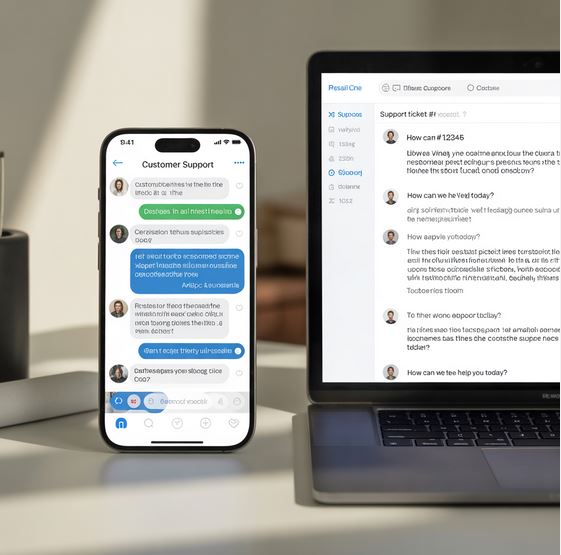
Why Threads Changes the Tone of Customer Support
Threads is basically the opposite of email. Email makes you write like you are applying for a passport. Threads lets you talk like you are chatting with your friend about a stuck zipper. The tone shifts everything. When customers feel relaxed, they speak clearly.
They try less to "sound proper." You get real questions, fast. Then you respond fast. The whole exchange feels lighter and simpler.
Plus Threads give you space to show personality. A tiny emoji. A warm line. A small joke. These are little signals that say, "Hey, a human is here."
People trust that tone because it does not sound like a bot running on autopilot. I tried answering support questions on Threads once just for fun. I noticed people replied more quickly and seemed less stressed about the issue.
This tone shift matters. When people do not feel judged, they ask better questions. They explain their situation more clearly, and you get to the solution faster. So tone becomes part of support quality, not just style.
Speed – The Real Advantage That Makes Threads Shine
Let us be honest. Half of customer support frustration comes from waiting. Waiting for someone to read your email. Then waiting again for a second reply because the first answer missed half the point. It is like playing ping-pong underwater. Slow. Dragged out.
Threads cut that lag. You can reply in seconds. Customers can follow up instantly. No subject lines. No attachments lost in drafts. No "per my last email" energy. It is just… there. Fast. Clean.
Speed also reduces emotional friction. When someone gets a quick answer, their annoyance stays low. I once messaged a brand on a social app after a product glitch. They answered in two minutes. Two minutes. My frustration was gone before it even grew roots. That is the power of rapid back-and-forth. So yes, speed is a huge reason Threads can replace email for simple stuff!
Keeping Things Public (Or Semi-Public) Can Help
Threads have this interesting effect. When support replies happen in public threads, other users see them. They learn from them and sometimes even answer each other. It is like spontaneous community tech support. Sort of messy but surprisingly helpful.
Public visibility adds pressure too—but the good kind. Brands tend to reply faster when the question sits out in the open. Customers know this. They use it. Honestly, I would too. If a brand takes two days to reply publicly, people notice. That social accountability pushes companies to stay responsive!
In addition, public threads build trust. Readers can see how you handle things. They watch how you talk to frustrated people. These micro interactions shape your reputation more than any marketing line you ever write. It shows your tone, patience, and willingness to help without hiding behind a ticket number. So in that way, Threads does something email never could.
Why Simple Issues Fit Threads Like a Glove
Here is the key point. Not every problem needs a seven-paragraph email chain. Some support questions are tiny. "Where do I find this button?" "Does this plan include that feature?" "How do I update my shipping address?"
Stuff that takes five seconds to fix. Stuff that feels silly to email about. Threads shine with these!
Threads are great for simple tasks because simple needs speed. It needs clarity. It does not need a paper trail. It does not need attachments or formal writing. It just needs a person on the other end saying, "You click here." Done.
Light issues also feel less intimidating in a casual space. Customers are more likely to ask before frustration grows into a bigger issue. They jump into Threads casually, like tapping someone on the shoulder, which prevents problems from escalating.
This is where Threads really does feel like a modern help counter. Quick. Friendly. Minimal fuss!
Where Threads Still Fall Short For Complex Support Requests
Threads feel great for tiny problems, but once things get complicated, the cracks start to show. Some issues need structure. They need order. They need a place to attach receipts, screenshots, or long explanations without everything looking chaotic. Threads is not built for that level of detail.
Imagine trying to troubleshoot a broken product that needs three images, a warranty code, and a timeline of what happened. Threads starts to feel cramped. You scroll back. You lose track. It becomes messy fast. Email, for all its flaws, handles complexity better.
Then, there is the privacy part. Some conversations must stay private. Sensitive account issues. Billing problems. Anything with personal information.
Threaded conversations can be semi-public depending on how users interact. Customers may not feel comfortable sharing personal details there! So yes, Threads is strong in quick chats, but once things get heavy, the limitations hit hard. You feel it right away.
The Psychology of Quick Responses and Why it Matters
There is this funny thing about human brains. We calm down when someone replies quickly, even if the answer is not final yet. Just being seen does most of the work. I think that is why Threads feel so good for support.
When a customer reaches out, they usually want two things. A fix. And an acknowledgement. Threads give the acknowledgement instantly. A tiny reply like "Got you" or "Let me check this" lowers stress. It buys goodwill. It tells the customer they matter.
Email does the opposite. You send something into the void. You wait. You wonder if anyone read it. You refresh the inbox like a nervous habit. That waiting window is where frustration grows.
I once messaged a small brand when my order got shipped to the wrong address. They replied on Threads faster than my friend replies to my texts. That quick reply changed my entire mood. I was still annoyed, but I felt understood.
This psychological shift is a big part of why Threads could replace email for the easy stuff. It taps into the human need for quick connection.
How Brands Can Stay Organized While Using Threads For Support
Switching to Threads for customer support does not mean chaos, but brands need a system, even a loose one. Without some workflow, messages get lost. Replies get delayed. The whole thing collapses into a pile of well-meaning but scattered comments.
One simple approach is assigning team members specific blocks of time to monitor Threads. Not nonstop. Just frequent check-ins, so nothing sits there forever. Another approach is tagging messages inside internal tools so the company can track what was handled and what still needs attention.
Brands can also keep canned responses nearby. Not robotic scripts, but warm templates that team members can tweak fast. This keeps the tone consistent and saves time when answering common questions.
Then, there is escalation. Teams need a clear way to shift a conversation from Threads to email when things get complicated. Something like, "This needs a private conversation. I will email you in a moment." Clean. Friendly. Straightforward.
So yes, Threads can be organized. It just needs intention, not a giant software overhaul.
When Threads Becomes a Brand Personality Tool
Here is something people do not talk about enough. Customer support is not only about solving problems. It is also about brand personality. The little interactions shape how people feel about your business. Threads is a stage for that.
The casual tone lets you be warm, playful, and human. When you answer on Threads, people hear your voice, even if it is typed. It builds a tiny bond. One that email rarely manages. Email replies sound stiff, no matter how friendly you try to be.
Threads does something different. It lets your personality show through the cracks. A tiny emoji. A quick joke. A friendly mistake. These details make your brand feel alive.
Plus, people screenshot Threads conversations. They share them. They talk about them. I once shared a brand's funny Threads reply with a friend because it legitimately made me smile. That is free marketing powered by personality! So support becomes identity. Not just service.
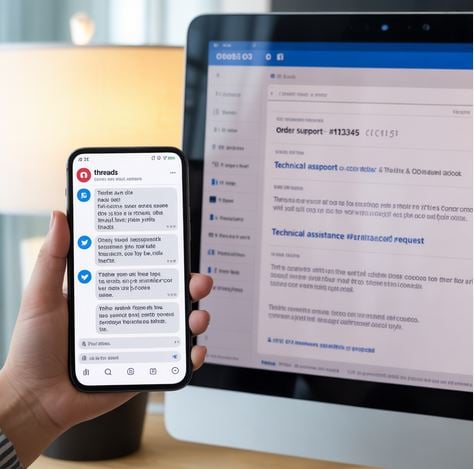
Weighing the Trade-Offs Before Switching Fully to Threads
Before any business jumps headfirst into Threads-only support, they need to think honestly about the trade-offs. It is not a magic fix. It is not meant to replace every part of a support system.
Threads offer speed, warmth, and higher engagement. But it also brings noise, a lack of structure, and limited privacy control. It works best as a layer on top of email, not a replacement for everything.
Brands should ask: How many support questions are simple? How fast can the team reply? Do customers use Threads? Are there enough people on the team to keep conversations moving smoothly?
Because Threads is great when it works. But if a customer gets ignored, the public nature makes that pain louder. People will see it, and the silence becomes its own message.
So switching is not all or nothing. Threads can be the front door. Email can be the back office. Together, they cover more ground!
Training Your Support Team to Use Threads Gracefully
Using Threads for support is not as simple as tossing the login to your team and saying, "Go." The vibe is different from email. The expectations are different too. So teams need a bit of training to handle this space gracefully.
Support reps need to understand the rhythm of Threads. Conversations move faster, and people expect quick replies. Sometimes, they reply back-to-back. It feels a little like someone tapping you on the shoulder while you are still explaining something. Your team needs to stay patient at that pace.
Tone matters even more on Threads. Reps should learn how to speak warmly without sounding scripted. They need to know how to soften answers that might disappoint customers. Things like "I hear you" or "Let me check this again" go a long way in keeping customers calm.
Then, there is the technical side. Reps need to know when to shift a conversation from Threads to a private channel. They need to spot red flags like billing questions or identity verification moments. They also need to avoid giving sensitive details out in a public thread.
This kind of training does not need a full manual. Just a clear set of guidelines. A few examples. Maybe some quick practice sessions. Once your team gets the hang of it, the communication becomes smooth and natural.
The Balance Between Professional and Casual on Threads
Threads is casual by default, but customer support still needs professionalism. Finding the balance can feel tricky at first. Too casual, and you sound careless. Too formal and you break the vibe of Threads entirely. So you need a middle lane. A mix of friendly and responsible.
Customers respond well to warmth. A simple "Happy to help" feels human. A light joke can help too, as long as it fits the moment. But you do not want to drift into a slang or tone that feels too personal. Support is still support.
Brands should also keep responses clean and easy to read. Short sentences. Clear explanations. No long blocks of text. Threads reward brevity, but not at the expense of clarity.
The best way to find this balance is to think of Threads like a casual chat with a customer who walked into your store. You smile. You help. You keep it light. But you also stay focused on solving the problem.
This tone—friendly but steady—becomes part of your brand identity. Customers learn to expect it. They trust it, and that trust carries over to the rest of your business.
How Threads Help Build Long-Term Customer Loyalty
Slow, unresponsive support kills loyalty faster than a bad product. People remember how you treat them when they are confused or upset. Threads gives you a chance to show up quickly and kindly. That small experience becomes a story they carry.
When a brand replies instantly, you feel taken care of. You feel seen. You think these people pay attention. That emotional connection might seem small, but it builds loyalty one interaction at a time.
Threads also keep customers engaged in a space they already use. They scroll, comment, and discover your updates. They start seeing your brand pop up casually, not just when something goes wrong. That familiarity builds trust effortlessly.
I once followed a small business on Threads because they handled a tiny shipping issue with such grace that I actually liked them more afterward. Not because they fixed the problem, but because of the way they spoke to me. That kind of experience sticks with people.
So Threads ends up doing two jobs—support and marketing, een when you did not plan it that way.
Is Threads Ready to Replace Email? A Final Reality Check
After all the hype, we need an honest look. Is Threads ready to replace email for customer support? Not completely. At least not yet. Email still has strengths that Threads cannot match, which are structure, privacy, formality, and better tools for tracking conversations over time.
But Threads can replace email for simple issues, and it can do it beautifully. Quick questions. Light clarifications. Order updates. Tiny tech confusions. Threads handles these with ease and personality.
The sweet spot is using both. Think of Threads as the storefront conversation. Fast, human, and light. Think of email as the back office where deeper repairs happen. The two work together more smoothly than most brands realize.
So the real question is not "Can Threads replace email?" It is "Which parts of your support system belong on Threads?" Once you answer that, things become clear.
Conclusion
So, can Threads by Meta take over customer support and push email out of the spotlight? For small, simple issues, yes. It is fast. It is friendly. It feels human in a way email rarely does. Customers love that, and brands love that, too, once they get the hang of it.
But for bigger, complicated stuff, email still holds the crown. That is okay. Not every tool needs to replace another. Some just sit beside each other and fill different gaps. Threads is that kind of tool. It covers the quick wins, it boosts brand personality, and it builds trust in tiny moments that add up over time.
If you use Threads right, you get support that feels less like paperwork and more like a conversation. Customers feel heard. You feel connected. The whole thing feels like support finally caught up with how people actually talk online.
So maybe the real answer is this—Threads is not here to replace email. It is here to make support feel better, lighter, and more human. And honestly, who does not want that?
