Have you been driving engagement on your Instagram posts, receiving hundreds or even thousands of likes, comments, and shares, but in the recent past, the engagement seems to have disappeared? Are you no longer receiving the high engagement you used to get? For some time now, Instagram users have been reporting receiving an Instagram shadowban that impacts the engagement rate of their posts. In this guide, we tell you what an Instagram shadowban is, and help you to find out if you have been affected.
What a Shadowban Actually Is
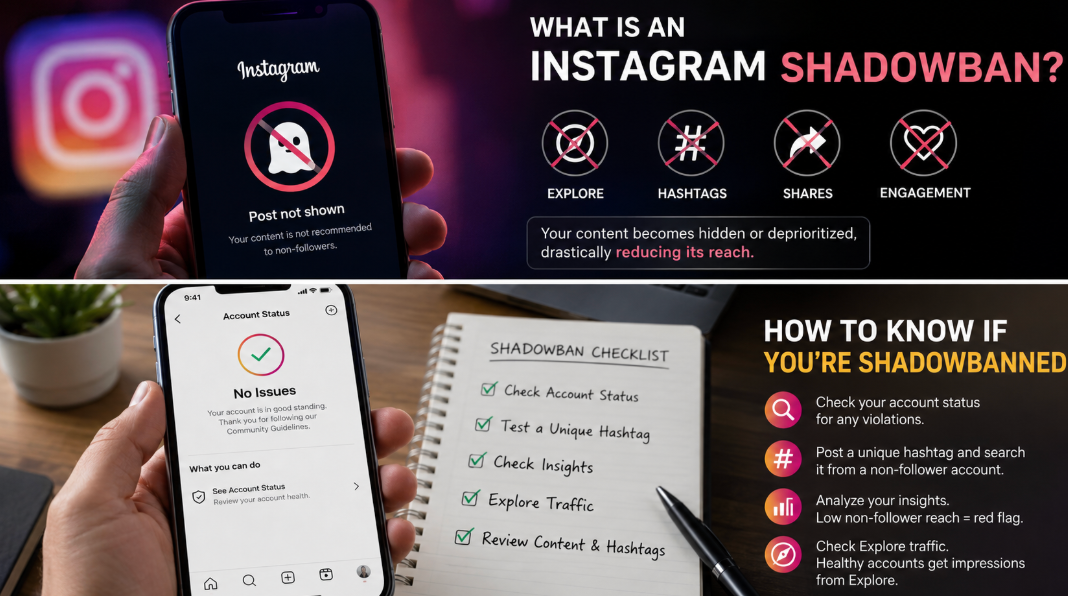
An Instagram shadowban is a mysterious situation where Instagram hides your post from user impact, affecting the reach of the post. While the term isn't used officially, Instagram can hide posts or deprioritize them. When it happens, your content becomes restricted, hidden, and undiscoverable. At times, Instagram may completely take down the posts. While Instagram denies that there is something like a shadowban, it has confirmed that posts that break its community standards are hidden from the Explore page.
It's worth noting that there is a difference between an Instagram shadowban and a penalty. A shadowban happens as a result of the algorithm detecting a behavior it considers to be spam, a violation of the community standards, or inauthentic activity.
Follower Reach vs Recommendation Reach
Your posts are banned on the people's feed, the Explore page, and the hashtag page, unless for the people who are following you. This often happens because the posts are considered to have violated the community guidelines or are considered inappropriate, resulting in a decreased reach of your posts and lower engagement.
How to Check: Start With Account Status
While it isn't clear why it happens, a major reason why an Instagram account is shadowbanned is that the account is deemed to be pushing spam. You therefore need to check if your account is compromised and contains content that can trigger the spam filter, resulting in an algorithmic penalty.
You can check the account status on your Instagram account in the dashboard, combined with a manual hashtag text from the phone of someone who isn't your follower. To do that, you can open Instagram> Settings>Account>Account Status. Check if any of your content has been flagged as ineligible to be recommended.
After that, you can conduct a manual hashtag text. Generate a unique and random hashtag like #purebliss254@3 and use it in one of your posts. You can then use a friend's phone who doesn't follow you to search for the hashtag. Change your search settings to Recent. If the post containing the hashtag comes up, your distribution is fine. If not, you could have been shadowbanned.
Other Signals Worth Checking
In addition to checking the status of your account, you can use the following signals to determine if you have been shadowbanned. These include:
- Insight breakdown. You can visit a recent post or reel>Insight> Account reached. If the reach of your post is reaching followers by 90% while the reach of non-followers is almost zero, it is a clear indication that your account discovery has completely reduced.
- Explore traffic. Most of the healthy social media accounts get many of their impressions from the Explore page. When you notice that the traffic from Explore traffic is low, that is an indication of a shadowban.
- Instagram checkers. There are certain tools that will help you conduct an Instagram shadowban check.
What Actually Triggers a Reach Restriction
The reach of your Instagram account can be restricted for a number of reasons, such as:
Broken hashtags
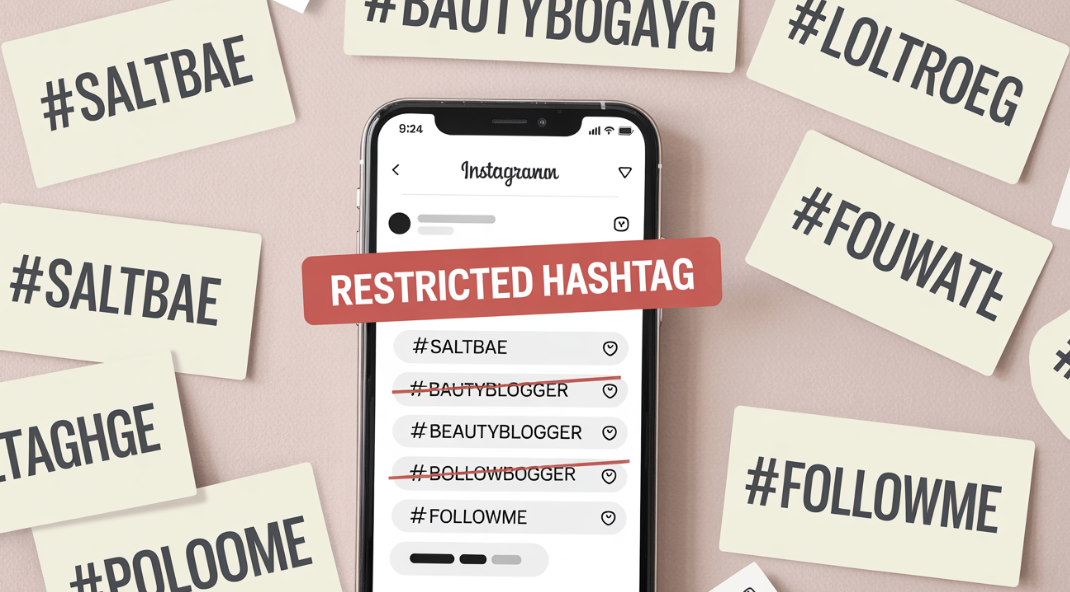
At times, an otherwise good hashtag can be overrun by inappropriate content. This often causes Instagram to limit or remove the hashtags. If the hashtag you are using is already broken, it can prevent your other hashtags from ranking, causing the account to be blocked.
Your account is being reported
If Instagram users report your account, Instagram will consider that your account is posting the wrong content or violating its terms. Your account might get disabled, or it could get shadowbanned.
Driving engagement faster
Instagram limits how often you can like, comment, follow, or unfollow a comment within a given hour or day. If you follow too many accounts within the day or the hour, you might be considered a bot. These kinds of actions will help you to grow a following faster and can enable you to connect with the right people, the main reason you are on Instagram in the first place. These kinds of behaviors can cause a shadowban, which can result in a loss of followers.
How to Solve a Shadowban
If you realize that your account has been shadowbanned, you definitely need a solution. Here are some options to consider:
Add content warning
If you are posting content on a sensitive topic, you should proactively warn the viewer of the topic they might find upsetting. While you cannot use the Instagram new sensitive content feature on your post, there is a way to go around it.
Start by creating a slideshow post with a warning image, allowing users to decide for themselves where to continue watching. You can do that from the Story editing feature. Visit your profile inside the app>New Post>Story>Create. Choose the background or image you need in the first slide and add the warning message.
Avoid using banned hashtags
We noted earlier that an Instagram shadowbanned could be a result of using a banned hashtag. If that is the reason, you need to consider removing the hashtags. You can check the hashtag page to confirm which of the hashtags are no longer in use.
Follow the rules and regulations of Instagram
Make sure you understand and follow the community guidelines, recommendation guidelines, and the Terms of Use. Some of the key rules on these pages are:
- Only share content you have permission to share or have created yourself.
- Avoid sharing inappropriate or misleading content.
Conclusion
Having your content shadowbanned on Instagram can be a frustrating experience, considering that you have taken a lot of time and effort to grow your account. The most effective ways of avoiding a shadowban are by creating outstanding content and abiding by the platform's best practices. By reading our article, you should be able to do that. Finally, if your Instagram comments sometimes are not loading, we have a guide for you.
Frequently Asked Questions
Is shadowbanning real or a myth?
While Instagram may use words like content filtering, algorithm downranking, and moderation, this is also a form of shadowbanning, which means it's real.
How long does an Instagram shadowban last?
In most cases, shadow-banning lasts for 2 days to 14 days, but in severe cases, it can last for months or even a lifetime.
Do shadowban checker tools actually work?
Many third-party shadowbanning checkers only work partially, as they check certain public visibility limits but don't offer a definitive answer.
Can one banned hashtag shadowban your whole account?
No. In most cases, the use of one banned hashtag will only hinder the reach of the post using it, but not all of your content. The easiest way of dealing with it is to remove that hashtag from the post.
