According to a SocialInsider report, carousel posts have the highest engagement in 2026, at an average of 1.92% compared to reels at 0.5% and static images at 0.45%. That means if you are not using this content format, you might be missing out on an opportunity to drive engagement on your account.
Additionally, carousel posts allow a maximum of 20 images, making them perfect for different content formats such as before-and-after posts and visual storytelling. However, with other content formats, you need to create outstanding and well-optimized carousel posts if you want to get the desired results. In this article, we guide you on how to do that.
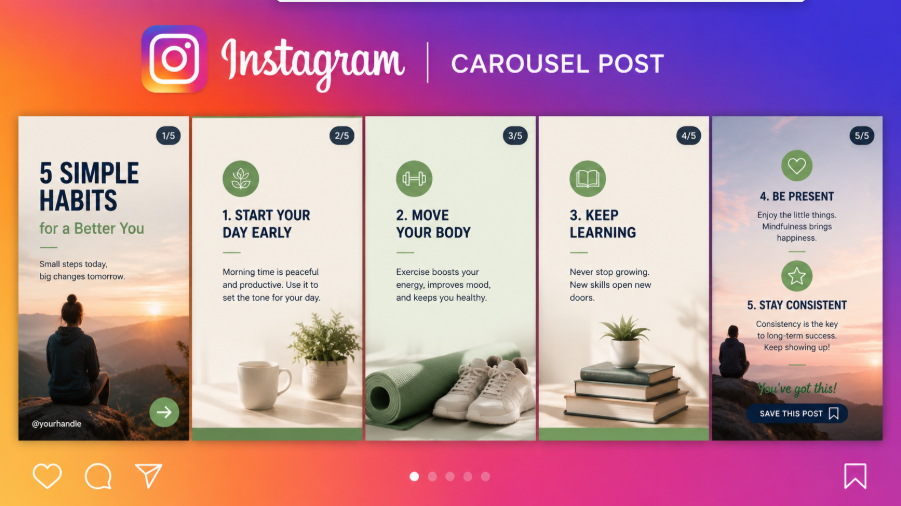
What are Instagram Carousel Posts?
Instagram carousel posts are social media posts that include several videos and images, allowing users to swipe through them in one post. The content format is a great choice for enabling users to engage more deeply with the content by liking, sharing, commenting, and tagging others.
Users can comment directly on the carousel post, sharing their feedback and thoughts, resulting in a higher engagement level than the standard video or image posts. The post formats are especially a good choice for storytelling and showing different content. Whether you share educational content, a product image, or highlights of your event, this format combines different images and videos for more advanced social media marketing.
Why Instagram Carousel Posts are Dominating in 2026
Recently, Instagram's algorithm has changed how it recommends content. One of the content formats that has benefited from these changes is carousel posts. In 2026, this content format tends to appear in different locations in people's feeds.
Additionally, when an Instagram user views the first slide in a carousel and clicks away, Instagram will still produce the remaining slides in their feed, increasing the chances of users watching the entire carousel. Therefore, one carousel post can drive engagement for a number of days and not just hours.
In addition, carousel posts have several benefits over reels, such as:
- Multiple interaction signals. Each swipe will mean a boost in the algorithm.
- Higher save rate. The save rate of the carousel photo is usually 22% to 23% higher than that of the single image photo.
- Longer dwell time. On average, viewers of carousel posts spend around 15 to 30 seconds swiping, compared with people watching reels, who spend an average of 3 to 5 seconds.
- Algorithm priority. Social media ranking is now dominated by shares and saves as it reflects long-term value. Since carousel posts have more saves and shares, they are given priority by the algorithm.
- More reach. According to Instagram CEO Adam Mosseri, carousel posts enjoy a reach that is 1.4 times higher than single-image posts.
Therefore, while Reels may help with your discoverability, carousels can help increase the level of trust that users have in your brand.
How to Create Outstanding Instagram Carousel Posts
Instagram allows you to add up to 20 images for your carousel post, offering creators and brands more room for storytelling. However, this doesn't mean that the longer slides are better.
To increase engagement on Instagram, you don't have to use all the slides. A good number for maximum engagement is between 8 and 10 slides. According to one report, the highest engagement is usually on the first and second slides, but drops from the third one. However, this rises again after the 8th slide.
The optimal number of carousel posts will depend on the content format as follows:
- Three to five slides for quick tips.
- 8 to 12 slides for educational content.
- 12 to 20 slides for case studies and deep guides.
- Four to six slides for carousel ads.
If you want to drive strong engagement with an Instagram carousel post, make sure you maintain strong content throughout, rather than just at the beginning.
Create an Outstanding Cover Slide
You have probably heard that you need to start your Reels with a hook. This also applies to carousel posts, only that the cover photo should act as the hook. In fact, 80% of the effectiveness of your carousel post will be determined by the first slide, as this is what users will see on their feed, making them decide whether to swipe.
When creating a cover for your carousel post, you need to convince users that the slide is for them and that they will get value when they swipe.
There are several tips to make outstanding covers, such as:
- Using a maximum of 8 to 10 words.
- Adding high-quality images and bold graphics with a clear message.
- Ensuring that users feel incomplete when they don't swipe.
On top of the above tips, you can use several techniques, such as:
- Cropping the diagram. Instead of showing the whole picture, show part of the teamwork or chart.
- Splitting before and after the image. You can have the before image as the first slide and the after image as the second slide. That means people will need to swipe to show the transformation.
- Bold statistics. Use intrigue or surprise.
- Large numbered list. Use the first image to offer a promise of more value.
Ideas for Creating a Hook
Here are some ideas for creating an outstanding hook:
- Stop doing these three mistakes you are making.
- Provide the outcome, such as how I grew from 200 followers to 50k in 2 weeks.
- Show a personal transformation. This routine finally calmed my mind.
- Numbered list: 5 little-known tips
- Controversial takes on such a challenging common myth.
Optimize the Second Slide
Now that you have optimized the first slide, it doesn't mean your work is done. As noted earlier, if the viewer only watches the first slide, Instagram will produce the second one in their feed again. Therefore, you also need to treat the second one as a secondary hook; that should also be quite compelling, rather than a continuation of the first slide.
There are several best practices you need to use for the second slide, such as:
Have Visual Consistency
Make sure the second slide uses the same fonts, layout, and color palette as all slides. Avoid using so many colors and instead use two to three brand colors and one or two fonts. To ensure a professional and cohesive look, use uniform spacing. Additionally, make sure all the slides use the same aspect ratio.
Swipe Cues
Here are some best practices for encouraging users to swipe:
- Add arrows that point to the right.
- Add design elements or text that are cut off at the edge.
- An overlapping image that moves from one slide to the next.
- Add text prompts for the first few slides.
Make sure you combine video content with static graphics using these tips:
- Make the first hook static.
- Have a strategy for transitioning to video in the middle of the slide.
- Finish with the static graphics for the CTA and conclusion.
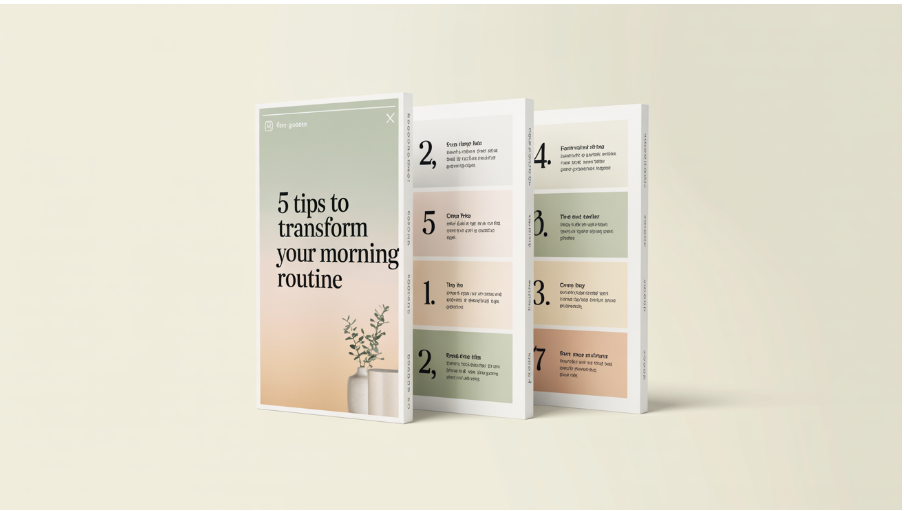
For maximum impact, you also need to place the CTA optimally.
- If you are creating shorter carousels of 10 to 12 slides, place the CTA toward the end to deliver value.
- If you are creating longer carousels with 13 to 20 slides, you can put the CTA in the middle and at the end.
Have a Strategy for the Caption and Hashtag
When creating your Instagram hashtag and caption, you need to use the same strategy you do with a mini blog.
These include:
- Adding the primary keyword in your first sentence to maximize discoverability.
- Adding a clear CTA.
- Not providing the whole value in the caption so as to encourage people to swipe.
- Adding on-slide text and caption to provide clarity signals.
The Instagram hashtag strategy has changed in the recent past. Here are some key updates you need to know:
- Instagram has limited the maximum number of hashtags to five. Therefore, make sure you add 3 to 5 hashtags that are highly relevant in each post. If you use more than 5 hashtags, you will be reducing the reach.
- Adding three to five hashtags results in 25% higher engagement than using over 10 relevant tags.
- Hashtags now help categorize content rather than help it get discovered.
Take note that the recommendation system on Instagram now prioritizes quality content and higher engagement compared to hashtags.
Common Mistakes to Avoid
When creating Instagram carousel posts, there are several mistakes you need to avoid. These include:
- Using a weak first slide. If you don't provide viewers with a reason to swipe, such as a hook or curiosity gap, they will not click.
- Adding too much text. A good idea would be to maintain one idea per slide.
- Not having a clear narrative. Ensure a cohesive story in your slides.
- Low-resolution images. A quality image will show the level of professionalism of your brand.
- Not mixing the slides. Research shows mixed media have the highest engagement.
In Conclusion
There is no doubt that Instagram carousel posts have the highest engagement rate. This makes them perfect for building a deeper relationship with your audience. If you are getting tired of using carousel posts, our guide will prove useful.
