With over 2 billion monthly active users, YouTube provides brands with a ready audience to engage with their brand. Even better, YouTube Live Shopping has revolutionized how brands and creators monetize their content by merging videos with e-commerce. Through features such as shoppable videos and livestreams, you can enable your viewers to make purchases directly on the platform.
In this article, we will guide you on how to increase conversions using YouTube Live shopping features and show you how to join and boost sales. We will also explain the steps to selling your products through this handy feature.
What is YouTube Live Shopping?
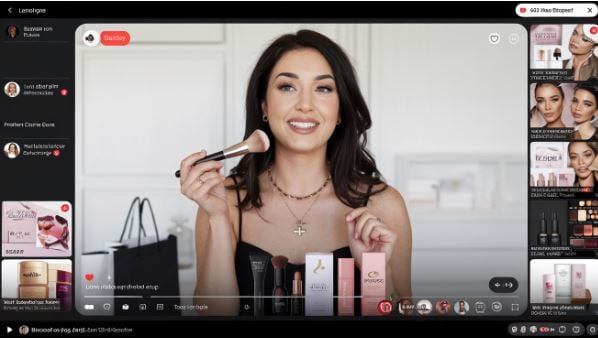
YouTube live shopping is a marketing strategy that involves brands marketing and selling their products through YouTube Live in real time. The live shopping feature connects brands to their potential customers, enabling them to interact and have a well-streamlined shopping process. The live shopping feature, therefore, allows brands to showcase and sell products through live streams and videos. This makes the feature especially handy for those creators who want to monetize content, enabling their audiences to buy directly on the platform.
Features of YouTube Shopping
As one of the YouTube monetization programs, Live Shopping consists of the following features:
- Live stream and shoppable videos. YouTube allows creators to tag their products in live streams and videos. If viewers want to know more about the product, they need to click on the tag.
- Shopping Tab. YouTubers feature a dedicated shopping tab that enables viewers to explore products in live streams, videos, and even on their favorite creators' channels.
- Product pins. YouTube has made viewing and purchasing livestream products easy by allowing creators to pin products during live streams.
- Integration with merchants. Through its partnership with e-commerce platforms like TeeSpring and Shopify, YouTube has enabled creators to connect their Online Stores with their YouTube channels for easier product and sales management.
- Affiliate marketing. If you don't have products to sell, you can sell another brand's products as an affiliate in your live streams and videos.
- Analytics. Like other social media platforms, YouTube has an analytics tab that shows the performance of your campaigns. You can then use the data to optimize your YouTube live shopping strategy.
Steps to Follow For YouTube Live Shopping
If you are getting started with YouTube live shopping, here are the steps you need to follow:
Be Legible
You need to start by ensuring that you are eligible for monetization, which means being part of the YouTube Partner Program (YPP). Some of the requirements to be in the YPP are:
- At least 1000 subscribers.
- Adhering to the YouTube policies.
- Content in a language already supported by YouTube Shopping. It should not be made for kids.
Integrate with an E-commerce Platform
As noted earlier, YouTube allows integration with top e-commerce platforms, such as TeeSpring and Shopify. To do that, you need an already-set-up store with products, then you can link the store in the following steps:
- Visit YouTube Studio.
- On the left-hand menu, tap on monetization.
- At the top, select Shopping.
- Click "Get Started" and follow the prompts to link your YouTube channel to an e-commerce channel.
Connecting a store is easy and includes ownership verification and product syncing.
Enabling Shopping Features
After linking your store, you can now tag products in live streams and videos. When tagging products in your shorts and video, you must choose to upload or edit videos/shorts. To do that:
- Tap on Content in the left-hand menu of the YouTube Studio.
- Choose to upload a new short or video, or simply click on the existing short/video to edit.
To tag a product, you should:
- Once you are eligible for product tagging, you can tap on the Shopping tab on the video details page.
- Click on it and choose "Add products. You can select products from the link to the linked store.
Once you have selected the product, it will appear as clickable links in the video description and be visible to the viewers as product cards. To customize the product placement, select how you want your videos to look in the product placement. If you place the products in your regular videos, they can appear in the video timeline. If you add a theme in short, you can add the tagged shorts as products under the video. After that, you can save the challenges and publish or republish the video or short to be seen by your audience.
Tagging Products During Live Streams
You can now prepare for the livestream by visiting YouTube Studio and clicking on "Create> Live." You can then set up the livestream details like you usually do. Ensure that you have enabled shopping under the Shopping tab of the Livestream setup, then add the products that are already linked to your e-commerce store to be featured in the livestream.
You can pin products to the live stream screen at any time, making them visible to viewers. The viewers can also click on these products to make a purchase directly. You can pin a product by going to the Shopping panel during the live stream and choosing the products you need to highlight.
Performance Monitoring
YouTube Studio can be a good option for tracking the performance of products, including the number of clicks and sales generated by each product. You can then adjust the strategy based on the analytics you receive for maximum revenue. By following the steps above, you will successfully join YouTube Shopping and begin selling products directly through your YouTube content.
Tips for Optimizing Your YouTube Live Shopping
Here are tips to ensure that you have a smooth YouTube live shopping experience:
Onboard 4 Weeks Before the Livestream
The YouTube livestream onboarding program typically takes an average of 4 weeks; therefore, you should begin the process at least 4 weeks before the livestream. During onboarding, upload your products for the livestream under the Merchants Center using data sources or through a retailer or shopping platform.
Select How Customers Reach You
Ensure that you have a way for customers to reach you, either through your website or store.
Organize Your Account and Data
If the product you want to showcase in your livestream has issues, you should resolve them at least two weeks in advance. This could include all matters that violate the YouTube Shopping policies. If you are launching new products during the livestream, please follow the disclosure and attribution guidelines.
Avoid Changing Any Data
You should not make any changes to the data within 72 hours of the livestream, as this may affect the shoppability of the products. This applies to features such as the product image and the landing page. If you make any changes to the producers, you may be disapproved, which will render the livestream untaggable.
Test the Livestream
Even if it's not your first time running a live stream, performing a test at least a week in advance is advisable. This will familiarize you with how to tag products. If you are launching a new product, you can run a live test stream of your existing products.
In Conclusion
YouTube offers businesses and brands an opportunity to sell to their niche audience and gain visibility. According to a YouTube report, channels that increase their weekly livestreams see a 40% rise in subscriptions, with viewers spending 70% more time watching the livestream content. Therefore, follow the steps outlined above to get started with YouTube live shopping. You can read our guide on building a converting live social shopping strategy.
