You probably know this feeling. You upload a new video to YouTube. You feel good about it. Actually, you feel really good about it. The title is sharp, the pacing is clean, and the edit feels tight. Then you sit back and wait for the views, but they do not show up!
Not because the content is bad. Not because the topic is wrong. But because hardly anyone clicked in the first place.
That moment always hits harder than it should. I think it is because thumbnails feel so small yet carry so much weight. They are these tiny little windows your whole video squeezes through.
A single frozen frame that decides whether a stranger gives you eight minutes of their life or scrolls right past without even slowing down. No pressure or anything.
What makes it trickier is how fast people judge thumbnails. A fraction of a second. A blink. A gut feeling. They do not compare or analyze. They barely even glance. They just sense something. Curiosity. Confusion. Intrigue. Or nothing at all.
Honestly, thumbnail design almost feels unfair at times. You work for hours, maybe days, refining a video. Then your success comes down to four or five choices you made inside a 1280-by-720 image. But that is the game.
Thumbnails influence click-through rates more than anything else on the platform. More than titles and tags. More than thumbnails, we think look good to us but mean nothing to actual viewers.
So let's slow this down. Let's talk about the choices that actually move the needle. The human stuff. The instinctual stuff!
The feelings someone gets when they see your video sitting among a hundred others, because click-through rate is not just a metric. It is psychology disguised as design!
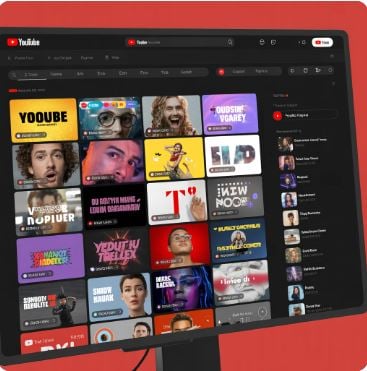
Faces Work, But Only When They Feel Alive
Every creator hears the same advice. Use your face. People click on faces. Emotion sells. And yes, that is true. Humans trust humans.
We read expressions faster than text. We follow eye direction without thinking about it. But here is the twist most creators miss. People only click on faces that feel alive.
The problem is that most thumbnail faces look plastic. Overposed. Over-zoomed. Over-the-top. They try too hard. You can almost hear the creator behind the camera whispering, "Bigger eyes. Bigger smile. Look shocked. No, more shocked."
This is exactly why those thumbnails get ignored. Viewers can smell forced emotion from a mile away.
A face works best when it captures a thought mid-air. Something unresolved. Something that hints at a story still unfolding. A half-raised eyebrow. A small frown. A look slightly off-camera, as if reacting to something the viewer has not seen yet. That tiny bit of tension creates a pull. You want to know why they look that way.
I believe this is why micro-expressions outperform big cartoonish reactions. Subtle feels real. Real feels trustworthy. And trust is the currency of the click.
Another surprisingly effective trick is directional gaze. If your face is looking toward an object or text inside the thumbnail, viewers follow your eyes, and their attention lands exactly where you want it. It is almost automatic. A good thumbnail guides the viewer without them noticing.
So yes, faces matter. But only faces that feel like they belong to a moment, not a photo shoot!
Text Should Tease, Not Teach
Most people use thumbnail text like a miniature billboard. They try to explain the whole premise in six or seven words. They cram details, keywords, even mini-sentences into that small space, but viewers are not reading for clarity. They are reading for curiosity.
Text on thumbnails works best when it leaves something out. A gap. A missing piece. A thought that trails off. Something like "I finally fixed it," or "This was a mistake," or "I was not ready for this." You do not know what "it" is. But now you want to.
I think creators underestimate how powerful ambiguity can be. Not confusion. Just… incompleteness. Enough clarity to anchor the viewer and mystery to make them lean forward.
Short text wins because it forces tension. Three to four words. Five at most. Each one carries emotional weight, not informational weight. And here is a small but important detail—the thumbnail text and the title should never be identical. They should bounce off each other. The title gives context, and the thumbnail gives feeling. When both say the same thing, they cancel each other out.
Font choices matter, too. Not fancy fonts. Not overly stylized fonts. Just legible, bold lettering with strong separation from the background. If someone squints at their screen and cannot read it instantly, the text is not doing its job!
Think of thumbnail text like whispering a secret. Not shouting a headline!
Simple Thumbnails Win Because Viewers Scroll Like Lightning
I wish this part were not true. Many creators love detailed thumbnails. Amazing compositions. Lots of props. Multiple subjects. Layered visuals. It looks artistic and impressive, and it almost always underperforms.
People scroll through YouTube with no patience whatsoever. Their brains grab whatever is easiest to understand, so thumbnails with one clear subject—one face, one object, one emotion—tend to win by a landslide. Even if they feel "too simple" to the creator designing them!
Honestly, simple thumbnails feel like calm spots in a chaotic feed. Everything around them screams for attention with neon colors and busy layouts, so the clean one stands out by being the opposite.
One object. One reaction. One idea. Your viewer should understand the general vibe of the video instantly. Not after thinking. Not after comparing. Instantly.
A surprising amount of click-through improvement comes from removing things, not adding. Removing icons. Removing a few background elements. Removing noisy shadows. Removing extra text. Removing props that do not help tell the story.
There is this small trick I tell creators all the time. Shrink your thumbnail down to the size it appears on mobile, then shrink it again. If it still communicates something meaningful even when tiny, you nailed it. If it looks like a chaotic blur, start over.
Simple is not boring. Simple is readable at high speed!
Contrast and Layout Make or Break the Click
You can design the most beautiful thumbnail in the world, but if it blends into YouTube's interface or loses its subject against the background, your click-through rate will flatten instantly.
Contrast is not just about color brightness. It is about separation. Foreground from background. Text from image. Subject to noise. When everything competes for attention, nothing gets attention.
Good contrast creates hierarchy. Your viewer's eyes should land exactly where you want them to in less than a second. Face first. Or the object. Or the bold text. You choose the order. Contrast enforces it.
Color contrast matters, but tonal contrast matters more. Meaning dark vs. light, not blue vs. red. A bright face on a darker background almost always performs better than a bright face on a bright background. Same for text. Light text on dark. Dark text on light. Simple rules that carry a heavy impact.
Composition plays a role, too. Faces angled inward create flow. Space provides breathing room. Placing elements at slight diagonals adds subtle energy. You do not need to be a designer to use these rules. Your eyes already know what feels balanced!
I think a lot of creators cling too tightly to "branding" early on. Consistent colors. Consistent fonts. Consistent framing. That stuff matters later. Right now, visibility matters more. A brand is not helpful if no one sees your videos.
Shrink the thumbnail. Step back. Blink. Whatever your eyes land on first should be the thing that matters most.
That is thumbnail design in a nutshell!
Color Choices Shape Emotion Before You Even Click
You feel color before you process anything else. It hits you faster than text. Faster than a face. Even faster than whatever story the thumbnail is trying to tell.
Bright yellows pull your eyes in. Reds feel bold. Deep blues relax you. Greens feel analytical. These tiny emotional cues happen so quickly that you barely notice. But your brain does. Every time.
I think creators underestimate how much color shapes mood. They pick colors based on style instead of feeling, so the vibe of the thumbnail clashes with the tone of the video. A playful color palette wrapped around a serious topic or a gloomy tone on a light-hearted story. That mismatch quietly reduces clicks because something just feels off.
Honestly, color is the easiest way to nudge the viewer in the direction you want. Warm tones spark curiosity. Cooler tones steady the atmosphere. Darker backgrounds add tension. Brighter ones add energy. You do not need perfect color theory. You just need intention.
Color becomes the first sentence of your thumbnail. Before anything else even speaks!
A Good Thumbnail Plants a Question in the Viewer's Mind
The best thumbnails make you think something like, "Wait, what is this?" You might not say it out loud, but you feel it instantly. That tiny moment of unfinished understanding pulls you forward. It gives your brain a nudge and builds just enough curiosity to make a click feel natural.
Most weak thumbnails answer the question too early. They reveal the whole situation at once. No tension. No sparkle of mystery. No reason for the viewer to move beyond the thumbnail. When everything is explained up front, the click becomes unnecessary.
I believe thumbnails work best when they leave one thing out. A missing detail. A half-formed moment.
A look on someone's face that does not explain itself right away. A phrase that feels unfinished. When something is incomplete, your mind wants to complete it. That push drives the click-through rate, so your thumbnail does not need to teach. It just needs to tease.
Backgrounds Matter Because They Set the Scene
Most creators ignore backgrounds. They treat them like space to fill instead of space that tells a story. But backgrounds carry mood. They shape how the viewer feels before reading text or noticing expressions. A cluttered background makes things confusing. A too-bright one steals attention. A muted one may flatten the emotion entirely.
I think backgrounds work like scenery in a play. They do not need to become the star. They just need to support the feeling of the moment. A darker backdrop adds weight. A cleaner one adds focus. A blurred environment adds depth and makes your subject pop. Even subtle gradients help create direction.
Honestly, I once changed only the background color on a thumbnail—nothing else—and the click-through rate doubled. That moment taught me that backgrounds are not decoration. They are the tone-setters and frame what the viewer is supposed to feel.
A good background removes friction. A great one strengthens emotion!
Too Much Consistency Makes Your Thumbnails Blend In
Branding feels smart in theory. Same colors. Same layout. Same expression. Same everything. It feels organized, but YouTube viewers scroll fast. Their brains recognize patterns too quickly. When every thumbnail looks the same, your videos start blending into the background like wallpaper.
People stop noticing them. Not because they dislike you, but because their brains label familiar things as "already seen." Even when the content is brand new.
I think the trick is gentle variation, not a total redesign every time. Just enough change to renew curiosity. A different pose. A shift in color tone. A new angle. A different crop. Something that signals "this one is fresh."
You can keep your brand, but your thumbnails still need to evolve. The feed moves fast, and your design should move with it!
A Strong Idea Matters More Than Any Thumbnail Design
This is the tough truth. Sometimes, the thumbnail is not the problem at all. The idea behind the video is. You can polish the image, pick bold colors, and nail the expression. But if the core concept is not intriguing enough, viewers simply will not click.
A thumbnail amplifies interest. It cannot create it out of nothing.
I believe this is where creators often get stuck. They keep editing the thumbnail when the real fix is improving the premise. Sharpening the hook. Adding emotional stakes. Finding the angle that the viewer has not seen a hundred times before.
Once the idea becomes stronger, the thumbnail almost designs itself. You suddenly know what emotion to show, what moment to highlight, and what question to plant. The whole process becomes easier.
A great thumbnail starts with a great idea. Always!
Thumbnail Cropping Quietly Changes How Viewers Feel
Cropping sounds technical, but honestly, it is mostly about emotion. A tight crop feels intense. A wide crop feels calmer. Somewhere in the middle feels approachable. The viewer picks up these signals without thinking about them. Their eyes land where the crop tells them to land. It is subtle but powerful.
I think a lot of creators crop based on aesthetics instead of feeling. They zoom in too far so the face fills the entire frame, or they crop too wide so nothing really stands out. Both extremes kill tension. The viewer wants just enough closeness to feel something, but not so much that the thumbnail feels cramped.
One thing that helps is imagining the thumbnail as a window into a moment. Does the crop make you feel like you stepped into that moment or like you were shoved into someone's face? Does it guide the eye or overwhelm it? I had a phase where I kept zooming in tighter because I thought it looked bold. But the click-through rate dropped because there was no breathing room left.
So maybe try dialling it back or pushing it forward. Anything that makes the moment feel alive instead of flattened!
The First Second of Recognition Happens at a Tiny Size
Most viewers on YouTube never see your thumbnail full-size. They see it as a tiny square in a chaotic feed. A blur of color, expression, and emotion. This means the thumbnail has to work even when it is barely visible. That is where recognition happens. Fast. Almost too fast.
I think the biggest mistake creators make is designing thumbnails zoomed in on their desktops. They obsess over details no viewer will ever see, then they forget to zoom out. Way out. Down to the size it appears on a phone. Suddenly, the text vanishes, and the expression disappears. The whole thing turns into visual soup.
A good thumbnail survives shrinking. A great one gets better when it shrinks because it becomes clearer, simpler, and more direct. The viewer sees one idea instantly. One emotion. One question. Not twenty tiny details screaming for attention.
Whenever you design a thumbnail, shrink it until it feels silly. If you still understand it in one second, you are on the right track. If not, it needs clarity, not decoration!
Testing Beats Guessing Every Single Time
Creators love to trust their instincts. I get it. You know your style. Your audience. Your niche. But YouTube does not run on instinct. It runs on behavior. What people actually click. What they skip. What they hesitate over for half a second.
Those tiny micro-actions shape performance far more than taste ever will. I think testing thumbnails is one of the most underrated tools on the platform. Swapping backgrounds. Switching expressions. Changing text. Adjusting color.
Even testing wildly different concepts for the same video. You learn so much by letting real people react instead of predicting their reactions!
And here is the funny part. The thumbnail you thought was weaker sometimes wins. The one you liked the least ends up pulling the highest click-through rate. It is humbling. But also freeing because it means you do not need to be a design genius. You just need to be curious enough to try things.
Testing feels slow at first, then it becomes a rhythm. A habit. A way of learning about your audience without overthinking it. When you test, the viewer teaches you how to win.
A Click-Worthy Thumbnail Makes a Promise You Must Keep
This part might be my favorite because it connects design with trust. A thumbnail is not just decoration. It is a promise!
It tells the viewer, "Here is the story I will show you once you click." If the thumbnail promises one thing but the video delivers something else, the viewer feels cheated. Even if the content is good.
I believe this is where long-term channels win. Their thumbnails set expectations clearly but not too literally. They hype the moment without lying and build curiosity without manipulation. That honesty builds trust. People click because they know the creator will follow through.
Click-through rate increases when people believe you. Not when you trick them. So when you design your thumbnail, ask a simple question. Does this represent the heart of the video? Not the flashiest part. Not the clickbait part. The true core of it. If your thumbnail aligns with your story, people return, then click again. That is how momentum builds.
A good promise earns a click. A kept promise builds loyalty!
Conclusion – Your Thumbnails Are Not Decorations, They Are Invitations
Thumbnails feel small compared to everything else you do. Recording. Editing. Scripting. Planning!
But they carry more weight than most creators expect. They are invitations. A tiny door that the viewer steps through when something inside the image pulls at them. Emotion. Curiosity. Color. Tension. A question waiting to be answered.
I think once you shift your mindset from "designing a thumbnail" to "inviting someone into a moment," everything changes. You stop trying to make the perfect picture. You start trying to make a feeling. A spark. A small human reaction that says, "Yeah, I want to see this."
Your click-through rate becomes less about luck and more about connection. You understand what your audience senses before they think, then you use that understanding to guide them gently.
So maybe try experimenting more. Play with color. Loosen your layouts. Add questions instead of answers. Let things be a little imperfect. Honestly, thumbnails become more fun when you treat them like tiny stories instead of technical tasks!
