Pinned Articles
» TikTok could be banned after midterm elections
» TikTok could be banned after midterm elections
» How to Convert Facebook Reel Views into Page Followers
» How to Use Instagram Carousel for Storytelling
» Why Original Facebook Reels Receive Better Distribution
» How to Build Authority in Your Instagram Niche
» How to Make a Facebook Poll That Will Get People Voting
» How to Repurpose Videos for Facebook Reels Properly
» Why Instagram Stories Are Key for Growth
» The Best Facebook Reel Length for More Views
» Creating an Instagram Content Strategy That Works in 2026
» How to Drive Social Media Conversion in 2026
» How to Create Facebook Reels That Hold Viewer Attention
» How in App Checkout Shortens the Customer Buying Journey
» How to Get More Views on Facebook Reels
» Instagram Shopping Strategies for Creators and Brands
» How to Rebuild Engagement on an Inactive Facebook Page
» Influencer Marketing at Different Stages of the Sales Funnel
» How Frequently Should a Facebook Page Publish Content
» TikTok Shop Optimization for Higher Sales in 2026
» What Should Businesses Post on Facebook in 2026
» Social Commerce Tips and Trends for 2026
» How to Optimize a Facebook Page for Better Discovery
» How to Optimize Carousel Posts for Maximum Saves
» Instagram Carousel vs Reels and Which Should You Prioritize in 2026
» How to Get Your First 1000 Facebook Page Followers
» A Guide to Writing Search Friendly Instagram Captions
» How to Grow Your Facebook Page in 2026
» How to Build an Algorithm Proof Instagram Strategy
» How To Promote Your Account Without Spending Money
» Social Media is Dead and Interest Media is Here
» How To Turn Profile Visitors into Loyal Followers
» Understanding Major Shifts in Instagram Algorithms in 2026
» How to Use Collaborations to Gain Followers Organically
» Retargeting Strategies for Social Media
» How Strategic Commenting Can Grow Your Audience
» Social Media Lead Generation Trends in 2026
» Using Social Proof to Increase Conversion
» How To Attract Followers Through Valuable Content
» How to Turn Followers into Customers
» How To Gain More Followers Without Paid Advertising
» Analyzing YouTube Average View Duration and Why It Matters
» Common Mistakes That Prevent New Accounts From Growing
» Turning Views to Sales with Social Media Sales Funnel
» How Often Should a New Social Media Account Post
» How to Track and Increase YouTube Watch Hours
» The Best Types of Content For New Accounts
» How to Measure YouTube Channel Success Accurately
» How to Choose the Right Niche For Fast Social Media Growth
» A Look at YouTube Click Through Rate Data and How to Increase It
» How to Get Your First 1000 Social Media Followers
» Understanding Traffic Source in YouTube Analytics
» How To Grow Your Social Media Following From Zero
» How to Attract and Create a Highly Engaging Sponsored Post
» How to Build a Successful Business as a Digital Creator
» How to Interpret YouTube Analytics Data Like a Pro
» Platforms That Pay Creators the Most in 2026
» How to Build a Loyal Social Media Fanbase
» Choosing the Right Creator Monetization Method
» How to Find a Good Creator Niche
» Top Myths and Mistakes That Kill a Personal Brand
» Creator Economy 2026 and How to Build a Profitable Audience
» Steps to Build and Define a Personal Brand Tone
» How to Position Yourself as an Authority on Social Media
» How to Build Trust and Credibility Online
» Using Personal Branding as a Social Media Growth Hack in 2026
» Content Ideas That Work For YouTube Shorts
» Understanding the Best Posting Frequency for YouTube Shorts
» How to Convert Short Viewers into Subscribers
» Best Short Length and Formats for Virality
» How the YouTube Shorts Algorithm Works in 2026
» Fastest Way to Scale With YouTube Shorts Growth Strategy
» What It Actually Takes to Earn a Salary as a Social Media Content Creator
» How to Launch and Promote Your TikTok Shop
» Using TikTok Analytics to Improve Your Marketing
» How Small Businesses Can Leverage TikTok for Growth
» A Comparison Between TikTok Ads vs Organic Strategy
» How Brands Are Winning on TikTok Right Now
» Reels Editing Styles That Boost Engagement
» TikTok Content Strategy for Businesses in 2026
» How Often to Post Reels For Fast Growth
» Trending Audio Strategy for Instagram Growth
» Best Reels Length and Format for Maximum Reach
» Creating a Reel Hook That Instantly Grabs Attention
» Instagram Reel Strategy to Go Viral in 2026
» Social Media Growth Hacks That Still Work in 2026
» A Guide to Social Media Collaborations for Organic Growth
» Social Media Community Building for Long Term Growth
» Top Engagement Tactics to Boost Your Reach
» How to Grow A Social Media Account With Content Only
» How to Pitch and Get Noticed By Brands on YouTube
» Choosing Between Long Term Influencer Partnerships vs One Off Deals
» A Guide to Product Seeding for YouTube Influencers
» AI and Human Creativity in Social Media for Brands
» How to Optimize a YouTube Channel to Attract Sponsors
» How to Create a Highly Converting YouTube Media Kit
» A Detailed Guide to Organic Social Media Growth Without Ads
» Creating an Influencer Marketing Template That Works
» A Review of the Top Influencer Marketing Platforms for 2026
» The A to Z of Finding and Negotiating YouTube Brand Deals
» How to Become a Social Media Influencer in 2026
» Building More Visibility With Social Media Cross Brand Marketing
» Best Short Video Ideas to Go Viral
» Choosing Between Nano and Micro and Macro Influencers
» Best Tools For Short Form Video Editing
» Key Trends Driving Influencer Marketing in 2026
» Understanding the Dos and Donts of Creating Short Form Videos
» Top Editing Techniques That Increase Retention
» A Guide for Creating Scroll Stopping and Addictive Short Form Videos
» How to Make Money on YouTube Shorts
» A Detailed Guide on Dominating Shortform Videos
» AI Brand Guidelines for Better Prompts and Results
» AI Script Writing Tips for Viral Videos
» How to Use AI for Social Media Management
» Best Practices For Using AI For Maximum Impact
» Best AI Tools for Video Creation
» Best Niches for a YouTube Channel in 2026
» YouTube Retention Hacks to Increase Watch Time
» Thumbnail and Title CTR Optimization Guide
» The Ultimate Guide to Promoting a YouTube Channel and Videos
» How to Rank YouTube Videos on Google Search
» AI Content Creation For Social Media with a Full Guide for 2026
» How to Make Your YouTube Shorts Go Viral
» Combining Long Form and Short Videos for YouTube Growth in 2026
» How to Monetize Instagram Without Sponsorship
» How to Build an Engaged Instagram Community
» How to Start a YouTube Gaming Channel in 2026
» Creating an Instagram Hashtag Strategy That Works in 2026
» How the Instagram Reels Algorithm Works in 2026
» Best AI Tools for Instagram Content Creation
» How to Fix TikTok Video Not Showing Up Issue
» Instagram Marketing Strategies for Small Businesses in 2026
» How to Make Your TikTok Account Public
» How Much Money Does TikTok Pay for 1 Million Views
» How Creators Use Threads for Thought Leadership
» How Snapchat Lenses Increase Brand Awareness
» How TikTok Creators Use Short Clips to Drive Real Sales
» A Guide to Snapchat Advertising
» A Complete Guide to Snapchat Geofilters for Local Marketing
» How to Get 1 Million Views on TikTok
» How to Make a Playlist on TikTok
» TikTok Begins Using Invisible Watermarks on AI Clips
» How to Get Your TikTok Profile URL
» How to Create Outstanding Snapchat Stories
» How to Get More Friends on Snapchat Organically
» Snapchat Marketing Strategies for Business Growth
» Landing Page Content Strategies That Drive Sales
» Building Ethical AI Models and Why Transparency Matters in 2026
» How to Create Highly Converting Bottom of Funnel Content
» Mid Funnel Content Marketing Tactics That Work
» How to Revive a Slow Facebook Page With Consistent Targeted Updates
» Creating Brand Awareness Content That Builds Trust
» Lead Magnet Ideas for the Different Stages of the Buying Journey
» How to Get Sponsored on YouTube
» Meta Adds New Content Protection Tool for Reels
» A Guide to Personal Branding for Influencers
» Creating Content for the Different Stages of the Buying Journey
» How Advanced Audience Segmentation Transforms Multi Platform Campaigns
» How to Choose the Right Social Media Fonts
» Creating Brand Guidelines for Social Media Marketing
» Why YouTube Session Level Metrics Matter More Than Views in 2026
» How to Get Your YouTube Channel URL
» How to Ensure a Consistent Look on Social Media
» The Psychology of Color in Social Media Marketing
» How to Hit 10K TikTok Followers in 7 Days
» Leveraging the Keyword Golden Ratio to Rank Fast
» How Many Views Are Considered Viral on TikTok
» How to Use TikTok Live Sessions to Push Regular Video Views
» How to Get Verified on YouTube in 2026
» Mastering Social Media Branding in 2026
» How to Find and Fix Keyword Cannibalization
» A Guide to Writing SEO Optimized Articles in 2026
» How Threads Fits Into Meta Larger Platform Plans
» Top 5 Best Keyword Research Tools
» How to Use Google Trends for Keyword Research
» How to Blow Up on TikTok With These Tips
» YouTube Renames Its Repetitious Content Policy
» How to Drive Traffic to Your Site Using Quora
» The A to Z of Keyword Research for SEO in 2026
» An Insider Look at How TikTok Interest Graph Actually Builds Audience
» Importance of Building Authority on Online Forums
» Ways to Drive Traffic to Your Site From Reddit
» How to Get More YouTube Community Poll Votes
» How to Get 10 000 Followers on TikTok
» Best Practices for Using Discussion Forums
» Steps in Creating a Popular Online Community Forum
» Essential Tips for Eye Catching YouTube Thumbnails
» How Influencers Decide Which Brand Offers They Say Yes To
» Why is My YouTube Watch Time Not Increasing Even With More Views
» Creative Ways to Repurpose Your White Papers
» Best Tools for Repurposing Content
» Leveraging Community Forum Marketing to Grow Your Brand
» How to Repurpose Content for Pinterest
» How to Build Trust on Social Media Without Spending Money
» How to Turn Blog Posts Into a Carousel
» Repurposing Videos for Maximum Visibility on Social Media
» Meta Alerts Creators When Reels Are Reposted
» A 101 Guide to Repurposing Social Media Content
» Tips for Managing Multiple Social Media Accounts
» Creating a Social Media Posting Schedule
» How LinkedIn Dwell Time Metric Quietly Shapes the Feed
» How to Batch Create Social Media Content
» Setting up a Social Media Content Approval Workflow
» How Creators Use Social Media to Build Crowdfunding Momentum
» How Many Likes on TikTok Do You Need to Go Viral
» The Reason Behind the Rising Popularity of Live Videos
» Productivity Hacks for Social Media Marketers
» TikTok Pulse Ads and What Small Businesses Should Know
» Improve Your Efficiency with a Social Media Workflow Plan
» Video Marketing Trends to Watch in 2026
» How to Turn a Viral TikTok into a Long Term Audience Growth
» How to Optimize Videos for Social Media Platforms
» Using Video SEO to Rank Videos on Google
» How Travel and Lifestyle Brands Use Threads and Instagram Stories
» A Beginner Guide to Facebook B2B Advertising
» Best Practices for Video Marketing in 2026
» Tips for a Successful B2B Marketing on X
» Creating a B2B Content Marketing Strategy
» A Guide to B2B Social Selling
» Harnessing the Power of Video Content Marketing
» Hyper Personalized Email in a Privacy First World
» Finding Social Media Trends for Better Outcomes
» How to Use YouTube for B2B Marketing
» How Privacy Laws Are Reshaping Tracking and Social Ad Targeting
» How to Audit Your Social Media Content
» How to Increase the Number of Social Shares
» What Happens When a Brand Mixes Organic and Paid TikTok Content
» Leveraging Social Media Analytics to Grow Your Channel
» Creating a B2B Social Media Marketing Strategy in 2026
» Inside the Data Pipelines Behind Major Social Media Trend Forecasting
» The Rise of Virtual Try ons for Increasing Conversion
» How to Set and Exceed Your Social Media Goals
» YouTube Thumbnail Choices That Influence Clickthrough Rates
» A Detailed Guide to Social Media Performance Analysis
» How an Interactive Website Enhances User Experience
» Benefits of Using Quizzes in Your Interactive Content Marketing
» 5 Steps LinkedIn DM Strategy to Grow Your Business
» Leveraging Contests to Boost Your Brand on Social Media
» The Approach Agencies Use to Scale Instagram Campaigns
» Instagram DM Marketing Tactics That Work in 2026
» How Interactive Calculators Can Drive Conversion
» How Hybrid Teams Use LinkedIn and Discord to Build Culture
» How Micro Influencers Can Use DMs to Drive Engagement
» How to Leverage TikTok DMs to Supercharge Your Livestream
» Creating an Interactive Content Strategy in 2026
» Where Reels and Shorts and TikTok Stand Now with Short Form Video in 2026
» Proven Way to Increase Mobile Page Speed
» Leveraging Facebook Messenger for Community Management
» Finding Your Writing Style on Threads with Short or Long Posts
» A Guide to Mobile Optimization for Ecommerce Sites
» Steps in a Mobile SEO Audit
» How Mobile SEO Differs From Desktop
» The Future of Live Podcasts and Remote Recording
» How Instagram Monetizes Content from Creators
» How Businesses Use QR Codes in Social Media Marketing
» How to Use DM Marketing to Boost Engagement
» Creating a Mobile First and Trend Setting Site in 2026
» The Integration of Social Media with Mobile Marketing
» What Happens When Your TikTok Account Suddenly Stops Growing
» AI Search Wars with Google and ChatGpt and the Future of Discovery
» Meta Adds Tools to Stop Unauthorized Reel Reposts
» How to Use Push Notifications to Deliver Timely and Relevant Marketing Messages
» Top Mobile Marketing Analytics to Track
» LinkedIn Posting Habits That Get Professional Attention
» A Detailed Guide to App Store Optimization
» How to Create a Facebook Posting Routine That Keeps Engagement Stable
» A Detailed Guide to Mobile SEO in 2026
» VK Marketing Basics for Brands Targeting Eastern European Audiences
» Reddit vs Quora for Community Engagement
» Pinterest SEO Tactics That Quietly Generate Steady Visits
» How to Master and Leverage Quora Space
» The Psychology Behind Why People Follow Brands on Instagram
» Tips to Make Your Quora Answers Go Viral
» How to Build Natural Backlinks from Quora Without Spamming
» AI Driven Social Listening and Spotting New Topics Early
» How to Repurpose Podcast Clips for YouTube Shorts and TikTok
» How to Use Quora to Improve SEO
» How many followers on Instagram to get paid
» Actionable Tips to Get More Google Reviews
» Meta Rolls Out Dubbing for Reels in More Languages
» Top Content Ideas for Your Google Business Profile Posts
» How to Schedule Your Google Business Profile Post
» Top SEO Tips for Your Google Business Profile
» Community First Growth and Why Some Small Pages Build Stronger Fans
» How to Increase Traffic to Your Google Business Profile
» Top Tips to Gain More Views on Reddit
» TikTok Introduces Slider to Control AI Content
» Creating an Outstanding Mobile Marketing Campaign
» A Guide to Using Quora for Online Visibility
» Using Reddit Ads to Reach a Highly Targeted Audience
» How to Create a Podcast Trailer That Converts New Listeners
» Social Listening on Reddit for Market Research
» The Essential Roadmap to Lauching Your First TikTok Marketing Strategy
» Leveraging Google Business Profile to Grow Your Brand
» How to Keep an Audience Engaged During TikTok Clips
» How Reddit SEO Can Improve Your SERP Ranking
» How to Build Brand Awareness on Reddit
» How Creators Use Post Class Clustering to Build Stronger TikTok Niches
» How to Do Keyword Clustering Based on Search Intent
» New TikTok Features Marketers Should Watch This Quarter
» How to Build Brand Authority So Users Search for You Directly
» Social Listening Trends and How Marketers Spot Micro Viral Moments
» A Guide to Using High Intent Keywords to Boost Conversion
» Facebook Ads Fatigue and Spotting the Signs Before Performance Crashes
» Creating an Outstanding Reddit Marketing Strategy
» How a Search Intent Mismatch Hurts Your Ranking
» How to Build Content Funnels Using Intent Mapping
» Using User Generated Content to tell Authentic Stories
» How to Use Customer Testimonials to Create Compelling Stories
» Understanding Search Intent to Boost Your SEO Ranking
» LinkedIn Profile Tweaks That Attract Recruiters and Clients
» Why Does TikTok Keep Showing Me The Same Type of Content
» How to Turn One Podcast Episode Into a Week of Social Content
» The Next Wave of Social Commerce Features on Instagram and TikTok
» How Do I Improve My TikTok Profile So More People Follow Me
» Podcast Branding and How to Build a Memorable Audio Identity
» TikTok Lets Users Reduce AI Videos in Their Feed
» How to Use Storytelling to Convert Customers
» Key Elements of Storytelling on Instagram
» How to Build a Brand Narrative That Audiences Connect With
» How to Use X Space for Community Building in 2026
» How to Use X Analytics to Improve Your Campaign
» How to Unlock the Power of X Threads
» Engage and Inspire Through Social Media Storytelling
» Are Hashtags Dead in 2026
» Top Tips for Increasing Engagement on X
» Using Branded GIFs to Make Your Brand Stand Out
» How to Use GIFs to Improve Your Instagram Stories
» Decoding the New X Algorithm to Stay Visible in 2026
» Threads for Customer Support and Can It Replace Email for Simple Issues
» Mastering LinkedIn Newsletters for Steady Professional Visibility
» Why Is My Facebook Ad Not Bringing Any Results
» How to Use GIFs to Revolutionize Facebook Ads
» How to Integrate Animated GIFs in Email Marketing
» How to Promote a YouTube Channel in 2025
» How to Create Scroll Stopping YouTube Thumbnails
» The Dos and Donts of Using GIFs in Social Media Marketing
» Do Influencers Still Need Daily Posting to Stay Relevant
» How Micro Influencers Create High Conversion Content
» TikTok Shop Rapid Growth and What It Means for Small Brands
» How Journalists and Creators Use X to Follow News in Real Time
» Social Media Trend Reports with What They Get Right and What They Miss
» Pinterest Pins vs Static Pins and Which Gets More Clicks for Service Brands
» Threads Ads and Monetization and What Creators Should Expect
» How to Write Attention Grabbing YouTube Descriptions
» The Ultimate Guide to Using GIFs for Social Media Marketing
» How to Find Low Competition Keywords for YouTube Channels
» How to Hook Your Viewers with a YouTube Channel Trailer
» A Guide to Product Listing Optimization on Facebook Marketplace
» Simple Tips to Buy and Sell on Facebook Marketplaces
» Leveraging YouTube SEO to Drive Video Views in 2025
» How to Convert Inquiries into Sales in Facebook Marketplace
» How to Boost Your Ad on Facebook Marketplace
» How to Use Threads Analytics to Refine Your Marketing Strategy
» How to Write Product Descriptions That Sell on Facebook Marketplace
» Ideas to Post on Threads to Grow Your Account
» How to Build a Personal Brand Voice on Threads
» A Guide to Selling Like a Pro on Facebook Marketplace in 2025
» Choosing Between Threads and X for Social Media Marketing
» Understand the Instagram Threads Algorithm and Optimizing for the Same
» A Guide to Tracking AI Share of Voice
» Understanding SEO Share of Voice and How to Measure It
» How Influencer Marketing Affects Share of Voice
» Creating a MetaThreads Marketing Strategy That Works in 2025
» How to Turn Share of Voice into a Bigger Share of Market
» Top 7 Best Tools to Measure Share of Voice
» Proven Tips to Boost Your Live Selling
» The Ultimate Guide to TikTok Live Shopping
» The Role of Influencers in Shaping Live Shopping
» How to Launch a Product Using TikTok Teasers and Live Shopping
» YouTube Launches New Likeness Detection Tool
» How Brands Can Leverage Threads to Offer Real Time Customer Service
» How Gamification in Live Shopping Can Drive Conversion
» The Role of AI Avatars in Customer Experience and Support
» The Ultimate Guide to YouTube Live Shopping
» The Rise of Micro Communities and How Brands Can Participate
» YouTube Rolls Out Voluntary Leave Package for US Workforce
» Understanding the Share of Voice on Social Media
» TikTok to Debut Its First Official US Awards Show
» Web3 and Content Marketing and What is Relevant Now
» How to Appear in ChatGPT Answers
» Rise of Digital Collectibles with NFTs on Social Media
» How Effective is AI Generated Content for SEO
» Leveraging LinkedIn Video Posts for Corporate Storytelling
» Instagram Introduces Reels Watch History Feature
» Staying Ahead in SERPS with AI Competitor Analysis
» Building a Converting Live Social Shopping Strategy in 2025
» How to master TikTok in Q4 of 2025
» How Google AI Overview Impacts SEO Strategies
» How AI is Revolutionizing Keyword Research and Search Intent Analysis
» Top 5 Best Social Media Monitoring Tools
» How to Use Media Intelligence to Drive Growth
» Using Facebook Reels to Drive Traffic to Your Shopify Store
» Understanding Buzz Monitoring on Social Media
» Creating a Multi Platform Strategy for Music Monetization
» Leveraging Generative Engine Optimization to Appear in AI Search Results
» How Media Monitoring Can Help in Business Development
» How Social Media Monitoring Improves Influencer Marketing
» Hosting a LinkedIn Audio Event with a Step by Step Guide From Our Experts
» Tips for Personalizing Digital Marketing Campaigns
» Scheduling Tweets with AI and Best Tools and Strategies
» How to Build Social Media Buyer Personas
» How to Use Pinterest Trends to Guide Your Content Strategy
» Using TikTok Sounds and Music Strategically to Boost Engagement
» The A to Z of Creating a Social Media Monitoring Strategy
» Building a Facebook Funnel for Lead Generation in the Coaching Industry
» Tips for Extracting Actionable Insights from Social Media Market Research
» How Blockchain is Impacting Social Media Transparency
» How to Include Surveys in Your Social Media Strategy
» How AI Avatars are Changing Influencer Marketing
» Using Social Sentiment Analysis to Refine Campaigns
» Top Podcast Platforms in 2025 and How to Get Featured
» Turn Followers into Personas with Social Media Audience Segmentation
» LinkedIn Premium in 2025 and is it Worth it for Job Seekers
» How to Track and Analyze Brand Mentions Across Social Media
» Twitter Spaces Monetization and How to Set up Paid Rooms
» Decoding Your Followers Through Social Media Audience Analysis
» 2025 Social Media Trends and What Platforms Are Winning
» A Complete Guide to Tracking Hashtag Analytics
» How to Use AI for Social Media Data Analysis
» How to Perform a Social Media Competitor Analysis
» TikTok Trends Calendar 2025 and What is Coming Next
» How to Increase Your CTR Without Using Clickbait
» The A to Z of Social Media Market Research
» How to Use Ethical Clickbait That Does Not Mislead Your Audience
» X Premium Analytics and What Do You Gain From the Upgrade
» Why Clickbait May Harm Your Social Media Marketing
» TikTok Creator Fund 2025 with New Rules and Best Practices
» Why the Use of Clickbait is Slowing Down
» Snapchat Plus and What are the Exclusive Tools for Brands
» The Psychology Behind the Successful Use of Clickbait
» How to Schedule Pins with Tailwind for Consistent Visibility
» Are Social Backlinks Worth Your Time
» TikTok Duets and Stitches and Best Practices for Creative Collaborations
» How to Optimize Your Brand for Social Media Search
» LinkedIn for Nonprofits and How to Attract Donors and Volunteers in 2025
» Should You Be Using Clickbait for Social Media Marketing in 2025
» TikTok Search Function as a Google Alternative and What Marketers Should Know
» An Expert Guide to Keyword Research for Social Media Content
» How to Use Snapchat for Micro Content Series
» Can Social Media Impact Your SEO Ranking
» Using LinkedIn Search Filters to Find High Quality B2B Leads
» The Role of Social Media Mentions for SEO
» Is it safe to buy TikTok followers in 2025 August
» The Ultimate Guide to White Label SEO Services
» Emerging Trends in White Label Social Media Marketing
» How to Run Pinterest Challenge Campaigns That Grow Followers
» Leveraging Social Media SEO in 2025 for Maximum Visibility
» Snapchat Creator Marketplace and Connecting with Influencers
» Common White Label Social Media Marketing Mistakes to Avoid
» Leveraging LinkedIn Polls to Understand Your Professional Audience
» How to Boost Your Brand with White Label Content Marketing
» Creating a Twitter Content Calendar Helps for Consistent Engagement
» How to Handle Social Media Crisis from White Labelling
» How to Use Influencer Endorsement for Your Social Proof
» Leveraging Expert Endorsement in Social Media Marketing
» How to Grow Your Brand with White Label Social Media Marketing
» Maximizing Your Threads Profile to Reflect Your Brand Voice
» Using User Generated Content as a Scalable Social Proof
» Tips for Showcasing Reviews and Testimonials on Social Media
» AI Tools That Enhance Your LinkedIn Content Creation
» How to Use Social Proof to Encourage Conversion
» What are the Best Email Segmentation Strategies for Ecommerce
» The Unseen Impact of Story Highlights on Brand Visibility
» First Click vs Last Click Attribution in the Era of Dark Traffic
» Building a TikTok Calendar That Aligns with Your Brand
» Creating an Outstanding Dark Social Campaign Strategy
» Why it is More Important Than Ever to Build Social Proof on Social Media
» Beyond the Dashboard and Tips for Tracking Unseen Social Shares
» Pinterest for Coaches and Using Visual Content to Attract Ideal Clients
» Creating Thought Leadership Content Using Instagram Threads
» Vanity Metrics vs Actionable Metrics and Why Your Social Metrics Are Lying to You
» How to Use LinkedIn Events to Grow Your Reach
» An Ultimate Guide to Instagram Reel Analytics
» How to Use X Bookmark Feature to Drive Repeat Traffic to Your Posts
» Everything You Need To Know To Start Selling on TikTok Shop
» Top Ideas for Using Reels to Build Your Brand
» How To Find Trending Sounds on TikTok
» Creating Seasonal Content for Pinterest and Planning for Q4 2025
» Best Practices for Sharing Product Announcements on Threads
» Best Practices in Reposting Short Video Content on TikTok and Instagram and YouTube
» Understanding TikTok Live Gifting Monetization and Tools for Creators
» How To Go Viral on TikTok
» Dark Social and the Invisible Sharing Economy
» Building a High Performing LinkedIn Newsletter
» Leveraging Instagram Shoppable Stickers to Boost Sales and Build Loyalty
» How to use TikTok properly with competition
» Writing Effective Reengagement Emails That Win Back Customers
» How Gen Z and Millenials Have Transformed Employee Advocacy
» How to Turn Your Employees into Thought Leaders
» Building Trust in a Saturated Market Through Thought Leadership
» Low video quality after upload on YouTube
» How to Navigate a Dwindling Consumer Attention Span
» TikTok vs Reels vs Shorts and Which is Best for Driving Engagement in 2025
» How to schedule video publish time on YouTube
» What Can Go Wrong with the Risks of Poorly Managed Employee Advocacy
» Measuring the ROI of Employee Advocacy
» LinkedIn as a Secret Weapon for B2B Employee Advocacy
» Common upload errors for YouTube content creators
» How Viral Trend Hopping Can Kill Your Brand Identity
» The Visibility Roadblock and Why It is Too Hard to Go Viral
» How to add tags to your YouTube videos
» Employee Advocacy and the Untapped Goldmine for Brand Growth
» Virality or Evergreen and Which is Better for Long Term Content Strategy
» The Dark Side of Going Viral
» Hooks That Hit with the Initial 3 Seconds Can Make or Break You
» Short Attention Spans and How Virality Devalues Longform Meaningful Content
» How Subscription Based Access is Replacing Traditional Coaching
» Building Trust in Affiliate Marketing That Does Not Feel Sleazy
» Short Term Fame vs Long Term Results and Why Going Viral is not a Social Media Strategy
» How to schedule video publish time on YouTube
» Digital Products for Influencers to Sell from Ebooks to AI Tools
» How to Go Corporate without Selling Out by Licensing Your Content and Name
» Paid Communities on Patreon and Private Clubs and How to Make Money on Patreon
» How Showcasing Mistakes Can Skyrocket Loyalty
» The Business of Influencing with Monetization Models Beyond Sponsorship
» The Rise of Unpolished Personal Brands on LinkedIn and IG
» How to Tell Personal Stories Without Oversharing
» Behind the Scene Content that Builds Trust
» Why Vulnerability is the New Value Proposition
» Brand Storytelling with a Guide for Creating a Compelling Narrative
» How to Build a Founder Led Content Strategy
» Why you must start YouTube content creation
» Why the Future of Influencer Marketing is B2B
» YouTube community guideline for better videos
» How to Increase Your Snapchat Score Quickly
» Strategies for Building an Inclusive Approach in Influencer Marketing
» Building an Influencer Agency Around Your Brand and Not Just Your Audience
» Why Brands Are Hiring Influencers to Run Their Campaigns
» How to create advertiser friendly content on YouTube
» Founder Led Marketing and the Future of Digital Services
» How to moderate comments on YouTube
» Authentic Over Polished Content and Why Raw Content Wins
» Viral Psychology on What Makes Content Shareable in Today Feed
» How to add end screens to YouTube videos
» Remix Culture on Duets and Stitches to Drive Mass Engagement
» How to test YouTube thumbnails and find the winners
» TikTok SEO as the New Front Page of Gen Z
» How add video thumbnails on YouTube
» Mastering Pinterest Analytics as a Guide for Marketers
» Going Viral Organically and What Works in 2025
» How to add cards to YouTube videos
» Understanding Facebook Insights with a Comprehensive Guide
» How to Leverage LinkedIn Groups for Industry Networking
» How to Participate in Twitter Chats to Grow Your Network
» Effective Pinterest Marketing Tactics for Small Businesses
» How to manage spams in YouTube comments
» How do I get YouTube comments
» How do you turn comments on YouTube
» How to Get Featured on the TikTok For You Page with Tips and Tricks
» Creating Engaging Snapchat Lenses to Attract Followers
» Love in the Metaverse and How VR and AR are Reshaping Online Dating
» Where we can buy YouTube comments
» Maximizing Engagement and How to Use Popular Hashtags on Threads Effectively
» The Impact of Dating App Fatigue and Why Some Are Ditching the Swipe Culture
» Are Digital Only Romances the Future
» Understanding the Threads Algorithm with Tips to Enhance Your Content Reach
» From Tinder to TikTok on How Social Media is Influencing Modern Dating Trends
» The Importance of Snapchat Streaks and How to Maintain Them
» The Rise of AI Powered Matchmaking and Can Algorithms Help Find True Love
» TikTok Trends to Leverage in 2025
» The Role of AR Filters in Boosting Engagement and Brand Awareness
» Leveraging Pinterest Ads for Business Growth
» Will Digital Worlds Replace Human Interactions in the Future of VR Socializing
» Are Virtual Influencers and AI Powered Avatars Threats to Real Creators
» Best Practices for Crafting Engaging Twitter Threads
» Will Augmented Reality Shopping Replace Physical Stores
» Engaging Younger Audiences with Snapchat Features to Watch in 2025
» How Meta Vision for the Metaverse is Changing Social Media
» Networking in 2025 and Utilizing LinkedIn Latest Features for Career Growth
» The Metaverse Influence on Fashion and if Digital Fashion is the Future
» Sustainable Fashion vs Fast Fashion and Which Side is Winning Online
» The Role of Influencers in Luxury Brands Collaborations
» LinkedIn Business Analysis Foundations and Business Process Modeling
» Virtual Fashion Shows and Digital Clothings and the Next Big Thing
» How TikTok and Instagram are Changing the Luxury Fashion Market
» Future Regulations on How Countries are Enforcing Data Privacy Regulations
» The Rise of Decentralized Privacy Focused Social Networks
» A New Frontier for Private Sharing on Threads by Instagram
» Governments vs Big Tech and Who Controls Your Data
» The Debate Over Digital IDs and Biometric Verifications for Social Media
» The Evolution of Online Dating and How Social Media is Redefining Romance
» How Social Media Companies Track Users Without Their Knowledge
» Will AI Replace Human Content Creators in the Next Decade
» DeepFake Misinformation and How Platforms Are Fighting AI Fueled Lies
» The Future of AI Powered Virtual Assistants on Social Media
» How Brands Are Using AI Avatars in Digital Marketing
» Ecommerce Integration and How Pinterest is Shaping Online Shopping Trends
» DeepFake Influencers and the Ethics and Risks of AI Powered Personas
» How to access TikTok Shop
» Using LinkedIn Learning to Advance Your Career Skills
» The Future of Voice Search and Its Role on Social Media
» Are AI Generated Voices a Threat to Human Led Podcasting
» Will Remote Work Become the Global Standard
» The Next Frontier of Virtual and Augmented Reality in Social Media
» Use Twitter Lists to Organize Your Feed Efficiently
» Best Practices for Facebook Video Marketing in 2025
» Real Time Engagement to Maximize Your Reach on X in 2025
» Brands Leveraging Audio Content for Deeper Engagement
» LinkedIn Video Integration on How to Enhance Your Professional Presence
» How Social Media Audio Platforms Like ClubHouse and Twitter Spaces Are Evolving
» The Growth of Podcasting and If It Is Still a Profitable Medium
» Effective Facebook Advertising Strategies for Small Businesses
» The Intersection of Fashion with Luxury and Social Media in 2025
» Networking on Threads App
» Overcoming Loneliness and Burnout as a Digital Nomad
» TikTok Marketing Strategies for Engaging Gen Z with Authentic Content
» The Role of AI in Managing Remote Work and Productivity
» Top Countries Welcoming Remote Workers With Special Visas
» How TikTok and Instagram Are Driving the Digital Nomad Movement
» The Dark Side of Social Media and the Rising Concern Over Data Privacy and Surveillance
» New Players in the Social Media Space and Who is Gaining Traction
» Is the Future of Facebook in Reinvention or Decline
» Is X Still Relevant in the Current Social Media Landscape
» YouTube LongForm vs Shorts and What Works Better
» Understanding Twitter Analytics to Optimize Your Tweets
» How to Grow Your LinkedIn Network Effectively
» Will AI Generated Memes Take Over
» The Impact of AI Generated Avatars and DeepFakes on Social Media
» Case Studies of Brands That Nailed Meme Marketing
» The Risks and Rewards of Meme Based Marketing
» The Psychology Behind Viral Memes and Why They Resonate
» How Brands Are Using Memes to Connect With Gen Z
» X New Video Tab and What It Means For Content Creators and Brands
» The Resurgence of Audio Content and Are Podcasts and Voice Apps Making a Comeback
» Adapting to TikTok Uncertainties with Alternative Plaforms
» The Impact of AI on Content Monetization
» Fan Driven Monetization and Direct Support
» Navigating Brand Deals and What Influencers Need to Know in 2025
» Community Building on Facebook and Strategies for Engaging Niche Audiences
» The Rise of Exclusive Content and How Platforms are Rewarding Creators
» Subscription Model vs Ad Revenue and What is More Sustainable For Creators
» How to Use Threads For Close Knit Communities
» Pinterest Visual Search and Leveraging AI for Better User Experience
» The Digital Nomad Lifestyle and How Social Media Fuels Remote Work Trends
» Future Outlook With Balancing Connectivity and Well Being in the Digital Age
» The Battle Between Social Media Giants and Who Will Dominate in 2025
» The Role of Parental Guidance in Managing Children Social Media Use
» Digital Detox with the Benefits and Challenges of Taking a Break From Social Media
» Initiatives By Platforms to Promote a Healthier Online Environment
» Email Marketing For Small Businesses
» How LinkedIn Helps Business Process Improvement
» The Impact of Authenticity on Influencer Partnerships
» The Correlation Between Social Media Use and Anxiety Among Teens
» Navigating Legal and Ethical Considerations in Influencer Marketing
» Measuring ROI in Influencer Marketing Campaigns
» The Evolution of Meme Culture and Its Influence on Digital Marketing
» The Rise of Virtual Influencers as a Passing Trend or the Future
» Micro Influencers vs Macro Influencers and Which is More Effective
» The Future of the Creator Economy and Monetization Trends in 2025
» Social Media Role in Political Campaigns and Elections
» How to change birthday information on TikTok
» Snapchat AR Innovations and How Brands Can Create Immersive Experiences
» Balancing Free Speech and Content Moderation on Social Media
» How to pin a comment on TikTok in 2025
» How to block a TikTok account with few simple steps
» Facebook Shift in 2025 and What Brands Need to Know About Policy Changes
» The Influence of Viral Hashtags on Raising Public Awareness
» How Social Media Platforms are Addressing Fake News
» Learn how to see profile views on TikTok with this trick
» TikTok User Generated Content
» How to change your name on TikTok
» How to tell if someone blocked you on TikTok
» The Spread of Misinformation on Social Media and Its Challenges and Solutions
» Case Studies of Social Media Movements That Sparked Global Change
» How to use TikTok emojis this year
» How Does Twitter Monetization Work
» Best strategy on how to get TikTok followers
» The Growing Concern Over Mental Health and Social Media Usage
» How to get 1k followers on TikTok in few minutes
» Strategies to Adapt to the Changing Social Media Algorithms
» How many likes on TikTok to get paid done easy
» How to Optimize Pinterest Pins
» The Ethical Implications of the Algorithm Driven Content Creation
» How many views to get paid on TikTok
» How the TikTok For You Page Algorithm Catapults Content to Virality
» How to make a playlist on TikTok with few clicks
» The Role of Engagement Metrics in Facebook Content Prioritization
» Decoding Instagram Algorithm and Tips for Maximizing Reach
» How to reset TikTok FYP after new algorithm update
» Experts tutorial on how to hide reposts on TikTok
» The Evolution of Influencer Marketing in 2025
» Email Marketing for Ecommerce
» How to get monetized on TikTok in 2025
» Future Trends and the Evolution of Social Commerce in the Next Decade
» Analyzing Consumer Behavior and Why Shoppers are Turning to Social Platforms
» How to search on TikTok in 2025
» How to edit TikTok videos without being a Pro
» The Role of Influencers in Driving Social Commerce Sales
» Strategies for Brands to Leverage Social Commerce More Effectively
» How TikTok is Revolutionizing the Online Shopping Experience
» How to unblock someone on TikTok
» The Role of Social Media in Shaping Public Opinion
» How long does TikTok Shop take to deliver
» How Brands Can Engage with Niche Communities without Intruding
» From Public Feeds to Private Groups and the Changing Landscape of Social Interaction
» How to get unshadowbanned on TikTok after few tweaks
» The Impact of Social Media Algorithm on Content Visibility
» How to delete collections on TikTok with few simple clicks
» The Integration of Social Commerce in Digital Marketing
» How to see who viewed your TikTok with few clicks
» Implications of Private Communities on Data Privacy and Security
» The Rise of Cozy Web and Why Users Prefer Smaller Intimate Online Spaces
» The Role of Messaging Apps in Facilitating Private Social Interactions
» How to change name on TikTok in 2025
» The Shift Toward Private and Niche Online Communities
» Build a Strong LinkedIn Profile to Attract Recruiters
» How to add link to TikTok bio with this simple strategy
» How to delete repost on TikTok in 2025
» How to make a slideshow on Instagram with these simple steps
» Strategies for Effective Twitter Advertising Campaigns
» How to turn off professional account on Instagram in 2025
» How to see who you requested to follow on Instagram
» The Importance of LinkedIn Recommendations and How to Get Them
» The Role of Facebook Messenger in Customer Service
» How to save a draft on Instagram in 2025
» The Impact of Content Marketing and Brand Trust on Customer Loyalty
» LinkedIn SSI Score to Improve Your Social Selling Index
» How to do layout on Instagram story on any platform
» Using Twitter Advanced Search for Market Research
» How to share someones post on Instagram story in 2025
» Facebook Messenger Bots for Customer Service
» How to reset your Instagram algorithm on any platform
» How to tell if someone deactivated their Instagram or blocked you in 2025
» Pinterest Collaborative Boards for Influencer Partnerships
» How to do a giveaway on Instagram properly in 2025
» Snapchat Lens Studio for Designing Custom AR Experiences
» How to hide followers and following on Instagram from other users
» Creating LinkedIn Showcase Pages for Sub Brands
» How to pin a post on instagram in 2025
» Twitter Analytics for Measuring Tweet Performance
» How to view old stories on Instagram App
» Facebook Lookalike Audiences to Expand Your Reach
» How to delete instagram post in the newest instagram update
» Advanced TikTok Hashtag Strategies for Niche Markets
» Organize Audiences with Twitter Lists
» How to See Old Stories on Instagram in 2025
» Facebook Live Tips for Successful Streaming
» Use TikTok Analytics to Understand Your Audience
» Optimize Pinterest Boards for Better SEO
» How to make a collage on instagram story with ease
» Get Featured on Snapchat Spotlight
» Publish Long Form Content with LinkedIn Articles
» How to turn off active status on instagram
» Twitter Polls to Engage and Gather Follower Feedback
» How to like a note on instagram new update
» Build a Community with Facebook Groups
» Pinterest Rich Pins to Enhance Your Pin Performance
» How to delete Instagram search when typing in a search bar
» How to unread and unsee messages on Instagram this year
» Create SnapChat Geofilters for Local Marketing
» Advanced Targeting with LinkedIn Ads
» Twitter Moments to Curate Content Your Way
» Facebook Instant Articles for Faster Content Delivery
» TikTok Duets as Strategies for User Engagement
» Pinterest Idea Pins to Engage with Creative Content
» Set Up Facebook Pixel to Track Conversions
» How to create a broadcast channel on Instagram in 2025
» Hide or unhide likes on Instagram posts and IG REELS
» Crisis Management to Protect Your Brand Online
» How to make a highlight on Instagram in 2025
» Navigate Social Media Policies with Ease
» Use Analytics for Data Driven Strategies
» Can I repost story on Instagram when I am not tagged on it
» How to add gifs on Instagram comments 2025 edition
» Tips to recover deleted messages on Instagram
» How to add music to Instagram post for better engagement
» What does TikTok user not found means and how to fix it
» Guideone on how to check if someone blocked you on TikTok
» Cross Platform Promotion Tactics That Work
» Optimize Social Media Ads for Better ROI
» The Role of Influencers in Modern Marketing
» How to make slideshow on TikTok in 2025
» See who viewed your TikTok profile
» Leverage User Generated Content for Trust
» Pinterest Marketing to Drive Traffic to Your Site
» How to go live on TikTok even without 1000 followers requirement
» How to block someone on TikTok answered by the actual users
» Why are my Instagram stories blurry and how to fix it
» How to post a long video on Instagram this year
» LinkedIn Strategies for Professional Networking
» Snapchat for Brands to Reach a Younger Audience
» Twitter Marketing to Engage and Grow Followers
» How to see last active on Instagram
» Instagram location not working and how to fix it
» Effective Hashtag Use Across Social Platforms
» Maximize Engagement on Facebook Pages
» TikTok Tips on How to Go Viral Quickly
» Understanding YouTube Algorithm for More Views
» Boost Instagram Growth with Proven Strategies
» A Review of the Best Tools for Social Media Scheduling
» A Review of the Top AI Tools for Social Media
» How to hide who you follow on Instagram solved
» How to get Instagram profile link easily
» Why Instagram DM is not working
» Why I can not create Instagram account
» Can someone see how many times I have viewed Instagram profile
» How to unfollow Instagram followers at once
» Instagram not allowing to post and how to solve it
» Check who blocked you on Instagram
» The A to Z of Social Media Content Creation Tools
» Everything You Need to Know About Influencer Marketing Platforms
» A Complete Guide to Social Media Analytics Platforms
» Why are pictures not loading on Instagram
» How to tag others in Instagram story without others knowing it
» How to post horizontal video on Instagram
» Hide tagged photos on Instagram
» How to see archived content on Instagram
» How to retrieve deleted Facebook messages with few options
» The A to Z of Social Media Management Tools
» Social Media Tools and Resources to Grow Your Account
» A Guide to Video Marketing on Social Media
» How to Use Social Media for eCommerce
» Creating a User Generated Content Strategy
» A Guide to Social Media Crisis Management
» How to Find Niche Specific Keywords
» How to Use Social Media for Small Businesses
» Understanding the Latest Influencer Marketing Trends in 2024
» A Guide to Creating Compelling Visual Content for Social Media
» LinkedIn Engagement Tactics to Grow Your Following
» How to Use LinkedIn for Business
» A Guide to Creating an Effective LinkedIn Ads Campaign
» Creating a LinkedIn Content Strategy to Build Authority
» Proven LinkedIn Networking Tips
» A Guide to LinkedIn Profile Optimization
» Understanding the Best Time to Tweet for Engagement
» Using Twitter Analytics Tools to Grow Your Following
» Top Twitter Engagement Strategies You Should Know
» How to Increase Followers By Building a Brand
» How to Leverage Twitter Trends for Business
» Twitter Marketing Tips for Beginners
» Expert Tips on How to Boost Facebook Posts
» Understanding the Facebook Algorithm Updates in 2024
» How to Create and Increase Facebook Group Engagement
» A Complete Guide to Making Converting TikTok Ads
» TikTok Algorithm Explained in 2024
» TikTok Growth Tips To Get More Followers
» TikTok Trends to Make Your Brand Go Viral
» Instagram video selfie verification is not working and how to fix
» Quick fix for Instagram not uploading story
» Quick solutions for failed to send Instagram DM
» Instagram DM not working and how to fix it
» Understanding Key Social Media Metrics to Track
» Understanding How the Social Media Algorithm Works
» Brainstorming Social Media Content Ideas
» Top Digital Marketing Channels and How to Use Them
» The Role of a Digital Marketing Agency in Growing Your Brand
» How Does Having a Budget Help You Avoid the Traps of Digital Marketing
» How to Create a Digital Marketing Business Plan
» Digital Marketing Strategies for Lead Generation
» Digital Business vs Digital Marketing
» How to Use B2B Digital Marketing in Business Development
» The Role of Business Intelligence in Digital Marketing
» Little Known DIgital Marketing Ideas for Small Businesses
» Instagram keeps crashing when I open it and here is the solution
» How Does Digital Marketing Affect Businesses
» How to Use Digital Marketing for Brand Awareness
» Instagram feed is not refreshing and SocialWick team delivered instant solutions
» The Role of Business Analytics in Digital Marketing
» Using a Digital Affiliate Marketing Program to Grow Your Business
» Digital Marketing Best Practices 2024
» Understanding Website Traffic Growth Calculator and How to Use It
» Best Free Website Traffic Checkers to Grow Your Site
» Which is Better Between SEO vs SEM for Gaining Organic Traffic to a Website
» Steps to Create a Converting Website
» The Ultimate Guide to Website Traffic Forecasting
» How to Market Your Business on TikTok Using SEO
» How to Quickly Sell Products on TikTok
» How to Become an Influencer on TikTok
» Instagram vs TikTok Social Media Marketing
» Creating a Content Strategy for Marketing on TikTok
» Steps to Building Your TikTok Marketing Strategy
» How to Use TikTok for Small Business Marketing
» A Look at the ROI of TikTok Advertising
» TikTok Affiliate Marketing
» Steps to Influencer Marketing on TikTok
» Top 17 TikTok Marketing Ideas
» Top 5 Best TikTok Marketing Companies
» Choosing the Best TikTok Influencer Marketing Hub
» What Happens When You Promote a Video on TikTok
» Does Promoting TikTok Videos Work
» How to Promote TikTok Videos With Copyrighted Music
» TikTok Affiliate Marketing for Beginners
» How to Make Money on TikTok By Watching Videos
» A Detailed Guide on Brainstorming TikTok Video Ideas
» How to Promote TikTok Videos For Free
» How to Make Your Videos Go Viral on TikTok
» TikTok Video Ideas Without Showing Your Face
» How to Promote TikTok Videos
» How to Add Affiliate Links to TikTok
» How to Start Affiliate Marketing on TikTok
» How to Post a Blog on Instagram
» Top 8 Best New Spotify Artist In 2024
» A Guide to Upgrade to Spotify Premium
» Best Instagram Accounts to Follow for Knowledge
» Instagram Advertising and the Cost Per Follower for Ads
» How to Become an Amazon Affiliate on Instagram
» Understanding the Average Follower Growth Rate on Instagram
» Understanding the Instagram Algorithm In 2024
» Best Time to Post In 2024 as Per the Instagram Algorithm
» How to Create a Scrolling Instagram Post
» How to Post a Video Longer than 90 Seconds on Instagram
» How Do You Post A 3 Minute Video on Instagram
» The Power of a Collaborative Instagram Post With Tips
» Creative Captions for Instagram Posts to Improve Engagement
» How to deactivate threads account with a new feature
» Follow request on Threads and how to accept it
» Threads app allows users to see posts you have liked
» Tips to get free Threads followers in 2024
» Why you should buy Thread followers in 2024
» Can you DM on threads and how it is done
» How does threads work and what you should know
» How to get Thread followers in a very easy way
» How to Share WordPress Posts on Facebook
» How to Promote ClickBank Products on Facebook
» How to Become Digital Creators on Facebook
» How to Save YouTube Videos for Offline Viewing on a PC
» How to Build Python Scripts for YouTube Viewing and Downloading
» YouTube Monetisation Guide How Much YouTube Pays Per View
» A Detailed Guide on Getting 1 Million Views on YouTube And Possible Income
» A Beginner Guide to Setting Up a Facebook Shop With Examples
» Facebook Ad Ideas How to Create an Outstanding Ad
» Sample Facebook Ad How to Create a Converting Facebook Ad
» How to Make Your Facebook Page Look Like a Profile
» How to Make Money on Facebook By Liking and Commenting
» A Guide to YouTube Desktop View in Mobile
» Controversial trends of TikTok of 2024
» US Senate first hearing of TikTok CEO
» Lawsuits against TikTok and how company kept the clean history
» Cyberbullying on TikTok and how prevent it
» TikTok controversies in 2024 explained by the professionals
» US Senate is getting ready to ban TikTok in country due to data privacy
» Click through rate on TikTok explained by the experts
» What is video completion rate and how to utilize this metric
» Engagement rate on TikTok as an important metric
» Views and Impressions on TikTok in 2024
» Why hashtag performance has a big impact on TikTok account success
» How to increase average watch time metric on TikTok
» How to have a big follower growth on TikTok
» Importance of shares and saves on TikTok as a metric
» TikTok Metrics guide for the newbies in 2024
» Thousands of popular audio tracks will be removed from TikTok
» TikTok is generating AI songs and it goes viral
» TikTok starts with 30 minute videos and gets closer to YouTube
» TikTok shop feature is to blame for decrease in the app popularity
» TikTok targets monumental expansion of US TikTok shop in 2024
» TikTok Launches Improved App Interface Tailored for Tablets and Foldable Devices
» TikTok commits up to 2 Billion dollars investment in Tokopedia eCommerce operations
» TikTok surpasses 10 Billion dollars in user expenditure
» TikTok shift in Creator Support to Creativity Program
» Gaming equipments to start streaming on YouTube
» Latest Gaming updates and news on YouTube as a channel
» YouTube channel for gaming tutorials and tips
» Gaming channel on YouTube in 2023
» 5 Creative Tips for Facebook Advertising Success in 2023
» Facebook Ad Types explained for the beginners in 2023
» How to set Facebook Ad strategy
» Facebook Advertising in 2023 Full Guide
» The Top 5 Facebook Marketing Strategies
» 10 Best Instagram Hashtags for Business Owners
» How to add music audio to Instagram stories
» The complete guide to Instagram stories this year
» How to Create a Pinterest Business Account
» How to Use Facebook Messenger for Business
» Meta bans up to 9000 accounts on all platforms
» Find live streams on Instagram with easy hacks from the experts
» Playing music during Instagram live
» Guide to join random live streams on Instagram
» Ultimate guide on how to go live on Instagram
» Ten Expert Predictions on the Future of Instagram in 2030
» How to delete Facebook Page
» 2 tips for your Instagram REEL to go viral
» Top rated tips for Instagram Reels from the professionals
» Ultimate guide to 2023 Instagram video aka REELS marketing
» Meta Threads will have a new feature in September 2023
» Twitter will have a legal case against Meta Threads
» Interesting facts you should know about Meta Threads
» Introduction to a new rival of Twitter as Meta Threads goes viral
» How To Go Live on Facebook
» 10 Twitter Tips for Building Your Personal Brand
» How to Set Up a LinkedIn Showcase Page
» How to Optimize Your LinkedIn Profile for Job Search
» How to Use LinkedIn Sales Navigator for Lead Generation
» 10 Tips to Grow Your Instagram Account
» Why is Instagram Not Loading my Pictures
» How to Pin Your Posts on Instagram
» Ways To Set Up A LinkedIn Company Page
» Tips To Increase Reach And Engagement On Facebook Posts
» Quick Fixes For Tweets Are Not Loading Type Of Errors
» How Can I Change My Age on TikTok
» Delete TikTok Videos in Just a Few Steps
» The Rise and Fall of Top TikTok Influencers
» A Look at the Biggest Celebrity Cancellations in the 21st Century
» The Cancel Culture Chronicles for TikTok
» How To Get Verified on TikTok in 2023
» Find Out Who Stalks Your Instagram With These Tips
» How Can I See an Unsent Message on Facebook Messenger
» How Many Highlights Can I Have On Instagram
» How to Schedule Tweets to Get Ahead With Twitter
» How Can I Optimize Facebook Ads To The Max
» Using TikTok on a Mac or PC Step By Step Guide
» How to Connect Facebook to Instagram
» How to Pin A Tweet On Twitter
» Is TikTok Safe for Kids Parents Guide To TikTok Security
» Growing Your Business With Twitter With 9 Proven Strategies
» Get It Right First Time Edit Tweets Quickly And Easily
» How To See Who Viewed Your Instagram Highlights
» Get Ready With Me trend is phenomenal on TikTok
» Top 10 TikTok ideas to go viral
» The Top 5 Pinterest Marketing Strategies
» How Do I Create a Facebook Business Page
» Your guide to TikTok live streaming in 2023 April
» 10 Effective Instagram Story Ideas For Your Business
» The Complete Guide to Using Twitter Analytics for Business
» How to Change Your Twitter Handle Easily
» Guide To How to Schedule Pins on Pinterest
» Why You Should Buy Instagram Followers
» Importance Of Instagram Followers And How To Get Them
» How to Get Verified On Instagram
» Why Does My Instagram Say Oops An Error Occurred
» Why My Instagram Likes Were Gone
» Best Time to Post on Instagram 2023
» How Do You Get Coins On TikTok
» Instagram Statistics 2023
» SoundCloud VS Spotify Which One Is Better
» How To Change Your Username On Spotify
» How To Add Multiple Photos On Instagram Story
» How To Make Money On Instagram
» TikTok employees were spying illegally on the US journalists
» 10 TikTok Content ideas to gain new followers
» Big news outlets are focusing more on TikTok organic marketing
» Why business owners should focus on TikTok marketing in 2023
» Guideline on how to promote a business brand on TikTok
» TikTok is hiring more people while Twitter and Meta slash staff
» Why India and Russia banned TikTok
» Final approach to TikTok and controversy regarding Trump and TikTok
» Getting unbanned on tiktok account
» Shadow ban on TikTok and ways to avoid it
» All about permanent ban explained on TikTok
» Terms and Policies of TikTok explained
» TikTok official say that Chinese employees have access to US and EU data
» YouTube will stream hundreds of shows for free
» TikTok is becoming a major news platform for US adults
» How to be a good influencer on Instagram
» How to become an Instagram influencer
» How do instagram influencers make money
» Everything about Dixie Damelio
» Everyone is interested in Charli DAmelio dating life
» How much Charli DAmelio makes
» Nose job of Charlie DAmelio
» Charli DAmelio TikTok career explained
» How do Influencers on TikTok make money
» What is a TikTok influencer in 2022
» Instagram ads will be visible in you profile feed
» 70s hair trend on TikTok explained by the expert
» 80s hair trend TikTok
» TikTok dye hair trends explained by the experts
» TikTok hair trend in 2022 Autumn edition
» TikTok comment dislike button will be available soon
» Latest dance trends of TikTok
» Most popular dance trends in 2022
» TikTok Dance Trends right now
» TikTok trend related to School shooting threat
» TikTok trend related to School Shooting
» Hight School TikTok Trend
» TikTok is not tied with the China says COO
» Top Instagram Tools you must have in 2022
» iPhone photo trend to use on TikTok in 2022
» Ghost photo trend is dominating charts in 2022
» Live photo trend explained by the experts
» TikTok photo editing trend in 2022
» TikTok 3d photo trend explained by the influencer
» TikTok photo edit trend in 2022
» Colleen Le donates kidney to boyfriends and gets cheated on
» Biggest hashtags of TikTok in 2022
» Trending hashtags right now on TikTok
» Marketing experts opinion on trending hashtags TikTok USA
» Hashtags right now on TikTok
» Trending hashtags on TikTok
» How to Buy and Grow Twitter Retweets in 2022
» 4 reasons why YouTube marketing is important for every business
» Twitch marketing in 2022 explained a simple way
» Twitch streaming equipment in 2022
» How to Buy and Grow Instagram Followers in 2022
» Twitch marketing ideas in 2022
» Twitch advertising as a medium for digital marketing
» Why personal branding is important on Instagram
» Creative tips for Instagram in 2022
» Write a content plan for Instagram marketing
» These digital trends will save popularity of Instagram in 2022
» Instagram content marketing done right in 2022
» TikTok marketing in 2022 could be a little bit different
» Instagram marketing questions answered from the experts
» Instagram hashtags are working like never before
» Instagram reels marketing has to be used in 2022
» Instagram REELS feature is here to dominate
» The best time to post on Instagram in 2022 explained
» Instagram marketing tips with real examples in 2022
» Influencer marketing on instagram is on the rise in 2022
» Why influencer marketing works with dropshipping
» User generated content on Instagram VS professional photos
» Instagram marketing trends you can not ignore this year
» Instagram shopping trend raising to the top in 2022
» Instagram hashtags research done easy for 2022
» How to create a successful TikTok marketing strategy in 2022
» YouTube trends you cant ignore in 2022
» Instagram Marketing Tips for 2022
» Simple tips for Instagram marketing in 2022
» Best Instagram marketing tips for 2022
» Top Instagram marketing hacks to use in 2022
» 3 Top Tips to succeed as a TikTok content creator in 2022
» TikTok Tips for Beginners in 2022
» TikTok marketing aspects you should focus in 2022
» TikTok marketing strategy you should focus in 2022
» Instagram marketing strategy for 2022
» How to become TikTok star with these tips
» How to gain tiktok followers in a right way
» How to get more tiktok followers in 2022 with real examples
» How to get views on tik tok with 2 simple hacks
» Tips why you should buy real TikTok followers in 2022
» How to gain TikTok followers with simple trends
» App to buy tiktok followers in 2022
» Boost TikTok likes in 2022 like never before
» How to get more TikTok views and likes in 2022
» How to solve no views on TikTok
» Create a social media marketing plan in 2022
» How to grow TikTok account for business
» Tips for Advanced Instagram ads in 2021
» Ecommerce brands should use Instagram frequently
» Instagram marketing services in 2021
» Why you should buy Facebook Page Likes
» Top Tiktok songs
» Top Content Creators of TikTok
» Biggest TikTok houses ever existed
» Popular trends on TikTok
» Buy TikTok Followers
» Buy engagement on TikTok
» How to get free Instagram likes from quality and engaged users
» Start with streaming industry buy Twitch views for better results
» 2 Best Instagram Marketing tips for 3rd quarter of 2021
» Instagram influencer marketing tips from experts
» 3 Hacks for Instagram stories
» The Secret Tips for Instagram Stories
» Newbie Friendly Guide 2 Ways to Get Real Instagram Followers in 2021
» Instagram Marketing Tips Latest Working and Proven Strategies
» 2 Tips to Improve Ad Spend on Facebook
» The Latest Trends for Facebook Ads Advanced Strategies and Tips
» Facebook Advertising in 2021 Changes Coming
» TikTok Marketing for Beginners Tips and Strategies
» Instagram Trending in 2021 The Future of Instagram
» Instagram Influencer Marketing Guide beginner Introduction
» Learn How to Buy TikTok Followers and Get More Views
» Digital Marketing trends you cant ignore in 2021 Part I
» Instagram marketing tips that work in 2021
» Marketing trends that will rock Instagram in 2021
» Facebook trends to watch 2021 Affiliates guide to new world
» Trends that shape the future of Instagram marketing in 2021
» How to work with the algorithm of Facebook AD
» 3 Effective Ways To Scale Facebook Ads Campaigns In 2020
» In Depth Look at Marketing on TikTok Part II
» In Depth Look at Marketing on TikTok Part I
» Brainstrom basic ideas for YouTube channel
» Starter Guide to Instagram Influencer Marketing
» Mini guideline for Instagram advertising newbie friendly
» Product research strategies to use in 2021
» Product Research Tips To Uncover Legit Ecommerce Market Opportunities
» How to find top performing niches in 2021
» SEO Trends in 2021 what every marketer should know
» Definitive guide to SEO in 2021 Part III
» Definitive guide to SEO in 2021 Part II
» Definitive guide to SEO in 2021 Part I
» Master TikTok in 2021
» Instagram Marketing Tips That Will Really Take Businesses Forward
» Top Reasons Why Your Instagram Ads Are not Reaping Good Results
» How To Promote Blog Post on Twitter to Drive Traffic
» 7 Instagram Marketing Tips for Businesses
» How Business Can Use IGTV to Engage with Target Audience
» How To Make Twitch A Perfect Marketing Platform
» Four Effective Strategies To A Successful Instagram Campaign
» Advantages Of Facebook Paid Advertising Over the Organic Method
» How To Determine If Your Spotify Podcast Is Performing Well Or Not
» The Major Two Tips To Make Your Spotify Playlist Popular
» Top Reasons Why LinkedIn should be an Integral Part of your Marketing Strategies
» 5 Innovative Methods of Increasing Your YouTube Likes
» 6 Ways to Boost Twitter Followers
» Smart Ways to Acquire YouTube Subscribers in 2020
» How to Build Your Audience by using Instagram Stories
» How to Double Your Subscribers on YouTube
» How to optimize your YouTube channel in 2020
» How to improve your Instagram reach
» Know The Ultimate Impacts Of Instagram Purchase Followers
» Three Real Reasons why Instagram is the Best Platform for Marketing
» Instagram Marketing Tips to Actually Grow Your Brand
» How to Keep Your Audience Focused and Satisfied
» Simple Tips to Actually Engage Your Facebook Audience
» How to pick the best hashtags to grow your Instagram audience
» Three tips to improve your Instagram Marketing Strategy in 2020
» How to use Instagram stories for increasing your business
» How to gain new and maintain current Instagram Followers
» How to make a Facebook page helpful for your business
» How to create the most engaging Instagram posts
» Strategy plan for successful Facebook page in 2020
» Instagram marketing tips that actually increase sells
» The Fresh Tips to Grow Instagram Followers
» Three simple ways to grow your Instagram account
» How do hashtags help to increase your Instagram audience
» Most powerful marketing tips for Instagram that actually work
» Three ways to write shareable content for our Facebook pages
» Top 3 easy tips to Increase Engagement on Instagram
» Three simple ways to get free YouTube subscribers
» Proven tips for Linkedin Marketing in 2020
» GROWTH MARKETING SECRETS FOR PINTEREST Part II
» Growth marketing secrets for Pinterest
» Pinterest Marketing tips to use in 2020 Part II
» Pinterest Marketing tips to use in 2020 Part I
» Two effective marketing tips for Twitter in 2020
» Definitive guide to Facebook Advertising for businesses in 2020 PART II
» Definitive guide to Facebook Adverting for businesses in 2020 PART I
» How to be successful at Instagram in a few steps 2020 Edition
» How to Power Up your Instagram Marketing Campaigns
» Instagram features that business owners can use for engagement
» Definitive Guide to Facebook Affiliate Marketing Part IV
» Definitive Guide to Facebook Affiliate Marketing Part III
» Definitive Guide to Facebook Affiliate Marketing PART II
» Definitive Guide to Facebook Affiliate Marketing PART I
» Definitive guide to Facebook marketing in CPA industry PART III
» Definitive guide to Facebook marketing in CPA industry PART II
» Definitive guide to Facebook marketing in CPA industry PART I
» Shopify and Ecommerce with Facebook Marketing
» How Ecommerce Store Owners Can Use Instagram
» How to make money on Instagram in 2020 part II
» How to make money on Instagram in 2020
» YouTube V Instagram influencer market
» YouTube marketing strategy that actually works for 2020 Part I
» Why should you use Instagram for business promotion
» A perfect platform to promote dropshipping stores
» What is a better platform for Bitcoin Influencers
» Crypto Content Ideas for YouTube
» What can you sell on YouTube Channel Part II
» What can you sell on YouTube channel
» How Entrepreneurs can use YouTube for personal branding
» Why and how to use YouTube to promote your business
» Affiliate marketing is perfectly suitable with YouTube
» How to monetize Youtube Videos on Channel Part II
» How to monetize Youtube Videos on Channel
» Newbie Friendly Youtube Video Ideas Part III
» Newbie Friendly Youtube Video Ideas Part II
» Newbie Friendly Youtube Video Ideas Part I
» Analyzing Youtube Marketing Strategies of Real Estate Agents
» Guide to Social Marketing for Real Estate Entrepreneurs second part
» Increase engagement today Buy Cheapest Instagram Followers
» How to do a proper research to get on Top posts
» Hashtag Game on Instagram Ultimate Guide
» Instagram Edition Content V Marketing
» How to monetize active Instagram followers
» Youtube Video marketing at its best
» Fuel Your Instagram Strategy with Creative Approach
» 11 Pro Tips to improve Instagram Marketing Strategy Part 2
» 11 Pro Tips to improve Instagram Marketing Strategy Part 1
» How to manage clients Instagram accounts
» Instagram Marketing Done Right Tight Budget Edition
» Instagram Marketing Definitive Guide 2019 Update 2
» Instagram Marketing Definitive Guide 2019 Update 1
» The Right Way to become an Instagram Influencer 2
» The Right Way to become an Instagram Influencer 1
» 11 Facts about Instagram Marketing 1
» Advanced Instagram Features you can explore today
» Be an influencer on Instagram
» Buy Twitter Followers
» Buy YouTube Likes
» Buy YouTube Views
» Buying Linkedin Followers
» Why Having Likes and Followers on Instagram Matters
» Give Your YouTube Channel a Rocket Start
» How to Buy Instagram Followers
» Increase Traffic to Your Website
» Why Buying Twitter Followers Increases Your Popularity
» Boost Your Career With Buying LinkedIn Profile Followers
» Boost Your Business With Our Instagram Business Packages
» Increase Your Reach on SoundCloud
» Become Famous By Buying Spotify Followers and Plays
» Increase Your Conversions
» Why buying Instagram Followers Help Your Business
» What is SocialWick
» How to Use Instagram Carousel for Storytelling
» Why Original Facebook Reels Receive Better Distribution
» How to Build Authority in Your Instagram Niche
» How to Make a Facebook Poll That Will Get People Voting
» How to Repurpose Videos for Facebook Reels Properly
» Why Instagram Stories Are Key for Growth
» The Best Facebook Reel Length for More Views
» Creating an Instagram Content Strategy That Works in 2026
» How to Drive Social Media Conversion in 2026
» How to Create Facebook Reels That Hold Viewer Attention
» How in App Checkout Shortens the Customer Buying Journey
» How to Get More Views on Facebook Reels
» Instagram Shopping Strategies for Creators and Brands
» How to Rebuild Engagement on an Inactive Facebook Page
» Influencer Marketing at Different Stages of the Sales Funnel
» How Frequently Should a Facebook Page Publish Content
» TikTok Shop Optimization for Higher Sales in 2026
» What Should Businesses Post on Facebook in 2026
» Social Commerce Tips and Trends for 2026
» How to Optimize a Facebook Page for Better Discovery
» How to Optimize Carousel Posts for Maximum Saves
» Instagram Carousel vs Reels and Which Should You Prioritize in 2026
» How to Get Your First 1000 Facebook Page Followers
» A Guide to Writing Search Friendly Instagram Captions
» How to Grow Your Facebook Page in 2026
» How to Build an Algorithm Proof Instagram Strategy
» How To Promote Your Account Without Spending Money
» Social Media is Dead and Interest Media is Here
» How To Turn Profile Visitors into Loyal Followers
» Understanding Major Shifts in Instagram Algorithms in 2026
» How to Use Collaborations to Gain Followers Organically
» Retargeting Strategies for Social Media
» How Strategic Commenting Can Grow Your Audience
» Social Media Lead Generation Trends in 2026
» Using Social Proof to Increase Conversion
» How To Attract Followers Through Valuable Content
» How to Turn Followers into Customers
» How To Gain More Followers Without Paid Advertising
» Analyzing YouTube Average View Duration and Why It Matters
» Common Mistakes That Prevent New Accounts From Growing
» Turning Views to Sales with Social Media Sales Funnel
» How Often Should a New Social Media Account Post
» How to Track and Increase YouTube Watch Hours
» The Best Types of Content For New Accounts
» How to Measure YouTube Channel Success Accurately
» How to Choose the Right Niche For Fast Social Media Growth
» A Look at YouTube Click Through Rate Data and How to Increase It
» How to Get Your First 1000 Social Media Followers
» Understanding Traffic Source in YouTube Analytics
» How To Grow Your Social Media Following From Zero
» How to Attract and Create a Highly Engaging Sponsored Post
» How to Build a Successful Business as a Digital Creator
» How to Interpret YouTube Analytics Data Like a Pro
» Platforms That Pay Creators the Most in 2026
» How to Build a Loyal Social Media Fanbase
» Choosing the Right Creator Monetization Method
» How to Find a Good Creator Niche
» Top Myths and Mistakes That Kill a Personal Brand
» Creator Economy 2026 and How to Build a Profitable Audience
» Steps to Build and Define a Personal Brand Tone
» How to Position Yourself as an Authority on Social Media
» How to Build Trust and Credibility Online
» Using Personal Branding as a Social Media Growth Hack in 2026
» Content Ideas That Work For YouTube Shorts
» Understanding the Best Posting Frequency for YouTube Shorts
» How to Convert Short Viewers into Subscribers
» Best Short Length and Formats for Virality
» How the YouTube Shorts Algorithm Works in 2026
» Fastest Way to Scale With YouTube Shorts Growth Strategy
» What It Actually Takes to Earn a Salary as a Social Media Content Creator
» How to Launch and Promote Your TikTok Shop
» Using TikTok Analytics to Improve Your Marketing
» How Small Businesses Can Leverage TikTok for Growth
» A Comparison Between TikTok Ads vs Organic Strategy
» How Brands Are Winning on TikTok Right Now
» Reels Editing Styles That Boost Engagement
» TikTok Content Strategy for Businesses in 2026
» How Often to Post Reels For Fast Growth
» Trending Audio Strategy for Instagram Growth
» Best Reels Length and Format for Maximum Reach
» Creating a Reel Hook That Instantly Grabs Attention
» Instagram Reel Strategy to Go Viral in 2026
» Social Media Growth Hacks That Still Work in 2026
» A Guide to Social Media Collaborations for Organic Growth
» Social Media Community Building for Long Term Growth
» Top Engagement Tactics to Boost Your Reach
» How to Grow A Social Media Account With Content Only
» How to Pitch and Get Noticed By Brands on YouTube
» Choosing Between Long Term Influencer Partnerships vs One Off Deals
» A Guide to Product Seeding for YouTube Influencers
» AI and Human Creativity in Social Media for Brands
» How to Optimize a YouTube Channel to Attract Sponsors
» How to Create a Highly Converting YouTube Media Kit
» A Detailed Guide to Organic Social Media Growth Without Ads
» Creating an Influencer Marketing Template That Works
» A Review of the Top Influencer Marketing Platforms for 2026
» The A to Z of Finding and Negotiating YouTube Brand Deals
» How to Become a Social Media Influencer in 2026
» Building More Visibility With Social Media Cross Brand Marketing
» Best Short Video Ideas to Go Viral
» Choosing Between Nano and Micro and Macro Influencers
» Best Tools For Short Form Video Editing
» Key Trends Driving Influencer Marketing in 2026
» Understanding the Dos and Donts of Creating Short Form Videos
» Top Editing Techniques That Increase Retention
» A Guide for Creating Scroll Stopping and Addictive Short Form Videos
» How to Make Money on YouTube Shorts
» A Detailed Guide on Dominating Shortform Videos
» AI Brand Guidelines for Better Prompts and Results
» AI Script Writing Tips for Viral Videos
» How to Use AI for Social Media Management
» Best Practices For Using AI For Maximum Impact
» Best AI Tools for Video Creation
» Best Niches for a YouTube Channel in 2026
» YouTube Retention Hacks to Increase Watch Time
» Thumbnail and Title CTR Optimization Guide
» The Ultimate Guide to Promoting a YouTube Channel and Videos
» How to Rank YouTube Videos on Google Search
» AI Content Creation For Social Media with a Full Guide for 2026
» How to Make Your YouTube Shorts Go Viral
» Combining Long Form and Short Videos for YouTube Growth in 2026
» How to Monetize Instagram Without Sponsorship
» How to Build an Engaged Instagram Community
» How to Start a YouTube Gaming Channel in 2026
» Creating an Instagram Hashtag Strategy That Works in 2026
» How the Instagram Reels Algorithm Works in 2026
» Best AI Tools for Instagram Content Creation
» How to Fix TikTok Video Not Showing Up Issue
» Instagram Marketing Strategies for Small Businesses in 2026
» How to Make Your TikTok Account Public
» How Much Money Does TikTok Pay for 1 Million Views
» How Creators Use Threads for Thought Leadership
» How Snapchat Lenses Increase Brand Awareness
» How TikTok Creators Use Short Clips to Drive Real Sales
» A Guide to Snapchat Advertising
» A Complete Guide to Snapchat Geofilters for Local Marketing
» How to Get 1 Million Views on TikTok
» How to Make a Playlist on TikTok
» TikTok Begins Using Invisible Watermarks on AI Clips
» How to Get Your TikTok Profile URL
» How to Create Outstanding Snapchat Stories
» How to Get More Friends on Snapchat Organically
» Snapchat Marketing Strategies for Business Growth
» Landing Page Content Strategies That Drive Sales
» Building Ethical AI Models and Why Transparency Matters in 2026
» How to Create Highly Converting Bottom of Funnel Content
» Mid Funnel Content Marketing Tactics That Work
» How to Revive a Slow Facebook Page With Consistent Targeted Updates
» Creating Brand Awareness Content That Builds Trust
» Lead Magnet Ideas for the Different Stages of the Buying Journey
» How to Get Sponsored on YouTube
» Meta Adds New Content Protection Tool for Reels
» A Guide to Personal Branding for Influencers
» Creating Content for the Different Stages of the Buying Journey
» How Advanced Audience Segmentation Transforms Multi Platform Campaigns
» How to Choose the Right Social Media Fonts
» Creating Brand Guidelines for Social Media Marketing
» Why YouTube Session Level Metrics Matter More Than Views in 2026
» How to Get Your YouTube Channel URL
» How to Ensure a Consistent Look on Social Media
» The Psychology of Color in Social Media Marketing
» How to Hit 10K TikTok Followers in 7 Days
» Leveraging the Keyword Golden Ratio to Rank Fast
» How Many Views Are Considered Viral on TikTok
» How to Use TikTok Live Sessions to Push Regular Video Views
» How to Get Verified on YouTube in 2026
» Mastering Social Media Branding in 2026
» How to Find and Fix Keyword Cannibalization
» A Guide to Writing SEO Optimized Articles in 2026
» How Threads Fits Into Meta Larger Platform Plans
» Top 5 Best Keyword Research Tools
» How to Use Google Trends for Keyword Research
» How to Blow Up on TikTok With These Tips
» YouTube Renames Its Repetitious Content Policy
» How to Drive Traffic to Your Site Using Quora
» The A to Z of Keyword Research for SEO in 2026
» An Insider Look at How TikTok Interest Graph Actually Builds Audience
» Importance of Building Authority on Online Forums
» Ways to Drive Traffic to Your Site From Reddit
» How to Get More YouTube Community Poll Votes
» How to Get 10 000 Followers on TikTok
» Best Practices for Using Discussion Forums
» Steps in Creating a Popular Online Community Forum
» Essential Tips for Eye Catching YouTube Thumbnails
» How Influencers Decide Which Brand Offers They Say Yes To
» Why is My YouTube Watch Time Not Increasing Even With More Views
» Creative Ways to Repurpose Your White Papers
» Best Tools for Repurposing Content
» Leveraging Community Forum Marketing to Grow Your Brand
» How to Repurpose Content for Pinterest
» How to Build Trust on Social Media Without Spending Money
» How to Turn Blog Posts Into a Carousel
» Repurposing Videos for Maximum Visibility on Social Media
» Meta Alerts Creators When Reels Are Reposted
» A 101 Guide to Repurposing Social Media Content
» Tips for Managing Multiple Social Media Accounts
» Creating a Social Media Posting Schedule
» How LinkedIn Dwell Time Metric Quietly Shapes the Feed
» How to Batch Create Social Media Content
» Setting up a Social Media Content Approval Workflow
» How Creators Use Social Media to Build Crowdfunding Momentum
» How Many Likes on TikTok Do You Need to Go Viral
» The Reason Behind the Rising Popularity of Live Videos
» Productivity Hacks for Social Media Marketers
» TikTok Pulse Ads and What Small Businesses Should Know
» Improve Your Efficiency with a Social Media Workflow Plan
» Video Marketing Trends to Watch in 2026
» How to Turn a Viral TikTok into a Long Term Audience Growth
» How to Optimize Videos for Social Media Platforms
» Using Video SEO to Rank Videos on Google
» How Travel and Lifestyle Brands Use Threads and Instagram Stories
» A Beginner Guide to Facebook B2B Advertising
» Best Practices for Video Marketing in 2026
» Tips for a Successful B2B Marketing on X
» Creating a B2B Content Marketing Strategy
» A Guide to B2B Social Selling
» Harnessing the Power of Video Content Marketing
» Hyper Personalized Email in a Privacy First World
» Finding Social Media Trends for Better Outcomes
» How to Use YouTube for B2B Marketing
» How Privacy Laws Are Reshaping Tracking and Social Ad Targeting
» How to Audit Your Social Media Content
» How to Increase the Number of Social Shares
» What Happens When a Brand Mixes Organic and Paid TikTok Content
» Leveraging Social Media Analytics to Grow Your Channel
» Creating a B2B Social Media Marketing Strategy in 2026
» Inside the Data Pipelines Behind Major Social Media Trend Forecasting
» The Rise of Virtual Try ons for Increasing Conversion
» How to Set and Exceed Your Social Media Goals
» YouTube Thumbnail Choices That Influence Clickthrough Rates
» A Detailed Guide to Social Media Performance Analysis
» How an Interactive Website Enhances User Experience
» Benefits of Using Quizzes in Your Interactive Content Marketing
» 5 Steps LinkedIn DM Strategy to Grow Your Business
» Leveraging Contests to Boost Your Brand on Social Media
» The Approach Agencies Use to Scale Instagram Campaigns
» Instagram DM Marketing Tactics That Work in 2026
» How Interactive Calculators Can Drive Conversion
» How Hybrid Teams Use LinkedIn and Discord to Build Culture
» How Micro Influencers Can Use DMs to Drive Engagement
» How to Leverage TikTok DMs to Supercharge Your Livestream
» Creating an Interactive Content Strategy in 2026
» Where Reels and Shorts and TikTok Stand Now with Short Form Video in 2026
» Proven Way to Increase Mobile Page Speed
» Leveraging Facebook Messenger for Community Management
» Finding Your Writing Style on Threads with Short or Long Posts
» A Guide to Mobile Optimization for Ecommerce Sites
» Steps in a Mobile SEO Audit
» How Mobile SEO Differs From Desktop
» The Future of Live Podcasts and Remote Recording
» How Instagram Monetizes Content from Creators
» How Businesses Use QR Codes in Social Media Marketing
» How to Use DM Marketing to Boost Engagement
» Creating a Mobile First and Trend Setting Site in 2026
» The Integration of Social Media with Mobile Marketing
» What Happens When Your TikTok Account Suddenly Stops Growing
» AI Search Wars with Google and ChatGpt and the Future of Discovery
» Meta Adds Tools to Stop Unauthorized Reel Reposts
» How to Use Push Notifications to Deliver Timely and Relevant Marketing Messages
» Top Mobile Marketing Analytics to Track
» LinkedIn Posting Habits That Get Professional Attention
» A Detailed Guide to App Store Optimization
» How to Create a Facebook Posting Routine That Keeps Engagement Stable
» A Detailed Guide to Mobile SEO in 2026
» VK Marketing Basics for Brands Targeting Eastern European Audiences
» Reddit vs Quora for Community Engagement
» Pinterest SEO Tactics That Quietly Generate Steady Visits
» How to Master and Leverage Quora Space
» The Psychology Behind Why People Follow Brands on Instagram
» Tips to Make Your Quora Answers Go Viral
» How to Build Natural Backlinks from Quora Without Spamming
» AI Driven Social Listening and Spotting New Topics Early
» How to Repurpose Podcast Clips for YouTube Shorts and TikTok
» How to Use Quora to Improve SEO
» How many followers on Instagram to get paid
» Actionable Tips to Get More Google Reviews
» Meta Rolls Out Dubbing for Reels in More Languages
» Top Content Ideas for Your Google Business Profile Posts
» How to Schedule Your Google Business Profile Post
» Top SEO Tips for Your Google Business Profile
» Community First Growth and Why Some Small Pages Build Stronger Fans
» How to Increase Traffic to Your Google Business Profile
» Top Tips to Gain More Views on Reddit
» TikTok Introduces Slider to Control AI Content
» Creating an Outstanding Mobile Marketing Campaign
» A Guide to Using Quora for Online Visibility
» Using Reddit Ads to Reach a Highly Targeted Audience
» How to Create a Podcast Trailer That Converts New Listeners
» Social Listening on Reddit for Market Research
» The Essential Roadmap to Lauching Your First TikTok Marketing Strategy
» Leveraging Google Business Profile to Grow Your Brand
» How to Keep an Audience Engaged During TikTok Clips
» How Reddit SEO Can Improve Your SERP Ranking
» How to Build Brand Awareness on Reddit
» How Creators Use Post Class Clustering to Build Stronger TikTok Niches
» How to Do Keyword Clustering Based on Search Intent
» New TikTok Features Marketers Should Watch This Quarter
» How to Build Brand Authority So Users Search for You Directly
» Social Listening Trends and How Marketers Spot Micro Viral Moments
» A Guide to Using High Intent Keywords to Boost Conversion
» Facebook Ads Fatigue and Spotting the Signs Before Performance Crashes
» Creating an Outstanding Reddit Marketing Strategy
» How a Search Intent Mismatch Hurts Your Ranking
» How to Build Content Funnels Using Intent Mapping
» Using User Generated Content to tell Authentic Stories
» How to Use Customer Testimonials to Create Compelling Stories
» Understanding Search Intent to Boost Your SEO Ranking
» LinkedIn Profile Tweaks That Attract Recruiters and Clients
» Why Does TikTok Keep Showing Me The Same Type of Content
» How to Turn One Podcast Episode Into a Week of Social Content
» The Next Wave of Social Commerce Features on Instagram and TikTok
» How Do I Improve My TikTok Profile So More People Follow Me
» Podcast Branding and How to Build a Memorable Audio Identity
» TikTok Lets Users Reduce AI Videos in Their Feed
» How to Use Storytelling to Convert Customers
» Key Elements of Storytelling on Instagram
» How to Build a Brand Narrative That Audiences Connect With
» How to Use X Space for Community Building in 2026
» How to Use X Analytics to Improve Your Campaign
» How to Unlock the Power of X Threads
» Engage and Inspire Through Social Media Storytelling
» Are Hashtags Dead in 2026
» Top Tips for Increasing Engagement on X
» Using Branded GIFs to Make Your Brand Stand Out
» How to Use GIFs to Improve Your Instagram Stories
» Decoding the New X Algorithm to Stay Visible in 2026
» Threads for Customer Support and Can It Replace Email for Simple Issues
» Mastering LinkedIn Newsletters for Steady Professional Visibility
» Why Is My Facebook Ad Not Bringing Any Results
» How to Use GIFs to Revolutionize Facebook Ads
» How to Integrate Animated GIFs in Email Marketing
» How to Promote a YouTube Channel in 2025
» How to Create Scroll Stopping YouTube Thumbnails
» The Dos and Donts of Using GIFs in Social Media Marketing
» Do Influencers Still Need Daily Posting to Stay Relevant
» How Micro Influencers Create High Conversion Content
» TikTok Shop Rapid Growth and What It Means for Small Brands
» How Journalists and Creators Use X to Follow News in Real Time
» Social Media Trend Reports with What They Get Right and What They Miss
» Pinterest Pins vs Static Pins and Which Gets More Clicks for Service Brands
» Threads Ads and Monetization and What Creators Should Expect
» How to Write Attention Grabbing YouTube Descriptions
» The Ultimate Guide to Using GIFs for Social Media Marketing
» How to Find Low Competition Keywords for YouTube Channels
» How to Hook Your Viewers with a YouTube Channel Trailer
» A Guide to Product Listing Optimization on Facebook Marketplace
» Simple Tips to Buy and Sell on Facebook Marketplaces
» Leveraging YouTube SEO to Drive Video Views in 2025
» How to Convert Inquiries into Sales in Facebook Marketplace
» How to Boost Your Ad on Facebook Marketplace
» How to Use Threads Analytics to Refine Your Marketing Strategy
» How to Write Product Descriptions That Sell on Facebook Marketplace
» Ideas to Post on Threads to Grow Your Account
» How to Build a Personal Brand Voice on Threads
» A Guide to Selling Like a Pro on Facebook Marketplace in 2025
» Choosing Between Threads and X for Social Media Marketing
» Understand the Instagram Threads Algorithm and Optimizing for the Same
» A Guide to Tracking AI Share of Voice
» Understanding SEO Share of Voice and How to Measure It
» How Influencer Marketing Affects Share of Voice
» Creating a MetaThreads Marketing Strategy That Works in 2025
» How to Turn Share of Voice into a Bigger Share of Market
» Top 7 Best Tools to Measure Share of Voice
» Proven Tips to Boost Your Live Selling
» The Ultimate Guide to TikTok Live Shopping
» The Role of Influencers in Shaping Live Shopping
» How to Launch a Product Using TikTok Teasers and Live Shopping
» YouTube Launches New Likeness Detection Tool
» How Brands Can Leverage Threads to Offer Real Time Customer Service
» How Gamification in Live Shopping Can Drive Conversion
» The Role of AI Avatars in Customer Experience and Support
» The Ultimate Guide to YouTube Live Shopping
» The Rise of Micro Communities and How Brands Can Participate
» YouTube Rolls Out Voluntary Leave Package for US Workforce
» Understanding the Share of Voice on Social Media
» TikTok to Debut Its First Official US Awards Show
» Web3 and Content Marketing and What is Relevant Now
» How to Appear in ChatGPT Answers
» Rise of Digital Collectibles with NFTs on Social Media
» How Effective is AI Generated Content for SEO
» Leveraging LinkedIn Video Posts for Corporate Storytelling
» Instagram Introduces Reels Watch History Feature
» Staying Ahead in SERPS with AI Competitor Analysis
» Building a Converting Live Social Shopping Strategy in 2025
» How to master TikTok in Q4 of 2025
» How Google AI Overview Impacts SEO Strategies
» How AI is Revolutionizing Keyword Research and Search Intent Analysis
» Top 5 Best Social Media Monitoring Tools
» How to Use Media Intelligence to Drive Growth
» Using Facebook Reels to Drive Traffic to Your Shopify Store
» Understanding Buzz Monitoring on Social Media
» Creating a Multi Platform Strategy for Music Monetization
» Leveraging Generative Engine Optimization to Appear in AI Search Results
» How Media Monitoring Can Help in Business Development
» How Social Media Monitoring Improves Influencer Marketing
» Hosting a LinkedIn Audio Event with a Step by Step Guide From Our Experts
» Tips for Personalizing Digital Marketing Campaigns
» Scheduling Tweets with AI and Best Tools and Strategies
» How to Build Social Media Buyer Personas
» How to Use Pinterest Trends to Guide Your Content Strategy
» Using TikTok Sounds and Music Strategically to Boost Engagement
» The A to Z of Creating a Social Media Monitoring Strategy
» Building a Facebook Funnel for Lead Generation in the Coaching Industry
» Tips for Extracting Actionable Insights from Social Media Market Research
» How Blockchain is Impacting Social Media Transparency
» How to Include Surveys in Your Social Media Strategy
» How AI Avatars are Changing Influencer Marketing
» Using Social Sentiment Analysis to Refine Campaigns
» Top Podcast Platforms in 2025 and How to Get Featured
» Turn Followers into Personas with Social Media Audience Segmentation
» LinkedIn Premium in 2025 and is it Worth it for Job Seekers
» How to Track and Analyze Brand Mentions Across Social Media
» Twitter Spaces Monetization and How to Set up Paid Rooms
» Decoding Your Followers Through Social Media Audience Analysis
» 2025 Social Media Trends and What Platforms Are Winning
» A Complete Guide to Tracking Hashtag Analytics
» How to Use AI for Social Media Data Analysis
» How to Perform a Social Media Competitor Analysis
» TikTok Trends Calendar 2025 and What is Coming Next
» How to Increase Your CTR Without Using Clickbait
» The A to Z of Social Media Market Research
» How to Use Ethical Clickbait That Does Not Mislead Your Audience
» X Premium Analytics and What Do You Gain From the Upgrade
» Why Clickbait May Harm Your Social Media Marketing
» TikTok Creator Fund 2025 with New Rules and Best Practices
» Why the Use of Clickbait is Slowing Down
» Snapchat Plus and What are the Exclusive Tools for Brands
» The Psychology Behind the Successful Use of Clickbait
» How to Schedule Pins with Tailwind for Consistent Visibility
» Are Social Backlinks Worth Your Time
» TikTok Duets and Stitches and Best Practices for Creative Collaborations
» How to Optimize Your Brand for Social Media Search
» LinkedIn for Nonprofits and How to Attract Donors and Volunteers in 2025
» Should You Be Using Clickbait for Social Media Marketing in 2025
» TikTok Search Function as a Google Alternative and What Marketers Should Know
» An Expert Guide to Keyword Research for Social Media Content
» How to Use Snapchat for Micro Content Series
» Can Social Media Impact Your SEO Ranking
» Using LinkedIn Search Filters to Find High Quality B2B Leads
» The Role of Social Media Mentions for SEO
» Is it safe to buy TikTok followers in 2025 August
» The Ultimate Guide to White Label SEO Services
» Emerging Trends in White Label Social Media Marketing
» How to Run Pinterest Challenge Campaigns That Grow Followers
» Leveraging Social Media SEO in 2025 for Maximum Visibility
» Snapchat Creator Marketplace and Connecting with Influencers
» Common White Label Social Media Marketing Mistakes to Avoid
» Leveraging LinkedIn Polls to Understand Your Professional Audience
» How to Boost Your Brand with White Label Content Marketing
» Creating a Twitter Content Calendar Helps for Consistent Engagement
» How to Handle Social Media Crisis from White Labelling
» How to Use Influencer Endorsement for Your Social Proof
» Leveraging Expert Endorsement in Social Media Marketing
» How to Grow Your Brand with White Label Social Media Marketing
» Maximizing Your Threads Profile to Reflect Your Brand Voice
» Using User Generated Content as a Scalable Social Proof
» Tips for Showcasing Reviews and Testimonials on Social Media
» AI Tools That Enhance Your LinkedIn Content Creation
» How to Use Social Proof to Encourage Conversion
» What are the Best Email Segmentation Strategies for Ecommerce
» The Unseen Impact of Story Highlights on Brand Visibility
» First Click vs Last Click Attribution in the Era of Dark Traffic
» Building a TikTok Calendar That Aligns with Your Brand
» Creating an Outstanding Dark Social Campaign Strategy
» Why it is More Important Than Ever to Build Social Proof on Social Media
» Beyond the Dashboard and Tips for Tracking Unseen Social Shares
» Pinterest for Coaches and Using Visual Content to Attract Ideal Clients
» Creating Thought Leadership Content Using Instagram Threads
» Vanity Metrics vs Actionable Metrics and Why Your Social Metrics Are Lying to You
» How to Use LinkedIn Events to Grow Your Reach
» An Ultimate Guide to Instagram Reel Analytics
» How to Use X Bookmark Feature to Drive Repeat Traffic to Your Posts
» Everything You Need To Know To Start Selling on TikTok Shop
» Top Ideas for Using Reels to Build Your Brand
» How To Find Trending Sounds on TikTok
» Creating Seasonal Content for Pinterest and Planning for Q4 2025
» Best Practices for Sharing Product Announcements on Threads
» Best Practices in Reposting Short Video Content on TikTok and Instagram and YouTube
» Understanding TikTok Live Gifting Monetization and Tools for Creators
» How To Go Viral on TikTok
» Dark Social and the Invisible Sharing Economy
» Building a High Performing LinkedIn Newsletter
» Leveraging Instagram Shoppable Stickers to Boost Sales and Build Loyalty
» How to use TikTok properly with competition
» Writing Effective Reengagement Emails That Win Back Customers
» How Gen Z and Millenials Have Transformed Employee Advocacy
» How to Turn Your Employees into Thought Leaders
» Building Trust in a Saturated Market Through Thought Leadership
» Low video quality after upload on YouTube
» How to Navigate a Dwindling Consumer Attention Span
» TikTok vs Reels vs Shorts and Which is Best for Driving Engagement in 2025
» How to schedule video publish time on YouTube
» What Can Go Wrong with the Risks of Poorly Managed Employee Advocacy
» Measuring the ROI of Employee Advocacy
» LinkedIn as a Secret Weapon for B2B Employee Advocacy
» Common upload errors for YouTube content creators
» How Viral Trend Hopping Can Kill Your Brand Identity
» The Visibility Roadblock and Why It is Too Hard to Go Viral
» How to add tags to your YouTube videos
» Employee Advocacy and the Untapped Goldmine for Brand Growth
» Virality or Evergreen and Which is Better for Long Term Content Strategy
» The Dark Side of Going Viral
» Hooks That Hit with the Initial 3 Seconds Can Make or Break You
» Short Attention Spans and How Virality Devalues Longform Meaningful Content
» How Subscription Based Access is Replacing Traditional Coaching
» Building Trust in Affiliate Marketing That Does Not Feel Sleazy
» Short Term Fame vs Long Term Results and Why Going Viral is not a Social Media Strategy
» How to schedule video publish time on YouTube
» Digital Products for Influencers to Sell from Ebooks to AI Tools
» How to Go Corporate without Selling Out by Licensing Your Content and Name
» Paid Communities on Patreon and Private Clubs and How to Make Money on Patreon
» How Showcasing Mistakes Can Skyrocket Loyalty
» The Business of Influencing with Monetization Models Beyond Sponsorship
» The Rise of Unpolished Personal Brands on LinkedIn and IG
» How to Tell Personal Stories Without Oversharing
» Behind the Scene Content that Builds Trust
» Why Vulnerability is the New Value Proposition
» Brand Storytelling with a Guide for Creating a Compelling Narrative
» How to Build a Founder Led Content Strategy
» Why you must start YouTube content creation
» Why the Future of Influencer Marketing is B2B
» YouTube community guideline for better videos
» How to Increase Your Snapchat Score Quickly
» Strategies for Building an Inclusive Approach in Influencer Marketing
» Building an Influencer Agency Around Your Brand and Not Just Your Audience
» Why Brands Are Hiring Influencers to Run Their Campaigns
» How to create advertiser friendly content on YouTube
» Founder Led Marketing and the Future of Digital Services
» How to moderate comments on YouTube
» Authentic Over Polished Content and Why Raw Content Wins
» Viral Psychology on What Makes Content Shareable in Today Feed
» How to add end screens to YouTube videos
» Remix Culture on Duets and Stitches to Drive Mass Engagement
» How to test YouTube thumbnails and find the winners
» TikTok SEO as the New Front Page of Gen Z
» How add video thumbnails on YouTube
» Mastering Pinterest Analytics as a Guide for Marketers
» Going Viral Organically and What Works in 2025
» How to add cards to YouTube videos
» Understanding Facebook Insights with a Comprehensive Guide
» How to Leverage LinkedIn Groups for Industry Networking
» How to Participate in Twitter Chats to Grow Your Network
» Effective Pinterest Marketing Tactics for Small Businesses
» How to manage spams in YouTube comments
» How do I get YouTube comments
» How do you turn comments on YouTube
» How to Get Featured on the TikTok For You Page with Tips and Tricks
» Creating Engaging Snapchat Lenses to Attract Followers
» Love in the Metaverse and How VR and AR are Reshaping Online Dating
» Where we can buy YouTube comments
» Maximizing Engagement and How to Use Popular Hashtags on Threads Effectively
» The Impact of Dating App Fatigue and Why Some Are Ditching the Swipe Culture
» Are Digital Only Romances the Future
» Understanding the Threads Algorithm with Tips to Enhance Your Content Reach
» From Tinder to TikTok on How Social Media is Influencing Modern Dating Trends
» The Importance of Snapchat Streaks and How to Maintain Them
» The Rise of AI Powered Matchmaking and Can Algorithms Help Find True Love
» TikTok Trends to Leverage in 2025
» The Role of AR Filters in Boosting Engagement and Brand Awareness
» Leveraging Pinterest Ads for Business Growth
» Will Digital Worlds Replace Human Interactions in the Future of VR Socializing
» Are Virtual Influencers and AI Powered Avatars Threats to Real Creators
» Best Practices for Crafting Engaging Twitter Threads
» Will Augmented Reality Shopping Replace Physical Stores
» Engaging Younger Audiences with Snapchat Features to Watch in 2025
» How Meta Vision for the Metaverse is Changing Social Media
» Networking in 2025 and Utilizing LinkedIn Latest Features for Career Growth
» The Metaverse Influence on Fashion and if Digital Fashion is the Future
» Sustainable Fashion vs Fast Fashion and Which Side is Winning Online
» The Role of Influencers in Luxury Brands Collaborations
» LinkedIn Business Analysis Foundations and Business Process Modeling
» Virtual Fashion Shows and Digital Clothings and the Next Big Thing
» How TikTok and Instagram are Changing the Luxury Fashion Market
» Future Regulations on How Countries are Enforcing Data Privacy Regulations
» The Rise of Decentralized Privacy Focused Social Networks
» A New Frontier for Private Sharing on Threads by Instagram
» Governments vs Big Tech and Who Controls Your Data
» The Debate Over Digital IDs and Biometric Verifications for Social Media
» The Evolution of Online Dating and How Social Media is Redefining Romance
» How Social Media Companies Track Users Without Their Knowledge
» Will AI Replace Human Content Creators in the Next Decade
» DeepFake Misinformation and How Platforms Are Fighting AI Fueled Lies
» The Future of AI Powered Virtual Assistants on Social Media
» How Brands Are Using AI Avatars in Digital Marketing
» Ecommerce Integration and How Pinterest is Shaping Online Shopping Trends
» DeepFake Influencers and the Ethics and Risks of AI Powered Personas
» How to access TikTok Shop
» Using LinkedIn Learning to Advance Your Career Skills
» The Future of Voice Search and Its Role on Social Media
» Are AI Generated Voices a Threat to Human Led Podcasting
» Will Remote Work Become the Global Standard
» The Next Frontier of Virtual and Augmented Reality in Social Media
» Use Twitter Lists to Organize Your Feed Efficiently
» Best Practices for Facebook Video Marketing in 2025
» Real Time Engagement to Maximize Your Reach on X in 2025
» Brands Leveraging Audio Content for Deeper Engagement
» LinkedIn Video Integration on How to Enhance Your Professional Presence
» How Social Media Audio Platforms Like ClubHouse and Twitter Spaces Are Evolving
» The Growth of Podcasting and If It Is Still a Profitable Medium
» Effective Facebook Advertising Strategies for Small Businesses
» The Intersection of Fashion with Luxury and Social Media in 2025
» Networking on Threads App
» Overcoming Loneliness and Burnout as a Digital Nomad
» TikTok Marketing Strategies for Engaging Gen Z with Authentic Content
» The Role of AI in Managing Remote Work and Productivity
» Top Countries Welcoming Remote Workers With Special Visas
» How TikTok and Instagram Are Driving the Digital Nomad Movement
» The Dark Side of Social Media and the Rising Concern Over Data Privacy and Surveillance
» New Players in the Social Media Space and Who is Gaining Traction
» Is the Future of Facebook in Reinvention or Decline
» Is X Still Relevant in the Current Social Media Landscape
» YouTube LongForm vs Shorts and What Works Better
» Understanding Twitter Analytics to Optimize Your Tweets
» How to Grow Your LinkedIn Network Effectively
» Will AI Generated Memes Take Over
» The Impact of AI Generated Avatars and DeepFakes on Social Media
» Case Studies of Brands That Nailed Meme Marketing
» The Risks and Rewards of Meme Based Marketing
» The Psychology Behind Viral Memes and Why They Resonate
» How Brands Are Using Memes to Connect With Gen Z
» X New Video Tab and What It Means For Content Creators and Brands
» The Resurgence of Audio Content and Are Podcasts and Voice Apps Making a Comeback
» Adapting to TikTok Uncertainties with Alternative Plaforms
» The Impact of AI on Content Monetization
» Fan Driven Monetization and Direct Support
» Navigating Brand Deals and What Influencers Need to Know in 2025
» Community Building on Facebook and Strategies for Engaging Niche Audiences
» The Rise of Exclusive Content and How Platforms are Rewarding Creators
» Subscription Model vs Ad Revenue and What is More Sustainable For Creators
» How to Use Threads For Close Knit Communities
» Pinterest Visual Search and Leveraging AI for Better User Experience
» The Digital Nomad Lifestyle and How Social Media Fuels Remote Work Trends
» Future Outlook With Balancing Connectivity and Well Being in the Digital Age
» The Battle Between Social Media Giants and Who Will Dominate in 2025
» The Role of Parental Guidance in Managing Children Social Media Use
» Digital Detox with the Benefits and Challenges of Taking a Break From Social Media
» Initiatives By Platforms to Promote a Healthier Online Environment
» Email Marketing For Small Businesses
» How LinkedIn Helps Business Process Improvement
» The Impact of Authenticity on Influencer Partnerships
» The Correlation Between Social Media Use and Anxiety Among Teens
» Navigating Legal and Ethical Considerations in Influencer Marketing
» Measuring ROI in Influencer Marketing Campaigns
» The Evolution of Meme Culture and Its Influence on Digital Marketing
» The Rise of Virtual Influencers as a Passing Trend or the Future
» Micro Influencers vs Macro Influencers and Which is More Effective
» The Future of the Creator Economy and Monetization Trends in 2025
» Social Media Role in Political Campaigns and Elections
» How to change birthday information on TikTok
» Snapchat AR Innovations and How Brands Can Create Immersive Experiences
» Balancing Free Speech and Content Moderation on Social Media
» How to pin a comment on TikTok in 2025
» How to block a TikTok account with few simple steps
» Facebook Shift in 2025 and What Brands Need to Know About Policy Changes
» The Influence of Viral Hashtags on Raising Public Awareness
» How Social Media Platforms are Addressing Fake News
» Learn how to see profile views on TikTok with this trick
» TikTok User Generated Content
» How to change your name on TikTok
» How to tell if someone blocked you on TikTok
» The Spread of Misinformation on Social Media and Its Challenges and Solutions
» Case Studies of Social Media Movements That Sparked Global Change
» How to use TikTok emojis this year
» How Does Twitter Monetization Work
» Best strategy on how to get TikTok followers
» The Growing Concern Over Mental Health and Social Media Usage
» How to get 1k followers on TikTok in few minutes
» Strategies to Adapt to the Changing Social Media Algorithms
» How many likes on TikTok to get paid done easy
» How to Optimize Pinterest Pins
» The Ethical Implications of the Algorithm Driven Content Creation
» How many views to get paid on TikTok
» How the TikTok For You Page Algorithm Catapults Content to Virality
» How to make a playlist on TikTok with few clicks
» The Role of Engagement Metrics in Facebook Content Prioritization
» Decoding Instagram Algorithm and Tips for Maximizing Reach
» How to reset TikTok FYP after new algorithm update
» Experts tutorial on how to hide reposts on TikTok
» The Evolution of Influencer Marketing in 2025
» Email Marketing for Ecommerce
» How to get monetized on TikTok in 2025
» Future Trends and the Evolution of Social Commerce in the Next Decade
» Analyzing Consumer Behavior and Why Shoppers are Turning to Social Platforms
» How to search on TikTok in 2025
» How to edit TikTok videos without being a Pro
» The Role of Influencers in Driving Social Commerce Sales
» Strategies for Brands to Leverage Social Commerce More Effectively
» How TikTok is Revolutionizing the Online Shopping Experience
» How to unblock someone on TikTok
» The Role of Social Media in Shaping Public Opinion
» How long does TikTok Shop take to deliver
» How Brands Can Engage with Niche Communities without Intruding
» From Public Feeds to Private Groups and the Changing Landscape of Social Interaction
» How to get unshadowbanned on TikTok after few tweaks
» The Impact of Social Media Algorithm on Content Visibility
» How to delete collections on TikTok with few simple clicks
» The Integration of Social Commerce in Digital Marketing
» How to see who viewed your TikTok with few clicks
» Implications of Private Communities on Data Privacy and Security
» The Rise of Cozy Web and Why Users Prefer Smaller Intimate Online Spaces
» The Role of Messaging Apps in Facilitating Private Social Interactions
» How to change name on TikTok in 2025
» The Shift Toward Private and Niche Online Communities
» Build a Strong LinkedIn Profile to Attract Recruiters
» How to add link to TikTok bio with this simple strategy
» How to delete repost on TikTok in 2025
» How to make a slideshow on Instagram with these simple steps
» Strategies for Effective Twitter Advertising Campaigns
» How to turn off professional account on Instagram in 2025
» How to see who you requested to follow on Instagram
» The Importance of LinkedIn Recommendations and How to Get Them
» The Role of Facebook Messenger in Customer Service
» How to save a draft on Instagram in 2025
» The Impact of Content Marketing and Brand Trust on Customer Loyalty
» LinkedIn SSI Score to Improve Your Social Selling Index
» How to do layout on Instagram story on any platform
» Using Twitter Advanced Search for Market Research
» How to share someones post on Instagram story in 2025
» Facebook Messenger Bots for Customer Service
» How to reset your Instagram algorithm on any platform
» How to tell if someone deactivated their Instagram or blocked you in 2025
» Pinterest Collaborative Boards for Influencer Partnerships
» How to do a giveaway on Instagram properly in 2025
» Snapchat Lens Studio for Designing Custom AR Experiences
» How to hide followers and following on Instagram from other users
» Creating LinkedIn Showcase Pages for Sub Brands
» How to pin a post on instagram in 2025
» Twitter Analytics for Measuring Tweet Performance
» How to view old stories on Instagram App
» Facebook Lookalike Audiences to Expand Your Reach
» How to delete instagram post in the newest instagram update
» Advanced TikTok Hashtag Strategies for Niche Markets
» Organize Audiences with Twitter Lists
» How to See Old Stories on Instagram in 2025
» Facebook Live Tips for Successful Streaming
» Use TikTok Analytics to Understand Your Audience
» Optimize Pinterest Boards for Better SEO
» How to make a collage on instagram story with ease
» Get Featured on Snapchat Spotlight
» Publish Long Form Content with LinkedIn Articles
» How to turn off active status on instagram
» Twitter Polls to Engage and Gather Follower Feedback
» How to like a note on instagram new update
» Build a Community with Facebook Groups
» Pinterest Rich Pins to Enhance Your Pin Performance
» How to delete Instagram search when typing in a search bar
» How to unread and unsee messages on Instagram this year
» Create SnapChat Geofilters for Local Marketing
» Advanced Targeting with LinkedIn Ads
» Twitter Moments to Curate Content Your Way
» Facebook Instant Articles for Faster Content Delivery
» TikTok Duets as Strategies for User Engagement
» Pinterest Idea Pins to Engage with Creative Content
» Set Up Facebook Pixel to Track Conversions
» How to create a broadcast channel on Instagram in 2025
» Hide or unhide likes on Instagram posts and IG REELS
» Crisis Management to Protect Your Brand Online
» How to make a highlight on Instagram in 2025
» Navigate Social Media Policies with Ease
» Use Analytics for Data Driven Strategies
» Can I repost story on Instagram when I am not tagged on it
» How to add gifs on Instagram comments 2025 edition
» Tips to recover deleted messages on Instagram
» How to add music to Instagram post for better engagement
» What does TikTok user not found means and how to fix it
» Guideone on how to check if someone blocked you on TikTok
» Cross Platform Promotion Tactics That Work
» Optimize Social Media Ads for Better ROI
» The Role of Influencers in Modern Marketing
» How to make slideshow on TikTok in 2025
» See who viewed your TikTok profile
» Leverage User Generated Content for Trust
» Pinterest Marketing to Drive Traffic to Your Site
» How to go live on TikTok even without 1000 followers requirement
» How to block someone on TikTok answered by the actual users
» Why are my Instagram stories blurry and how to fix it
» How to post a long video on Instagram this year
» LinkedIn Strategies for Professional Networking
» Snapchat for Brands to Reach a Younger Audience
» Twitter Marketing to Engage and Grow Followers
» How to see last active on Instagram
» Instagram location not working and how to fix it
» Effective Hashtag Use Across Social Platforms
» Maximize Engagement on Facebook Pages
» TikTok Tips on How to Go Viral Quickly
» Understanding YouTube Algorithm for More Views
» Boost Instagram Growth with Proven Strategies
» A Review of the Best Tools for Social Media Scheduling
» A Review of the Top AI Tools for Social Media
» How to hide who you follow on Instagram solved
» How to get Instagram profile link easily
» Why Instagram DM is not working
» Why I can not create Instagram account
» Can someone see how many times I have viewed Instagram profile
» How to unfollow Instagram followers at once
» Instagram not allowing to post and how to solve it
» Check who blocked you on Instagram
» The A to Z of Social Media Content Creation Tools
» Everything You Need to Know About Influencer Marketing Platforms
» A Complete Guide to Social Media Analytics Platforms
» Why are pictures not loading on Instagram
» How to tag others in Instagram story without others knowing it
» How to post horizontal video on Instagram
» Hide tagged photos on Instagram
» How to see archived content on Instagram
» How to retrieve deleted Facebook messages with few options
» The A to Z of Social Media Management Tools
» Social Media Tools and Resources to Grow Your Account
» A Guide to Video Marketing on Social Media
» How to Use Social Media for eCommerce
» Creating a User Generated Content Strategy
» A Guide to Social Media Crisis Management
» How to Find Niche Specific Keywords
» How to Use Social Media for Small Businesses
» Understanding the Latest Influencer Marketing Trends in 2024
» A Guide to Creating Compelling Visual Content for Social Media
» LinkedIn Engagement Tactics to Grow Your Following
» How to Use LinkedIn for Business
» A Guide to Creating an Effective LinkedIn Ads Campaign
» Creating a LinkedIn Content Strategy to Build Authority
» Proven LinkedIn Networking Tips
» A Guide to LinkedIn Profile Optimization
» Understanding the Best Time to Tweet for Engagement
» Using Twitter Analytics Tools to Grow Your Following
» Top Twitter Engagement Strategies You Should Know
» How to Increase Followers By Building a Brand
» How to Leverage Twitter Trends for Business
» Twitter Marketing Tips for Beginners
» Expert Tips on How to Boost Facebook Posts
» Understanding the Facebook Algorithm Updates in 2024
» How to Create and Increase Facebook Group Engagement
» A Complete Guide to Making Converting TikTok Ads
» TikTok Algorithm Explained in 2024
» TikTok Growth Tips To Get More Followers
» TikTok Trends to Make Your Brand Go Viral
» Instagram video selfie verification is not working and how to fix
» Quick fix for Instagram not uploading story
» Quick solutions for failed to send Instagram DM
» Instagram DM not working and how to fix it
» Understanding Key Social Media Metrics to Track
» Understanding How the Social Media Algorithm Works
» Brainstorming Social Media Content Ideas
» Top Digital Marketing Channels and How to Use Them
» The Role of a Digital Marketing Agency in Growing Your Brand
» How Does Having a Budget Help You Avoid the Traps of Digital Marketing
» How to Create a Digital Marketing Business Plan
» Digital Marketing Strategies for Lead Generation
» Digital Business vs Digital Marketing
» How to Use B2B Digital Marketing in Business Development
» The Role of Business Intelligence in Digital Marketing
» Little Known DIgital Marketing Ideas for Small Businesses
» Instagram keeps crashing when I open it and here is the solution
» How Does Digital Marketing Affect Businesses
» How to Use Digital Marketing for Brand Awareness
» Instagram feed is not refreshing and SocialWick team delivered instant solutions
» The Role of Business Analytics in Digital Marketing
» Using a Digital Affiliate Marketing Program to Grow Your Business
» Digital Marketing Best Practices 2024
» Understanding Website Traffic Growth Calculator and How to Use It
» Best Free Website Traffic Checkers to Grow Your Site
» Which is Better Between SEO vs SEM for Gaining Organic Traffic to a Website
» Steps to Create a Converting Website
» The Ultimate Guide to Website Traffic Forecasting
» How to Market Your Business on TikTok Using SEO
» How to Quickly Sell Products on TikTok
» How to Become an Influencer on TikTok
» Instagram vs TikTok Social Media Marketing
» Creating a Content Strategy for Marketing on TikTok
» Steps to Building Your TikTok Marketing Strategy
» How to Use TikTok for Small Business Marketing
» A Look at the ROI of TikTok Advertising
» TikTok Affiliate Marketing
» Steps to Influencer Marketing on TikTok
» Top 17 TikTok Marketing Ideas
» Top 5 Best TikTok Marketing Companies
» Choosing the Best TikTok Influencer Marketing Hub
» What Happens When You Promote a Video on TikTok
» Does Promoting TikTok Videos Work
» How to Promote TikTok Videos With Copyrighted Music
» TikTok Affiliate Marketing for Beginners
» How to Make Money on TikTok By Watching Videos
» A Detailed Guide on Brainstorming TikTok Video Ideas
» How to Promote TikTok Videos For Free
» How to Make Your Videos Go Viral on TikTok
» TikTok Video Ideas Without Showing Your Face
» How to Promote TikTok Videos
» How to Add Affiliate Links to TikTok
» How to Start Affiliate Marketing on TikTok
» How to Post a Blog on Instagram
» Top 8 Best New Spotify Artist In 2024
» A Guide to Upgrade to Spotify Premium
» Best Instagram Accounts to Follow for Knowledge
» Instagram Advertising and the Cost Per Follower for Ads
» How to Become an Amazon Affiliate on Instagram
» Understanding the Average Follower Growth Rate on Instagram
» Understanding the Instagram Algorithm In 2024
» Best Time to Post In 2024 as Per the Instagram Algorithm
» How to Create a Scrolling Instagram Post
» How to Post a Video Longer than 90 Seconds on Instagram
» How Do You Post A 3 Minute Video on Instagram
» The Power of a Collaborative Instagram Post With Tips
» Creative Captions for Instagram Posts to Improve Engagement
» How to deactivate threads account with a new feature
» Follow request on Threads and how to accept it
» Threads app allows users to see posts you have liked
» Tips to get free Threads followers in 2024
» Why you should buy Thread followers in 2024
» Can you DM on threads and how it is done
» How does threads work and what you should know
» How to get Thread followers in a very easy way
» How to Share WordPress Posts on Facebook
» How to Promote ClickBank Products on Facebook
» How to Become Digital Creators on Facebook
» How to Save YouTube Videos for Offline Viewing on a PC
» How to Build Python Scripts for YouTube Viewing and Downloading
» YouTube Monetisation Guide How Much YouTube Pays Per View
» A Detailed Guide on Getting 1 Million Views on YouTube And Possible Income
» A Beginner Guide to Setting Up a Facebook Shop With Examples
» Facebook Ad Ideas How to Create an Outstanding Ad
» Sample Facebook Ad How to Create a Converting Facebook Ad
» How to Make Your Facebook Page Look Like a Profile
» How to Make Money on Facebook By Liking and Commenting
» A Guide to YouTube Desktop View in Mobile
» Controversial trends of TikTok of 2024
» US Senate first hearing of TikTok CEO
» Lawsuits against TikTok and how company kept the clean history
» Cyberbullying on TikTok and how prevent it
» TikTok controversies in 2024 explained by the professionals
» US Senate is getting ready to ban TikTok in country due to data privacy
» Click through rate on TikTok explained by the experts
» What is video completion rate and how to utilize this metric
» Engagement rate on TikTok as an important metric
» Views and Impressions on TikTok in 2024
» Why hashtag performance has a big impact on TikTok account success
» How to increase average watch time metric on TikTok
» How to have a big follower growth on TikTok
» Importance of shares and saves on TikTok as a metric
» TikTok Metrics guide for the newbies in 2024
» Thousands of popular audio tracks will be removed from TikTok
» TikTok is generating AI songs and it goes viral
» TikTok starts with 30 minute videos and gets closer to YouTube
» TikTok shop feature is to blame for decrease in the app popularity
» TikTok targets monumental expansion of US TikTok shop in 2024
» TikTok Launches Improved App Interface Tailored for Tablets and Foldable Devices
» TikTok commits up to 2 Billion dollars investment in Tokopedia eCommerce operations
» TikTok surpasses 10 Billion dollars in user expenditure
» TikTok shift in Creator Support to Creativity Program
» Gaming equipments to start streaming on YouTube
» Latest Gaming updates and news on YouTube as a channel
» YouTube channel for gaming tutorials and tips
» Gaming channel on YouTube in 2023
» 5 Creative Tips for Facebook Advertising Success in 2023
» Facebook Ad Types explained for the beginners in 2023
» How to set Facebook Ad strategy
» Facebook Advertising in 2023 Full Guide
» The Top 5 Facebook Marketing Strategies
» 10 Best Instagram Hashtags for Business Owners
» How to add music audio to Instagram stories
» The complete guide to Instagram stories this year
» How to Create a Pinterest Business Account
» How to Use Facebook Messenger for Business
» Meta bans up to 9000 accounts on all platforms
» Find live streams on Instagram with easy hacks from the experts
» Playing music during Instagram live
» Guide to join random live streams on Instagram
» Ultimate guide on how to go live on Instagram
» Ten Expert Predictions on the Future of Instagram in 2030
» How to delete Facebook Page
» 2 tips for your Instagram REEL to go viral
» Top rated tips for Instagram Reels from the professionals
» Ultimate guide to 2023 Instagram video aka REELS marketing
» Meta Threads will have a new feature in September 2023
» Twitter will have a legal case against Meta Threads
» Interesting facts you should know about Meta Threads
» Introduction to a new rival of Twitter as Meta Threads goes viral
» How To Go Live on Facebook
» 10 Twitter Tips for Building Your Personal Brand
» How to Set Up a LinkedIn Showcase Page
» How to Optimize Your LinkedIn Profile for Job Search
» How to Use LinkedIn Sales Navigator for Lead Generation
» 10 Tips to Grow Your Instagram Account
» Why is Instagram Not Loading my Pictures
» How to Pin Your Posts on Instagram
» Ways To Set Up A LinkedIn Company Page
» Tips To Increase Reach And Engagement On Facebook Posts
» Quick Fixes For Tweets Are Not Loading Type Of Errors
» How Can I Change My Age on TikTok
» Delete TikTok Videos in Just a Few Steps
» The Rise and Fall of Top TikTok Influencers
» A Look at the Biggest Celebrity Cancellations in the 21st Century
» The Cancel Culture Chronicles for TikTok
» How To Get Verified on TikTok in 2023
» Find Out Who Stalks Your Instagram With These Tips
» How Can I See an Unsent Message on Facebook Messenger
» How Many Highlights Can I Have On Instagram
» How to Schedule Tweets to Get Ahead With Twitter
» How Can I Optimize Facebook Ads To The Max
» Using TikTok on a Mac or PC Step By Step Guide
» How to Connect Facebook to Instagram
» How to Pin A Tweet On Twitter
» Is TikTok Safe for Kids Parents Guide To TikTok Security
» Growing Your Business With Twitter With 9 Proven Strategies
» Get It Right First Time Edit Tweets Quickly And Easily
» How To See Who Viewed Your Instagram Highlights
» Get Ready With Me trend is phenomenal on TikTok
» Top 10 TikTok ideas to go viral
» The Top 5 Pinterest Marketing Strategies
» How Do I Create a Facebook Business Page
» Your guide to TikTok live streaming in 2023 April
» 10 Effective Instagram Story Ideas For Your Business
» The Complete Guide to Using Twitter Analytics for Business
» How to Change Your Twitter Handle Easily
» Guide To How to Schedule Pins on Pinterest
» Why You Should Buy Instagram Followers
» Importance Of Instagram Followers And How To Get Them
» How to Get Verified On Instagram
» Why Does My Instagram Say Oops An Error Occurred
» Why My Instagram Likes Were Gone
» Best Time to Post on Instagram 2023
» How Do You Get Coins On TikTok
» Instagram Statistics 2023
» SoundCloud VS Spotify Which One Is Better
» How To Change Your Username On Spotify
» How To Add Multiple Photos On Instagram Story
» How To Make Money On Instagram
» TikTok employees were spying illegally on the US journalists
» 10 TikTok Content ideas to gain new followers
» Big news outlets are focusing more on TikTok organic marketing
» Why business owners should focus on TikTok marketing in 2023
» Guideline on how to promote a business brand on TikTok
» TikTok is hiring more people while Twitter and Meta slash staff
» Why India and Russia banned TikTok
» Final approach to TikTok and controversy regarding Trump and TikTok
» Getting unbanned on tiktok account
» Shadow ban on TikTok and ways to avoid it
» All about permanent ban explained on TikTok
» Terms and Policies of TikTok explained
» TikTok official say that Chinese employees have access to US and EU data
» YouTube will stream hundreds of shows for free
» TikTok is becoming a major news platform for US adults
» How to be a good influencer on Instagram
» How to become an Instagram influencer
» How do instagram influencers make money
» Everything about Dixie Damelio
» Everyone is interested in Charli DAmelio dating life
» How much Charli DAmelio makes
» Nose job of Charlie DAmelio
» Charli DAmelio TikTok career explained
» How do Influencers on TikTok make money
» What is a TikTok influencer in 2022
» Instagram ads will be visible in you profile feed
» 70s hair trend on TikTok explained by the expert
» 80s hair trend TikTok
» TikTok dye hair trends explained by the experts
» TikTok hair trend in 2022 Autumn edition
» TikTok comment dislike button will be available soon
» Latest dance trends of TikTok
» Most popular dance trends in 2022
» TikTok Dance Trends right now
» TikTok trend related to School shooting threat
» TikTok trend related to School Shooting
» Hight School TikTok Trend
» TikTok is not tied with the China says COO
» Top Instagram Tools you must have in 2022
» iPhone photo trend to use on TikTok in 2022
» Ghost photo trend is dominating charts in 2022
» Live photo trend explained by the experts
» TikTok photo editing trend in 2022
» TikTok 3d photo trend explained by the influencer
» TikTok photo edit trend in 2022
» Colleen Le donates kidney to boyfriends and gets cheated on
» Biggest hashtags of TikTok in 2022
» Trending hashtags right now on TikTok
» Marketing experts opinion on trending hashtags TikTok USA
» Hashtags right now on TikTok
» Trending hashtags on TikTok
» How to Buy and Grow Twitter Retweets in 2022
» 4 reasons why YouTube marketing is important for every business
» Twitch marketing in 2022 explained a simple way
» Twitch streaming equipment in 2022
» How to Buy and Grow Instagram Followers in 2022
» Twitch marketing ideas in 2022
» Twitch advertising as a medium for digital marketing
» Why personal branding is important on Instagram
» Creative tips for Instagram in 2022
» Write a content plan for Instagram marketing
» These digital trends will save popularity of Instagram in 2022
» Instagram content marketing done right in 2022
» TikTok marketing in 2022 could be a little bit different
» Instagram marketing questions answered from the experts
» Instagram hashtags are working like never before
» Instagram reels marketing has to be used in 2022
» Instagram REELS feature is here to dominate
» The best time to post on Instagram in 2022 explained
» Instagram marketing tips with real examples in 2022
» Influencer marketing on instagram is on the rise in 2022
» Why influencer marketing works with dropshipping
» User generated content on Instagram VS professional photos
» Instagram marketing trends you can not ignore this year
» Instagram shopping trend raising to the top in 2022
» Instagram hashtags research done easy for 2022
» How to create a successful TikTok marketing strategy in 2022
» YouTube trends you cant ignore in 2022
» Instagram Marketing Tips for 2022
» Simple tips for Instagram marketing in 2022
» Best Instagram marketing tips for 2022
» Top Instagram marketing hacks to use in 2022
» 3 Top Tips to succeed as a TikTok content creator in 2022
» TikTok Tips for Beginners in 2022
» TikTok marketing aspects you should focus in 2022
» TikTok marketing strategy you should focus in 2022
» Instagram marketing strategy for 2022
» How to become TikTok star with these tips
» How to gain tiktok followers in a right way
» How to get more tiktok followers in 2022 with real examples
» How to get views on tik tok with 2 simple hacks
» Tips why you should buy real TikTok followers in 2022
» How to gain TikTok followers with simple trends
» App to buy tiktok followers in 2022
» Boost TikTok likes in 2022 like never before
» How to get more TikTok views and likes in 2022
» How to solve no views on TikTok
» Create a social media marketing plan in 2022
» How to grow TikTok account for business
» Tips for Advanced Instagram ads in 2021
» Ecommerce brands should use Instagram frequently
» Instagram marketing services in 2021
» Why you should buy Facebook Page Likes
» Top Tiktok songs
» Top Content Creators of TikTok
» Biggest TikTok houses ever existed
» Popular trends on TikTok
» Buy TikTok Followers
» Buy engagement on TikTok
» How to get free Instagram likes from quality and engaged users
» Start with streaming industry buy Twitch views for better results
» 2 Best Instagram Marketing tips for 3rd quarter of 2021
» Instagram influencer marketing tips from experts
» 3 Hacks for Instagram stories
» The Secret Tips for Instagram Stories
» Newbie Friendly Guide 2 Ways to Get Real Instagram Followers in 2021
» Instagram Marketing Tips Latest Working and Proven Strategies
» 2 Tips to Improve Ad Spend on Facebook
» The Latest Trends for Facebook Ads Advanced Strategies and Tips
» Facebook Advertising in 2021 Changes Coming
» TikTok Marketing for Beginners Tips and Strategies
» Instagram Trending in 2021 The Future of Instagram
» Instagram Influencer Marketing Guide beginner Introduction
» Learn How to Buy TikTok Followers and Get More Views
» Digital Marketing trends you cant ignore in 2021 Part I
» Instagram marketing tips that work in 2021
» Marketing trends that will rock Instagram in 2021
» Facebook trends to watch 2021 Affiliates guide to new world
» Trends that shape the future of Instagram marketing in 2021
» How to work with the algorithm of Facebook AD
» 3 Effective Ways To Scale Facebook Ads Campaigns In 2020
» In Depth Look at Marketing on TikTok Part II
» In Depth Look at Marketing on TikTok Part I
» Brainstrom basic ideas for YouTube channel
» Starter Guide to Instagram Influencer Marketing
» Mini guideline for Instagram advertising newbie friendly
» Product research strategies to use in 2021
» Product Research Tips To Uncover Legit Ecommerce Market Opportunities
» How to find top performing niches in 2021
» SEO Trends in 2021 what every marketer should know
» Definitive guide to SEO in 2021 Part III
» Definitive guide to SEO in 2021 Part II
» Definitive guide to SEO in 2021 Part I
» Master TikTok in 2021
» Instagram Marketing Tips That Will Really Take Businesses Forward
» Top Reasons Why Your Instagram Ads Are not Reaping Good Results
» How To Promote Blog Post on Twitter to Drive Traffic
» 7 Instagram Marketing Tips for Businesses
» How Business Can Use IGTV to Engage with Target Audience
» How To Make Twitch A Perfect Marketing Platform
» Four Effective Strategies To A Successful Instagram Campaign
» Advantages Of Facebook Paid Advertising Over the Organic Method
» How To Determine If Your Spotify Podcast Is Performing Well Or Not
» The Major Two Tips To Make Your Spotify Playlist Popular
» Top Reasons Why LinkedIn should be an Integral Part of your Marketing Strategies
» 5 Innovative Methods of Increasing Your YouTube Likes
» 6 Ways to Boost Twitter Followers
» Smart Ways to Acquire YouTube Subscribers in 2020
» How to Build Your Audience by using Instagram Stories
» How to Double Your Subscribers on YouTube
» How to optimize your YouTube channel in 2020
» How to improve your Instagram reach
» Know The Ultimate Impacts Of Instagram Purchase Followers
» Three Real Reasons why Instagram is the Best Platform for Marketing
» Instagram Marketing Tips to Actually Grow Your Brand
» How to Keep Your Audience Focused and Satisfied
» Simple Tips to Actually Engage Your Facebook Audience
» How to pick the best hashtags to grow your Instagram audience
» Three tips to improve your Instagram Marketing Strategy in 2020
» How to use Instagram stories for increasing your business
» How to gain new and maintain current Instagram Followers
» How to make a Facebook page helpful for your business
» How to create the most engaging Instagram posts
» Strategy plan for successful Facebook page in 2020
» Instagram marketing tips that actually increase sells
» The Fresh Tips to Grow Instagram Followers
» Three simple ways to grow your Instagram account
» How do hashtags help to increase your Instagram audience
» Most powerful marketing tips for Instagram that actually work
» Three ways to write shareable content for our Facebook pages
» Top 3 easy tips to Increase Engagement on Instagram
» Three simple ways to get free YouTube subscribers
» Proven tips for Linkedin Marketing in 2020
» GROWTH MARKETING SECRETS FOR PINTEREST Part II
» Growth marketing secrets for Pinterest
» Pinterest Marketing tips to use in 2020 Part II
» Pinterest Marketing tips to use in 2020 Part I
» Two effective marketing tips for Twitter in 2020
» Definitive guide to Facebook Advertising for businesses in 2020 PART II
» Definitive guide to Facebook Adverting for businesses in 2020 PART I
» How to be successful at Instagram in a few steps 2020 Edition
» How to Power Up your Instagram Marketing Campaigns
» Instagram features that business owners can use for engagement
» Definitive Guide to Facebook Affiliate Marketing Part IV
» Definitive Guide to Facebook Affiliate Marketing Part III
» Definitive Guide to Facebook Affiliate Marketing PART II
» Definitive Guide to Facebook Affiliate Marketing PART I
» Definitive guide to Facebook marketing in CPA industry PART III
» Definitive guide to Facebook marketing in CPA industry PART II
» Definitive guide to Facebook marketing in CPA industry PART I
» Shopify and Ecommerce with Facebook Marketing
» How Ecommerce Store Owners Can Use Instagram
» How to make money on Instagram in 2020 part II
» How to make money on Instagram in 2020
» YouTube V Instagram influencer market
» YouTube marketing strategy that actually works for 2020 Part I
» Why should you use Instagram for business promotion
» A perfect platform to promote dropshipping stores
» What is a better platform for Bitcoin Influencers
» Crypto Content Ideas for YouTube
» What can you sell on YouTube Channel Part II
» What can you sell on YouTube channel
» How Entrepreneurs can use YouTube for personal branding
» Why and how to use YouTube to promote your business
» Affiliate marketing is perfectly suitable with YouTube
» How to monetize Youtube Videos on Channel Part II
» How to monetize Youtube Videos on Channel
» Newbie Friendly Youtube Video Ideas Part III
» Newbie Friendly Youtube Video Ideas Part II
» Newbie Friendly Youtube Video Ideas Part I
» Analyzing Youtube Marketing Strategies of Real Estate Agents
» Guide to Social Marketing for Real Estate Entrepreneurs second part
» Increase engagement today Buy Cheapest Instagram Followers
» How to do a proper research to get on Top posts
» Hashtag Game on Instagram Ultimate Guide
» Instagram Edition Content V Marketing
» How to monetize active Instagram followers
» Youtube Video marketing at its best
» Fuel Your Instagram Strategy with Creative Approach
» 11 Pro Tips to improve Instagram Marketing Strategy Part 2
» 11 Pro Tips to improve Instagram Marketing Strategy Part 1
» How to manage clients Instagram accounts
» Instagram Marketing Done Right Tight Budget Edition
» Instagram Marketing Definitive Guide 2019 Update 2
» Instagram Marketing Definitive Guide 2019 Update 1
» The Right Way to become an Instagram Influencer 2
» The Right Way to become an Instagram Influencer 1
» 11 Facts about Instagram Marketing 1
» Advanced Instagram Features you can explore today
» Be an influencer on Instagram
» Buy Twitter Followers
» Buy YouTube Likes
» Buy YouTube Views
» Buying Linkedin Followers
» Why Having Likes and Followers on Instagram Matters
» Give Your YouTube Channel a Rocket Start
» How to Buy Instagram Followers
» Increase Traffic to Your Website
» Why Buying Twitter Followers Increases Your Popularity
» Boost Your Career With Buying LinkedIn Profile Followers
» Boost Your Business With Our Instagram Business Packages
» Increase Your Reach on SoundCloud
» Become Famous By Buying Spotify Followers and Plays
» Increase Your Conversions
» Why buying Instagram Followers Help Your Business
» What is SocialWick
The Role of AI in Managing Remote Work and Productivity
Published on 01.04.2025 by Tracey Chizoba Fletcher
One trend that has revolutionized work is remote work. Working from home has been around for decades, and companies such as IBM allowed workers to do so, but the pandemic took it to a whole new level. To prevent the spread of COVID-19, many companies started allowing their employees to work from home. Social media also helped to fuel the rise of the digital nomad lifestyle.

Companies’ fears about remote work, such as unproductivity, were eliminated. Some studies even suggested that many employees were more productive while working from home. Remote work also provided employees with better mental stability. Despite these benefits, remote work also faces different challenges, such as the ability to monitor employee productivity. In this article, we will look at some of the common challenges of remote work and how AI tools can help overcome these challenges.
Common Challenges in Remote Tasks
To understand the solutions AI offers, it’s essential to understand the challenges first. These include:
- Communication barriers. Unlike in a traditional workplace environment, face-to-face communication is not possible with online work. Factors such as body language, communication culture, and humor can make communicating harder.
- Challenges in coordination and collaboration. Collaboration can be complex when teams are in different locations and time zones.
- Productivity and performance monitoring. It can be challenging for businesses to monitor employees working offline. On the other hand, excessive tracking can lead to a loss of motivation. Striking the proper balance can be challenging.
- Hard to share knowledge. It can be challenging for remote teams to share knowledge. That means knowledge gaps can develop as members don’t have the opportunity to learn from one another.
- A feeling of isolation. The warmth often associated with working in a closed office isn’t there when working remotely. Remote workers can quickly feel disconnected and isolated from management and colleagues, leading to demotivation.
- Data privacy and security concerns. When working remotely, employees have to send information to one another. That means the data is at a security risk.
How AI Solutions Can Improve Remote Work and Productivity
There is no doubt that AI tools such as social media AI tools are indispensable in remote work. They can help streamline different tasks and improve efficiency. The tools use natural language processing, machine learning, and other technologies to help in various aspects of AI work. Some of the areas where AI can help to improve work include:
- Virtual assistance. Today, we have virtual assistance AI tools such as Amazon Alexa and Microsoft Cortana. In the remote work environment, these tools help set reminders, manage schedules, and automate other routine tasks. We have even seen the rise of virtual influencers.
- Project management AI tools. AI tools like Trello and Asana can help assign tasks, optimize project workflows, and predict project timelines.
- Communication platforms. There are also AI tools such as Zoom, Microsoft Teams, and Slack that offer seamless interaction and enable team collaborations.
How AI Can Help To Improve Productivity
One area in which AI has revolutionized remote tasks is productivity improvement. Tools have automated repetitive tasks, offered efficient time management, and offered data-driven insights. Let us look at how AI improves these areas.
Routine Task Management
AI tools have revolutionized the automation of routine tasks. This significantly impacts freeing employees’ time and helping them focus on other productive roles. For instance, AI-powered bots have helped to manage emails, schedule meetings, and respond to customer inquiries, significantly reducing the administrative burden of remote tasks.
Project management AI tools can help track progress, predict challenges, and ensure better resource allocations. For instance, AI tools like Wrike and Monday.com effectively provide real-time updates and automate task assessment. They can also ensure that your tasks remain on track.
Task Scheduling
Nowadays, we have AI tools that help with time management and task scheduling. For instance, tools like Clockwise and X.AI can analyze the user calendar to optimize work schedules and meeting times. The tools consider factors such as employee availability, time zones, and task priority to develop an efficient schedule for maximizing productivity.
Virtual meeting tools like Google Meet and Zoom can improve remote task meeting experiences. They can provide essential tools such as real-time transcription, cancellation of background noise, and highlighting key points. These features can help improve the productivity of virtual teams.

Analyzing Large Volumes of Data
AI tools are also excellent for analyzing large volumes of data and providing essential insights. AI tools such as Power BI and Tableau are adequate for performing various tasks, such as:
- Report generation.
- Identify certain trends
- Support various decision-making processes
These capabilities are essential for remote teams that use various analytics to make data-driven strategies to achieve their goals.
AI Collaboration Tools
If you are running remote teams, you understand how important collaboration is. The good news is that AI tools can help ensure better coordination and communication, enhancing interaction between different teammates. Businesses can use AI to transcribe meeting notes and provide real-time translations. They can use the tools to analyze communication sentiments for a more productive and positive environment.
Examples of Brands Leveraging
We have seen organizations successfully adding AI to their remote task, providing significant benefits such as improving collaboration and productivity. Examples of such organizations are:
- SalesForce. This brand uses AI for project management and customer relationship tools. The company has automated routine tasks through the Einstein AI tool and gained data-driven insights. The tool has also improved collaboration, increasing efficiency and collaboration.
- IBM. As one of the oldest companies to have remote workers in the early 1900s, IBM has continued to leverage leading technologies. Its AI platform, Watson, helps it analyze data, manage employees, and color code different projects.
Final Thought
There is no doubt that AI has helped to transform the AI work environment. These tools have made these environments more effective and efficient. If you want the right AI tool to manage your remote workers, this article will provide all the necessary knowledge. You can read our guide on making AI music using TikTok.
Read more »Top Countries Welcoming Remote Workers With Special Visas
Published on 31.03.2025 by Tracey Chizoba Fletcher
Working as a digital nomad means that you can have the freedom to work from any location in the world based on your preference, lifestyle, and cost of living. However, one of the challenges you are likely to face is getting visas to your favorite countries. The good news is that if you are aiming for the digital nomad lifestyle, there are countries that welcome remote work. In this article, I'll review the top countries that give special visas to remote workers.

What is a Digital Nomad Visa?
A digital nomad visa allows holders to live and work in a foreign country. Unlike traditional visas, which require you to be employed locally, a digital nomad visa is tailored for users working for a remote employer or freelancers. The visa often lasts one to three years. Therefore, visa holders can experience new destinations without needing regular visa renewal.
The digital nomad visa also comes with various benefits, such as tax-free benefits and the opportunity to immerse yourself in the new culture and build a global network. All this is as you continue with your career. In some countries, you can even use the visa to get a permanent residency. Therefore, you can quickly establish your roots in your preferred country.
Eligibility of Getting a Digital Nomad Visa
No matter where you want to work, there are some special requirements you need to meet to get a remote work visa. These include:
- Be at least 18 years old.
- Have a steady source of income. The minimum amount you should have varies depending on the country.
- Ready to work remotely for clients or employees in another company.
- Have private health insurance for the duration of your stay.
Top 5 Countries For Remote Workers
If you want to work as a digital nomad, select a country where you will get a digital nomad visa with many benefits. Here are the best countries for digital nomads:
Costa Rica
Costa Rica is a beautiful country with many attractive features, ranging from lush rainforests to pristine beaches. This makes it an excellent destination for digital nomads seeking adventure and nature. Additionally, the country supports the digital nomad’s lifestyle through its Remote work visa. To qualify for the visa, you will need to:
- Have a monthly income of at least $3000.
- Be working for a company or client outside the country.
- Have health insurance coverage.
The visa allows digital nomads to live and work in the country with the option to extend their stay for one more year. The government also offers tax exemptions for income earned outside the country. Whether you want to work as an affiliate marketer on TikTok or you want to do influencer marketing on Instagram, this is a great place to do that.

Estonia
Estonia is a leading tourist attraction because of its well-preserved medieval architecture and beautiful old towns. Combined with the developed digital infrastructure, it has become a favorite country for digital nomads. The country also has a digital nomads visa that allows holders to live and work there. To be eligible for the visa, you need to:
- Be able to work remotely using the latest telecommunication equipment.
- Have an income of at least €4,500 for the previous month before your visa application.
- Have an employment contract with a company located outside Estonia. Alternatively, you can do business with a company registered abroad or work as a freelancer for clients outside Estonia.
Greece
With a rich history and golden beaches, Greece is a favorite country for digital nomads, mainly because the visa also offers a pathway of permanent residency for holders. To qualify for the Greece digital nomad visa, you need to:
- Have at least a monthly income of 3,500 or higher if you move with your dependents.
- Proof of remote employment or freelancing.
- Valid health insurance.
Once you meet the requirements, you can be given a visa valued for one year. After that, you can choose to extend it. You can apply for a permanent residency permit if you have lived in Greece for five years. With a rich culture, appealing lifestyle, and a strong community of expatriates, Greece is an excellent place for remote workers, including those looking to start a TikTok shop.
Portugal
Portugal has one of the most friendly policies for digital nomads. Combined with a thriving community of remote workers and a warm climate, it’s understandable why it is a hotbed for digital nomads. Additionally, digital nomads can apply for the Digital Nomads Visa, commonly called the D8 visa. The requirements to get the visa include:
- At least a monthly income of €3280 or savings of at least €9840.
With the digital nomad visa and staying in the country for at least five years, you can apply for permanent residency. Because of the warm climate and the welcoming community, Portugal is an excellent place for digital nomads looking for a better quality of life.
Spain
Spain is renowned for its rich culture, beautiful Mediterranean, and historic sites, which make it an appealing country to work and live in. Even better, the government offers a digital nomad visa that allows holders to live and work remotely from the country for a maximum of one year. The company you work for should be located outside Spain. However, you can work for countries located in Spain as long as the income you get from them doesn’t exceed 20% of their total professional activity. To get the digital nomad visa, you should:
- Hold an undergraduate or postgraduate degree or at least 3 years work experience in your field.
- Prove that you have worked for a foreign company for the last 3 months.
- Have a minimum income of at least €2,268.
This can be an excellent place for those looking to start and monetize a YouTube channel.
Mexico
With a diverse topography, pristine beaches, and vibrant Latin beaches, it’s understandable why Mexico is also a favorite country for digital nomads. Compared to countries such as Spain and Greece, Mexico also has affordable living conditions. While the government doesn’t have a digital nomad visa, it has something similar: a temporary resident visa. This is suited for anyone seeking to work and live in the country. It is usually valid for six months to four years. The requirements of the visa are:
- Work for a company located outside Mexico.
- Have a minimum income of at least $2,600.
- Have health insurance coverage.
In Conclusion
Digital nomads are a trend that is catching up among remote workers. When becoming one, one of the most important decisions is where to move. You must ensure that you move to a country with a visa for digital nomads, the right quality of life, and the necessary digital infrastructure. You can consider one of the above options on our list. If you are looking for employment, you can read our guide on digital marketing agencies.
Read more »How TikTok and Instagram Are Driving the Digital Nomad Movement
Published on 30.03.2025 by Tracey Chizoba Fletcher
During the pandemic, many people worked from home to maintain their safe distance. Even after the pandemic subsided, organizations and employees realized that working away from the workstation was possible. This helped spur the growth of the digital nomads lifestyle. Platforms such as TikTok and Instagram have also helped popularize the whole idea. This article will examine the concept of digital nomads and how TikTok and Instagram have helped fuel the movement.

Who is a Digital Nomad?
A digital nomad is an online worker who works from various locations rather than a fixed location. The goal is to travel even as they work. It’s worth noting that digital nomads are different from remote workers. While all digital nomads are remote workers, not all remote workers are digital nomads because some work from a fixed location, such as a home.
Since digital nomads usually work remotely, they move from place to place while remaining connected to their office through the Internet. They can work in various spaces, such as coffee shops, temporary rentals, modified vans, ships, homes, beaches, trains, and more. Digital nomads are usually digitally savvy and highly skilled employees who work in fields such as web design, IT, computer programming, social media marketing, digital and finance, and more.
Demographics on Digital Nomads
A common misconception about digital nomads is that they all consist of young people. However, this isn’t always the case as retirees work as digital nomads. According to a report by Investopedia:
- The average age of a digital nomad is 35 years.
- Half of the digital nomads are single.
- Men make up 59% of digital nomads, while 41% are women.
- 57% of digital nomads have at least a college degree, and 24% have an advanced degree. However, only 35% of American digital nomads have a college degree, and only 13% have an advanced degree.
- The income level of a digital nomad is usually higher than average, with 38% reporting incomes of at least $75,000. Only 26% reported annual incomes of less than $25,000.
- Many digital nomads report traveling with pets. This has raised the demand for apartments that allow pets.
How Instagram and TikTok Have Driven Digital Nomads
Instagram and TikTok have been key drivers of digital nomads’ lifestyles. This is because one of the most popular social media content types is travel videos. That has resulted in creators who focus on creating travel content to position themselves as influencers in the niche and monetize their content.
This is one of the easiest ways of getting started as a digital nomad because you will not need to find a job that suits the digital nomad model. You also don’t need any special software to get started. You can even edit your TikTok video without being a pro. However, the downside of this freelancing model is that it takes time to make money for your content, unlike when you are guaranteed a salary. Many travel content creators start by visiting neighboring countries before venturing further.
How to Become a Travel Digital Nomad on Instagram and TikTok
We have noted that an easy way of becoming a freelance digital nomad is by becoming a travel content creator on Instagram or TikTok. Here are the steps to follow when doing that:
Determine Your Niche
If you want to draw an audience, you need to determine a unique niche in your travel content. This should be something that is hardly coerced. For instance, you can focus on sharing budget travel hacks. No matter the niche that you choose, ensure that you will provide a unique perspective that is hardly covered. This will enable you to work with brands looking to engage niche communities.
Be Business-Minded
You need to remind yourself that what you are doing is a business, not a hobby, and therefore, focus on income generation. When you treat it as a business, it will be easier to focus on business opportunities to grow.
Choose the Right Platform
Depending on the type of content you will be making, you will need to choose whether to focus on Instagram, TikTok, or both. Most travel creators concentrate on one or two platforms, whereas they focus on another one as a growth strategy. As a visual platform, you cannot afford to ignore Instagram. You can post stories and short-form videos to enable you to engage your audience easily. You can then monetize content on Instagram by selling your products, creating sponsored posts, and more.
TikTok is also a great platform to supplement your Instagram strategy, mainly because it enables you to engage in affiliate marketing on TikTok. This is because you can post the same video on both platforms. Most of the TikTok audience is younger, which may work for some creators.
Skills Development
As a travel digital nomad, you are first a content creator. However, you will also need other skills such as writing, SEO, editing, tech support, etc. While you can learn on the job, you also need a foundation to grow.
Create a Social Media Brand
You will now need to build a presence on these social media platforms. Remember that getting your first 1000 followers on social media is usually the most challenging part.
Content Monetization
As a digital nomad, you are not creating content as a hobby. Therefore, you need to determine how you will monetize your content. Different ways of doing that include affiliate marketing, brand deals, selling products and services, hosting group tips, running ads, and more. Consider the most effective monetization strategy and use it.
Final Thoughts
Digital nomads offer a unique opportunity to combine work and travel. TikTok and Instagram are popular grounds for travel content, and this is one area you can explore as a digital nomad. Using our guide, you can start creating travel content on Instagram and TikTok while traveling as a digital nomad.
Read more »The Dark Side of Social Media and the Rising Concern Over Data Privacy and Surveillance
Published on 29.03.2025 by Tracey Chizoba Fletcher
Social media helps us connect with loved ones, entertain, market businesses, and sell products. Despite the many benefits, there has also been a growing concern over data privacy and surveillance on social media. Most social media platforms require users to provide their data, raising concerns about how they use it.
The concerns over data privacy and surveillance have seen the U.S. government threatening to ban TikTok. Similarly, Facebook has also been accused of sharing user data. While governments are taking the necessary steps to protect users, these steps may not be enough to secure your data. In this article, we will look at whether these concerns are valid and give tips on what you can do to protect yourself.
The Risk of Sharing Personal Information on Social Media
Whenever you open a social media account, you must provide your name, date of birth, phone number, etc. While providing this data may seem like a simple step, it also comes with various risks, such as:
- Increasing susceptibility to hacking. A common social media challenge is that cyber criminals and scammers can mine your data from your profile. This information can then be used in social engineering techniques to perform roles such as guessing login credentials or cyber-attacks.
- Risk of phishing. Social media often encourages strangers to interact with one another, which hackers usually exploit to make phishing attempts. For instance, hackers can send unsolicited messages on social media requiring the user to send their details for a chance to win a prize.
- Real-time location tracking. Social media users often pin their location when posting content on social media. When this is done in real-time, it can be particularly dangerous as it can be used to track the real-time location of social media users. For instance, thieves can use the information to figure out when you are in a restaurant and break into your home.
- Data mining risk. One reason there is a lot of concern over social media data privacy is that many platforms use the data for their operations. For instance, they use the data to analyze customer behavior, determine which ads to show them and customize their services to the user's needs. Social media sites can do whatever they want with the collected data, such as email addresses, dates of birth, and more. Sometimes, these platforms have been accused of selling this data to third parties.
- Risk of identity theft. Cybercriminals can harvest information about a person through the data collected on social media networks, raising the risk of identity theft and credit card scams.
- Loss of job opportunities. Nowadays, it's common for potential employers to perform background checks on a candidate on social media before they can hire them. That means social media compromises users' privacy in a way that can impact people's careers.
- Cyberbullying risk. People intending to bully or stalk others can do so on social media. This has resulted in many people suffering from mental health problems, especially teenagers. There is a growing concern about the effect of social media on mental health.
- Doxing risk. We saw earlier that your data can be mined on social media. Malicious people can later release data, such as private videos and pictures, to the public without your consent. This can leave you in an embarrassing situation or even damage your reputation, as the videos can be captioned incorrectly. In recent years, we have seen an increase in cases of cyberbullying on TikTok.
- Data exposure loopholes. No matter how strong your privacy settings are on social media, people can still share the content of your tag. That provides a loophole for your data to get exposed.
- Sharing of data with third parties. Many social media platforms require users to accept that their data will be shared with third parties. This data is then used for things such as targeted advertising. Therefore, social media users should read and understand the terms before registering.
- A permanent digital footprint. An old saying goes that "the internet doesn't forget." Even when you delete your content, such as comments, photos, and links, the platform where it was published retains this data. That's why you need to consider the implications of posting something before doing it.
- Chances of malware attacks. Social media platforms are a good breeding ground for cybercriminal attacks. For instance, hackers often send malware through users' private inboxes. Once they open the message, they become vulnerable to the attackers.
- Addiction risk. Social media platforms try to keep users hooked to their platforms for as long as possible. They use the data to determine the content you will likely keep watching and, therefore, continue to send you more of it. This raises the possibility of addiction.
- Spread of misinformation on social media. Many social media platforms cannot stop the spread of misinformation, making them breeding grounds for propaganda and false information. This has become a common problem, and it is now getting harder to distinguish the facts from the fiction on these platforms.
Risk of Privacy Concerns For Social Media Platforms
On top of users, social media platforms may face the following challenges as a result of not securing their data: These include:
Legal and Compliance Issues
Social media platforms that do not protect user data can face serious legal consequences. They may face substantial legal claims and heavy fines for not safeguarding user data.
Disruptions to Their Operations
A security breach can result in significant downtime for a social media platform. Recovering from the breach, restoring systems, and implementing new security measures can be time-consuming, affecting revenues and productivity.
Lack of Trust
Privacy violations and data breaches on social media can erode user trust, negatively impacting business success. Users may become wary of sharing their information on these platforms.
Common Data Collected By Social Media Platforms
To protect yourself from data privacy issues, you must understand them. You should begin by understanding the kind of data that often raises these concerns. This will enable you to determine the type of information to share and how you use these networks. At times, you don't even need to share this data. The platforms will collect the data whenever you use them.
For instance, cookies often track users' activity, the sites they visit, the information they share on their profiles, and the products they buy online. Social media platforms often share this data with third parties as it is helpful for advertising. Some of the information that hackers can harvest from social media platforms are:
- Relationship status
- Employment history
- Gender
- Religious affiliation
- Age
- Email address and phone number
- Current location or hometown
- Check-in locations and geotags
- Interests
- Hobbies
- Personal updates, shared photos, and links
- Social media engagements
This data is often used to create a personalized experience for the user. However, it can sometimes fall into the wrong hands of hackers, putting social media users at risk.
Social Media Surveillance Concerns
Many governments worldwide are investing in sophisticated software to survey social media users' activities. This has led to a debate about privacy rights and the balance between people's freedom of expression and public safety. Law enforcement agencies in the U.S. and other countries are now more often turning to social media as a source of valuable information.
The increase in user-generated content on social media platforms such as Facebook, Instagram, and X, has provided law enforcers with real-time data they can use for their investigation, prevention of crime, and public safety. Social media surveillance can consist of various steps, such as:
- Collecting metadata for public posts.
- Monitoring of public posts.
- Use of facial recognition software.
- Undercover social media activities
While these approaches can help law enforcement, they can also affect an individual's privacy rights. Some of the ways government surveillance can affect privacy are:
Mass Data Collection and Surveillance
A significant concern that social media users have is the way surveillance is done on social media. This is often because law enforcement agencies collect a lot of data, even for people not engaging in criminal activity. This is usually seen as the government intruding into people's lives.
Lack of Transparency
Surveillance is usually shrouded in mystery, with most social media users unable to understand how it is done. This often erodes the public's trust in law enforcement agencies. Since the public doesn't understand the extent of their scrutiny, citizens are usually left wondering about the potential scrutiny they are put under.
Possibility of Bias and Inaccuracies
Many social media surveillance tools often use facial recognition technologies, which are known for their potential bias and inaccuracies, especially among minority communities. That means that when law enforcement agencies rely on such tools, it can result in false identifications and wrong convictions for innocent persons.
The Psychological Effects of Surveillance
Surveying social media users also has a psychological effect on them. Some of the effects of surveillance are:
Stress and Anxiety
When social media users are subjected to surveillance, this may result in anxiety and stress among the users. Once they know that their social media activities are being tracked, they can experience increased stress. They might think of ways to change their online behaviors, reduce social media activity, or even leave it altogether.
Hinder Self-Expression
When social media users feel that their activities are being monitored on social media, they might begin to fear expressing themselves. They can hesitate to share dissenting views and opinions due to the fear of the possible consequences. Such a level of censorship can affect the impact of ideas exchange, a key component in any vibrant democracy.
Impacting Self-Autonomy
Social media users traditionally believe that their accounts are their personal spaces. However, the fact that someone is monitoring their activity negates this belief. It erodes people's faith in expressing themselves without fear of repercussions.
Self-Censorship and Using Pseudo-Accounts
When social media users feel monitored, they often self-censor to avoid scrutiny. They can do that in various ways, such as modifying their online persona or changing their expression to align with what is acceptable in society. When social media users self-censor to avoid social media scrutiny, this can impact their psychological well-being.
How to Keep Your Data Safe on Social Media
One question social media users have is how to protect their privacy. Here are ways you can use to mitigate these social media privacy concerns:
- Don't share trackable data. If you are in a location, avoid sharing videos or photos showing your daily routines or live location. A good practice is sharing after you have already left the location.
- Don't share sensitive information, such as social security, passport, bank account, and other identification numbers. This can result in financial fraud or identity theft.
- Share only the most critical data. Most social media platforms require you to provide personal details such as your date of birth, school, hometown, interests, etc. Only offer the compulsory information or as little as possible when filling in this data.
- Limit your number of followers. Social media platforms are built to encourage as much interaction as possible. Since every social media user is a potential friend, connecting with cybercriminals may be possible. Therefore, it's a good practice to connect only with people you know in real life. You can also keep your social media account private and join private and niche communities.
- Use a strong password. While social media platforms are responsible for your data privacy, you also have a role in keeping your account secure. One way to do that is by using a robust password, which can prevent hacking incidents. You can use a password manager to create and keep your unique password, which can help you improve the security of your account.
- Use two-factor authentication. Another way of keeping your account secure from hackers is by enabling two-factor authentication. This will provide your social media account with an additional level of security.
- Use automatic logouts. Some social media platforms allow you to set your account to automatically log out when accessed from an unknown location or device. You must ensure that this setting is enabled.
- Enhanced privacy settings. Most social media platforms allow you to change your default privacy settings after creating an account. You must review the different privacy settings options and ensure that you maintain the highest level of security.
- Don't use public Wi-Fi. Although public Wi-Fi can be secure, you should avoid logging into your account using it. Hackers can use this information to steal your login credentials and social media profile. Using a good virtual private network is necessary.
- Keep tabs on any security lapses. When there is a security lapse to your social media account, many social media platforms will often send a security alert. This usually happens when someone tries to log into your account from an unauthorized location or device. Therefore, you need to pay attention to ensure that there aren't any unauthorized logins. Again, you should remember that not all security alert emails are sent from social media platforms. Therefore, avoid clicking on any attachments or links.
- Delete dormant account. Hackers can use dormant accounts, which should, therefore, be deleted.
- Keep all software up to date. All the apps and software you use to log into the social network apps should remain updated. Any security lapses should be patched.
- Read all the platform terms and conditions. Before you sign up on any social media platform, make sure you read their terms and conditions. This will help you understand how much of your data the platform will collect and share with third parties.
- Be vigilant about your social media posts. As noted earlier, the data remains with the platform even when you delete your posts. Additionally, your photos may reveal sensitive details that cybercriminals can use, such as school names, boarding passes, and street signs.
- Turn off geolocations. While most social media platforms don't require geolocation, you should still turn off the geolocations to ensure that you aren't geotagged.
- Talk to your family and friends. Your actions, and those of your close family and friends, will affect your data. For instance, when you go out with a friend, they might post a photo of you and tag you. If they geotag the picture, that will also expose your location. Therefore, you should also clarify your expectations to your friends and family. For instance, you can tell them you don't want them to share images of your children on social media.
Advanced Strategies to Protect Your Social Media Data
If you want to take your data security to the next level, there are several tips you can use. These include:
End-to-end Encryption
End-to-end encryption ensures that only the sender and receiver can read a message. Therefore, to protect your data, you must use it on the platforms where it's available.
Monitor Your Digital Presence Regularly
Ensure you conduct periodic searches of your name, personal information, phone number, email address, and other personal information to see where it's available online. This will help you quickly identify areas where your data is shared without authority and take remedial measures.
Understand the Platform's Specific Features
Every social media platform has security measures to protect users from hackers. However, it can be hard to defend yourself if you aren't aware of these measures. Therefore, ensure you understand the exact security measures put in place by your specific platform. For instance, Facebook and Instagram can encrypt your direct messages.
Understand Various Emerging Threats
Ensure you keep yourself updated on the many emerging cybersecurity threats and trends on social media. This can provide important information such as life jacking, fake accounts, social engineering, and AI-powered techniques. Implementing such techniques can considerably improve social media security and better personal and professional protection.
Examples of Recent Social Media Data Breaches
Even when you take all the above steps to keep your social media account private and secure, hackers may still bet on you and the social media platforms and access your data. We have seen cases recently where popular social media platforms were hacked. Here are examples of data breaches:
- WhatsApp. According to Cybernews, in November 2022, there was a data breach on WhatsApp where over 487 million numbers were available for sale.
- Facebook. In November 2022, Meta was fined $276 million for a data leak in April 2021 that exposed 533 million users.
- Twitter. In July 2022, there were claims of data of 5.4 million Twitter users having been stolen and put for sale on the dark web marketplace.
- Linkedin. In October 2022, over 500 million scraped profiles were made available on the dark web marketplace.
- Twitch. In October 2021, the Twitch source code, including information from over 7 million users, was leaked online.
Final Thoughts
It has never been this important to protect your data online. You can protect yourself from the ever-emerging risk by taking strict privacy settings, reducing oversharing, and using structured cybersecurity tools. When you open a new social media account, read through the privacy policy and understand everything. Only open accounts in platforms where you agree with their handling of your data
If you don't read the terms thoroughly, you might be giving the social media platform permission to sell your data to third-party advertisers. On top of that, read our detailed guide to ensure your data is safe on social media sites.
Read more »New Players in the Social Media Space and Who is Gaining Traction
Published on 28.03.2025 by Tracey Chizoba Fletcher
You may have heard about social media giants like Facebook, Instagram, and TikTok. These platforms have the largest share of social media users, which means they are already saturated. Therefore, you need to find new and upcoming players to stay ahead of the competition on social media. In this article, we will reveal some of the new players who are already gaining traction and taking the battle among social media sites to a new level.
Why You Should Take Advantage of New Social Media Platforms
If you are an early adopter of a social media platform, you can gain a lot of benefits, such as:
- Being amongst the first users to build networks before others can join.
- Have your content rank organically because of less competition. You can even position yourself as an expert or insider because you will learn the ropes early, including the social media platform algorithm.
- Better proficiency on the platform. It’s not only about joining a social media platform; it’s also about showing your proficiency. You discover new opportunities and position yourself as an authority on the platform.
Top 5 Upcoming Social Media Platforms Gaining Traction
Now that we have seen the benefits of being an early adopter of a social media platform, let us look at some of the new plays that are gaining traction. These are:
Discord
Created in 2015 to serve the needs of gamers, Discord is one of the platforms that is quickly gaining traction. Already, it has reached 140 million active users worldwide and is now widely used as a platform for collaboration and social interaction. Users on the platforms can create servers to make video and voice calls, create chat channels, and send text messages. They can even integrate bots.
Gamers use Discord to communicate when playing. However, today, the platform is also popular for users outside the gaming sector, including creative projects in fashion, education, and other fields.
Mastodon
Developed in Germany in 2016, Mastodon is a fast-rising decentralized social media platform focused on data protection. As an open-source app, users on the platform can host servers to establish and even build communities. Some of the top features of the platform include:
- Sharing of images and texts.
- Individual control of the user’s privacy settings.
These features set the platform apart from others, as it is similar to other social media platforms. Users on the platforms can create posts with a maximum of 50000 characters. This is on top of adding audios, images, and videos.
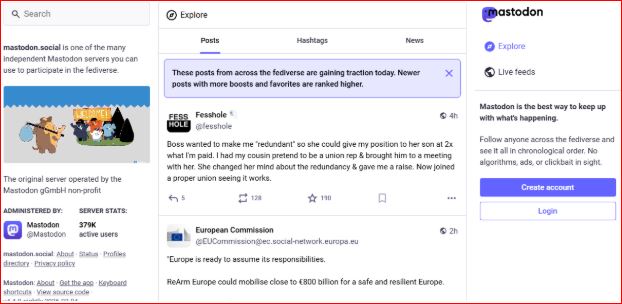
With over 10 million active users, Mastodon is undoubtedly one of the fastest-growing social media platforms. This is especially true because it started exploding in popularity in 2022. In 2023 alone, it grew from 300,000 users to over 1.7 million users.
Threads
Developed by Meta in 20123 as an alternative to Twitter, Thread allows users to create short messages and communicate with their friends. It is, therefore, a text-based network focusing on sending and receiving messages. It targets Instagram users searching for quick ways of communicating with their friends.
Threads caused ripples when it registered 100 million users within a few months. While it did not keep up with this growth rate, the platform can continue to develop new features to generate user interest. According to Meta CEO, Mark Zuckerberg, Threads has the potential to reach 1 billion users in the next few years. Therefore, creating a social media marketing plan with Threads can be crucial.
Be Real
As an app created to promote honest and authentic communication, Be Real encourages users to share their honest feelings, thoughts, and moments without the pressure of that perfect moment. The platform allows users to upload texts, images, and videos that show their authentic personality without filters or fake personas.
The app’s primary focus is for users to look for authenticity during social interactions. While platforms such as Instagram and TikTok allow users to share their unfiltered content, Be Real stands out because of its focus on genuineness and authenticity.
BlueSky
BlueSky is a decentralized social media platform built on the open-source protocol. It is invite-only and had over 25 million users as of December 2024. It is considered an alternative to Twitter as former X CEO Jack Dorsey created it while still in the role. With an Android and iOS app, it resembles Dorsey’s former products.
TelloNym
Tellonym is a social media platform founded in Germany. It focuses on open communication through anonymous feedback, which means its user base is predominantly German. However, you can use the platform to get honest feedback from the people who care about you.
As a cross-messaging app, TelloNym allows users to send and receive anonymous feedback. Users can send messages, give feedback, and ask one another questions. Launched in 2016, the app has over 10 million downloads in the Play Store.
How to Take Advantage of New Social Media Platform
To benefit from being an early adopter of new social media platforms, you can take the following steps:
- Create a profile. Creating an account is the best way to determine how a new social media platform will turn out. While many fizzle out, if the platform takes off, you will be on the ground to know what is happening.
- Stay active. Once you see your friends joining, it will be a sign that the platform is ready for takeoff. Be strategic when devoting time to new platforms, and only be active when you start to see signs of takeoff. It could be a sign that it will work when you see that people are signing up, coming back, and posting on it.
- Cross-promote. Unless it’s your first time on social media, you have probably already built a following on a significant platform. You can grow your profile faster by cross-promoting on other social media platforms where you have a large following.
Final Thoughts
You are likely already late if you are trying to build a following on TikTok, Facebook, or Twitter. However, the best opportunities lie in the new and hardly discovered social media platforms. When you join and become an early adopter of such a platform, you can have an immense advantage if it takes off. If you are searching for a new social media platform with great potential, consider one of the above options.
Read more »
Sign up for SocialWick
Login
InstagramYouTubeTikTokFacebookTwitchSpotifyTwitter (X)SoundCloudIGTVLinkedInThreadsWebsitePinterestVKApple MusicSEO
Checkout
OK

Information
Order processing usually starts within a few minutes, but some services may take a few hours or even a few days. We offer free refills for up to 90 days if needed. Our services are 100% secure and discreet, with a focus on gradual and safe delivery for your peace of mind.
Order processing usually starts within a few minutes, but some services may take a few hours or even a few days. We offer free refills for up to 90 days if needed. Our services are 100% secure and discreet, with a focus on gradual and safe delivery for your peace of mind.
Where should we send your order confirmation?
No account needed! We send your confirmation and tracking link here.
Secure checkout. We never share your email.
Have an account?•
Log in
Use your account to pay faster with your saved details.
Create account
Create an account to track all your orders in one place.
Service
+0,00
Voucher
-0.00
Total
+0.00
OK
Affiliate & Reseller Program
Customer Support
How may we help you?
General Support
Order Support
Frequently Asked Questions
1) What services do you offer?
We are a social media marketing company, and we offer a wide variety of services across several platforms that our clients can choose from. Once selected, we create a plan that fits your needs. We offer several types of services, such as followers, subscribers, likes, views, song plays, etc.
2) Is your service safe?
Yes, as we only sell real followers, likes, views, etc., and we hold every service to strict authenticity and quality standards. In order to protect your account, we deliver every order carefully and gradually. We closely monitor all our services. For more information, we strongly recommend reading our Terms of Service before you order.
3) Will I need to give you the passwords for my accounts?
No, you can keep your passwords to yourself because our services don’t need a password to influence your accounts. And if an email ever shows up claiming to be from us and asking for a password, it’s definitely not us, so please let us know right away.
4) Are the likes, followers, and subscribers real, or are they bots?
Unlike many other services, all our likes, followers, and views come from real accounts operated by real people. You won’t find bots, fake profiles, or hijacked accounts anywhere in what we deliver. Every order has to pass our strict authenticity standards, and we keep checking our quality to make sure it stays that way.
5) How fast can you deliver my order?
We will show you the estimated delivery time when choosing the service. However, this is only a rough estimate. In most cases, the services are delivered much faster. In some cases, it may take longer. We always aim for a natural and safe delivery!
6) What are your best-selling social media marketing services?
Although we have many services across most social media companies, our services for Instagram, TikTok, and YouTube are our best-selling options.
7) How do I know my account will not be flagged or banned?
We take safety very seriously. We never ask for your password, all followers, likes, and views come from real accounts, and orders are usually delivered gradually and naturally. What we can promise is careful delivery and strict quality standards. Plus a support team that’s there whenever you need us. We are not aware of a single case since 2017 where a customer got his profile banned.
8) What is the best method to communicate with you?
Do you have a question or run into a problem? Our customer support is available 24/7 for you. Just click Contact and you’ll land right on the support form. When you buy one of our services, we will email you to see if there were any problems. Your satisfaction is our main priority.
9) Are there discounts for large orders?
Yes! If you would like to request a large order that isn’t on our ordering layout, we will have no problems accommodating you. Just reach out through the support form and we’ll put together a buying plan that fits what you need.
10) What methods of payment do you accept?
We accept all forms of credit and debit cards, as well as Klarna, eps, PayPal, and Crypto.
11) If I am unsatisfied with your services, am I able to receive a refund?
Yes! Every purchase comes with a 30 day money-back guarantee. Not satisfied? Just contact our support within 30 days of your purchase and send us your order details and a short note on what went wrong, and we’ll take a look at your case. The full conditions are in our Refund Policy.
12) I haven’t received my order
Please make sure the following criteria are met before placing an order to make sure we can deliver it successfully.
- Your account is set to public
- You have typed in the correct username or link
- You have not changed your username before the order’s completion
- The post or account still exists and has not been deleted
- The post or account has not been restricted or removed in some countries
- Allow the estimated delivery time for completion of your order
For further assistance, please message our support team through the contact form.
13) How can I request a refill?
Just send us a refill request through the contact form. Please note that we can only provide you with a free refill within the first 90 days of your purchase.
Learn More
What is SocialWick?
We are the leading marketplace for social media promotion. You can buy followers, likes, views, subscribers, and a lot more for almost all social media networks. We offer affordable prices without making any compromises in terms of the service quality. We have a strict policy to only sell social media signals from real people. Part of our engagement, for example, comes from ad-based promotion where real users discover the content through ads. Bots, fake profiles, and hijacked accounts have no place in our services. Every delivery has to meet our authenticity standards, and we run regular quality checks, and anything that does not meet them is removed from our catalog. Our services are available for personal use, whether you want more Instagram likes, TikTok followers, YouTube views, or something else for your own profile.
With over a million satisfied customers, SocialWick is the go-to platform for all your social media needs. Our services are discreet and secure, with gradual and careful delivery to keep your social media accounts safe.
About SocialWick — The Market Leader since 2017
With more than 10 million orders, SocialWick is one of the world’s biggest social media stores. You can find everything on our website to improve your presence on major social media platforms like Instagram, TikTok, YouTube, Twitter (X), Facebook, etc. We offer different types of services for several social media platforms. Your wish is our command, and whatever your goal might be, SocialWick will help you achieve it. Whether you need more likes on your Instagram photos or want to make your LinkedIn profile more popular by getting additional followers, SocialWick is there to turn your goal into reality.
Thanks to our effective services and our customer-oriented work, SocialWick has become a top player. You will not find a better service anywhere else, especially not at such affordable prices. SocialWick is operating since 2017.
365 Days Per Year Customer Service
Your satisfaction is our motivation! We’re not here just for the money; we do our work to help people find their road to social media success. And that’s why our team will do all to make sure everything goes according to plan. If there’s something wrong with your social media campaign, or worry that there might be some problems with your account, or want to learn more about how our services work, feel free to reach out. Our service staff is there for you seven days a week, ready to answer any of your questions. You can get in touch with us using the contact form on our website.
Buying Followers and Likes is Essential
Unless you’re Kylie Jenner, you definitely need some help with social media. The more followers you have on Instagram, TikTok, Twitter (X), or YouTube, the more people will automatically notice you. Having all those eyes on your content isn’t just impressive, it’s genuinely fun. The bad news is that everyone wants to be famous these days, but only a few can succeed. The good news is that you can be the chosen one who will get social media fame and everything that comes with it. But, for that, you need a little help from your friends at SocialWick.
With our help, you will increase the number of followers on social media, which can have a domino effect and bring you even more new followers. Once people see that you got a big followership, they will decide to give you a follow. "If a profile has so many followers, it means that it’s interesting" – you can be sure this is going to be their reasoning. Furthermore, more followers mean more visibility for everything you post. Finally, a large number of followers also do great for your credibility. Our social media services will help you to create a better overall picture of your profile.
Let’s be honest; a profile with 30,000 followers looks much better than one with 74 followers. And that’s exactly what new visitors will pay attention to. A weak social media profile can be a real deal-breaker. At the same time, a fantastic social media profile can do wonders for you. And SocialWick can make your social media profile amazing!