Pinned Articles
» TikTok could be banned after midterm elections
» TikTok could be banned after midterm elections
» How to Set Realistic Social Media Growth Goals
» Call to Action Strategies That Convert
» How to Attract Ideal Clients with Instagram Content Pillars
» The Complete Social Media Marketing Strategy For Businesses
» How to Contact Instagram Customer Service to Get a Response
» Creating Scroll Stopping Instagram Content
» How to Convert Facebook Reel Views into Page Followers
» How to Use Instagram Carousel for Storytelling
» Why Original Facebook Reels Receive Better Distribution
» How to Build Authority in Your Instagram Niche
» How to Make a Facebook Poll That Will Get People Voting
» How to Repurpose Videos for Facebook Reels Properly
» Why Instagram Stories Are Key for Growth
» The Best Facebook Reel Length for More Views
» Creating an Instagram Content Strategy That Works in 2026
» How to Drive Social Media Conversion in 2026
» How to Create Facebook Reels That Hold Viewer Attention
» How in App Checkout Shortens the Customer Buying Journey
» How to Get More Views on Facebook Reels
» Instagram Shopping Strategies for Creators and Brands
» How to Rebuild Engagement on an Inactive Facebook Page
» Influencer Marketing at Different Stages of the Sales Funnel
» How Frequently Should a Facebook Page Publish Content
» TikTok Shop Optimization for Higher Sales in 2026
» What Should Businesses Post on Facebook in 2026
» Social Commerce Tips and Trends for 2026
» How to Optimize a Facebook Page for Better Discovery
» How to Optimize Carousel Posts for Maximum Saves
» Instagram Carousel vs Reels and Which Should You Prioritize in 2026
» How to Get Your First 1000 Facebook Page Followers
» A Guide to Writing Search Friendly Instagram Captions
» How to Grow Your Facebook Page in 2026
» How to Build an Algorithm Proof Instagram Strategy
» How To Promote Your Account Without Spending Money
» Social Media is Dead and Interest Media is Here
» How To Turn Profile Visitors into Loyal Followers
» Understanding Major Shifts in Instagram Algorithms in 2026
» How to Use Collaborations to Gain Followers Organically
» Retargeting Strategies for Social Media
» How Strategic Commenting Can Grow Your Audience
» Social Media Lead Generation Trends in 2026
» Using Social Proof to Increase Conversion
» How To Attract Followers Through Valuable Content
» How to Turn Followers into Customers
» How To Gain More Followers Without Paid Advertising
» Analyzing YouTube Average View Duration and Why It Matters
» Common Mistakes That Prevent New Accounts From Growing
» Turning Views to Sales with Social Media Sales Funnel
» How Often Should a New Social Media Account Post
» How to Track and Increase YouTube Watch Hours
» The Best Types of Content For New Accounts
» How to Measure YouTube Channel Success Accurately
» How to Choose the Right Niche For Fast Social Media Growth
» A Look at YouTube Click Through Rate Data and How to Increase It
» How to Get Your First 1000 Social Media Followers
» Understanding Traffic Source in YouTube Analytics
» How To Grow Your Social Media Following From Zero
» How to Attract and Create a Highly Engaging Sponsored Post
» How to Build a Successful Business as a Digital Creator
» How to Interpret YouTube Analytics Data Like a Pro
» Platforms That Pay Creators the Most in 2026
» How to Build a Loyal Social Media Fanbase
» Choosing the Right Creator Monetization Method
» How to Find a Good Creator Niche
» Top Myths and Mistakes That Kill a Personal Brand
» Creator Economy 2026 and How to Build a Profitable Audience
» Steps to Build and Define a Personal Brand Tone
» How to Position Yourself as an Authority on Social Media
» How to Build Trust and Credibility Online
» Using Personal Branding as a Social Media Growth Hack in 2026
» Content Ideas That Work For YouTube Shorts
» Understanding the Best Posting Frequency for YouTube Shorts
» How to Convert Short Viewers into Subscribers
» Best Short Length and Formats for Virality
» How the YouTube Shorts Algorithm Works in 2026
» Fastest Way to Scale With YouTube Shorts Growth Strategy
» What It Actually Takes to Earn a Salary as a Social Media Content Creator
» How to Launch and Promote Your TikTok Shop
» Using TikTok Analytics to Improve Your Marketing
» How Small Businesses Can Leverage TikTok for Growth
» A Comparison Between TikTok Ads vs Organic Strategy
» How Brands Are Winning on TikTok Right Now
» Reels Editing Styles That Boost Engagement
» TikTok Content Strategy for Businesses in 2026
» How Often to Post Reels For Fast Growth
» Trending Audio Strategy for Instagram Growth
» Best Reels Length and Format for Maximum Reach
» Creating a Reel Hook That Instantly Grabs Attention
» Instagram Reel Strategy to Go Viral in 2026
» Social Media Growth Hacks That Still Work in 2026
» A Guide to Social Media Collaborations for Organic Growth
» Social Media Community Building for Long Term Growth
» Top Engagement Tactics to Boost Your Reach
» How to Grow A Social Media Account With Content Only
» How to Pitch and Get Noticed By Brands on YouTube
» Choosing Between Long Term Influencer Partnerships vs One Off Deals
» A Guide to Product Seeding for YouTube Influencers
» AI and Human Creativity in Social Media for Brands
» How to Optimize a YouTube Channel to Attract Sponsors
» How to Create a Highly Converting YouTube Media Kit
» A Detailed Guide to Organic Social Media Growth Without Ads
» Creating an Influencer Marketing Template That Works
» A Review of the Top Influencer Marketing Platforms for 2026
» The A to Z of Finding and Negotiating YouTube Brand Deals
» How to Become a Social Media Influencer in 2026
» Building More Visibility With Social Media Cross Brand Marketing
» Best Short Video Ideas to Go Viral
» Choosing Between Nano and Micro and Macro Influencers
» Best Tools For Short Form Video Editing
» Key Trends Driving Influencer Marketing in 2026
» Understanding the Dos and Donts of Creating Short Form Videos
» Top Editing Techniques That Increase Retention
» A Guide for Creating Scroll Stopping and Addictive Short Form Videos
» How to Make Money on YouTube Shorts
» A Detailed Guide on Dominating Shortform Videos
» AI Brand Guidelines for Better Prompts and Results
» AI Script Writing Tips for Viral Videos
» How to Use AI for Social Media Management
» Best Practices For Using AI For Maximum Impact
» Best AI Tools for Video Creation
» Best Niches for a YouTube Channel in 2026
» YouTube Retention Hacks to Increase Watch Time
» Thumbnail and Title CTR Optimization Guide
» The Ultimate Guide to Promoting a YouTube Channel and Videos
» How to Rank YouTube Videos on Google Search
» AI Content Creation For Social Media with a Full Guide for 2026
» How to Make Your YouTube Shorts Go Viral
» Combining Long Form and Short Videos for YouTube Growth in 2026
» How to Monetize Instagram Without Sponsorship
» How to Build an Engaged Instagram Community
» How to Start a YouTube Gaming Channel in 2026
» Creating an Instagram Hashtag Strategy That Works in 2026
» How the Instagram Reels Algorithm Works in 2026
» Best AI Tools for Instagram Content Creation
» How to Fix TikTok Video Not Showing Up Issue
» Instagram Marketing Strategies for Small Businesses in 2026
» How to Make Your TikTok Account Public
» How Much Money Does TikTok Pay for 1 Million Views
» How Creators Use Threads for Thought Leadership
» How Snapchat Lenses Increase Brand Awareness
» How TikTok Creators Use Short Clips to Drive Real Sales
» A Guide to Snapchat Advertising
» A Complete Guide to Snapchat Geofilters for Local Marketing
» How to Get 1 Million Views on TikTok
» How to Make a Playlist on TikTok
» TikTok Begins Using Invisible Watermarks on AI Clips
» How to Get Your TikTok Profile URL
» How to Create Outstanding Snapchat Stories
» How to Get More Friends on Snapchat Organically
» Snapchat Marketing Strategies for Business Growth
» Landing Page Content Strategies That Drive Sales
» Building Ethical AI Models and Why Transparency Matters in 2026
» How to Create Highly Converting Bottom of Funnel Content
» Mid Funnel Content Marketing Tactics That Work
» How to Revive a Slow Facebook Page With Consistent Targeted Updates
» Creating Brand Awareness Content That Builds Trust
» Lead Magnet Ideas for the Different Stages of the Buying Journey
» How to Get Sponsored on YouTube
» Meta Adds New Content Protection Tool for Reels
» A Guide to Personal Branding for Influencers
» Creating Content for the Different Stages of the Buying Journey
» How Advanced Audience Segmentation Transforms Multi Platform Campaigns
» How to Choose the Right Social Media Fonts
» Creating Brand Guidelines for Social Media Marketing
» Why YouTube Session Level Metrics Matter More Than Views in 2026
» How to Get Your YouTube Channel URL
» How to Ensure a Consistent Look on Social Media
» The Psychology of Color in Social Media Marketing
» How to Hit 10K TikTok Followers in 7 Days
» Leveraging the Keyword Golden Ratio to Rank Fast
» How Many Views Are Considered Viral on TikTok
» How to Use TikTok Live Sessions to Push Regular Video Views
» How to Get Verified on YouTube in 2026
» Mastering Social Media Branding in 2026
» How to Find and Fix Keyword Cannibalization
» A Guide to Writing SEO Optimized Articles in 2026
» How Threads Fits Into Meta Larger Platform Plans
» Top 5 Best Keyword Research Tools
» How to Use Google Trends for Keyword Research
» How to Blow Up on TikTok With These Tips
» YouTube Renames Its Repetitious Content Policy
» How to Drive Traffic to Your Site Using Quora
» The A to Z of Keyword Research for SEO in 2026
» An Insider Look at How TikTok Interest Graph Actually Builds Audience
» Importance of Building Authority on Online Forums
» Ways to Drive Traffic to Your Site From Reddit
» How to Get More YouTube Community Poll Votes
» How to Get 10 000 Followers on TikTok
» Best Practices for Using Discussion Forums
» Steps in Creating a Popular Online Community Forum
» Essential Tips for Eye Catching YouTube Thumbnails
» How Influencers Decide Which Brand Offers They Say Yes To
» Why is My YouTube Watch Time Not Increasing Even With More Views
» Creative Ways to Repurpose Your White Papers
» Best Tools for Repurposing Content
» Leveraging Community Forum Marketing to Grow Your Brand
» How to Repurpose Content for Pinterest
» How to Build Trust on Social Media Without Spending Money
» How to Turn Blog Posts Into a Carousel
» Repurposing Videos for Maximum Visibility on Social Media
» Meta Alerts Creators When Reels Are Reposted
» A 101 Guide to Repurposing Social Media Content
» Tips for Managing Multiple Social Media Accounts
» Creating a Social Media Posting Schedule
» How LinkedIn Dwell Time Metric Quietly Shapes the Feed
» How to Batch Create Social Media Content
» Setting up a Social Media Content Approval Workflow
» How Creators Use Social Media to Build Crowdfunding Momentum
» How Many Likes on TikTok Do You Need to Go Viral
» The Reason Behind the Rising Popularity of Live Videos
» Productivity Hacks for Social Media Marketers
» TikTok Pulse Ads and What Small Businesses Should Know
» Improve Your Efficiency with a Social Media Workflow Plan
» Video Marketing Trends to Watch in 2026
» How to Turn a Viral TikTok into a Long Term Audience Growth
» How to Optimize Videos for Social Media Platforms
» Using Video SEO to Rank Videos on Google
» How Travel and Lifestyle Brands Use Threads and Instagram Stories
» A Beginner Guide to Facebook B2B Advertising
» Best Practices for Video Marketing in 2026
» Tips for a Successful B2B Marketing on X
» Creating a B2B Content Marketing Strategy
» A Guide to B2B Social Selling
» Harnessing the Power of Video Content Marketing
» Hyper Personalized Email in a Privacy First World
» Finding Social Media Trends for Better Outcomes
» How to Use YouTube for B2B Marketing
» How Privacy Laws Are Reshaping Tracking and Social Ad Targeting
» How to Audit Your Social Media Content
» How to Increase the Number of Social Shares
» What Happens When a Brand Mixes Organic and Paid TikTok Content
» Leveraging Social Media Analytics to Grow Your Channel
» Creating a B2B Social Media Marketing Strategy in 2026
» Inside the Data Pipelines Behind Major Social Media Trend Forecasting
» The Rise of Virtual Try ons for Increasing Conversion
» How to Set and Exceed Your Social Media Goals
» YouTube Thumbnail Choices That Influence Clickthrough Rates
» A Detailed Guide to Social Media Performance Analysis
» How an Interactive Website Enhances User Experience
» Benefits of Using Quizzes in Your Interactive Content Marketing
» 5 Steps LinkedIn DM Strategy to Grow Your Business
» Leveraging Contests to Boost Your Brand on Social Media
» The Approach Agencies Use to Scale Instagram Campaigns
» Instagram DM Marketing Tactics That Work in 2026
» How Interactive Calculators Can Drive Conversion
» How Hybrid Teams Use LinkedIn and Discord to Build Culture
» How Micro Influencers Can Use DMs to Drive Engagement
» How to Leverage TikTok DMs to Supercharge Your Livestream
» Creating an Interactive Content Strategy in 2026
» Where Reels and Shorts and TikTok Stand Now with Short Form Video in 2026
» Proven Way to Increase Mobile Page Speed
» Leveraging Facebook Messenger for Community Management
» Finding Your Writing Style on Threads with Short or Long Posts
» A Guide to Mobile Optimization for Ecommerce Sites
» Steps in a Mobile SEO Audit
» How Mobile SEO Differs From Desktop
» The Future of Live Podcasts and Remote Recording
» How Instagram Monetizes Content from Creators
» How Businesses Use QR Codes in Social Media Marketing
» How to Use DM Marketing to Boost Engagement
» Creating a Mobile First and Trend Setting Site in 2026
» The Integration of Social Media with Mobile Marketing
» What Happens When Your TikTok Account Suddenly Stops Growing
» AI Search Wars with Google and ChatGpt and the Future of Discovery
» Meta Adds Tools to Stop Unauthorized Reel Reposts
» How to Use Push Notifications to Deliver Timely and Relevant Marketing Messages
» Top Mobile Marketing Analytics to Track
» LinkedIn Posting Habits That Get Professional Attention
» A Detailed Guide to App Store Optimization
» How to Create a Facebook Posting Routine That Keeps Engagement Stable
» A Detailed Guide to Mobile SEO in 2026
» VK Marketing Basics for Brands Targeting Eastern European Audiences
» Reddit vs Quora for Community Engagement
» Pinterest SEO Tactics That Quietly Generate Steady Visits
» How to Master and Leverage Quora Space
» The Psychology Behind Why People Follow Brands on Instagram
» Tips to Make Your Quora Answers Go Viral
» How to Build Natural Backlinks from Quora Without Spamming
» AI Driven Social Listening and Spotting New Topics Early
» How to Repurpose Podcast Clips for YouTube Shorts and TikTok
» How to Use Quora to Improve SEO
» How many followers on Instagram to get paid
» Actionable Tips to Get More Google Reviews
» Meta Rolls Out Dubbing for Reels in More Languages
» Top Content Ideas for Your Google Business Profile Posts
» How to Schedule Your Google Business Profile Post
» Top SEO Tips for Your Google Business Profile
» Community First Growth and Why Some Small Pages Build Stronger Fans
» How to Increase Traffic to Your Google Business Profile
» Top Tips to Gain More Views on Reddit
» TikTok Introduces Slider to Control AI Content
» Creating an Outstanding Mobile Marketing Campaign
» A Guide to Using Quora for Online Visibility
» Using Reddit Ads to Reach a Highly Targeted Audience
» How to Create a Podcast Trailer That Converts New Listeners
» Social Listening on Reddit for Market Research
» The Essential Roadmap to Lauching Your First TikTok Marketing Strategy
» Leveraging Google Business Profile to Grow Your Brand
» How to Keep an Audience Engaged During TikTok Clips
» How Reddit SEO Can Improve Your SERP Ranking
» How to Build Brand Awareness on Reddit
» How Creators Use Post Class Clustering to Build Stronger TikTok Niches
» How to Do Keyword Clustering Based on Search Intent
» New TikTok Features Marketers Should Watch This Quarter
» How to Build Brand Authority So Users Search for You Directly
» Social Listening Trends and How Marketers Spot Micro Viral Moments
» A Guide to Using High Intent Keywords to Boost Conversion
» Facebook Ads Fatigue and Spotting the Signs Before Performance Crashes
» Creating an Outstanding Reddit Marketing Strategy
» How a Search Intent Mismatch Hurts Your Ranking
» How to Build Content Funnels Using Intent Mapping
» Using User Generated Content to tell Authentic Stories
» How to Use Customer Testimonials to Create Compelling Stories
» Understanding Search Intent to Boost Your SEO Ranking
» LinkedIn Profile Tweaks That Attract Recruiters and Clients
» Why Does TikTok Keep Showing Me The Same Type of Content
» How to Turn One Podcast Episode Into a Week of Social Content
» The Next Wave of Social Commerce Features on Instagram and TikTok
» How Do I Improve My TikTok Profile So More People Follow Me
» Podcast Branding and How to Build a Memorable Audio Identity
» TikTok Lets Users Reduce AI Videos in Their Feed
» How to Use Storytelling to Convert Customers
» Key Elements of Storytelling on Instagram
» How to Build a Brand Narrative That Audiences Connect With
» How to Use X Space for Community Building in 2026
» How to Use X Analytics to Improve Your Campaign
» How to Unlock the Power of X Threads
» Engage and Inspire Through Social Media Storytelling
» Are Hashtags Dead in 2026
» Top Tips for Increasing Engagement on X
» Using Branded GIFs to Make Your Brand Stand Out
» How to Use GIFs to Improve Your Instagram Stories
» Decoding the New X Algorithm to Stay Visible in 2026
» Threads for Customer Support and Can It Replace Email for Simple Issues
» Mastering LinkedIn Newsletters for Steady Professional Visibility
» Why Is My Facebook Ad Not Bringing Any Results
» How to Use GIFs to Revolutionize Facebook Ads
» How to Integrate Animated GIFs in Email Marketing
» How to Promote a YouTube Channel in 2025
» How to Create Scroll Stopping YouTube Thumbnails
» The Dos and Donts of Using GIFs in Social Media Marketing
» Do Influencers Still Need Daily Posting to Stay Relevant
» How Micro Influencers Create High Conversion Content
» TikTok Shop Rapid Growth and What It Means for Small Brands
» How Journalists and Creators Use X to Follow News in Real Time
» Social Media Trend Reports with What They Get Right and What They Miss
» Pinterest Pins vs Static Pins and Which Gets More Clicks for Service Brands
» Threads Ads and Monetization and What Creators Should Expect
» How to Write Attention Grabbing YouTube Descriptions
» The Ultimate Guide to Using GIFs for Social Media Marketing
» How to Find Low Competition Keywords for YouTube Channels
» How to Hook Your Viewers with a YouTube Channel Trailer
» A Guide to Product Listing Optimization on Facebook Marketplace
» Simple Tips to Buy and Sell on Facebook Marketplaces
» Leveraging YouTube SEO to Drive Video Views in 2025
» How to Convert Inquiries into Sales in Facebook Marketplace
» How to Boost Your Ad on Facebook Marketplace
» How to Use Threads Analytics to Refine Your Marketing Strategy
» How to Write Product Descriptions That Sell on Facebook Marketplace
» Ideas to Post on Threads to Grow Your Account
» How to Build a Personal Brand Voice on Threads
» A Guide to Selling Like a Pro on Facebook Marketplace in 2025
» Choosing Between Threads and X for Social Media Marketing
» Understand the Instagram Threads Algorithm and Optimizing for the Same
» A Guide to Tracking AI Share of Voice
» Understanding SEO Share of Voice and How to Measure It
» How Influencer Marketing Affects Share of Voice
» Creating a MetaThreads Marketing Strategy That Works in 2025
» How to Turn Share of Voice into a Bigger Share of Market
» Top 7 Best Tools to Measure Share of Voice
» Proven Tips to Boost Your Live Selling
» The Ultimate Guide to TikTok Live Shopping
» The Role of Influencers in Shaping Live Shopping
» How to Launch a Product Using TikTok Teasers and Live Shopping
» YouTube Launches New Likeness Detection Tool
» How Brands Can Leverage Threads to Offer Real Time Customer Service
» How Gamification in Live Shopping Can Drive Conversion
» The Role of AI Avatars in Customer Experience and Support
» The Ultimate Guide to YouTube Live Shopping
» The Rise of Micro Communities and How Brands Can Participate
» YouTube Rolls Out Voluntary Leave Package for US Workforce
» Understanding the Share of Voice on Social Media
» TikTok to Debut Its First Official US Awards Show
» Web3 and Content Marketing and What is Relevant Now
» How to Appear in ChatGPT Answers
» Rise of Digital Collectibles with NFTs on Social Media
» How Effective is AI Generated Content for SEO
» Leveraging LinkedIn Video Posts for Corporate Storytelling
» Instagram Introduces Reels Watch History Feature
» Staying Ahead in SERPS with AI Competitor Analysis
» Building a Converting Live Social Shopping Strategy in 2025
» How to master TikTok in Q4 of 2025
» How Google AI Overview Impacts SEO Strategies
» How AI is Revolutionizing Keyword Research and Search Intent Analysis
» Top 5 Best Social Media Monitoring Tools
» How to Use Media Intelligence to Drive Growth
» Using Facebook Reels to Drive Traffic to Your Shopify Store
» Understanding Buzz Monitoring on Social Media
» Creating a Multi Platform Strategy for Music Monetization
» Leveraging Generative Engine Optimization to Appear in AI Search Results
» How Media Monitoring Can Help in Business Development
» How Social Media Monitoring Improves Influencer Marketing
» Hosting a LinkedIn Audio Event with a Step by Step Guide From Our Experts
» Tips for Personalizing Digital Marketing Campaigns
» Scheduling Tweets with AI and Best Tools and Strategies
» How to Build Social Media Buyer Personas
» How to Use Pinterest Trends to Guide Your Content Strategy
» Using TikTok Sounds and Music Strategically to Boost Engagement
» The A to Z of Creating a Social Media Monitoring Strategy
» Building a Facebook Funnel for Lead Generation in the Coaching Industry
» Tips for Extracting Actionable Insights from Social Media Market Research
» How Blockchain is Impacting Social Media Transparency
» How to Include Surveys in Your Social Media Strategy
» How AI Avatars are Changing Influencer Marketing
» Using Social Sentiment Analysis to Refine Campaigns
» Top Podcast Platforms in 2025 and How to Get Featured
» Turn Followers into Personas with Social Media Audience Segmentation
» LinkedIn Premium in 2025 and is it Worth it for Job Seekers
» How to Track and Analyze Brand Mentions Across Social Media
» Twitter Spaces Monetization and How to Set up Paid Rooms
» Decoding Your Followers Through Social Media Audience Analysis
» 2025 Social Media Trends and What Platforms Are Winning
» A Complete Guide to Tracking Hashtag Analytics
» How to Use AI for Social Media Data Analysis
» How to Perform a Social Media Competitor Analysis
» TikTok Trends Calendar 2025 and What is Coming Next
» How to Increase Your CTR Without Using Clickbait
» The A to Z of Social Media Market Research
» How to Use Ethical Clickbait That Does Not Mislead Your Audience
» X Premium Analytics and What Do You Gain From the Upgrade
» Why Clickbait May Harm Your Social Media Marketing
» TikTok Creator Fund 2025 with New Rules and Best Practices
» Why the Use of Clickbait is Slowing Down
» Snapchat Plus and What are the Exclusive Tools for Brands
» The Psychology Behind the Successful Use of Clickbait
» How to Schedule Pins with Tailwind for Consistent Visibility
» Are Social Backlinks Worth Your Time
» TikTok Duets and Stitches and Best Practices for Creative Collaborations
» How to Optimize Your Brand for Social Media Search
» LinkedIn for Nonprofits and How to Attract Donors and Volunteers in 2025
» Should You Be Using Clickbait for Social Media Marketing in 2025
» TikTok Search Function as a Google Alternative and What Marketers Should Know
» An Expert Guide to Keyword Research for Social Media Content
» How to Use Snapchat for Micro Content Series
» Can Social Media Impact Your SEO Ranking
» Using LinkedIn Search Filters to Find High Quality B2B Leads
» The Role of Social Media Mentions for SEO
» Is it safe to buy TikTok followers in 2025 August
» The Ultimate Guide to White Label SEO Services
» Emerging Trends in White Label Social Media Marketing
» How to Run Pinterest Challenge Campaigns That Grow Followers
» Leveraging Social Media SEO in 2025 for Maximum Visibility
» Snapchat Creator Marketplace and Connecting with Influencers
» Common White Label Social Media Marketing Mistakes to Avoid
» Leveraging LinkedIn Polls to Understand Your Professional Audience
» How to Boost Your Brand with White Label Content Marketing
» Creating a Twitter Content Calendar Helps for Consistent Engagement
» How to Handle Social Media Crisis from White Labelling
» How to Use Influencer Endorsement for Your Social Proof
» Leveraging Expert Endorsement in Social Media Marketing
» How to Grow Your Brand with White Label Social Media Marketing
» Maximizing Your Threads Profile to Reflect Your Brand Voice
» Using User Generated Content as a Scalable Social Proof
» Tips for Showcasing Reviews and Testimonials on Social Media
» AI Tools That Enhance Your LinkedIn Content Creation
» How to Use Social Proof to Encourage Conversion
» What are the Best Email Segmentation Strategies for Ecommerce
» The Unseen Impact of Story Highlights on Brand Visibility
» First Click vs Last Click Attribution in the Era of Dark Traffic
» Building a TikTok Calendar That Aligns with Your Brand
» Creating an Outstanding Dark Social Campaign Strategy
» Why it is More Important Than Ever to Build Social Proof on Social Media
» Beyond the Dashboard and Tips for Tracking Unseen Social Shares
» Pinterest for Coaches and Using Visual Content to Attract Ideal Clients
» Creating Thought Leadership Content Using Instagram Threads
» Vanity Metrics vs Actionable Metrics and Why Your Social Metrics Are Lying to You
» How to Use LinkedIn Events to Grow Your Reach
» An Ultimate Guide to Instagram Reel Analytics
» How to Use X Bookmark Feature to Drive Repeat Traffic to Your Posts
» Everything You Need To Know To Start Selling on TikTok Shop
» Top Ideas for Using Reels to Build Your Brand
» How To Find Trending Sounds on TikTok
» Creating Seasonal Content for Pinterest and Planning for Q4 2025
» Best Practices for Sharing Product Announcements on Threads
» Best Practices in Reposting Short Video Content on TikTok and Instagram and YouTube
» Understanding TikTok Live Gifting Monetization and Tools for Creators
» How To Go Viral on TikTok
» Dark Social and the Invisible Sharing Economy
» Building a High Performing LinkedIn Newsletter
» Leveraging Instagram Shoppable Stickers to Boost Sales and Build Loyalty
» How to use TikTok properly with competition
» Writing Effective Reengagement Emails That Win Back Customers
» How Gen Z and Millenials Have Transformed Employee Advocacy
» How to Turn Your Employees into Thought Leaders
» Building Trust in a Saturated Market Through Thought Leadership
» Low video quality after upload on YouTube
» How to Navigate a Dwindling Consumer Attention Span
» TikTok vs Reels vs Shorts and Which is Best for Driving Engagement in 2025
» How to schedule video publish time on YouTube
» What Can Go Wrong with the Risks of Poorly Managed Employee Advocacy
» Measuring the ROI of Employee Advocacy
» LinkedIn as a Secret Weapon for B2B Employee Advocacy
» Common upload errors for YouTube content creators
» How Viral Trend Hopping Can Kill Your Brand Identity
» The Visibility Roadblock and Why It is Too Hard to Go Viral
» How to add tags to your YouTube videos
» Employee Advocacy and the Untapped Goldmine for Brand Growth
» Virality or Evergreen and Which is Better for Long Term Content Strategy
» The Dark Side of Going Viral
» Hooks That Hit with the Initial 3 Seconds Can Make or Break You
» Short Attention Spans and How Virality Devalues Longform Meaningful Content
» How Subscription Based Access is Replacing Traditional Coaching
» Building Trust in Affiliate Marketing That Does Not Feel Sleazy
» Short Term Fame vs Long Term Results and Why Going Viral is not a Social Media Strategy
» How to schedule video publish time on YouTube
» Digital Products for Influencers to Sell from Ebooks to AI Tools
» How to Go Corporate without Selling Out by Licensing Your Content and Name
» Paid Communities on Patreon and Private Clubs and How to Make Money on Patreon
» How Showcasing Mistakes Can Skyrocket Loyalty
» The Business of Influencing with Monetization Models Beyond Sponsorship
» The Rise of Unpolished Personal Brands on LinkedIn and IG
» How to Tell Personal Stories Without Oversharing
» Behind the Scene Content that Builds Trust
» Why Vulnerability is the New Value Proposition
» Brand Storytelling with a Guide for Creating a Compelling Narrative
» How to Build a Founder Led Content Strategy
» Why you must start YouTube content creation
» Why the Future of Influencer Marketing is B2B
» YouTube community guideline for better videos
» How to Increase Your Snapchat Score Quickly
» Strategies for Building an Inclusive Approach in Influencer Marketing
» Building an Influencer Agency Around Your Brand and Not Just Your Audience
» Why Brands Are Hiring Influencers to Run Their Campaigns
» How to create advertiser friendly content on YouTube
» Founder Led Marketing and the Future of Digital Services
» How to moderate comments on YouTube
» Authentic Over Polished Content and Why Raw Content Wins
» Viral Psychology on What Makes Content Shareable in Today Feed
» How to add end screens to YouTube videos
» Remix Culture on Duets and Stitches to Drive Mass Engagement
» How to test YouTube thumbnails and find the winners
» TikTok SEO as the New Front Page of Gen Z
» How add video thumbnails on YouTube
» Mastering Pinterest Analytics as a Guide for Marketers
» Going Viral Organically and What Works in 2025
» How to add cards to YouTube videos
» Understanding Facebook Insights with a Comprehensive Guide
» How to Leverage LinkedIn Groups for Industry Networking
» How to Participate in Twitter Chats to Grow Your Network
» Effective Pinterest Marketing Tactics for Small Businesses
» How to manage spams in YouTube comments
» How do I get YouTube comments
» How do you turn comments on YouTube
» How to Get Featured on the TikTok For You Page with Tips and Tricks
» Creating Engaging Snapchat Lenses to Attract Followers
» Love in the Metaverse and How VR and AR are Reshaping Online Dating
» Where we can buy YouTube comments
» Maximizing Engagement and How to Use Popular Hashtags on Threads Effectively
» The Impact of Dating App Fatigue and Why Some Are Ditching the Swipe Culture
» Are Digital Only Romances the Future
» Understanding the Threads Algorithm with Tips to Enhance Your Content Reach
» From Tinder to TikTok on How Social Media is Influencing Modern Dating Trends
» The Importance of Snapchat Streaks and How to Maintain Them
» The Rise of AI Powered Matchmaking and Can Algorithms Help Find True Love
» TikTok Trends to Leverage in 2025
» The Role of AR Filters in Boosting Engagement and Brand Awareness
» Leveraging Pinterest Ads for Business Growth
» Will Digital Worlds Replace Human Interactions in the Future of VR Socializing
» Are Virtual Influencers and AI Powered Avatars Threats to Real Creators
» Best Practices for Crafting Engaging Twitter Threads
» Will Augmented Reality Shopping Replace Physical Stores
» Engaging Younger Audiences with Snapchat Features to Watch in 2025
» How Meta Vision for the Metaverse is Changing Social Media
» Networking in 2025 and Utilizing LinkedIn Latest Features for Career Growth
» The Metaverse Influence on Fashion and if Digital Fashion is the Future
» Sustainable Fashion vs Fast Fashion and Which Side is Winning Online
» The Role of Influencers in Luxury Brands Collaborations
» LinkedIn Business Analysis Foundations and Business Process Modeling
» Virtual Fashion Shows and Digital Clothings and the Next Big Thing
» How TikTok and Instagram are Changing the Luxury Fashion Market
» Future Regulations on How Countries are Enforcing Data Privacy Regulations
» The Rise of Decentralized Privacy Focused Social Networks
» A New Frontier for Private Sharing on Threads by Instagram
» Governments vs Big Tech and Who Controls Your Data
» The Debate Over Digital IDs and Biometric Verifications for Social Media
» The Evolution of Online Dating and How Social Media is Redefining Romance
» How Social Media Companies Track Users Without Their Knowledge
» Will AI Replace Human Content Creators in the Next Decade
» DeepFake Misinformation and How Platforms Are Fighting AI Fueled Lies
» The Future of AI Powered Virtual Assistants on Social Media
» How Brands Are Using AI Avatars in Digital Marketing
» Ecommerce Integration and How Pinterest is Shaping Online Shopping Trends
» DeepFake Influencers and the Ethics and Risks of AI Powered Personas
» How to access TikTok Shop
» Using LinkedIn Learning to Advance Your Career Skills
» The Future of Voice Search and Its Role on Social Media
» Are AI Generated Voices a Threat to Human Led Podcasting
» Will Remote Work Become the Global Standard
» The Next Frontier of Virtual and Augmented Reality in Social Media
» Use Twitter Lists to Organize Your Feed Efficiently
» Best Practices for Facebook Video Marketing in 2025
» Real Time Engagement to Maximize Your Reach on X in 2025
» Brands Leveraging Audio Content for Deeper Engagement
» LinkedIn Video Integration on How to Enhance Your Professional Presence
» How Social Media Audio Platforms Like ClubHouse and Twitter Spaces Are Evolving
» The Growth of Podcasting and If It Is Still a Profitable Medium
» Effective Facebook Advertising Strategies for Small Businesses
» The Intersection of Fashion with Luxury and Social Media in 2025
» Networking on Threads App
» Overcoming Loneliness and Burnout as a Digital Nomad
» TikTok Marketing Strategies for Engaging Gen Z with Authentic Content
» The Role of AI in Managing Remote Work and Productivity
» Top Countries Welcoming Remote Workers With Special Visas
» How TikTok and Instagram Are Driving the Digital Nomad Movement
» The Dark Side of Social Media and the Rising Concern Over Data Privacy and Surveillance
» New Players in the Social Media Space and Who is Gaining Traction
» Is the Future of Facebook in Reinvention or Decline
» Is X Still Relevant in the Current Social Media Landscape
» YouTube LongForm vs Shorts and What Works Better
» Understanding Twitter Analytics to Optimize Your Tweets
» How to Grow Your LinkedIn Network Effectively
» Will AI Generated Memes Take Over
» The Impact of AI Generated Avatars and DeepFakes on Social Media
» Case Studies of Brands That Nailed Meme Marketing
» The Risks and Rewards of Meme Based Marketing
» The Psychology Behind Viral Memes and Why They Resonate
» How Brands Are Using Memes to Connect With Gen Z
» X New Video Tab and What It Means For Content Creators and Brands
» The Resurgence of Audio Content and Are Podcasts and Voice Apps Making a Comeback
» Adapting to TikTok Uncertainties with Alternative Plaforms
» The Impact of AI on Content Monetization
» Fan Driven Monetization and Direct Support
» Navigating Brand Deals and What Influencers Need to Know in 2025
» Community Building on Facebook and Strategies for Engaging Niche Audiences
» The Rise of Exclusive Content and How Platforms are Rewarding Creators
» Subscription Model vs Ad Revenue and What is More Sustainable For Creators
» How to Use Threads For Close Knit Communities
» Pinterest Visual Search and Leveraging AI for Better User Experience
» The Digital Nomad Lifestyle and How Social Media Fuels Remote Work Trends
» Future Outlook With Balancing Connectivity and Well Being in the Digital Age
» The Battle Between Social Media Giants and Who Will Dominate in 2025
» The Role of Parental Guidance in Managing Children Social Media Use
» Digital Detox with the Benefits and Challenges of Taking a Break From Social Media
» Initiatives By Platforms to Promote a Healthier Online Environment
» Email Marketing For Small Businesses
» How LinkedIn Helps Business Process Improvement
» The Impact of Authenticity on Influencer Partnerships
» The Correlation Between Social Media Use and Anxiety Among Teens
» Navigating Legal and Ethical Considerations in Influencer Marketing
» Measuring ROI in Influencer Marketing Campaigns
» The Evolution of Meme Culture and Its Influence on Digital Marketing
» The Rise of Virtual Influencers as a Passing Trend or the Future
» Micro Influencers vs Macro Influencers and Which is More Effective
» The Future of the Creator Economy and Monetization Trends in 2025
» Social Media Role in Political Campaigns and Elections
» How to change birthday information on TikTok
» Snapchat AR Innovations and How Brands Can Create Immersive Experiences
» Balancing Free Speech and Content Moderation on Social Media
» How to pin a comment on TikTok in 2025
» How to block a TikTok account with few simple steps
» Facebook Shift in 2025 and What Brands Need to Know About Policy Changes
» The Influence of Viral Hashtags on Raising Public Awareness
» How Social Media Platforms are Addressing Fake News
» Learn how to see profile views on TikTok with this trick
» TikTok User Generated Content
» How to change your name on TikTok
» How to tell if someone blocked you on TikTok
» The Spread of Misinformation on Social Media and Its Challenges and Solutions
» Case Studies of Social Media Movements That Sparked Global Change
» How to use TikTok emojis this year
» How Does Twitter Monetization Work
» Best strategy on how to get TikTok followers
» The Growing Concern Over Mental Health and Social Media Usage
» How to get 1k followers on TikTok in few minutes
» Strategies to Adapt to the Changing Social Media Algorithms
» How many likes on TikTok to get paid done easy
» How to Optimize Pinterest Pins
» The Ethical Implications of the Algorithm Driven Content Creation
» How many views to get paid on TikTok
» How the TikTok For You Page Algorithm Catapults Content to Virality
» How to make a playlist on TikTok with few clicks
» The Role of Engagement Metrics in Facebook Content Prioritization
» Decoding Instagram Algorithm and Tips for Maximizing Reach
» How to reset TikTok FYP after new algorithm update
» Experts tutorial on how to hide reposts on TikTok
» The Evolution of Influencer Marketing in 2025
» Email Marketing for Ecommerce
» How to get monetized on TikTok in 2025
» Future Trends and the Evolution of Social Commerce in the Next Decade
» Analyzing Consumer Behavior and Why Shoppers are Turning to Social Platforms
» How to search on TikTok in 2025
» How to edit TikTok videos without being a Pro
» The Role of Influencers in Driving Social Commerce Sales
» Strategies for Brands to Leverage Social Commerce More Effectively
» How TikTok is Revolutionizing the Online Shopping Experience
» How to unblock someone on TikTok
» The Role of Social Media in Shaping Public Opinion
» How long does TikTok Shop take to deliver
» How Brands Can Engage with Niche Communities without Intruding
» From Public Feeds to Private Groups and the Changing Landscape of Social Interaction
» How to get unshadowbanned on TikTok after few tweaks
» The Impact of Social Media Algorithm on Content Visibility
» How to delete collections on TikTok with few simple clicks
» The Integration of Social Commerce in Digital Marketing
» How to see who viewed your TikTok with few clicks
» Implications of Private Communities on Data Privacy and Security
» The Rise of Cozy Web and Why Users Prefer Smaller Intimate Online Spaces
» The Role of Messaging Apps in Facilitating Private Social Interactions
» How to change name on TikTok in 2025
» The Shift Toward Private and Niche Online Communities
» Build a Strong LinkedIn Profile to Attract Recruiters
» How to add link to TikTok bio with this simple strategy
» How to delete repost on TikTok in 2025
» How to make a slideshow on Instagram with these simple steps
» Strategies for Effective Twitter Advertising Campaigns
» How to turn off professional account on Instagram in 2025
» How to see who you requested to follow on Instagram
» The Importance of LinkedIn Recommendations and How to Get Them
» The Role of Facebook Messenger in Customer Service
» How to save a draft on Instagram in 2025
» The Impact of Content Marketing and Brand Trust on Customer Loyalty
» LinkedIn SSI Score to Improve Your Social Selling Index
» How to do layout on Instagram story on any platform
» Using Twitter Advanced Search for Market Research
» How to share someones post on Instagram story in 2025
» Facebook Messenger Bots for Customer Service
» How to reset your Instagram algorithm on any platform
» How to tell if someone deactivated their Instagram or blocked you in 2025
» Pinterest Collaborative Boards for Influencer Partnerships
» How to do a giveaway on Instagram properly in 2025
» Snapchat Lens Studio for Designing Custom AR Experiences
» How to hide followers and following on Instagram from other users
» Creating LinkedIn Showcase Pages for Sub Brands
» How to pin a post on instagram in 2025
» Twitter Analytics for Measuring Tweet Performance
» How to view old stories on Instagram App
» Facebook Lookalike Audiences to Expand Your Reach
» How to delete instagram post in the newest instagram update
» Advanced TikTok Hashtag Strategies for Niche Markets
» Organize Audiences with Twitter Lists
» How to See Old Stories on Instagram in 2025
» Facebook Live Tips for Successful Streaming
» Use TikTok Analytics to Understand Your Audience
» Optimize Pinterest Boards for Better SEO
» How to make a collage on instagram story with ease
» Get Featured on Snapchat Spotlight
» Publish Long Form Content with LinkedIn Articles
» How to turn off active status on instagram
» Twitter Polls to Engage and Gather Follower Feedback
» How to like a note on instagram new update
» Build a Community with Facebook Groups
» Pinterest Rich Pins to Enhance Your Pin Performance
» How to delete Instagram search when typing in a search bar
» How to unread and unsee messages on Instagram this year
» Create SnapChat Geofilters for Local Marketing
» Advanced Targeting with LinkedIn Ads
» Twitter Moments to Curate Content Your Way
» Facebook Instant Articles for Faster Content Delivery
» TikTok Duets as Strategies for User Engagement
» Pinterest Idea Pins to Engage with Creative Content
» Set Up Facebook Pixel to Track Conversions
» How to create a broadcast channel on Instagram in 2025
» Hide or unhide likes on Instagram posts and IG REELS
» Crisis Management to Protect Your Brand Online
» How to make a highlight on Instagram in 2025
» Navigate Social Media Policies with Ease
» Use Analytics for Data Driven Strategies
» Can I repost story on Instagram when I am not tagged on it
» How to add gifs on Instagram comments 2025 edition
» Tips to recover deleted messages on Instagram
» How to add music to Instagram post for better engagement
» What does TikTok user not found means and how to fix it
» Guideone on how to check if someone blocked you on TikTok
» Cross Platform Promotion Tactics That Work
» Optimize Social Media Ads for Better ROI
» The Role of Influencers in Modern Marketing
» How to make slideshow on TikTok in 2025
» See who viewed your TikTok profile
» Leverage User Generated Content for Trust
» Pinterest Marketing to Drive Traffic to Your Site
» How to go live on TikTok even without 1000 followers requirement
» How to block someone on TikTok answered by the actual users
» Why are my Instagram stories blurry and how to fix it
» How to post a long video on Instagram this year
» LinkedIn Strategies for Professional Networking
» Snapchat for Brands to Reach a Younger Audience
» Twitter Marketing to Engage and Grow Followers
» How to see last active on Instagram
» Instagram location not working and how to fix it
» Effective Hashtag Use Across Social Platforms
» Maximize Engagement on Facebook Pages
» TikTok Tips on How to Go Viral Quickly
» Understanding YouTube Algorithm for More Views
» Boost Instagram Growth with Proven Strategies
» A Review of the Best Tools for Social Media Scheduling
» A Review of the Top AI Tools for Social Media
» How to hide who you follow on Instagram solved
» How to get Instagram profile link easily
» Why Instagram DM is not working
» Why I can not create Instagram account
» Can someone see how many times I have viewed Instagram profile
» How to unfollow Instagram followers at once
» Instagram not allowing to post and how to solve it
» Check who blocked you on Instagram
» The A to Z of Social Media Content Creation Tools
» Everything You Need to Know About Influencer Marketing Platforms
» A Complete Guide to Social Media Analytics Platforms
» Why are pictures not loading on Instagram
» How to tag others in Instagram story without others knowing it
» How to post horizontal video on Instagram
» Hide tagged photos on Instagram
» How to see archived content on Instagram
» How to retrieve deleted Facebook messages with few options
» The A to Z of Social Media Management Tools
» Social Media Tools and Resources to Grow Your Account
» A Guide to Video Marketing on Social Media
» How to Use Social Media for eCommerce
» Creating a User Generated Content Strategy
» A Guide to Social Media Crisis Management
» How to Find Niche Specific Keywords
» How to Use Social Media for Small Businesses
» Understanding the Latest Influencer Marketing Trends in 2024
» A Guide to Creating Compelling Visual Content for Social Media
» LinkedIn Engagement Tactics to Grow Your Following
» How to Use LinkedIn for Business
» A Guide to Creating an Effective LinkedIn Ads Campaign
» Creating a LinkedIn Content Strategy to Build Authority
» Proven LinkedIn Networking Tips
» A Guide to LinkedIn Profile Optimization
» Understanding the Best Time to Tweet for Engagement
» Using Twitter Analytics Tools to Grow Your Following
» Top Twitter Engagement Strategies You Should Know
» How to Increase Followers By Building a Brand
» How to Leverage Twitter Trends for Business
» Twitter Marketing Tips for Beginners
» Expert Tips on How to Boost Facebook Posts
» Understanding the Facebook Algorithm Updates in 2024
» How to Create and Increase Facebook Group Engagement
» A Complete Guide to Making Converting TikTok Ads
» TikTok Algorithm Explained in 2024
» TikTok Growth Tips To Get More Followers
» TikTok Trends to Make Your Brand Go Viral
» Instagram video selfie verification is not working and how to fix
» Quick fix for Instagram not uploading story
» Quick solutions for failed to send Instagram DM
» Instagram DM not working and how to fix it
» Understanding Key Social Media Metrics to Track
» Understanding How the Social Media Algorithm Works
» Brainstorming Social Media Content Ideas
» Top Digital Marketing Channels and How to Use Them
» The Role of a Digital Marketing Agency in Growing Your Brand
» How Does Having a Budget Help You Avoid the Traps of Digital Marketing
» How to Create a Digital Marketing Business Plan
» Digital Marketing Strategies for Lead Generation
» Digital Business vs Digital Marketing
» How to Use B2B Digital Marketing in Business Development
» The Role of Business Intelligence in Digital Marketing
» Little Known DIgital Marketing Ideas for Small Businesses
» Instagram keeps crashing when I open it and here is the solution
» How Does Digital Marketing Affect Businesses
» How to Use Digital Marketing for Brand Awareness
» Instagram feed is not refreshing and SocialWick team delivered instant solutions
» The Role of Business Analytics in Digital Marketing
» Using a Digital Affiliate Marketing Program to Grow Your Business
» Digital Marketing Best Practices 2024
» Understanding Website Traffic Growth Calculator and How to Use It
» Best Free Website Traffic Checkers to Grow Your Site
» Which is Better Between SEO vs SEM for Gaining Organic Traffic to a Website
» Steps to Create a Converting Website
» The Ultimate Guide to Website Traffic Forecasting
» How to Market Your Business on TikTok Using SEO
» How to Quickly Sell Products on TikTok
» How to Become an Influencer on TikTok
» Instagram vs TikTok Social Media Marketing
» Creating a Content Strategy for Marketing on TikTok
» Steps to Building Your TikTok Marketing Strategy
» How to Use TikTok for Small Business Marketing
» A Look at the ROI of TikTok Advertising
» TikTok Affiliate Marketing
» Steps to Influencer Marketing on TikTok
» Top 17 TikTok Marketing Ideas
» Top 5 Best TikTok Marketing Companies
» Choosing the Best TikTok Influencer Marketing Hub
» What Happens When You Promote a Video on TikTok
» Does Promoting TikTok Videos Work
» How to Promote TikTok Videos With Copyrighted Music
» TikTok Affiliate Marketing for Beginners
» How to Make Money on TikTok By Watching Videos
» A Detailed Guide on Brainstorming TikTok Video Ideas
» How to Promote TikTok Videos For Free
» How to Make Your Videos Go Viral on TikTok
» TikTok Video Ideas Without Showing Your Face
» How to Promote TikTok Videos
» How to Add Affiliate Links to TikTok
» How to Start Affiliate Marketing on TikTok
» How to Post a Blog on Instagram
» Top 8 Best New Spotify Artist In 2024
» A Guide to Upgrade to Spotify Premium
» Best Instagram Accounts to Follow for Knowledge
» Instagram Advertising and the Cost Per Follower for Ads
» How to Become an Amazon Affiliate on Instagram
» Understanding the Average Follower Growth Rate on Instagram
» Understanding the Instagram Algorithm In 2024
» Best Time to Post In 2024 as Per the Instagram Algorithm
» How to Create a Scrolling Instagram Post
» How to Post a Video Longer than 90 Seconds on Instagram
» How Do You Post A 3 Minute Video on Instagram
» The Power of a Collaborative Instagram Post With Tips
» Creative Captions for Instagram Posts to Improve Engagement
» How to deactivate threads account with a new feature
» Follow request on Threads and how to accept it
» Threads app allows users to see posts you have liked
» Tips to get free Threads followers in 2024
» Why you should buy Thread followers in 2024
» Can you DM on threads and how it is done
» How does threads work and what you should know
» How to get Thread followers in a very easy way
» How to Share WordPress Posts on Facebook
» How to Promote ClickBank Products on Facebook
» How to Become Digital Creators on Facebook
» How to Save YouTube Videos for Offline Viewing on a PC
» How to Build Python Scripts for YouTube Viewing and Downloading
» YouTube Monetisation Guide How Much YouTube Pays Per View
» A Detailed Guide on Getting 1 Million Views on YouTube And Possible Income
» A Beginner Guide to Setting Up a Facebook Shop With Examples
» Facebook Ad Ideas How to Create an Outstanding Ad
» Sample Facebook Ad How to Create a Converting Facebook Ad
» How to Make Your Facebook Page Look Like a Profile
» How to Make Money on Facebook By Liking and Commenting
» A Guide to YouTube Desktop View in Mobile
» Controversial trends of TikTok of 2024
» US Senate first hearing of TikTok CEO
» Lawsuits against TikTok and how company kept the clean history
» Cyberbullying on TikTok and how prevent it
» TikTok controversies in 2024 explained by the professionals
» US Senate is getting ready to ban TikTok in country due to data privacy
» Click through rate on TikTok explained by the experts
» What is video completion rate and how to utilize this metric
» Engagement rate on TikTok as an important metric
» Views and Impressions on TikTok in 2024
» Why hashtag performance has a big impact on TikTok account success
» How to increase average watch time metric on TikTok
» How to have a big follower growth on TikTok
» Importance of shares and saves on TikTok as a metric
» TikTok Metrics guide for the newbies in 2024
» Thousands of popular audio tracks will be removed from TikTok
» TikTok is generating AI songs and it goes viral
» TikTok starts with 30 minute videos and gets closer to YouTube
» TikTok shop feature is to blame for decrease in the app popularity
» TikTok targets monumental expansion of US TikTok shop in 2024
» TikTok Launches Improved App Interface Tailored for Tablets and Foldable Devices
» TikTok commits up to 2 Billion dollars investment in Tokopedia eCommerce operations
» TikTok surpasses 10 Billion dollars in user expenditure
» TikTok shift in Creator Support to Creativity Program
» Gaming equipments to start streaming on YouTube
» Latest Gaming updates and news on YouTube as a channel
» YouTube channel for gaming tutorials and tips
» Gaming channel on YouTube in 2023
» 5 Creative Tips for Facebook Advertising Success in 2023
» Facebook Ad Types explained for the beginners in 2023
» How to set Facebook Ad strategy
» Facebook Advertising in 2023 Full Guide
» The Top 5 Facebook Marketing Strategies
» 10 Best Instagram Hashtags for Business Owners
» How to add music audio to Instagram stories
» The complete guide to Instagram stories this year
» How to Create a Pinterest Business Account
» How to Use Facebook Messenger for Business
» Meta bans up to 9000 accounts on all platforms
» Find live streams on Instagram with easy hacks from the experts
» Playing music during Instagram live
» Guide to join random live streams on Instagram
» Ultimate guide on how to go live on Instagram
» Ten Expert Predictions on the Future of Instagram in 2030
» How to delete Facebook Page
» 2 tips for your Instagram REEL to go viral
» Top rated tips for Instagram Reels from the professionals
» Ultimate guide to 2023 Instagram video aka REELS marketing
» Meta Threads will have a new feature in September 2023
» Twitter will have a legal case against Meta Threads
» Interesting facts you should know about Meta Threads
» Introduction to a new rival of Twitter as Meta Threads goes viral
» How To Go Live on Facebook
» 10 Twitter Tips for Building Your Personal Brand
» How to Set Up a LinkedIn Showcase Page
» How to Optimize Your LinkedIn Profile for Job Search
» How to Use LinkedIn Sales Navigator for Lead Generation
» 10 Tips to Grow Your Instagram Account
» Why is Instagram Not Loading my Pictures
» How to Pin Your Posts on Instagram
» Ways To Set Up A LinkedIn Company Page
» Tips To Increase Reach And Engagement On Facebook Posts
» Quick Fixes For Tweets Are Not Loading Type Of Errors
» How Can I Change My Age on TikTok
» Delete TikTok Videos in Just a Few Steps
» The Rise and Fall of Top TikTok Influencers
» A Look at the Biggest Celebrity Cancellations in the 21st Century
» The Cancel Culture Chronicles for TikTok
» How To Get Verified on TikTok in 2023
» Find Out Who Stalks Your Instagram With These Tips
» How Can I See an Unsent Message on Facebook Messenger
» How Many Highlights Can I Have On Instagram
» How to Schedule Tweets to Get Ahead With Twitter
» How Can I Optimize Facebook Ads To The Max
» Using TikTok on a Mac or PC Step By Step Guide
» How to Connect Facebook to Instagram
» How to Pin A Tweet On Twitter
» Is TikTok Safe for Kids Parents Guide To TikTok Security
» Growing Your Business With Twitter With 9 Proven Strategies
» Get It Right First Time Edit Tweets Quickly And Easily
» How To See Who Viewed Your Instagram Highlights
» Get Ready With Me trend is phenomenal on TikTok
» Top 10 TikTok ideas to go viral
» The Top 5 Pinterest Marketing Strategies
» How Do I Create a Facebook Business Page
» Your guide to TikTok live streaming in 2023 April
» 10 Effective Instagram Story Ideas For Your Business
» The Complete Guide to Using Twitter Analytics for Business
» How to Change Your Twitter Handle Easily
» Guide To How to Schedule Pins on Pinterest
» Why You Should Buy Instagram Followers
» Importance Of Instagram Followers And How To Get Them
» How to Get Verified On Instagram
» Why Does My Instagram Say Oops An Error Occurred
» Why My Instagram Likes Were Gone
» Best Time to Post on Instagram 2023
» How Do You Get Coins On TikTok
» Instagram Statistics 2023
» SoundCloud VS Spotify Which One Is Better
» How To Change Your Username On Spotify
» How To Add Multiple Photos On Instagram Story
» How To Make Money On Instagram
» TikTok employees were spying illegally on the US journalists
» 10 TikTok Content ideas to gain new followers
» Big news outlets are focusing more on TikTok organic marketing
» Why business owners should focus on TikTok marketing in 2023
» Guideline on how to promote a business brand on TikTok
» TikTok is hiring more people while Twitter and Meta slash staff
» Why India and Russia banned TikTok
» Final approach to TikTok and controversy regarding Trump and TikTok
» Getting unbanned on tiktok account
» Shadow ban on TikTok and ways to avoid it
» All about permanent ban explained on TikTok
» Terms and Policies of TikTok explained
» TikTok official say that Chinese employees have access to US and EU data
» YouTube will stream hundreds of shows for free
» TikTok is becoming a major news platform for US adults
» How to be a good influencer on Instagram
» How to become an Instagram influencer
» How do instagram influencers make money
» Everything about Dixie Damelio
» Everyone is interested in Charli DAmelio dating life
» How much Charli DAmelio makes
» Nose job of Charlie DAmelio
» Charli DAmelio TikTok career explained
» How do Influencers on TikTok make money
» What is a TikTok influencer in 2022
» Instagram ads will be visible in you profile feed
» 70s hair trend on TikTok explained by the expert
» 80s hair trend TikTok
» TikTok dye hair trends explained by the experts
» TikTok hair trend in 2022 Autumn edition
» TikTok comment dislike button will be available soon
» Latest dance trends of TikTok
» Most popular dance trends in 2022
» TikTok Dance Trends right now
» TikTok trend related to School shooting threat
» TikTok trend related to School Shooting
» Hight School TikTok Trend
» TikTok is not tied with the China says COO
» Top Instagram Tools you must have in 2022
» iPhone photo trend to use on TikTok in 2022
» Ghost photo trend is dominating charts in 2022
» Live photo trend explained by the experts
» TikTok photo editing trend in 2022
» TikTok 3d photo trend explained by the influencer
» TikTok photo edit trend in 2022
» Colleen Le donates kidney to boyfriends and gets cheated on
» Biggest hashtags of TikTok in 2022
» Trending hashtags right now on TikTok
» Marketing experts opinion on trending hashtags TikTok USA
» Hashtags right now on TikTok
» Trending hashtags on TikTok
» How to Buy and Grow Twitter Retweets in 2022
» 4 reasons why YouTube marketing is important for every business
» Twitch marketing in 2022 explained a simple way
» Twitch streaming equipment in 2022
» How to Buy and Grow Instagram Followers in 2022
» Twitch marketing ideas in 2022
» Twitch advertising as a medium for digital marketing
» Why personal branding is important on Instagram
» Creative tips for Instagram in 2022
» Write a content plan for Instagram marketing
» These digital trends will save popularity of Instagram in 2022
» Instagram content marketing done right in 2022
» TikTok marketing in 2022 could be a little bit different
» Instagram marketing questions answered from the experts
» Instagram hashtags are working like never before
» Instagram reels marketing has to be used in 2022
» Instagram REELS feature is here to dominate
» The best time to post on Instagram in 2022 explained
» Instagram marketing tips with real examples in 2022
» Influencer marketing on instagram is on the rise in 2022
» Why influencer marketing works with dropshipping
» User generated content on Instagram VS professional photos
» Instagram marketing trends you can not ignore this year
» Instagram shopping trend raising to the top in 2022
» Instagram hashtags research done easy for 2022
» How to create a successful TikTok marketing strategy in 2022
» YouTube trends you cant ignore in 2022
» Instagram Marketing Tips for 2022
» Simple tips for Instagram marketing in 2022
» Best Instagram marketing tips for 2022
» Top Instagram marketing hacks to use in 2022
» 3 Top Tips to succeed as a TikTok content creator in 2022
» TikTok Tips for Beginners in 2022
» TikTok marketing aspects you should focus in 2022
» TikTok marketing strategy you should focus in 2022
» Instagram marketing strategy for 2022
» How to become TikTok star with these tips
» How to gain tiktok followers in a right way
» How to get more tiktok followers in 2022 with real examples
» How to get views on tik tok with 2 simple hacks
» Tips why you should buy real TikTok followers in 2022
» How to gain TikTok followers with simple trends
» App to buy tiktok followers in 2022
» Boost TikTok likes in 2022 like never before
» How to get more TikTok views and likes in 2022
» How to solve no views on TikTok
» Create a social media marketing plan in 2022
» How to grow TikTok account for business
» Tips for Advanced Instagram ads in 2021
» Ecommerce brands should use Instagram frequently
» Instagram marketing services in 2021
» Why you should buy Facebook Page Likes
» Top Tiktok songs
» Top Content Creators of TikTok
» Biggest TikTok houses ever existed
» Popular trends on TikTok
» Buy TikTok Followers
» Buy engagement on TikTok
» How to get free Instagram likes from quality and engaged users
» Start with streaming industry buy Twitch views for better results
» 2 Best Instagram Marketing tips for 3rd quarter of 2021
» Instagram influencer marketing tips from experts
» 3 Hacks for Instagram stories
» The Secret Tips for Instagram Stories
» Newbie Friendly Guide 2 Ways to Get Real Instagram Followers in 2021
» Instagram Marketing Tips Latest Working and Proven Strategies
» 2 Tips to Improve Ad Spend on Facebook
» The Latest Trends for Facebook Ads Advanced Strategies and Tips
» Facebook Advertising in 2021 Changes Coming
» TikTok Marketing for Beginners Tips and Strategies
» Instagram Trending in 2021 The Future of Instagram
» Instagram Influencer Marketing Guide beginner Introduction
» Learn How to Buy TikTok Followers and Get More Views
» Digital Marketing trends you cant ignore in 2021 Part I
» Instagram marketing tips that work in 2021
» Marketing trends that will rock Instagram in 2021
» Facebook trends to watch 2021 Affiliates guide to new world
» Trends that shape the future of Instagram marketing in 2021
» How to work with the algorithm of Facebook AD
» 3 Effective Ways To Scale Facebook Ads Campaigns In 2020
» In Depth Look at Marketing on TikTok Part II
» In Depth Look at Marketing on TikTok Part I
» Brainstrom basic ideas for YouTube channel
» Starter Guide to Instagram Influencer Marketing
» Mini guideline for Instagram advertising newbie friendly
» Product research strategies to use in 2021
» Product Research Tips To Uncover Legit Ecommerce Market Opportunities
» How to find top performing niches in 2021
» SEO Trends in 2021 what every marketer should know
» Definitive guide to SEO in 2021 Part III
» Definitive guide to SEO in 2021 Part II
» Definitive guide to SEO in 2021 Part I
» Master TikTok in 2021
» Instagram Marketing Tips That Will Really Take Businesses Forward
» Top Reasons Why Your Instagram Ads Are not Reaping Good Results
» How To Promote Blog Post on Twitter to Drive Traffic
» 7 Instagram Marketing Tips for Businesses
» How Business Can Use IGTV to Engage with Target Audience
» How To Make Twitch A Perfect Marketing Platform
» Four Effective Strategies To A Successful Instagram Campaign
» Advantages Of Facebook Paid Advertising Over the Organic Method
» How To Determine If Your Spotify Podcast Is Performing Well Or Not
» The Major Two Tips To Make Your Spotify Playlist Popular
» Top Reasons Why LinkedIn should be an Integral Part of your Marketing Strategies
» 5 Innovative Methods of Increasing Your YouTube Likes
» 6 Ways to Boost Twitter Followers
» Smart Ways to Acquire YouTube Subscribers in 2020
» How to Build Your Audience by using Instagram Stories
» How to Double Your Subscribers on YouTube
» How to optimize your YouTube channel in 2020
» How to improve your Instagram reach
» Know The Ultimate Impacts Of Instagram Purchase Followers
» Three Real Reasons why Instagram is the Best Platform for Marketing
» Instagram Marketing Tips to Actually Grow Your Brand
» How to Keep Your Audience Focused and Satisfied
» Simple Tips to Actually Engage Your Facebook Audience
» How to pick the best hashtags to grow your Instagram audience
» Three tips to improve your Instagram Marketing Strategy in 2020
» How to use Instagram stories for increasing your business
» How to gain new and maintain current Instagram Followers
» How to make a Facebook page helpful for your business
» How to create the most engaging Instagram posts
» Strategy plan for successful Facebook page in 2020
» Instagram marketing tips that actually increase sells
» The Fresh Tips to Grow Instagram Followers
» Three simple ways to grow your Instagram account
» How do hashtags help to increase your Instagram audience
» Most powerful marketing tips for Instagram that actually work
» Three ways to write shareable content for our Facebook pages
» Top 3 easy tips to Increase Engagement on Instagram
» Three simple ways to get free YouTube subscribers
» Proven tips for Linkedin Marketing in 2020
» GROWTH MARKETING SECRETS FOR PINTEREST Part II
» Growth marketing secrets for Pinterest
» Pinterest Marketing tips to use in 2020 Part II
» Pinterest Marketing tips to use in 2020 Part I
» Two effective marketing tips for Twitter in 2020
» Definitive guide to Facebook Advertising for businesses in 2020 PART II
» Definitive guide to Facebook Adverting for businesses in 2020 PART I
» How to be successful at Instagram in a few steps 2020 Edition
» How to Power Up your Instagram Marketing Campaigns
» Instagram features that business owners can use for engagement
» Definitive Guide to Facebook Affiliate Marketing Part IV
» Definitive Guide to Facebook Affiliate Marketing Part III
» Definitive Guide to Facebook Affiliate Marketing PART II
» Definitive Guide to Facebook Affiliate Marketing PART I
» Definitive guide to Facebook marketing in CPA industry PART III
» Definitive guide to Facebook marketing in CPA industry PART II
» Definitive guide to Facebook marketing in CPA industry PART I
» Shopify and Ecommerce with Facebook Marketing
» How Ecommerce Store Owners Can Use Instagram
» How to make money on Instagram in 2020 part II
» How to make money on Instagram in 2020
» YouTube V Instagram influencer market
» YouTube marketing strategy that actually works for 2020 Part I
» Why should you use Instagram for business promotion
» A perfect platform to promote dropshipping stores
» What is a better platform for Bitcoin Influencers
» Crypto Content Ideas for YouTube
» What can you sell on YouTube Channel Part II
» What can you sell on YouTube channel
» How Entrepreneurs can use YouTube for personal branding
» Why and how to use YouTube to promote your business
» Affiliate marketing is perfectly suitable with YouTube
» How to monetize Youtube Videos on Channel Part II
» How to monetize Youtube Videos on Channel
» Newbie Friendly Youtube Video Ideas Part III
» Newbie Friendly Youtube Video Ideas Part II
» Newbie Friendly Youtube Video Ideas Part I
» Analyzing Youtube Marketing Strategies of Real Estate Agents
» Guide to Social Marketing for Real Estate Entrepreneurs second part
» Increase engagement today Buy Cheapest Instagram Followers
» How to do a proper research to get on Top posts
» Hashtag Game on Instagram Ultimate Guide
» Instagram Edition Content V Marketing
» How to monetize active Instagram followers
» Youtube Video marketing at its best
» Fuel Your Instagram Strategy with Creative Approach
» 11 Pro Tips to improve Instagram Marketing Strategy Part 2
» 11 Pro Tips to improve Instagram Marketing Strategy Part 1
» How to manage clients Instagram accounts
» Instagram Marketing Done Right Tight Budget Edition
» Instagram Marketing Definitive Guide 2019 Update 2
» Instagram Marketing Definitive Guide 2019 Update 1
» The Right Way to become an Instagram Influencer 2
» The Right Way to become an Instagram Influencer 1
» 11 Facts about Instagram Marketing 1
» Advanced Instagram Features you can explore today
» Be an influencer on Instagram
» Buy Twitter Followers
» Buy YouTube Likes
» Buy YouTube Views
» Buying Linkedin Followers
» Why Having Likes and Followers on Instagram Matters
» Give Your YouTube Channel a Rocket Start
» How to Buy Instagram Followers
» Increase Traffic to Your Website
» Why Buying Twitter Followers Increases Your Popularity
» Boost Your Career With Buying LinkedIn Profile Followers
» Boost Your Business With Our Instagram Business Packages
» Increase Your Reach on SoundCloud
» Become Famous By Buying Spotify Followers and Plays
» Increase Your Conversions
» Why buying Instagram Followers Help Your Business
» What is SocialWick
» Call to Action Strategies That Convert
» How to Attract Ideal Clients with Instagram Content Pillars
» The Complete Social Media Marketing Strategy For Businesses
» How to Contact Instagram Customer Service to Get a Response
» Creating Scroll Stopping Instagram Content
» How to Convert Facebook Reel Views into Page Followers
» How to Use Instagram Carousel for Storytelling
» Why Original Facebook Reels Receive Better Distribution
» How to Build Authority in Your Instagram Niche
» How to Make a Facebook Poll That Will Get People Voting
» How to Repurpose Videos for Facebook Reels Properly
» Why Instagram Stories Are Key for Growth
» The Best Facebook Reel Length for More Views
» Creating an Instagram Content Strategy That Works in 2026
» How to Drive Social Media Conversion in 2026
» How to Create Facebook Reels That Hold Viewer Attention
» How in App Checkout Shortens the Customer Buying Journey
» How to Get More Views on Facebook Reels
» Instagram Shopping Strategies for Creators and Brands
» How to Rebuild Engagement on an Inactive Facebook Page
» Influencer Marketing at Different Stages of the Sales Funnel
» How Frequently Should a Facebook Page Publish Content
» TikTok Shop Optimization for Higher Sales in 2026
» What Should Businesses Post on Facebook in 2026
» Social Commerce Tips and Trends for 2026
» How to Optimize a Facebook Page for Better Discovery
» How to Optimize Carousel Posts for Maximum Saves
» Instagram Carousel vs Reels and Which Should You Prioritize in 2026
» How to Get Your First 1000 Facebook Page Followers
» A Guide to Writing Search Friendly Instagram Captions
» How to Grow Your Facebook Page in 2026
» How to Build an Algorithm Proof Instagram Strategy
» How To Promote Your Account Without Spending Money
» Social Media is Dead and Interest Media is Here
» How To Turn Profile Visitors into Loyal Followers
» Understanding Major Shifts in Instagram Algorithms in 2026
» How to Use Collaborations to Gain Followers Organically
» Retargeting Strategies for Social Media
» How Strategic Commenting Can Grow Your Audience
» Social Media Lead Generation Trends in 2026
» Using Social Proof to Increase Conversion
» How To Attract Followers Through Valuable Content
» How to Turn Followers into Customers
» How To Gain More Followers Without Paid Advertising
» Analyzing YouTube Average View Duration and Why It Matters
» Common Mistakes That Prevent New Accounts From Growing
» Turning Views to Sales with Social Media Sales Funnel
» How Often Should a New Social Media Account Post
» How to Track and Increase YouTube Watch Hours
» The Best Types of Content For New Accounts
» How to Measure YouTube Channel Success Accurately
» How to Choose the Right Niche For Fast Social Media Growth
» A Look at YouTube Click Through Rate Data and How to Increase It
» How to Get Your First 1000 Social Media Followers
» Understanding Traffic Source in YouTube Analytics
» How To Grow Your Social Media Following From Zero
» How to Attract and Create a Highly Engaging Sponsored Post
» How to Build a Successful Business as a Digital Creator
» How to Interpret YouTube Analytics Data Like a Pro
» Platforms That Pay Creators the Most in 2026
» How to Build a Loyal Social Media Fanbase
» Choosing the Right Creator Monetization Method
» How to Find a Good Creator Niche
» Top Myths and Mistakes That Kill a Personal Brand
» Creator Economy 2026 and How to Build a Profitable Audience
» Steps to Build and Define a Personal Brand Tone
» How to Position Yourself as an Authority on Social Media
» How to Build Trust and Credibility Online
» Using Personal Branding as a Social Media Growth Hack in 2026
» Content Ideas That Work For YouTube Shorts
» Understanding the Best Posting Frequency for YouTube Shorts
» How to Convert Short Viewers into Subscribers
» Best Short Length and Formats for Virality
» How the YouTube Shorts Algorithm Works in 2026
» Fastest Way to Scale With YouTube Shorts Growth Strategy
» What It Actually Takes to Earn a Salary as a Social Media Content Creator
» How to Launch and Promote Your TikTok Shop
» Using TikTok Analytics to Improve Your Marketing
» How Small Businesses Can Leverage TikTok for Growth
» A Comparison Between TikTok Ads vs Organic Strategy
» How Brands Are Winning on TikTok Right Now
» Reels Editing Styles That Boost Engagement
» TikTok Content Strategy for Businesses in 2026
» How Often to Post Reels For Fast Growth
» Trending Audio Strategy for Instagram Growth
» Best Reels Length and Format for Maximum Reach
» Creating a Reel Hook That Instantly Grabs Attention
» Instagram Reel Strategy to Go Viral in 2026
» Social Media Growth Hacks That Still Work in 2026
» A Guide to Social Media Collaborations for Organic Growth
» Social Media Community Building for Long Term Growth
» Top Engagement Tactics to Boost Your Reach
» How to Grow A Social Media Account With Content Only
» How to Pitch and Get Noticed By Brands on YouTube
» Choosing Between Long Term Influencer Partnerships vs One Off Deals
» A Guide to Product Seeding for YouTube Influencers
» AI and Human Creativity in Social Media for Brands
» How to Optimize a YouTube Channel to Attract Sponsors
» How to Create a Highly Converting YouTube Media Kit
» A Detailed Guide to Organic Social Media Growth Without Ads
» Creating an Influencer Marketing Template That Works
» A Review of the Top Influencer Marketing Platforms for 2026
» The A to Z of Finding and Negotiating YouTube Brand Deals
» How to Become a Social Media Influencer in 2026
» Building More Visibility With Social Media Cross Brand Marketing
» Best Short Video Ideas to Go Viral
» Choosing Between Nano and Micro and Macro Influencers
» Best Tools For Short Form Video Editing
» Key Trends Driving Influencer Marketing in 2026
» Understanding the Dos and Donts of Creating Short Form Videos
» Top Editing Techniques That Increase Retention
» A Guide for Creating Scroll Stopping and Addictive Short Form Videos
» How to Make Money on YouTube Shorts
» A Detailed Guide on Dominating Shortform Videos
» AI Brand Guidelines for Better Prompts and Results
» AI Script Writing Tips for Viral Videos
» How to Use AI for Social Media Management
» Best Practices For Using AI For Maximum Impact
» Best AI Tools for Video Creation
» Best Niches for a YouTube Channel in 2026
» YouTube Retention Hacks to Increase Watch Time
» Thumbnail and Title CTR Optimization Guide
» The Ultimate Guide to Promoting a YouTube Channel and Videos
» How to Rank YouTube Videos on Google Search
» AI Content Creation For Social Media with a Full Guide for 2026
» How to Make Your YouTube Shorts Go Viral
» Combining Long Form and Short Videos for YouTube Growth in 2026
» How to Monetize Instagram Without Sponsorship
» How to Build an Engaged Instagram Community
» How to Start a YouTube Gaming Channel in 2026
» Creating an Instagram Hashtag Strategy That Works in 2026
» How the Instagram Reels Algorithm Works in 2026
» Best AI Tools for Instagram Content Creation
» How to Fix TikTok Video Not Showing Up Issue
» Instagram Marketing Strategies for Small Businesses in 2026
» How to Make Your TikTok Account Public
» How Much Money Does TikTok Pay for 1 Million Views
» How Creators Use Threads for Thought Leadership
» How Snapchat Lenses Increase Brand Awareness
» How TikTok Creators Use Short Clips to Drive Real Sales
» A Guide to Snapchat Advertising
» A Complete Guide to Snapchat Geofilters for Local Marketing
» How to Get 1 Million Views on TikTok
» How to Make a Playlist on TikTok
» TikTok Begins Using Invisible Watermarks on AI Clips
» How to Get Your TikTok Profile URL
» How to Create Outstanding Snapchat Stories
» How to Get More Friends on Snapchat Organically
» Snapchat Marketing Strategies for Business Growth
» Landing Page Content Strategies That Drive Sales
» Building Ethical AI Models and Why Transparency Matters in 2026
» How to Create Highly Converting Bottom of Funnel Content
» Mid Funnel Content Marketing Tactics That Work
» How to Revive a Slow Facebook Page With Consistent Targeted Updates
» Creating Brand Awareness Content That Builds Trust
» Lead Magnet Ideas for the Different Stages of the Buying Journey
» How to Get Sponsored on YouTube
» Meta Adds New Content Protection Tool for Reels
» A Guide to Personal Branding for Influencers
» Creating Content for the Different Stages of the Buying Journey
» How Advanced Audience Segmentation Transforms Multi Platform Campaigns
» How to Choose the Right Social Media Fonts
» Creating Brand Guidelines for Social Media Marketing
» Why YouTube Session Level Metrics Matter More Than Views in 2026
» How to Get Your YouTube Channel URL
» How to Ensure a Consistent Look on Social Media
» The Psychology of Color in Social Media Marketing
» How to Hit 10K TikTok Followers in 7 Days
» Leveraging the Keyword Golden Ratio to Rank Fast
» How Many Views Are Considered Viral on TikTok
» How to Use TikTok Live Sessions to Push Regular Video Views
» How to Get Verified on YouTube in 2026
» Mastering Social Media Branding in 2026
» How to Find and Fix Keyword Cannibalization
» A Guide to Writing SEO Optimized Articles in 2026
» How Threads Fits Into Meta Larger Platform Plans
» Top 5 Best Keyword Research Tools
» How to Use Google Trends for Keyword Research
» How to Blow Up on TikTok With These Tips
» YouTube Renames Its Repetitious Content Policy
» How to Drive Traffic to Your Site Using Quora
» The A to Z of Keyword Research for SEO in 2026
» An Insider Look at How TikTok Interest Graph Actually Builds Audience
» Importance of Building Authority on Online Forums
» Ways to Drive Traffic to Your Site From Reddit
» How to Get More YouTube Community Poll Votes
» How to Get 10 000 Followers on TikTok
» Best Practices for Using Discussion Forums
» Steps in Creating a Popular Online Community Forum
» Essential Tips for Eye Catching YouTube Thumbnails
» How Influencers Decide Which Brand Offers They Say Yes To
» Why is My YouTube Watch Time Not Increasing Even With More Views
» Creative Ways to Repurpose Your White Papers
» Best Tools for Repurposing Content
» Leveraging Community Forum Marketing to Grow Your Brand
» How to Repurpose Content for Pinterest
» How to Build Trust on Social Media Without Spending Money
» How to Turn Blog Posts Into a Carousel
» Repurposing Videos for Maximum Visibility on Social Media
» Meta Alerts Creators When Reels Are Reposted
» A 101 Guide to Repurposing Social Media Content
» Tips for Managing Multiple Social Media Accounts
» Creating a Social Media Posting Schedule
» How LinkedIn Dwell Time Metric Quietly Shapes the Feed
» How to Batch Create Social Media Content
» Setting up a Social Media Content Approval Workflow
» How Creators Use Social Media to Build Crowdfunding Momentum
» How Many Likes on TikTok Do You Need to Go Viral
» The Reason Behind the Rising Popularity of Live Videos
» Productivity Hacks for Social Media Marketers
» TikTok Pulse Ads and What Small Businesses Should Know
» Improve Your Efficiency with a Social Media Workflow Plan
» Video Marketing Trends to Watch in 2026
» How to Turn a Viral TikTok into a Long Term Audience Growth
» How to Optimize Videos for Social Media Platforms
» Using Video SEO to Rank Videos on Google
» How Travel and Lifestyle Brands Use Threads and Instagram Stories
» A Beginner Guide to Facebook B2B Advertising
» Best Practices for Video Marketing in 2026
» Tips for a Successful B2B Marketing on X
» Creating a B2B Content Marketing Strategy
» A Guide to B2B Social Selling
» Harnessing the Power of Video Content Marketing
» Hyper Personalized Email in a Privacy First World
» Finding Social Media Trends for Better Outcomes
» How to Use YouTube for B2B Marketing
» How Privacy Laws Are Reshaping Tracking and Social Ad Targeting
» How to Audit Your Social Media Content
» How to Increase the Number of Social Shares
» What Happens When a Brand Mixes Organic and Paid TikTok Content
» Leveraging Social Media Analytics to Grow Your Channel
» Creating a B2B Social Media Marketing Strategy in 2026
» Inside the Data Pipelines Behind Major Social Media Trend Forecasting
» The Rise of Virtual Try ons for Increasing Conversion
» How to Set and Exceed Your Social Media Goals
» YouTube Thumbnail Choices That Influence Clickthrough Rates
» A Detailed Guide to Social Media Performance Analysis
» How an Interactive Website Enhances User Experience
» Benefits of Using Quizzes in Your Interactive Content Marketing
» 5 Steps LinkedIn DM Strategy to Grow Your Business
» Leveraging Contests to Boost Your Brand on Social Media
» The Approach Agencies Use to Scale Instagram Campaigns
» Instagram DM Marketing Tactics That Work in 2026
» How Interactive Calculators Can Drive Conversion
» How Hybrid Teams Use LinkedIn and Discord to Build Culture
» How Micro Influencers Can Use DMs to Drive Engagement
» How to Leverage TikTok DMs to Supercharge Your Livestream
» Creating an Interactive Content Strategy in 2026
» Where Reels and Shorts and TikTok Stand Now with Short Form Video in 2026
» Proven Way to Increase Mobile Page Speed
» Leveraging Facebook Messenger for Community Management
» Finding Your Writing Style on Threads with Short or Long Posts
» A Guide to Mobile Optimization for Ecommerce Sites
» Steps in a Mobile SEO Audit
» How Mobile SEO Differs From Desktop
» The Future of Live Podcasts and Remote Recording
» How Instagram Monetizes Content from Creators
» How Businesses Use QR Codes in Social Media Marketing
» How to Use DM Marketing to Boost Engagement
» Creating a Mobile First and Trend Setting Site in 2026
» The Integration of Social Media with Mobile Marketing
» What Happens When Your TikTok Account Suddenly Stops Growing
» AI Search Wars with Google and ChatGpt and the Future of Discovery
» Meta Adds Tools to Stop Unauthorized Reel Reposts
» How to Use Push Notifications to Deliver Timely and Relevant Marketing Messages
» Top Mobile Marketing Analytics to Track
» LinkedIn Posting Habits That Get Professional Attention
» A Detailed Guide to App Store Optimization
» How to Create a Facebook Posting Routine That Keeps Engagement Stable
» A Detailed Guide to Mobile SEO in 2026
» VK Marketing Basics for Brands Targeting Eastern European Audiences
» Reddit vs Quora for Community Engagement
» Pinterest SEO Tactics That Quietly Generate Steady Visits
» How to Master and Leverage Quora Space
» The Psychology Behind Why People Follow Brands on Instagram
» Tips to Make Your Quora Answers Go Viral
» How to Build Natural Backlinks from Quora Without Spamming
» AI Driven Social Listening and Spotting New Topics Early
» How to Repurpose Podcast Clips for YouTube Shorts and TikTok
» How to Use Quora to Improve SEO
» How many followers on Instagram to get paid
» Actionable Tips to Get More Google Reviews
» Meta Rolls Out Dubbing for Reels in More Languages
» Top Content Ideas for Your Google Business Profile Posts
» How to Schedule Your Google Business Profile Post
» Top SEO Tips for Your Google Business Profile
» Community First Growth and Why Some Small Pages Build Stronger Fans
» How to Increase Traffic to Your Google Business Profile
» Top Tips to Gain More Views on Reddit
» TikTok Introduces Slider to Control AI Content
» Creating an Outstanding Mobile Marketing Campaign
» A Guide to Using Quora for Online Visibility
» Using Reddit Ads to Reach a Highly Targeted Audience
» How to Create a Podcast Trailer That Converts New Listeners
» Social Listening on Reddit for Market Research
» The Essential Roadmap to Lauching Your First TikTok Marketing Strategy
» Leveraging Google Business Profile to Grow Your Brand
» How to Keep an Audience Engaged During TikTok Clips
» How Reddit SEO Can Improve Your SERP Ranking
» How to Build Brand Awareness on Reddit
» How Creators Use Post Class Clustering to Build Stronger TikTok Niches
» How to Do Keyword Clustering Based on Search Intent
» New TikTok Features Marketers Should Watch This Quarter
» How to Build Brand Authority So Users Search for You Directly
» Social Listening Trends and How Marketers Spot Micro Viral Moments
» A Guide to Using High Intent Keywords to Boost Conversion
» Facebook Ads Fatigue and Spotting the Signs Before Performance Crashes
» Creating an Outstanding Reddit Marketing Strategy
» How a Search Intent Mismatch Hurts Your Ranking
» How to Build Content Funnels Using Intent Mapping
» Using User Generated Content to tell Authentic Stories
» How to Use Customer Testimonials to Create Compelling Stories
» Understanding Search Intent to Boost Your SEO Ranking
» LinkedIn Profile Tweaks That Attract Recruiters and Clients
» Why Does TikTok Keep Showing Me The Same Type of Content
» How to Turn One Podcast Episode Into a Week of Social Content
» The Next Wave of Social Commerce Features on Instagram and TikTok
» How Do I Improve My TikTok Profile So More People Follow Me
» Podcast Branding and How to Build a Memorable Audio Identity
» TikTok Lets Users Reduce AI Videos in Their Feed
» How to Use Storytelling to Convert Customers
» Key Elements of Storytelling on Instagram
» How to Build a Brand Narrative That Audiences Connect With
» How to Use X Space for Community Building in 2026
» How to Use X Analytics to Improve Your Campaign
» How to Unlock the Power of X Threads
» Engage and Inspire Through Social Media Storytelling
» Are Hashtags Dead in 2026
» Top Tips for Increasing Engagement on X
» Using Branded GIFs to Make Your Brand Stand Out
» How to Use GIFs to Improve Your Instagram Stories
» Decoding the New X Algorithm to Stay Visible in 2026
» Threads for Customer Support and Can It Replace Email for Simple Issues
» Mastering LinkedIn Newsletters for Steady Professional Visibility
» Why Is My Facebook Ad Not Bringing Any Results
» How to Use GIFs to Revolutionize Facebook Ads
» How to Integrate Animated GIFs in Email Marketing
» How to Promote a YouTube Channel in 2025
» How to Create Scroll Stopping YouTube Thumbnails
» The Dos and Donts of Using GIFs in Social Media Marketing
» Do Influencers Still Need Daily Posting to Stay Relevant
» How Micro Influencers Create High Conversion Content
» TikTok Shop Rapid Growth and What It Means for Small Brands
» How Journalists and Creators Use X to Follow News in Real Time
» Social Media Trend Reports with What They Get Right and What They Miss
» Pinterest Pins vs Static Pins and Which Gets More Clicks for Service Brands
» Threads Ads and Monetization and What Creators Should Expect
» How to Write Attention Grabbing YouTube Descriptions
» The Ultimate Guide to Using GIFs for Social Media Marketing
» How to Find Low Competition Keywords for YouTube Channels
» How to Hook Your Viewers with a YouTube Channel Trailer
» A Guide to Product Listing Optimization on Facebook Marketplace
» Simple Tips to Buy and Sell on Facebook Marketplaces
» Leveraging YouTube SEO to Drive Video Views in 2025
» How to Convert Inquiries into Sales in Facebook Marketplace
» How to Boost Your Ad on Facebook Marketplace
» How to Use Threads Analytics to Refine Your Marketing Strategy
» How to Write Product Descriptions That Sell on Facebook Marketplace
» Ideas to Post on Threads to Grow Your Account
» How to Build a Personal Brand Voice on Threads
» A Guide to Selling Like a Pro on Facebook Marketplace in 2025
» Choosing Between Threads and X for Social Media Marketing
» Understand the Instagram Threads Algorithm and Optimizing for the Same
» A Guide to Tracking AI Share of Voice
» Understanding SEO Share of Voice and How to Measure It
» How Influencer Marketing Affects Share of Voice
» Creating a MetaThreads Marketing Strategy That Works in 2025
» How to Turn Share of Voice into a Bigger Share of Market
» Top 7 Best Tools to Measure Share of Voice
» Proven Tips to Boost Your Live Selling
» The Ultimate Guide to TikTok Live Shopping
» The Role of Influencers in Shaping Live Shopping
» How to Launch a Product Using TikTok Teasers and Live Shopping
» YouTube Launches New Likeness Detection Tool
» How Brands Can Leverage Threads to Offer Real Time Customer Service
» How Gamification in Live Shopping Can Drive Conversion
» The Role of AI Avatars in Customer Experience and Support
» The Ultimate Guide to YouTube Live Shopping
» The Rise of Micro Communities and How Brands Can Participate
» YouTube Rolls Out Voluntary Leave Package for US Workforce
» Understanding the Share of Voice on Social Media
» TikTok to Debut Its First Official US Awards Show
» Web3 and Content Marketing and What is Relevant Now
» How to Appear in ChatGPT Answers
» Rise of Digital Collectibles with NFTs on Social Media
» How Effective is AI Generated Content for SEO
» Leveraging LinkedIn Video Posts for Corporate Storytelling
» Instagram Introduces Reels Watch History Feature
» Staying Ahead in SERPS with AI Competitor Analysis
» Building a Converting Live Social Shopping Strategy in 2025
» How to master TikTok in Q4 of 2025
» How Google AI Overview Impacts SEO Strategies
» How AI is Revolutionizing Keyword Research and Search Intent Analysis
» Top 5 Best Social Media Monitoring Tools
» How to Use Media Intelligence to Drive Growth
» Using Facebook Reels to Drive Traffic to Your Shopify Store
» Understanding Buzz Monitoring on Social Media
» Creating a Multi Platform Strategy for Music Monetization
» Leveraging Generative Engine Optimization to Appear in AI Search Results
» How Media Monitoring Can Help in Business Development
» How Social Media Monitoring Improves Influencer Marketing
» Hosting a LinkedIn Audio Event with a Step by Step Guide From Our Experts
» Tips for Personalizing Digital Marketing Campaigns
» Scheduling Tweets with AI and Best Tools and Strategies
» How to Build Social Media Buyer Personas
» How to Use Pinterest Trends to Guide Your Content Strategy
» Using TikTok Sounds and Music Strategically to Boost Engagement
» The A to Z of Creating a Social Media Monitoring Strategy
» Building a Facebook Funnel for Lead Generation in the Coaching Industry
» Tips for Extracting Actionable Insights from Social Media Market Research
» How Blockchain is Impacting Social Media Transparency
» How to Include Surveys in Your Social Media Strategy
» How AI Avatars are Changing Influencer Marketing
» Using Social Sentiment Analysis to Refine Campaigns
» Top Podcast Platforms in 2025 and How to Get Featured
» Turn Followers into Personas with Social Media Audience Segmentation
» LinkedIn Premium in 2025 and is it Worth it for Job Seekers
» How to Track and Analyze Brand Mentions Across Social Media
» Twitter Spaces Monetization and How to Set up Paid Rooms
» Decoding Your Followers Through Social Media Audience Analysis
» 2025 Social Media Trends and What Platforms Are Winning
» A Complete Guide to Tracking Hashtag Analytics
» How to Use AI for Social Media Data Analysis
» How to Perform a Social Media Competitor Analysis
» TikTok Trends Calendar 2025 and What is Coming Next
» How to Increase Your CTR Without Using Clickbait
» The A to Z of Social Media Market Research
» How to Use Ethical Clickbait That Does Not Mislead Your Audience
» X Premium Analytics and What Do You Gain From the Upgrade
» Why Clickbait May Harm Your Social Media Marketing
» TikTok Creator Fund 2025 with New Rules and Best Practices
» Why the Use of Clickbait is Slowing Down
» Snapchat Plus and What are the Exclusive Tools for Brands
» The Psychology Behind the Successful Use of Clickbait
» How to Schedule Pins with Tailwind for Consistent Visibility
» Are Social Backlinks Worth Your Time
» TikTok Duets and Stitches and Best Practices for Creative Collaborations
» How to Optimize Your Brand for Social Media Search
» LinkedIn for Nonprofits and How to Attract Donors and Volunteers in 2025
» Should You Be Using Clickbait for Social Media Marketing in 2025
» TikTok Search Function as a Google Alternative and What Marketers Should Know
» An Expert Guide to Keyword Research for Social Media Content
» How to Use Snapchat for Micro Content Series
» Can Social Media Impact Your SEO Ranking
» Using LinkedIn Search Filters to Find High Quality B2B Leads
» The Role of Social Media Mentions for SEO
» Is it safe to buy TikTok followers in 2025 August
» The Ultimate Guide to White Label SEO Services
» Emerging Trends in White Label Social Media Marketing
» How to Run Pinterest Challenge Campaigns That Grow Followers
» Leveraging Social Media SEO in 2025 for Maximum Visibility
» Snapchat Creator Marketplace and Connecting with Influencers
» Common White Label Social Media Marketing Mistakes to Avoid
» Leveraging LinkedIn Polls to Understand Your Professional Audience
» How to Boost Your Brand with White Label Content Marketing
» Creating a Twitter Content Calendar Helps for Consistent Engagement
» How to Handle Social Media Crisis from White Labelling
» How to Use Influencer Endorsement for Your Social Proof
» Leveraging Expert Endorsement in Social Media Marketing
» How to Grow Your Brand with White Label Social Media Marketing
» Maximizing Your Threads Profile to Reflect Your Brand Voice
» Using User Generated Content as a Scalable Social Proof
» Tips for Showcasing Reviews and Testimonials on Social Media
» AI Tools That Enhance Your LinkedIn Content Creation
» How to Use Social Proof to Encourage Conversion
» What are the Best Email Segmentation Strategies for Ecommerce
» The Unseen Impact of Story Highlights on Brand Visibility
» First Click vs Last Click Attribution in the Era of Dark Traffic
» Building a TikTok Calendar That Aligns with Your Brand
» Creating an Outstanding Dark Social Campaign Strategy
» Why it is More Important Than Ever to Build Social Proof on Social Media
» Beyond the Dashboard and Tips for Tracking Unseen Social Shares
» Pinterest for Coaches and Using Visual Content to Attract Ideal Clients
» Creating Thought Leadership Content Using Instagram Threads
» Vanity Metrics vs Actionable Metrics and Why Your Social Metrics Are Lying to You
» How to Use LinkedIn Events to Grow Your Reach
» An Ultimate Guide to Instagram Reel Analytics
» How to Use X Bookmark Feature to Drive Repeat Traffic to Your Posts
» Everything You Need To Know To Start Selling on TikTok Shop
» Top Ideas for Using Reels to Build Your Brand
» How To Find Trending Sounds on TikTok
» Creating Seasonal Content for Pinterest and Planning for Q4 2025
» Best Practices for Sharing Product Announcements on Threads
» Best Practices in Reposting Short Video Content on TikTok and Instagram and YouTube
» Understanding TikTok Live Gifting Monetization and Tools for Creators
» How To Go Viral on TikTok
» Dark Social and the Invisible Sharing Economy
» Building a High Performing LinkedIn Newsletter
» Leveraging Instagram Shoppable Stickers to Boost Sales and Build Loyalty
» How to use TikTok properly with competition
» Writing Effective Reengagement Emails That Win Back Customers
» How Gen Z and Millenials Have Transformed Employee Advocacy
» How to Turn Your Employees into Thought Leaders
» Building Trust in a Saturated Market Through Thought Leadership
» Low video quality after upload on YouTube
» How to Navigate a Dwindling Consumer Attention Span
» TikTok vs Reels vs Shorts and Which is Best for Driving Engagement in 2025
» How to schedule video publish time on YouTube
» What Can Go Wrong with the Risks of Poorly Managed Employee Advocacy
» Measuring the ROI of Employee Advocacy
» LinkedIn as a Secret Weapon for B2B Employee Advocacy
» Common upload errors for YouTube content creators
» How Viral Trend Hopping Can Kill Your Brand Identity
» The Visibility Roadblock and Why It is Too Hard to Go Viral
» How to add tags to your YouTube videos
» Employee Advocacy and the Untapped Goldmine for Brand Growth
» Virality or Evergreen and Which is Better for Long Term Content Strategy
» The Dark Side of Going Viral
» Hooks That Hit with the Initial 3 Seconds Can Make or Break You
» Short Attention Spans and How Virality Devalues Longform Meaningful Content
» How Subscription Based Access is Replacing Traditional Coaching
» Building Trust in Affiliate Marketing That Does Not Feel Sleazy
» Short Term Fame vs Long Term Results and Why Going Viral is not a Social Media Strategy
» How to schedule video publish time on YouTube
» Digital Products for Influencers to Sell from Ebooks to AI Tools
» How to Go Corporate without Selling Out by Licensing Your Content and Name
» Paid Communities on Patreon and Private Clubs and How to Make Money on Patreon
» How Showcasing Mistakes Can Skyrocket Loyalty
» The Business of Influencing with Monetization Models Beyond Sponsorship
» The Rise of Unpolished Personal Brands on LinkedIn and IG
» How to Tell Personal Stories Without Oversharing
» Behind the Scene Content that Builds Trust
» Why Vulnerability is the New Value Proposition
» Brand Storytelling with a Guide for Creating a Compelling Narrative
» How to Build a Founder Led Content Strategy
» Why you must start YouTube content creation
» Why the Future of Influencer Marketing is B2B
» YouTube community guideline for better videos
» How to Increase Your Snapchat Score Quickly
» Strategies for Building an Inclusive Approach in Influencer Marketing
» Building an Influencer Agency Around Your Brand and Not Just Your Audience
» Why Brands Are Hiring Influencers to Run Their Campaigns
» How to create advertiser friendly content on YouTube
» Founder Led Marketing and the Future of Digital Services
» How to moderate comments on YouTube
» Authentic Over Polished Content and Why Raw Content Wins
» Viral Psychology on What Makes Content Shareable in Today Feed
» How to add end screens to YouTube videos
» Remix Culture on Duets and Stitches to Drive Mass Engagement
» How to test YouTube thumbnails and find the winners
» TikTok SEO as the New Front Page of Gen Z
» How add video thumbnails on YouTube
» Mastering Pinterest Analytics as a Guide for Marketers
» Going Viral Organically and What Works in 2025
» How to add cards to YouTube videos
» Understanding Facebook Insights with a Comprehensive Guide
» How to Leverage LinkedIn Groups for Industry Networking
» How to Participate in Twitter Chats to Grow Your Network
» Effective Pinterest Marketing Tactics for Small Businesses
» How to manage spams in YouTube comments
» How do I get YouTube comments
» How do you turn comments on YouTube
» How to Get Featured on the TikTok For You Page with Tips and Tricks
» Creating Engaging Snapchat Lenses to Attract Followers
» Love in the Metaverse and How VR and AR are Reshaping Online Dating
» Where we can buy YouTube comments
» Maximizing Engagement and How to Use Popular Hashtags on Threads Effectively
» The Impact of Dating App Fatigue and Why Some Are Ditching the Swipe Culture
» Are Digital Only Romances the Future
» Understanding the Threads Algorithm with Tips to Enhance Your Content Reach
» From Tinder to TikTok on How Social Media is Influencing Modern Dating Trends
» The Importance of Snapchat Streaks and How to Maintain Them
» The Rise of AI Powered Matchmaking and Can Algorithms Help Find True Love
» TikTok Trends to Leverage in 2025
» The Role of AR Filters in Boosting Engagement and Brand Awareness
» Leveraging Pinterest Ads for Business Growth
» Will Digital Worlds Replace Human Interactions in the Future of VR Socializing
» Are Virtual Influencers and AI Powered Avatars Threats to Real Creators
» Best Practices for Crafting Engaging Twitter Threads
» Will Augmented Reality Shopping Replace Physical Stores
» Engaging Younger Audiences with Snapchat Features to Watch in 2025
» How Meta Vision for the Metaverse is Changing Social Media
» Networking in 2025 and Utilizing LinkedIn Latest Features for Career Growth
» The Metaverse Influence on Fashion and if Digital Fashion is the Future
» Sustainable Fashion vs Fast Fashion and Which Side is Winning Online
» The Role of Influencers in Luxury Brands Collaborations
» LinkedIn Business Analysis Foundations and Business Process Modeling
» Virtual Fashion Shows and Digital Clothings and the Next Big Thing
» How TikTok and Instagram are Changing the Luxury Fashion Market
» Future Regulations on How Countries are Enforcing Data Privacy Regulations
» The Rise of Decentralized Privacy Focused Social Networks
» A New Frontier for Private Sharing on Threads by Instagram
» Governments vs Big Tech and Who Controls Your Data
» The Debate Over Digital IDs and Biometric Verifications for Social Media
» The Evolution of Online Dating and How Social Media is Redefining Romance
» How Social Media Companies Track Users Without Their Knowledge
» Will AI Replace Human Content Creators in the Next Decade
» DeepFake Misinformation and How Platforms Are Fighting AI Fueled Lies
» The Future of AI Powered Virtual Assistants on Social Media
» How Brands Are Using AI Avatars in Digital Marketing
» Ecommerce Integration and How Pinterest is Shaping Online Shopping Trends
» DeepFake Influencers and the Ethics and Risks of AI Powered Personas
» How to access TikTok Shop
» Using LinkedIn Learning to Advance Your Career Skills
» The Future of Voice Search and Its Role on Social Media
» Are AI Generated Voices a Threat to Human Led Podcasting
» Will Remote Work Become the Global Standard
» The Next Frontier of Virtual and Augmented Reality in Social Media
» Use Twitter Lists to Organize Your Feed Efficiently
» Best Practices for Facebook Video Marketing in 2025
» Real Time Engagement to Maximize Your Reach on X in 2025
» Brands Leveraging Audio Content for Deeper Engagement
» LinkedIn Video Integration on How to Enhance Your Professional Presence
» How Social Media Audio Platforms Like ClubHouse and Twitter Spaces Are Evolving
» The Growth of Podcasting and If It Is Still a Profitable Medium
» Effective Facebook Advertising Strategies for Small Businesses
» The Intersection of Fashion with Luxury and Social Media in 2025
» Networking on Threads App
» Overcoming Loneliness and Burnout as a Digital Nomad
» TikTok Marketing Strategies for Engaging Gen Z with Authentic Content
» The Role of AI in Managing Remote Work and Productivity
» Top Countries Welcoming Remote Workers With Special Visas
» How TikTok and Instagram Are Driving the Digital Nomad Movement
» The Dark Side of Social Media and the Rising Concern Over Data Privacy and Surveillance
» New Players in the Social Media Space and Who is Gaining Traction
» Is the Future of Facebook in Reinvention or Decline
» Is X Still Relevant in the Current Social Media Landscape
» YouTube LongForm vs Shorts and What Works Better
» Understanding Twitter Analytics to Optimize Your Tweets
» How to Grow Your LinkedIn Network Effectively
» Will AI Generated Memes Take Over
» The Impact of AI Generated Avatars and DeepFakes on Social Media
» Case Studies of Brands That Nailed Meme Marketing
» The Risks and Rewards of Meme Based Marketing
» The Psychology Behind Viral Memes and Why They Resonate
» How Brands Are Using Memes to Connect With Gen Z
» X New Video Tab and What It Means For Content Creators and Brands
» The Resurgence of Audio Content and Are Podcasts and Voice Apps Making a Comeback
» Adapting to TikTok Uncertainties with Alternative Plaforms
» The Impact of AI on Content Monetization
» Fan Driven Monetization and Direct Support
» Navigating Brand Deals and What Influencers Need to Know in 2025
» Community Building on Facebook and Strategies for Engaging Niche Audiences
» The Rise of Exclusive Content and How Platforms are Rewarding Creators
» Subscription Model vs Ad Revenue and What is More Sustainable For Creators
» How to Use Threads For Close Knit Communities
» Pinterest Visual Search and Leveraging AI for Better User Experience
» The Digital Nomad Lifestyle and How Social Media Fuels Remote Work Trends
» Future Outlook With Balancing Connectivity and Well Being in the Digital Age
» The Battle Between Social Media Giants and Who Will Dominate in 2025
» The Role of Parental Guidance in Managing Children Social Media Use
» Digital Detox with the Benefits and Challenges of Taking a Break From Social Media
» Initiatives By Platforms to Promote a Healthier Online Environment
» Email Marketing For Small Businesses
» How LinkedIn Helps Business Process Improvement
» The Impact of Authenticity on Influencer Partnerships
» The Correlation Between Social Media Use and Anxiety Among Teens
» Navigating Legal and Ethical Considerations in Influencer Marketing
» Measuring ROI in Influencer Marketing Campaigns
» The Evolution of Meme Culture and Its Influence on Digital Marketing
» The Rise of Virtual Influencers as a Passing Trend or the Future
» Micro Influencers vs Macro Influencers and Which is More Effective
» The Future of the Creator Economy and Monetization Trends in 2025
» Social Media Role in Political Campaigns and Elections
» How to change birthday information on TikTok
» Snapchat AR Innovations and How Brands Can Create Immersive Experiences
» Balancing Free Speech and Content Moderation on Social Media
» How to pin a comment on TikTok in 2025
» How to block a TikTok account with few simple steps
» Facebook Shift in 2025 and What Brands Need to Know About Policy Changes
» The Influence of Viral Hashtags on Raising Public Awareness
» How Social Media Platforms are Addressing Fake News
» Learn how to see profile views on TikTok with this trick
» TikTok User Generated Content
» How to change your name on TikTok
» How to tell if someone blocked you on TikTok
» The Spread of Misinformation on Social Media and Its Challenges and Solutions
» Case Studies of Social Media Movements That Sparked Global Change
» How to use TikTok emojis this year
» How Does Twitter Monetization Work
» Best strategy on how to get TikTok followers
» The Growing Concern Over Mental Health and Social Media Usage
» How to get 1k followers on TikTok in few minutes
» Strategies to Adapt to the Changing Social Media Algorithms
» How many likes on TikTok to get paid done easy
» How to Optimize Pinterest Pins
» The Ethical Implications of the Algorithm Driven Content Creation
» How many views to get paid on TikTok
» How the TikTok For You Page Algorithm Catapults Content to Virality
» How to make a playlist on TikTok with few clicks
» The Role of Engagement Metrics in Facebook Content Prioritization
» Decoding Instagram Algorithm and Tips for Maximizing Reach
» How to reset TikTok FYP after new algorithm update
» Experts tutorial on how to hide reposts on TikTok
» The Evolution of Influencer Marketing in 2025
» Email Marketing for Ecommerce
» How to get monetized on TikTok in 2025
» Future Trends and the Evolution of Social Commerce in the Next Decade
» Analyzing Consumer Behavior and Why Shoppers are Turning to Social Platforms
» How to search on TikTok in 2025
» How to edit TikTok videos without being a Pro
» The Role of Influencers in Driving Social Commerce Sales
» Strategies for Brands to Leverage Social Commerce More Effectively
» How TikTok is Revolutionizing the Online Shopping Experience
» How to unblock someone on TikTok
» The Role of Social Media in Shaping Public Opinion
» How long does TikTok Shop take to deliver
» How Brands Can Engage with Niche Communities without Intruding
» From Public Feeds to Private Groups and the Changing Landscape of Social Interaction
» How to get unshadowbanned on TikTok after few tweaks
» The Impact of Social Media Algorithm on Content Visibility
» How to delete collections on TikTok with few simple clicks
» The Integration of Social Commerce in Digital Marketing
» How to see who viewed your TikTok with few clicks
» Implications of Private Communities on Data Privacy and Security
» The Rise of Cozy Web and Why Users Prefer Smaller Intimate Online Spaces
» The Role of Messaging Apps in Facilitating Private Social Interactions
» How to change name on TikTok in 2025
» The Shift Toward Private and Niche Online Communities
» Build a Strong LinkedIn Profile to Attract Recruiters
» How to add link to TikTok bio with this simple strategy
» How to delete repost on TikTok in 2025
» How to make a slideshow on Instagram with these simple steps
» Strategies for Effective Twitter Advertising Campaigns
» How to turn off professional account on Instagram in 2025
» How to see who you requested to follow on Instagram
» The Importance of LinkedIn Recommendations and How to Get Them
» The Role of Facebook Messenger in Customer Service
» How to save a draft on Instagram in 2025
» The Impact of Content Marketing and Brand Trust on Customer Loyalty
» LinkedIn SSI Score to Improve Your Social Selling Index
» How to do layout on Instagram story on any platform
» Using Twitter Advanced Search for Market Research
» How to share someones post on Instagram story in 2025
» Facebook Messenger Bots for Customer Service
» How to reset your Instagram algorithm on any platform
» How to tell if someone deactivated their Instagram or blocked you in 2025
» Pinterest Collaborative Boards for Influencer Partnerships
» How to do a giveaway on Instagram properly in 2025
» Snapchat Lens Studio for Designing Custom AR Experiences
» How to hide followers and following on Instagram from other users
» Creating LinkedIn Showcase Pages for Sub Brands
» How to pin a post on instagram in 2025
» Twitter Analytics for Measuring Tweet Performance
» How to view old stories on Instagram App
» Facebook Lookalike Audiences to Expand Your Reach
» How to delete instagram post in the newest instagram update
» Advanced TikTok Hashtag Strategies for Niche Markets
» Organize Audiences with Twitter Lists
» How to See Old Stories on Instagram in 2025
» Facebook Live Tips for Successful Streaming
» Use TikTok Analytics to Understand Your Audience
» Optimize Pinterest Boards for Better SEO
» How to make a collage on instagram story with ease
» Get Featured on Snapchat Spotlight
» Publish Long Form Content with LinkedIn Articles
» How to turn off active status on instagram
» Twitter Polls to Engage and Gather Follower Feedback
» How to like a note on instagram new update
» Build a Community with Facebook Groups
» Pinterest Rich Pins to Enhance Your Pin Performance
» How to delete Instagram search when typing in a search bar
» How to unread and unsee messages on Instagram this year
» Create SnapChat Geofilters for Local Marketing
» Advanced Targeting with LinkedIn Ads
» Twitter Moments to Curate Content Your Way
» Facebook Instant Articles for Faster Content Delivery
» TikTok Duets as Strategies for User Engagement
» Pinterest Idea Pins to Engage with Creative Content
» Set Up Facebook Pixel to Track Conversions
» How to create a broadcast channel on Instagram in 2025
» Hide or unhide likes on Instagram posts and IG REELS
» Crisis Management to Protect Your Brand Online
» How to make a highlight on Instagram in 2025
» Navigate Social Media Policies with Ease
» Use Analytics for Data Driven Strategies
» Can I repost story on Instagram when I am not tagged on it
» How to add gifs on Instagram comments 2025 edition
» Tips to recover deleted messages on Instagram
» How to add music to Instagram post for better engagement
» What does TikTok user not found means and how to fix it
» Guideone on how to check if someone blocked you on TikTok
» Cross Platform Promotion Tactics That Work
» Optimize Social Media Ads for Better ROI
» The Role of Influencers in Modern Marketing
» How to make slideshow on TikTok in 2025
» See who viewed your TikTok profile
» Leverage User Generated Content for Trust
» Pinterest Marketing to Drive Traffic to Your Site
» How to go live on TikTok even without 1000 followers requirement
» How to block someone on TikTok answered by the actual users
» Why are my Instagram stories blurry and how to fix it
» How to post a long video on Instagram this year
» LinkedIn Strategies for Professional Networking
» Snapchat for Brands to Reach a Younger Audience
» Twitter Marketing to Engage and Grow Followers
» How to see last active on Instagram
» Instagram location not working and how to fix it
» Effective Hashtag Use Across Social Platforms
» Maximize Engagement on Facebook Pages
» TikTok Tips on How to Go Viral Quickly
» Understanding YouTube Algorithm for More Views
» Boost Instagram Growth with Proven Strategies
» A Review of the Best Tools for Social Media Scheduling
» A Review of the Top AI Tools for Social Media
» How to hide who you follow on Instagram solved
» How to get Instagram profile link easily
» Why Instagram DM is not working
» Why I can not create Instagram account
» Can someone see how many times I have viewed Instagram profile
» How to unfollow Instagram followers at once
» Instagram not allowing to post and how to solve it
» Check who blocked you on Instagram
» The A to Z of Social Media Content Creation Tools
» Everything You Need to Know About Influencer Marketing Platforms
» A Complete Guide to Social Media Analytics Platforms
» Why are pictures not loading on Instagram
» How to tag others in Instagram story without others knowing it
» How to post horizontal video on Instagram
» Hide tagged photos on Instagram
» How to see archived content on Instagram
» How to retrieve deleted Facebook messages with few options
» The A to Z of Social Media Management Tools
» Social Media Tools and Resources to Grow Your Account
» A Guide to Video Marketing on Social Media
» How to Use Social Media for eCommerce
» Creating a User Generated Content Strategy
» A Guide to Social Media Crisis Management
» How to Find Niche Specific Keywords
» How to Use Social Media for Small Businesses
» Understanding the Latest Influencer Marketing Trends in 2024
» A Guide to Creating Compelling Visual Content for Social Media
» LinkedIn Engagement Tactics to Grow Your Following
» How to Use LinkedIn for Business
» A Guide to Creating an Effective LinkedIn Ads Campaign
» Creating a LinkedIn Content Strategy to Build Authority
» Proven LinkedIn Networking Tips
» A Guide to LinkedIn Profile Optimization
» Understanding the Best Time to Tweet for Engagement
» Using Twitter Analytics Tools to Grow Your Following
» Top Twitter Engagement Strategies You Should Know
» How to Increase Followers By Building a Brand
» How to Leverage Twitter Trends for Business
» Twitter Marketing Tips for Beginners
» Expert Tips on How to Boost Facebook Posts
» Understanding the Facebook Algorithm Updates in 2024
» How to Create and Increase Facebook Group Engagement
» A Complete Guide to Making Converting TikTok Ads
» TikTok Algorithm Explained in 2024
» TikTok Growth Tips To Get More Followers
» TikTok Trends to Make Your Brand Go Viral
» Instagram video selfie verification is not working and how to fix
» Quick fix for Instagram not uploading story
» Quick solutions for failed to send Instagram DM
» Instagram DM not working and how to fix it
» Understanding Key Social Media Metrics to Track
» Understanding How the Social Media Algorithm Works
» Brainstorming Social Media Content Ideas
» Top Digital Marketing Channels and How to Use Them
» The Role of a Digital Marketing Agency in Growing Your Brand
» How Does Having a Budget Help You Avoid the Traps of Digital Marketing
» How to Create a Digital Marketing Business Plan
» Digital Marketing Strategies for Lead Generation
» Digital Business vs Digital Marketing
» How to Use B2B Digital Marketing in Business Development
» The Role of Business Intelligence in Digital Marketing
» Little Known DIgital Marketing Ideas for Small Businesses
» Instagram keeps crashing when I open it and here is the solution
» How Does Digital Marketing Affect Businesses
» How to Use Digital Marketing for Brand Awareness
» Instagram feed is not refreshing and SocialWick team delivered instant solutions
» The Role of Business Analytics in Digital Marketing
» Using a Digital Affiliate Marketing Program to Grow Your Business
» Digital Marketing Best Practices 2024
» Understanding Website Traffic Growth Calculator and How to Use It
» Best Free Website Traffic Checkers to Grow Your Site
» Which is Better Between SEO vs SEM for Gaining Organic Traffic to a Website
» Steps to Create a Converting Website
» The Ultimate Guide to Website Traffic Forecasting
» How to Market Your Business on TikTok Using SEO
» How to Quickly Sell Products on TikTok
» How to Become an Influencer on TikTok
» Instagram vs TikTok Social Media Marketing
» Creating a Content Strategy for Marketing on TikTok
» Steps to Building Your TikTok Marketing Strategy
» How to Use TikTok for Small Business Marketing
» A Look at the ROI of TikTok Advertising
» TikTok Affiliate Marketing
» Steps to Influencer Marketing on TikTok
» Top 17 TikTok Marketing Ideas
» Top 5 Best TikTok Marketing Companies
» Choosing the Best TikTok Influencer Marketing Hub
» What Happens When You Promote a Video on TikTok
» Does Promoting TikTok Videos Work
» How to Promote TikTok Videos With Copyrighted Music
» TikTok Affiliate Marketing for Beginners
» How to Make Money on TikTok By Watching Videos
» A Detailed Guide on Brainstorming TikTok Video Ideas
» How to Promote TikTok Videos For Free
» How to Make Your Videos Go Viral on TikTok
» TikTok Video Ideas Without Showing Your Face
» How to Promote TikTok Videos
» How to Add Affiliate Links to TikTok
» How to Start Affiliate Marketing on TikTok
» How to Post a Blog on Instagram
» Top 8 Best New Spotify Artist In 2024
» A Guide to Upgrade to Spotify Premium
» Best Instagram Accounts to Follow for Knowledge
» Instagram Advertising and the Cost Per Follower for Ads
» How to Become an Amazon Affiliate on Instagram
» Understanding the Average Follower Growth Rate on Instagram
» Understanding the Instagram Algorithm In 2024
» Best Time to Post In 2024 as Per the Instagram Algorithm
» How to Create a Scrolling Instagram Post
» How to Post a Video Longer than 90 Seconds on Instagram
» How Do You Post A 3 Minute Video on Instagram
» The Power of a Collaborative Instagram Post With Tips
» Creative Captions for Instagram Posts to Improve Engagement
» How to deactivate threads account with a new feature
» Follow request on Threads and how to accept it
» Threads app allows users to see posts you have liked
» Tips to get free Threads followers in 2024
» Why you should buy Thread followers in 2024
» Can you DM on threads and how it is done
» How does threads work and what you should know
» How to get Thread followers in a very easy way
» How to Share WordPress Posts on Facebook
» How to Promote ClickBank Products on Facebook
» How to Become Digital Creators on Facebook
» How to Save YouTube Videos for Offline Viewing on a PC
» How to Build Python Scripts for YouTube Viewing and Downloading
» YouTube Monetisation Guide How Much YouTube Pays Per View
» A Detailed Guide on Getting 1 Million Views on YouTube And Possible Income
» A Beginner Guide to Setting Up a Facebook Shop With Examples
» Facebook Ad Ideas How to Create an Outstanding Ad
» Sample Facebook Ad How to Create a Converting Facebook Ad
» How to Make Your Facebook Page Look Like a Profile
» How to Make Money on Facebook By Liking and Commenting
» A Guide to YouTube Desktop View in Mobile
» Controversial trends of TikTok of 2024
» US Senate first hearing of TikTok CEO
» Lawsuits against TikTok and how company kept the clean history
» Cyberbullying on TikTok and how prevent it
» TikTok controversies in 2024 explained by the professionals
» US Senate is getting ready to ban TikTok in country due to data privacy
» Click through rate on TikTok explained by the experts
» What is video completion rate and how to utilize this metric
» Engagement rate on TikTok as an important metric
» Views and Impressions on TikTok in 2024
» Why hashtag performance has a big impact on TikTok account success
» How to increase average watch time metric on TikTok
» How to have a big follower growth on TikTok
» Importance of shares and saves on TikTok as a metric
» TikTok Metrics guide for the newbies in 2024
» Thousands of popular audio tracks will be removed from TikTok
» TikTok is generating AI songs and it goes viral
» TikTok starts with 30 minute videos and gets closer to YouTube
» TikTok shop feature is to blame for decrease in the app popularity
» TikTok targets monumental expansion of US TikTok shop in 2024
» TikTok Launches Improved App Interface Tailored for Tablets and Foldable Devices
» TikTok commits up to 2 Billion dollars investment in Tokopedia eCommerce operations
» TikTok surpasses 10 Billion dollars in user expenditure
» TikTok shift in Creator Support to Creativity Program
» Gaming equipments to start streaming on YouTube
» Latest Gaming updates and news on YouTube as a channel
» YouTube channel for gaming tutorials and tips
» Gaming channel on YouTube in 2023
» 5 Creative Tips for Facebook Advertising Success in 2023
» Facebook Ad Types explained for the beginners in 2023
» How to set Facebook Ad strategy
» Facebook Advertising in 2023 Full Guide
» The Top 5 Facebook Marketing Strategies
» 10 Best Instagram Hashtags for Business Owners
» How to add music audio to Instagram stories
» The complete guide to Instagram stories this year
» How to Create a Pinterest Business Account
» How to Use Facebook Messenger for Business
» Meta bans up to 9000 accounts on all platforms
» Find live streams on Instagram with easy hacks from the experts
» Playing music during Instagram live
» Guide to join random live streams on Instagram
» Ultimate guide on how to go live on Instagram
» Ten Expert Predictions on the Future of Instagram in 2030
» How to delete Facebook Page
» 2 tips for your Instagram REEL to go viral
» Top rated tips for Instagram Reels from the professionals
» Ultimate guide to 2023 Instagram video aka REELS marketing
» Meta Threads will have a new feature in September 2023
» Twitter will have a legal case against Meta Threads
» Interesting facts you should know about Meta Threads
» Introduction to a new rival of Twitter as Meta Threads goes viral
» How To Go Live on Facebook
» 10 Twitter Tips for Building Your Personal Brand
» How to Set Up a LinkedIn Showcase Page
» How to Optimize Your LinkedIn Profile for Job Search
» How to Use LinkedIn Sales Navigator for Lead Generation
» 10 Tips to Grow Your Instagram Account
» Why is Instagram Not Loading my Pictures
» How to Pin Your Posts on Instagram
» Ways To Set Up A LinkedIn Company Page
» Tips To Increase Reach And Engagement On Facebook Posts
» Quick Fixes For Tweets Are Not Loading Type Of Errors
» How Can I Change My Age on TikTok
» Delete TikTok Videos in Just a Few Steps
» The Rise and Fall of Top TikTok Influencers
» A Look at the Biggest Celebrity Cancellations in the 21st Century
» The Cancel Culture Chronicles for TikTok
» How To Get Verified on TikTok in 2023
» Find Out Who Stalks Your Instagram With These Tips
» How Can I See an Unsent Message on Facebook Messenger
» How Many Highlights Can I Have On Instagram
» How to Schedule Tweets to Get Ahead With Twitter
» How Can I Optimize Facebook Ads To The Max
» Using TikTok on a Mac or PC Step By Step Guide
» How to Connect Facebook to Instagram
» How to Pin A Tweet On Twitter
» Is TikTok Safe for Kids Parents Guide To TikTok Security
» Growing Your Business With Twitter With 9 Proven Strategies
» Get It Right First Time Edit Tweets Quickly And Easily
» How To See Who Viewed Your Instagram Highlights
» Get Ready With Me trend is phenomenal on TikTok
» Top 10 TikTok ideas to go viral
» The Top 5 Pinterest Marketing Strategies
» How Do I Create a Facebook Business Page
» Your guide to TikTok live streaming in 2023 April
» 10 Effective Instagram Story Ideas For Your Business
» The Complete Guide to Using Twitter Analytics for Business
» How to Change Your Twitter Handle Easily
» Guide To How to Schedule Pins on Pinterest
» Why You Should Buy Instagram Followers
» Importance Of Instagram Followers And How To Get Them
» How to Get Verified On Instagram
» Why Does My Instagram Say Oops An Error Occurred
» Why My Instagram Likes Were Gone
» Best Time to Post on Instagram 2023
» How Do You Get Coins On TikTok
» Instagram Statistics 2023
» SoundCloud VS Spotify Which One Is Better
» How To Change Your Username On Spotify
» How To Add Multiple Photos On Instagram Story
» How To Make Money On Instagram
» TikTok employees were spying illegally on the US journalists
» 10 TikTok Content ideas to gain new followers
» Big news outlets are focusing more on TikTok organic marketing
» Why business owners should focus on TikTok marketing in 2023
» Guideline on how to promote a business brand on TikTok
» TikTok is hiring more people while Twitter and Meta slash staff
» Why India and Russia banned TikTok
» Final approach to TikTok and controversy regarding Trump and TikTok
» Getting unbanned on tiktok account
» Shadow ban on TikTok and ways to avoid it
» All about permanent ban explained on TikTok
» Terms and Policies of TikTok explained
» TikTok official say that Chinese employees have access to US and EU data
» YouTube will stream hundreds of shows for free
» TikTok is becoming a major news platform for US adults
» How to be a good influencer on Instagram
» How to become an Instagram influencer
» How do instagram influencers make money
» Everything about Dixie Damelio
» Everyone is interested in Charli DAmelio dating life
» How much Charli DAmelio makes
» Nose job of Charlie DAmelio
» Charli DAmelio TikTok career explained
» How do Influencers on TikTok make money
» What is a TikTok influencer in 2022
» Instagram ads will be visible in you profile feed
» 70s hair trend on TikTok explained by the expert
» 80s hair trend TikTok
» TikTok dye hair trends explained by the experts
» TikTok hair trend in 2022 Autumn edition
» TikTok comment dislike button will be available soon
» Latest dance trends of TikTok
» Most popular dance trends in 2022
» TikTok Dance Trends right now
» TikTok trend related to School shooting threat
» TikTok trend related to School Shooting
» Hight School TikTok Trend
» TikTok is not tied with the China says COO
» Top Instagram Tools you must have in 2022
» iPhone photo trend to use on TikTok in 2022
» Ghost photo trend is dominating charts in 2022
» Live photo trend explained by the experts
» TikTok photo editing trend in 2022
» TikTok 3d photo trend explained by the influencer
» TikTok photo edit trend in 2022
» Colleen Le donates kidney to boyfriends and gets cheated on
» Biggest hashtags of TikTok in 2022
» Trending hashtags right now on TikTok
» Marketing experts opinion on trending hashtags TikTok USA
» Hashtags right now on TikTok
» Trending hashtags on TikTok
» How to Buy and Grow Twitter Retweets in 2022
» 4 reasons why YouTube marketing is important for every business
» Twitch marketing in 2022 explained a simple way
» Twitch streaming equipment in 2022
» How to Buy and Grow Instagram Followers in 2022
» Twitch marketing ideas in 2022
» Twitch advertising as a medium for digital marketing
» Why personal branding is important on Instagram
» Creative tips for Instagram in 2022
» Write a content plan for Instagram marketing
» These digital trends will save popularity of Instagram in 2022
» Instagram content marketing done right in 2022
» TikTok marketing in 2022 could be a little bit different
» Instagram marketing questions answered from the experts
» Instagram hashtags are working like never before
» Instagram reels marketing has to be used in 2022
» Instagram REELS feature is here to dominate
» The best time to post on Instagram in 2022 explained
» Instagram marketing tips with real examples in 2022
» Influencer marketing on instagram is on the rise in 2022
» Why influencer marketing works with dropshipping
» User generated content on Instagram VS professional photos
» Instagram marketing trends you can not ignore this year
» Instagram shopping trend raising to the top in 2022
» Instagram hashtags research done easy for 2022
» How to create a successful TikTok marketing strategy in 2022
» YouTube trends you cant ignore in 2022
» Instagram Marketing Tips for 2022
» Simple tips for Instagram marketing in 2022
» Best Instagram marketing tips for 2022
» Top Instagram marketing hacks to use in 2022
» 3 Top Tips to succeed as a TikTok content creator in 2022
» TikTok Tips for Beginners in 2022
» TikTok marketing aspects you should focus in 2022
» TikTok marketing strategy you should focus in 2022
» Instagram marketing strategy for 2022
» How to become TikTok star with these tips
» How to gain tiktok followers in a right way
» How to get more tiktok followers in 2022 with real examples
» How to get views on tik tok with 2 simple hacks
» Tips why you should buy real TikTok followers in 2022
» How to gain TikTok followers with simple trends
» App to buy tiktok followers in 2022
» Boost TikTok likes in 2022 like never before
» How to get more TikTok views and likes in 2022
» How to solve no views on TikTok
» Create a social media marketing plan in 2022
» How to grow TikTok account for business
» Tips for Advanced Instagram ads in 2021
» Ecommerce brands should use Instagram frequently
» Instagram marketing services in 2021
» Why you should buy Facebook Page Likes
» Top Tiktok songs
» Top Content Creators of TikTok
» Biggest TikTok houses ever existed
» Popular trends on TikTok
» Buy TikTok Followers
» Buy engagement on TikTok
» How to get free Instagram likes from quality and engaged users
» Start with streaming industry buy Twitch views for better results
» 2 Best Instagram Marketing tips for 3rd quarter of 2021
» Instagram influencer marketing tips from experts
» 3 Hacks for Instagram stories
» The Secret Tips for Instagram Stories
» Newbie Friendly Guide 2 Ways to Get Real Instagram Followers in 2021
» Instagram Marketing Tips Latest Working and Proven Strategies
» 2 Tips to Improve Ad Spend on Facebook
» The Latest Trends for Facebook Ads Advanced Strategies and Tips
» Facebook Advertising in 2021 Changes Coming
» TikTok Marketing for Beginners Tips and Strategies
» Instagram Trending in 2021 The Future of Instagram
» Instagram Influencer Marketing Guide beginner Introduction
» Learn How to Buy TikTok Followers and Get More Views
» Digital Marketing trends you cant ignore in 2021 Part I
» Instagram marketing tips that work in 2021
» Marketing trends that will rock Instagram in 2021
» Facebook trends to watch 2021 Affiliates guide to new world
» Trends that shape the future of Instagram marketing in 2021
» How to work with the algorithm of Facebook AD
» 3 Effective Ways To Scale Facebook Ads Campaigns In 2020
» In Depth Look at Marketing on TikTok Part II
» In Depth Look at Marketing on TikTok Part I
» Brainstrom basic ideas for YouTube channel
» Starter Guide to Instagram Influencer Marketing
» Mini guideline for Instagram advertising newbie friendly
» Product research strategies to use in 2021
» Product Research Tips To Uncover Legit Ecommerce Market Opportunities
» How to find top performing niches in 2021
» SEO Trends in 2021 what every marketer should know
» Definitive guide to SEO in 2021 Part III
» Definitive guide to SEO in 2021 Part II
» Definitive guide to SEO in 2021 Part I
» Master TikTok in 2021
» Instagram Marketing Tips That Will Really Take Businesses Forward
» Top Reasons Why Your Instagram Ads Are not Reaping Good Results
» How To Promote Blog Post on Twitter to Drive Traffic
» 7 Instagram Marketing Tips for Businesses
» How Business Can Use IGTV to Engage with Target Audience
» How To Make Twitch A Perfect Marketing Platform
» Four Effective Strategies To A Successful Instagram Campaign
» Advantages Of Facebook Paid Advertising Over the Organic Method
» How To Determine If Your Spotify Podcast Is Performing Well Or Not
» The Major Two Tips To Make Your Spotify Playlist Popular
» Top Reasons Why LinkedIn should be an Integral Part of your Marketing Strategies
» 5 Innovative Methods of Increasing Your YouTube Likes
» 6 Ways to Boost Twitter Followers
» Smart Ways to Acquire YouTube Subscribers in 2020
» How to Build Your Audience by using Instagram Stories
» How to Double Your Subscribers on YouTube
» How to optimize your YouTube channel in 2020
» How to improve your Instagram reach
» Know The Ultimate Impacts Of Instagram Purchase Followers
» Three Real Reasons why Instagram is the Best Platform for Marketing
» Instagram Marketing Tips to Actually Grow Your Brand
» How to Keep Your Audience Focused and Satisfied
» Simple Tips to Actually Engage Your Facebook Audience
» How to pick the best hashtags to grow your Instagram audience
» Three tips to improve your Instagram Marketing Strategy in 2020
» How to use Instagram stories for increasing your business
» How to gain new and maintain current Instagram Followers
» How to make a Facebook page helpful for your business
» How to create the most engaging Instagram posts
» Strategy plan for successful Facebook page in 2020
» Instagram marketing tips that actually increase sells
» The Fresh Tips to Grow Instagram Followers
» Three simple ways to grow your Instagram account
» How do hashtags help to increase your Instagram audience
» Most powerful marketing tips for Instagram that actually work
» Three ways to write shareable content for our Facebook pages
» Top 3 easy tips to Increase Engagement on Instagram
» Three simple ways to get free YouTube subscribers
» Proven tips for Linkedin Marketing in 2020
» GROWTH MARKETING SECRETS FOR PINTEREST Part II
» Growth marketing secrets for Pinterest
» Pinterest Marketing tips to use in 2020 Part II
» Pinterest Marketing tips to use in 2020 Part I
» Two effective marketing tips for Twitter in 2020
» Definitive guide to Facebook Advertising for businesses in 2020 PART II
» Definitive guide to Facebook Adverting for businesses in 2020 PART I
» How to be successful at Instagram in a few steps 2020 Edition
» How to Power Up your Instagram Marketing Campaigns
» Instagram features that business owners can use for engagement
» Definitive Guide to Facebook Affiliate Marketing Part IV
» Definitive Guide to Facebook Affiliate Marketing Part III
» Definitive Guide to Facebook Affiliate Marketing PART II
» Definitive Guide to Facebook Affiliate Marketing PART I
» Definitive guide to Facebook marketing in CPA industry PART III
» Definitive guide to Facebook marketing in CPA industry PART II
» Definitive guide to Facebook marketing in CPA industry PART I
» Shopify and Ecommerce with Facebook Marketing
» How Ecommerce Store Owners Can Use Instagram
» How to make money on Instagram in 2020 part II
» How to make money on Instagram in 2020
» YouTube V Instagram influencer market
» YouTube marketing strategy that actually works for 2020 Part I
» Why should you use Instagram for business promotion
» A perfect platform to promote dropshipping stores
» What is a better platform for Bitcoin Influencers
» Crypto Content Ideas for YouTube
» What can you sell on YouTube Channel Part II
» What can you sell on YouTube channel
» How Entrepreneurs can use YouTube for personal branding
» Why and how to use YouTube to promote your business
» Affiliate marketing is perfectly suitable with YouTube
» How to monetize Youtube Videos on Channel Part II
» How to monetize Youtube Videos on Channel
» Newbie Friendly Youtube Video Ideas Part III
» Newbie Friendly Youtube Video Ideas Part II
» Newbie Friendly Youtube Video Ideas Part I
» Analyzing Youtube Marketing Strategies of Real Estate Agents
» Guide to Social Marketing for Real Estate Entrepreneurs second part
» Increase engagement today Buy Cheapest Instagram Followers
» How to do a proper research to get on Top posts
» Hashtag Game on Instagram Ultimate Guide
» Instagram Edition Content V Marketing
» How to monetize active Instagram followers
» Youtube Video marketing at its best
» Fuel Your Instagram Strategy with Creative Approach
» 11 Pro Tips to improve Instagram Marketing Strategy Part 2
» 11 Pro Tips to improve Instagram Marketing Strategy Part 1
» How to manage clients Instagram accounts
» Instagram Marketing Done Right Tight Budget Edition
» Instagram Marketing Definitive Guide 2019 Update 2
» Instagram Marketing Definitive Guide 2019 Update 1
» The Right Way to become an Instagram Influencer 2
» The Right Way to become an Instagram Influencer 1
» 11 Facts about Instagram Marketing 1
» Advanced Instagram Features you can explore today
» Be an influencer on Instagram
» Buy Twitter Followers
» Buy YouTube Likes
» Buy YouTube Views
» Buying Linkedin Followers
» Why Having Likes and Followers on Instagram Matters
» Give Your YouTube Channel a Rocket Start
» How to Buy Instagram Followers
» Increase Traffic to Your Website
» Why Buying Twitter Followers Increases Your Popularity
» Boost Your Career With Buying LinkedIn Profile Followers
» Boost Your Business With Our Instagram Business Packages
» Increase Your Reach on SoundCloud
» Become Famous By Buying Spotify Followers and Plays
» Increase Your Conversions
» Why buying Instagram Followers Help Your Business
» What is SocialWick
How to Optimize Your LinkedIn Profile for Job Search
Published on 06.07.2023 by Sofia N
LinkedIn is a great place to network with other professionals, but if your profile looks unprofessional or incomplete, it will make you look bad. Recruiters use the platform to find perfect candidates for the open positions at their workplace, so it's a valuable resource for professionals of all ages. A well-crafted LinkedIn profile will help you establish your professional identity, increase online visibility, and career prospects. This is because it serves as a kind of "online resume" but with more personality. To help you reach your professional goals, here are some tips for improving your LinkedIn experience.
Top 10 Best Ways To Optimize Your LinkedIn Profile for Job Search
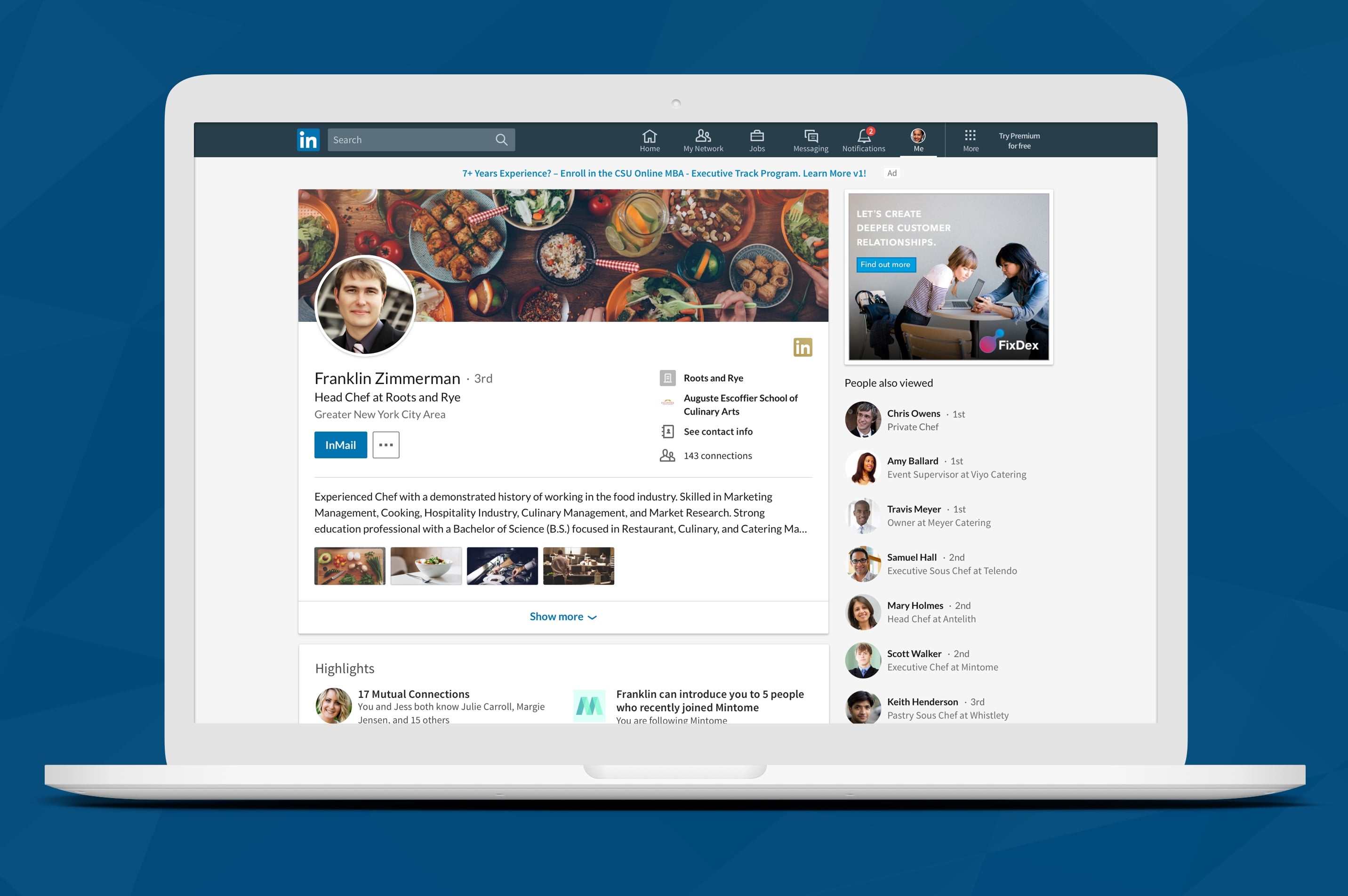
If you're on a job hunt, your LinkedIn profile is probably as important as your CV or a cover letter. Firstly, most employers put up the job announcements on here. And before responding to selected candidates or scheduling an interview, they check out the person's personal page on the platform. To help you stand out from the competitors, we summed up the top 10 ways you can use LinkedIn to boost your chances of getting hired.
1. Put Up A Professional Headshot
Make your profile photo look professional, and be sure that it's visible to the public. While taking a headshot is the most optimal option, you don't necessarily have to do it. It depends on the type of industry you work in too. Graphic designers for instance, don't need a headshot. Generally, it's recommended to take a picture of yourself in business attire against a mostly neutral background.
2. Use the Proper Keywords
Once you change it to public viewing, anyone can find your profile and view it in its entirety. In your headline, include the keywords that potential employers search for when they're looking to fill a position similar to what you have an experience in. If you don't know which ones those are, look at job listings that seem perfect matches for what you do and copy their language when describing yourself in "About Me" sections or blogs. Keywords should describe what you do. "Web developer" is a good keyword for someone who develops websites. Similarly, "expertise" would be more suitable for someone with years of experience applying for a senior position.
- Make a professional-looking headline: People's first impression depends on your profile. A headline should accurately describe who you are and what you do. Keep it short and sweet. Try not using too many words.
- Add relevant skills: You don't want to include everything you can do. Instead, concentrate on outlining the precise competencies pertinent to your field and the job descriptions you are applying for.
- Include: Your title, what you do, an additional heading or message (this can be personal).
3. Optimize Your Introductory
If you've ever talked to a certified professional resume writer (CPRW) or a career counselor, you already know you must begin optimizing your LinkedIn profile by emphasizing the first few lines of the introduction. While viewing your profile, hiring managers and recruiters will focus on that before anything else.
- A recruiter will be more likely to find your résumé if it includes a keyword-rich headline, relevant to the position or market you are pursuing.
- Look at the "open to" feature (located in the introduction section of your profile).
- Another excellent place to add keywords to your profile is in the "about" section, found immediately after the introduction.
- In the “Experience” part of your profile, use mostly first-person language to discuss your main responsibilities. Try not to repeat the contents of your resume.
4. Choose a Compelling Cover Image
When you create a LinkedIn profile, remember that it's the first thing potential employers will see. Your cover image should not be blurry or of poor quality. Use a clear, high quality image to establish credibility and maintain the professional image. A well-designed cover should match the tone and quality of the textual information so that a recruiter or hiring manager can get a cohesive picture of who you are.
5. Upload Your Portfolio
Either provide a link to your portfolio or manually upload your best work on your page. This will again depend on the type of industry you are working in. Copywriters will most likely have a separate portfolio with a link listed somewhere in their introductory section. Graphic designers or artists can upload few images of the work they are most proud of. Sometimes even create albums dedicated to the different types of projects they have worked on. Sometimes, the portfolio can make a better impression on the potential employer than your CV. Especially if you have no years of experience to back you up; if they like what they see, chances are they will hire you over more experienced candidates.
6. Make Connections and Join Groups
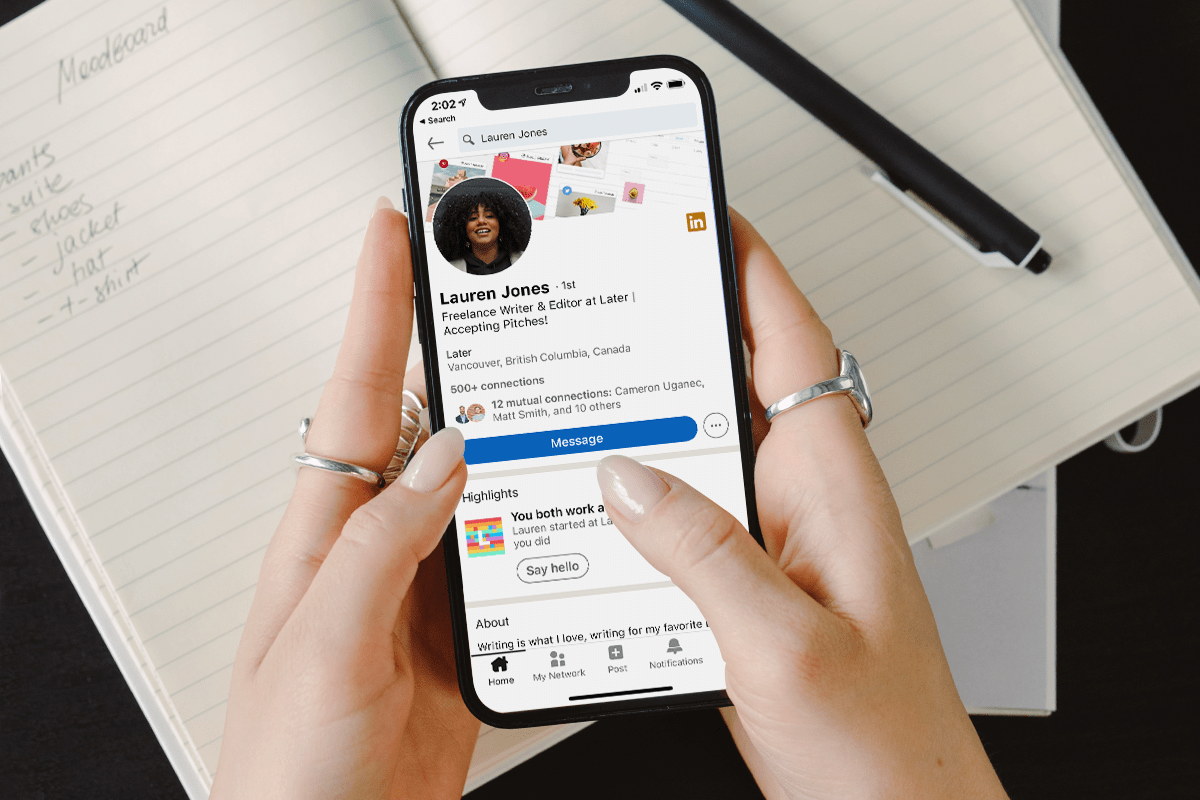
LinkedIn is a professional networking platform, so it's no surprise you should use it to connect with people in your field. You can also use LinkedIn message options to connect with new people. Search for groups based on your industry or job function, or browse by location and the area of interest. When aiming at working for a particular company, having a strong connection with someone at the company will give you an edge over your competitors. If you don't know anyone, reach out to the recruiter who has viewed to your application. Or use LinkedIn navigation to join groups and build your network and befriend people who can help you achieve your goals. You can find groups on the navigation bar. Any available ones will be highlighted in blue under Groups You May Like.
7. Set Your Profile Public
If you're not a celebrity or a part of the witness protection program, make your profile viewable by everybody. Your LinkedIn profile is visible to everyone, whether they are logged in or not. However, your full information will only be shown when someone views you with the "full-view" option. When potential employers are browsing your profile they will want to get the full picture of who you are, so it's a good idea to ensure they see the best possible version of you before extending an offer.
8. Plan Out Your Content
When posting or sharing anything on LinkedIn, use caution. Employers can learn a lot about you from the kind of things you share or post, so optimize your posts for search engines. Tailor your profile to the kinds of jobs you’re interested in, sharing postings from organizations similar to the ones you want to be a part of or sharing the latest articles about events and activities relevant to your field.
9. Create a vanity URL for LinkedIn
Vanity URLs look more appealing, and search engines prefer them to a bunch of random letters. To create your vanity URL, click Profile in the top menu and select Edit Profile. Then, edit the messy link below the image. Your existing URL is mentioned on the right side of the page beneath the Public Profile options.
10. Display Your Academic or Award Success
You should list your educational background, academic or non academic classes and internship you have taken in the Education section on your profile. To add a school, find the Add a School link and then fill in all the necessary information. All honors and accolades should be detailed in your resume's Honors and Awards section. This part can be found further down the page, under Education, on the left side. Honors and awards are added to the Further Information section by clicking +Add, completing the form that pops up, then clicking Save Changes.
Final Words
A strong LinkedIn profile can be crucial when recruiters or employers look for prospecting new candidates online. According to Forbes, this particular social media platform is the key to job search and employment on both sides. Like your résumé, you should aim to update your LinkedIn profile at least on a yearly basis. Because LinkedIn is so popular among professionals, optimizing your profile is kind of a necessary step in the process of getting hired. Use the tips given above and add your own things to make your page even more customized.
Read more »How to Use LinkedIn Sales Navigator for Lead Generation
Published on 01.07.2023 by Sofia N
To create leads and expand your business, LinkedIn Sales Navigator might be a potent tool to add to your toolbox. This platform allows you to target specific audiences, find potential customers, and build valuable relationships with decision-makers in your industry. In this article, you'll learn how to use LinkedIn Sales Navigator for lead creation, practical advice, best practices, what LinkedIn Sales Navigator is, and what setup to help you make the most of this potent tool. You will find valuable insights here whether you're a seasoned sales professional or new to the game.
LinkedIn Sales Navigator
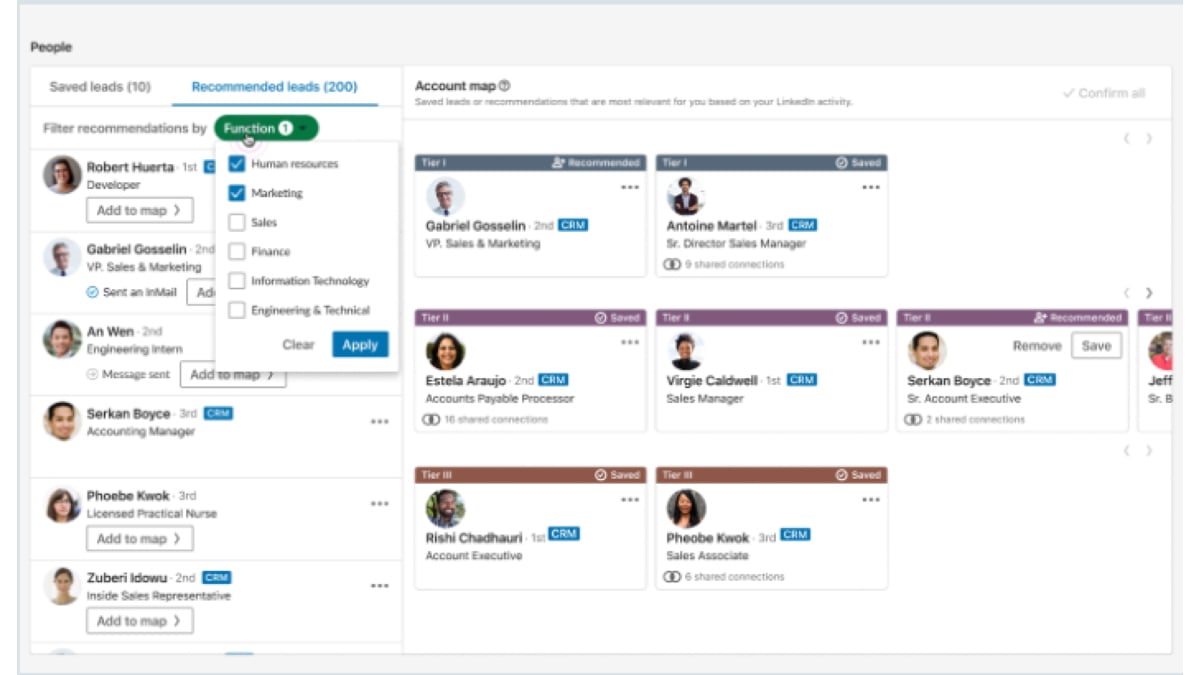
LinkedIn Sales Navigator is an effective tool for generating B2B leads and sales prospecting. It allows you to identify and connect with potential customers, stay up-to-date on their activities, and track your progress toward meeting your sales goals. With advanced search filters, lead recommendations, and account insights, Sales Navigator can help you focus your efforts and find the most relevant prospects for your business. LinkedIn Sales Navigator can help you streamline your lead generation process and close more deals, whether you're a sales professional, marketer, or business owner.
Setting Up Your Account
Setting up your LinkedIn Sales Navigator account is the first step towards unlocking the full potential of this powerful tool. With Sales Navigator, you can quickly identify and connect with potential customers, stay up-to-date on their activities, and track your progress toward meeting your sales goals. Create an account and customize your preferences based on your target audience and sales objectives. With advanced search filters and lead recommendations, Sales Navigator can help you streamline your lead generation process and focus your efforts on the most relevant prospects. So why wait? Set up your LinkedIn Sales Navigator account today and unlock your sales potential!
How to Use LinkedIn Sales Navigator for Lead Generation
You may improve your sales process and find and engage with potential customers using LinkedIn Sales Navigator. Here's a step-by-step guide to using Sales Navigator effectively for lead generation:
Identify your ideal customer
Identifying your ideal customer is crucial for successful lead generation with LinkedIn Sales Navigator. You must understand who they are and what they want to attract the right prospects. Define your target audience based on industry, job title, location, and company size. Then, use LinkedIn's advanced search filters to refine your search further and find people who match your ideal customer profile. Another valuable feature of LinkedIn Sales Navigator is the ability to save your searches and create lead lists. This allows you to track potential prospects and monitor their activity on the platform, such as job changes or content engagement.
Refine your search
Refining your search is critical in using LinkedIn Sales Navigator for lead generation. With its advanced search filters, you can narrow your search results to find your business's most relevant and valuable prospects. Start by identifying the key criteria that define your ideal customer, such as job title, industry, and company size. Then, use LinkedIn Sales Navigator's search filters to refine your search further by adding additional parameters like location, years of experience, and more. You can also save your search and create lead lists to keep track of potential prospects and monitor their activity on the platform. This lets you stay informed about job changes, content engagement, and other relevant updates.
Save your leads
Saving your leads is key to using LinkedIn Sales Navigator for lead generation. With the ability to save leads, you can keep track of potential prospects and monitor their activity on the platform. Click the "Save" button next to their profile to save a lead. You can then organise your saved leads into lead lists based on industry or job title criteria. Saved leads allow you to stay informed about relevant updates, such as changes in job status or engagement with your content. This information can help you tailor your messaging and approach when reaching potential prospects. With LinkedIn Sales Navigator, you can save up to 1500 leads at a time, providing ample opportunity to generate new business for your company.
Engage with prospects
Send personalized connection requests and messages to engage with your prospects. Monitor their activities and engage with their content to build relationships and establish credibility.
Use lead recommendations
Using lead recommendations is a powerful feature of LinkedIn Sales Navigator that can help you discover new potential prospects and expand your reach for lead generation. Lead recommendations are based on LinkedIn's algorithm that analyses your saved leads and suggests new ones based on similarities and connections. This helps you discover leads you may not have noticed and opens up new opportunities for business growth. Click the "Recommended Leads" tab within LinkedIn Sales Navigator to use lead recommendations. You can browse the suggested leads and add them to your saved leads list.
Track your progress
By monitoring your performance and analyzing your results, you can optimize your strategy and drive more success for your business. Start by defining your goals and key performance indicators (KPIs) to track your progress. This could include the number of new leads generated, engagement, and conversion rates. Next, use LinkedIn Sales Navigator's reporting and analytics tools to monitor your performance and progress. This will help you identify what's working and not, so you can adjust your strategy accordingly.
Understanding Your LinkedIn Sales Navigator Dashboard
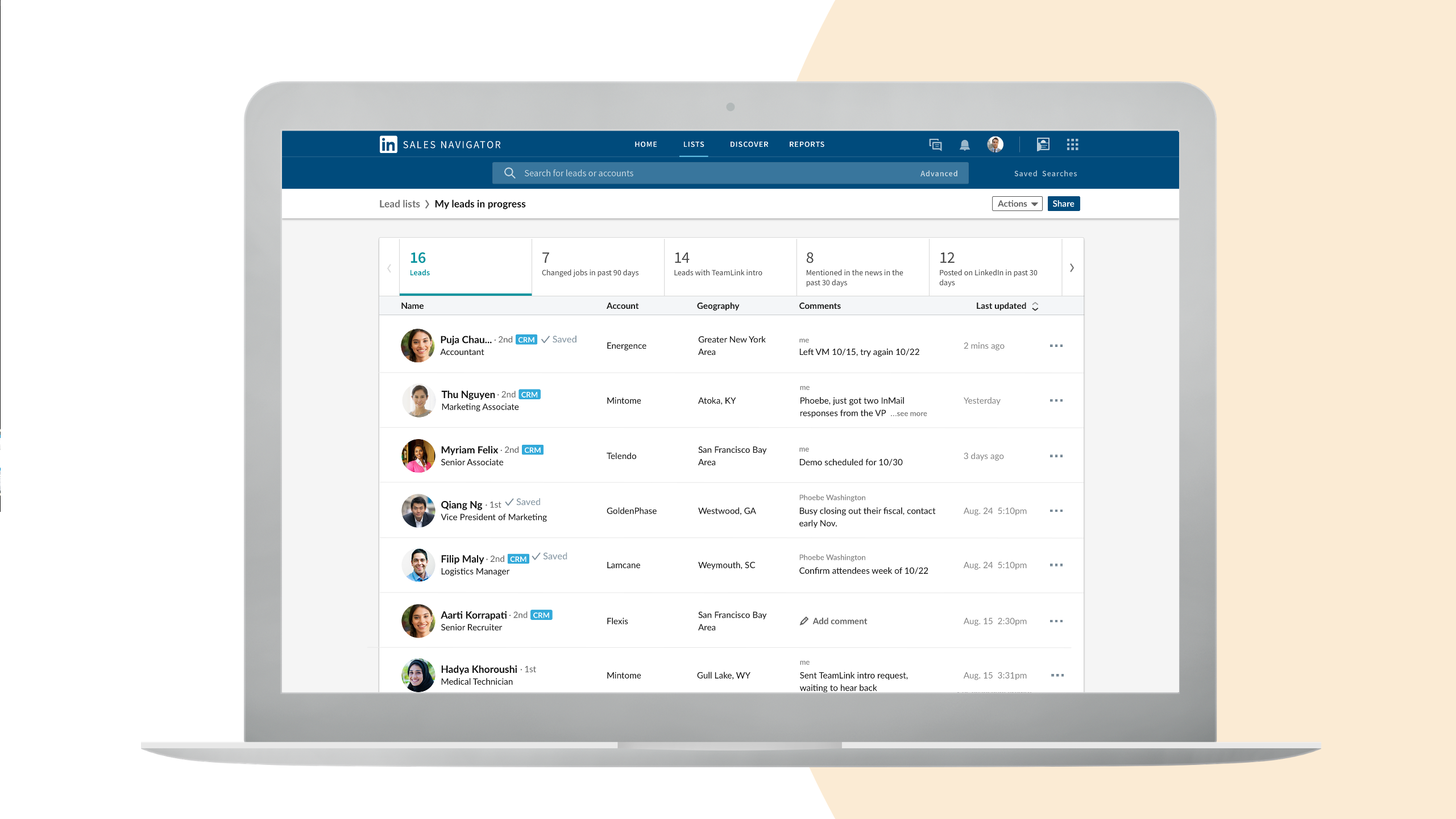
Here are some bullet points to highlight the key aspects of understanding your LinkedIn Sales Navigator dashboard:
- The dashboard provides an overview of your leads, accounts, and activities.
- You can customize your dashboard to display essential information for your sales objectives.
- The dashboard includes lead recommendations, saved leads, and account insights.
- You can monitor your sales pipeline and track progress toward meeting your sales goals.
- The Sales Navigator dashboard provides valuable insights for streamlining your sales process and identifying new opportunities.
Identifying and Targeting Your Ideal Customers
Here are some bullet points to help you identify and target your ideal customers on LinkedIn Sales Navigator:
- Determine the key characteristics of your ideal customer, such as industry, job title, and company size.
- Use Sales Navigator's advanced search filters to refine your results and find the most relevant prospects.
- Narrow your search by location, seniority level, and other criteria to focus your efforts.
- Save your leads to lists and organize them by account to stay on top of your sales pipeline.
- Use Sales Navigator's lead recommendations to discover new prospects based on your saved leads and search history.
- Monitor your progress and track your results to optimize your strategy and improve your lead generation efforts.
Conclusion
LinkedIn Sales Navigator is a powerful tool for businesses to generate high-quality leads and grow their customer base. By utilizing its advanced search filters, lead recommendations, and reporting tools, businesses can streamline their lead generation efforts and increase their chances of success. With its ability to refine searches, suggest new leads, and track progress, LinkedIn Sales Navigator is a must-have tool for any business looking to boost their lead-generation efforts. So start using LinkedIn Sales Navigator today and take your business to the next level!
Read more »10 Tips to Grow Your Instagram Account
Published on 28.06.2023 by Sofia N
You've created the perfect Instagram profile for your creative business, filled it with amazing photos, but now what? You want followers and you want to be popular but you know it takes more than just great content. You're in luck! We've compiled our top 10 secrets to gaining popularity on Instagram. We'll share step-by-step tips so you can have more people check out your profile and start engaging with your content. We'll also set realistic goals so you can measure your success and keep track of the progress of your growth strategy. So, if you’re stuck in the mud of Insta obscurity, don't worry—we gotcha! Whether you already have an established account or are just starting to build one up, these tips will help get you seen and start increasing your popularity on Instagram.
10 Secrets to Gaining Popularity on Instagram
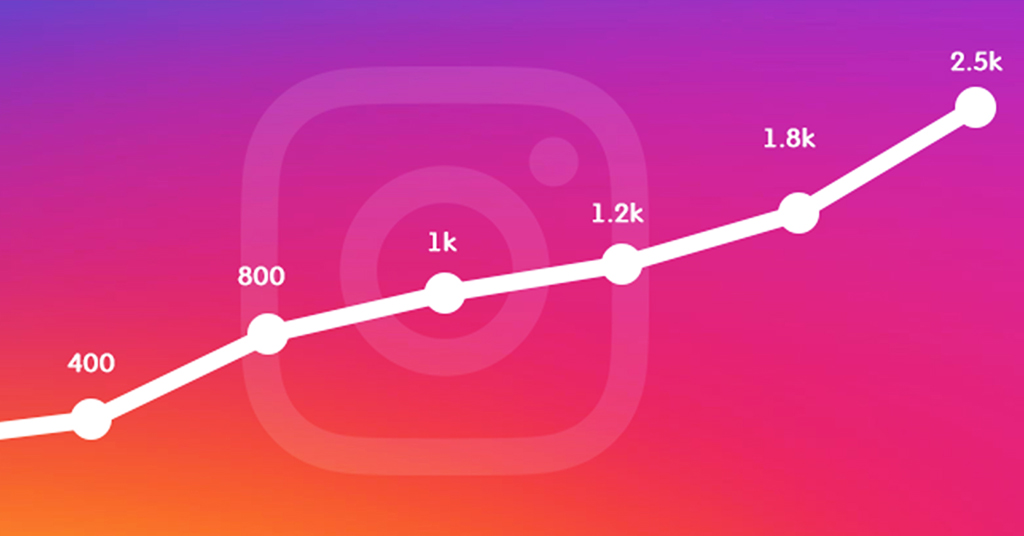
After extensive research, we’ve compiled a detailed list of the ten tips to grow your Instagram account. Let’s check them out!
Consistency Is Key
Gaining followers on Instagram isn't easy, but it's doable—as long as you're consistent. Consistency involves both frequency and quality. Posting regularly and at the right times increases your chances of being seen and getting noticed. Quality is also important because what you post should be helpful or interesting to your target audience.
To ensure consistency, set a schedule and stick with it! Maybe you post one or two times a day; maybe you post once a week or only on weekends. Whatever works best for you, make sure to give yourself enough time to create content that's valuable to your followers so they keep coming back for more. And don't forget to repost stories, photos, quotes, and videos that showcase your brand in a positive light!
Establish a Brand Identity
Your social media presence carries an identity, so make sure it’s one you’re proud of. Have a clear vision for how you want your account to look, sound and feel—and then be intentional about each post that you share. Think about the values that your account will be known for. Do you want to focus on sharing inspiring quotes? Eye-catching photography? Shareable content? Narrow down what makes your account unique and use this as a starting point. You should also consider how to create cohesive content across your posts—such as using the same filter or theme for all your images. This will help establish a recognizable identity for your brand on Instagram and give users more incentive to follow you.
Engage With Your Followers
You know that your followers are here for a reason—they want to get to know you and learn from you. So take the time to reach out and reply to those who comment or direct message you. Not only does it make them feel seen, but it also helps create relationships with your followers, which can have positive long-term effects.
Respond
Respond in a timely fashion—preferably within 24 hours of receiving a comment or message. Not only will this show them that you're taking their feedback seriously, but also that you are actually listening and understand their experience. And don't worry if it's not a perfect answer—just be sure to be genuine and take the time to explain why you took the action that you did.
Give Updates
Post regular updates about your brand, product or service so your followers can stay informed on recent changes or developments. Update your followers on any events, awards, or product launches so they feel like they're part of something bigger too!
Ask Questions
Encourage conversations by asking questions in your captions or stories—it’s a great way to get people involved in the conversation and show them that their opinion is valued by the community. Try out different types of questions such as true/false statements, surveys, yes/no questions etc., and use polls to quickly gage how people feel about certain topics!
Use the Right Hashtags
Hashtags are like a secret password for Instagram. By using the right hashtags, you can tap into trending topics and increase your reach. But how do you choose the right hashtags? It all starts with knowing your audience, so spend some time getting to know who you’re trying to reach. Then it’s a matter of researching the right hashtags for those audience members. You can find out what’s trending by looking at other accounts in your niche or visiting popular hashtags (like #instagood) and seeing which relevant tags are showing up on their posts. Other tips for choosing the right hashtags include:
- Stick to a manageable number—aim for 10-15 tags per post, but fewer if you're competing with established accounts
- Start small and gradually add more as your account grows
- Keep an eye on analytics so you can track which tags are performing well and adjust accordingly
- Use location tags, branded hashtag, and niche-specific tags to increase clarity and visibility
- Avoid overusing popular hashtags that get oversaturated quickly—you want to stand out!
Leverage Influencers
Using influencers to help grow your Instagram account isn't just a great way to get more followers, but it's also a great way to build relationships and establish credibility with potential customers. Leveraging influencer marketing can be incredibly effective as you tap into their dedicated following and increase your visibility. Here are some tips for making the most of influencer marketing:
- Identify the best influencers for your market by researching their content and analyzing how engaged their followers are with them.
- Reach out to potential influencers through direct message or email and get their attention by explaining what makes your brand unique and why working together would benefit both of you.
- Make sure the agreement is crystal clear for both sides, include how long the collaboration will last and outline what you will be providing in exchange for their help.
- Implement creative ways for the influencer to promote your brand like hosting contests, giveaways, or creating branded content that’s interesting and engaging.
- Show appreciation to influencers after they’ve completed a job well done with shoutouts or exclusive discounts on products or services.
Focus on Quality Content
Quality content is the best way to gain popularity on Instagram. You want to showcase your passion and creativity, so think of ways to make each post stand out and create a distinct identity for your account. Here are a few tips to keep in mind when creating content:
Be yourself
The most successful Instagram accounts start out by being authentic and original. It should be a reflection of your personality, interests, or style. You want people to recognize your account when they stumble upon it!
Add visuals
Remember that this is a visual platform — try adding visuals like photos, videos, infographics, art pieces or designs. Make sure it's engaging and captivating for your viewers.
Showcase user-generated content
User-generated content could be pictures from followers using your product or posing with it. Showing off interactions between you and your customers can create a stronger bond with them.
Keep up with trends
Research what’s trendy in the industry you’re in and find ways to incorporate them into content without going overboard. People will appreciate that you're keeping up with the times but at the same time staying true to yourself.
Nurture the Engagement
One of the best ways to grow your Instagram account is to nurture the engagement you receive. You can do this by responding to comments, liking other people's posts, and following relevant accounts. When you engage with others, they'll be more likely to come back to your account again and again.
There are several tools that can help you keep track of who’s engaging with your Instagram posts. With these tools, you'll be able to quickly identify who's commenting on and liking your posts so you can reach out and thank them for their support. You can even send them special offers or discounts as a reward for being a loyal follower. Use hashtags wisely in order to capitalize on the potential of organic growth. Include 1-2 relevant hashtags in each post, which will allow more people to discover your content who aren't already following you. Once those users follow you, then the cycle of engagement will kick off again!
Strategize Your Post Scheduling

You don't have to post on Instagram every single day. But you do need to have a consistent schedule that's tailored to your audience's needs. That might mean no more than a few posts per week, or perhaps one post daily. The key is to find the right balance for your business and stick with it. What type of content should you share and how often? Here are some tips for creating an effective post schedule:
- Monitor analytics and use insights from your followers to plan content accordingly
- Post content that is meaningful and relative to your target audience
- Share a mix of photos, videos, gifs, stories, and links
- Post at least once a day or at least three times a week
- Include stories in each posted content
- Track user engagement levels and adjust the frequency of post sharing accordingly
- Experiment with different types of content like short-form, long-form or interactive elements
- Take advantage of “trending” topics
- Collaborate with other businesses and influencers by cross-promoting one another’s projects
- Utilize scheduled posting tools to easily manage content flow
Make Use of Analytics
Analytics can be a powerful tool if you want to grow an Instagram account. With analytics, you can track key metrics like how many followers you have, the reach of your posts, and engagement rate. You will be able to see which posts got the most likes and shares, and from that you can work out which content resonates with your audience and what kind of messages you should be sharing. Analytics can also tell you when the best time to post is so you can make sure that your posts are seen by as many people as possible. When used effectively, analytics can help boost your visibility on Instagram and help you attract more followers.
Specific Tips For Making Use of Analytics:
- Figure out which content works best for your target audience
- Analyze post engagement to determine what your followers like
- Track follower growth over time
- Monitor changes in follower behavior
- Identify influencers related to your niche
- Use tools to track metrics over time
Utilize Stories for Greater Visibility
The most recent addition to Instagram, stories, are a great way to increase your visibility and reach. Every time you post when someone is looking at your page, they’ll see it move up to the top of their feed. And even better, your stories can show up in their explore page, which can help you reach a larger audience. Using stories is a great way to share more about yourself, show behind-the-scenes videos or images, and build relationships with your followers in an interactive way. Also, don’t forget to add stories to your highlights folder on your profile page too—this keeps them visible for those who come across your page later on. When it comes to creating great stories here are some tips:
- Be consistent—the more often you post stories the better!
- Utilize polls and questions to engage with followers
- Take advantage of Instagram’s built-in features like GIFS, stickers and Boomerang for more creative posts
- Create content that adds value for followers by teaching them something new or providing helpful information
- Try hosting Live video sessions where viewers can ask questions or send in feedback in real time
- Tag related accounts (brands or influencers) that may find the content useful
Final Thoughts
There's no one-size-fits-all solution to becoming popular on Instagram, but you can use the ten tips outlined in this article as a starting point. Consistency is key, so make sure to post frequently, use plenty of hashtags, and engage with people who follow you. Remember, the goal isn't to become a celebrity overnight—it's to gain an engaged audience that's genuinely interested in you and your content. That takes time and effort, but it's worth it in the long run. With the right strategy and a bit of patience, you can grow an engaged, loyal following on Instagram and become a popular influencer.
Read more »Why is Instagram Not Loading my Pictures
Published on 25.06.2023 by Sofia N
If you post a picture to Instagram, the last thing you want is for it not to load properly. You just snap a photo and add your favorite filter, but instead of posting the perfect picture for your followers to admire, all you get is a blank screen or error message. This can be incredibly frustrating, especially if you want to share something with friends and family right away. And with all of the features that Instagram offers—such as stories, live streaming, and direct messaging. It's no wonder why people find this issue so perplexing. The good news is that this problem can usually be solved by following some simple steps. In this article, we'll discuss why your Instagram posts may not be loading properly and how you can fix the issue so that you can start sharing those amazing pics with your followers in no time!
Reasons Why Instagram May Not Be Loading Your Images
Has this happened to you? You post an image to Instagram, but it fails to load. Not quite sure why it isn't working? No need to worry—there are a few simple explanations.
- Networking Glitches: The most likely cause of your problem is a networking glitch that's preventing Instagram from properly loading your image. One common issue is loading times that are too slow. In addition, if your Wi-Fi connection has any issues, it could lead to images not loading.
- Wrong File Format: Another common issue is using the wrong file format when trying to upload your image. Instagram only accepts certain file types, such as .jpg and .png files. If you try to upload an unsupported file format, it will not load properly.
- Broken Links: Finally, if the link pointing to the image is broken or has been removed from its original source, Instagram will not be able to locate and load it properly.
What to Do if Instagram Isn't Loading Your Pictures
Have you ever encountered the annoying issue where Instagram isn't loading your pictures? It's a common problem, and it can be frustrating when you want to post a picture but can't seem to get it to show up on the app.
Fortunately, there are some steps you can take to troubleshoot and get your picture loading again. First, make sure that you have an active internet connection. If you're using a cellular network, try using a different network or connected to Wi-Fi if possible. You should also try closing and restarting the app, and possibly restarting your device as well.
If none of these steps work, you may need to update the Instagram app or even reinstall it altogether. Another solution is to clear the cache data in case something is clogging up the memory of the app; this could be done in Settings > Apps > Instagram > Storage > Clear Cache. Finally, wait an hour or two before trying again as this could indicate an issue with Instagram's servers.
Typical Error Messages That Appear When the Issue Occurs
If Instagram isn't loading your pictures, you'll likely encounter some specific error messages. Here are three of the most common:
"Something went wrong"
This is the most generic response, and unfortunately it doesn't give you a lot of information about what the actual problem might be. If you see this message, it could mean that Instagram is having some technical difficulties or there's something wrong with your internet connection.
"An unexpected error has occurred"
This message usually means that there's a problem on the server side. It could be a temporary issue or it could indicate that there's an issue with your account. In either case, try restarting your device and connecting to a different wi-fi network before trying again.
"Could not refresh feed"
This message usually appears when there was an issue retrieving data from the server or when your connection was interrupted while attempting to connect to the server. Simply try again after making sure your device is connected to a strong Wi-Fi signal or cellular network with sufficient data coverage.
If none of these messages appear and Instagram still isn't loading your pictures, then it could be an issue with either your device or account settings. Check out our other articles for more information about troubleshooting Instagram issues!
Ways to Trouble Shoot to Make Sure That It's an Instagram Issue
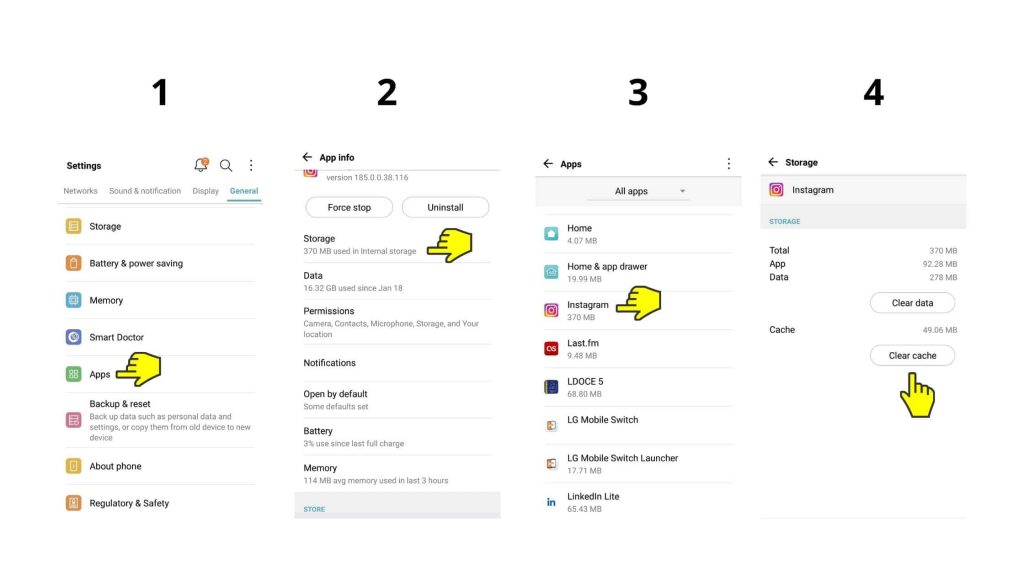
If your Instagram photos are still not loading, then it's time to do a little troubleshooting. Here are some ways to make sure that it's an Instagram issue and not a problem with your device or connection:
Try updating your app
Sometimes the latest version of the app may have saved you from any issues you have been experiencing. So head over to the Play Store or App Store and make sure that you have the latest version of Instagram installed.
Check if the app is up to date
It’s also important to make sure that all features, like filters and stickers, are up to date as well. This might help you fix any of the issues you’re having with loading pictures.
Delete and reinstall Instagram
If none of these have helped so far, try deleting and reinstalling Instagram. This should help get rid of some bugs in the app which could be preventing your pictures from loading.
Check your internet connection
Finally, if none of this has worked, check your internet connection. A weak internet connection can slow down or even stop the loading process altogether. So try connecting to another network or resetting your modem/router if necessary.
Tips for Optimizing Your Photo Settings for Quicker Uploads
If you want to upload photos to Instagram quickly, one important thing to do is make sure your settings are optimized. This can help with Instagram not loading your pictures. Here are a few tips you can use:
Scale Your Image Down
When uploading photos to Instagram, make sure your image isn’t too large. A good rule of thumb is to scale down any images you plan on using to around 1MB or less (the maximum accepted photo size for uploads is 15MB). Having a larger photo file will slow down the time it takes for the image to be uploaded, so make sure you resize it if necessary.
Compress Your Image
Another helpful optimization is compressing the image. It’s usually best practice to compress an image before you upload it—this will reduce the size of the photo and, in turn, help with faster upload times. Just be sure that your compression tool preserves the quality of your images and doesn’t impact its overall look or function.
Choose The Right Image Format
Finally, if possible, choose an image format that works best with Instagram. JPEGs and PNGs typically work best when uploading images; avoid formats like TIFF and PSD as they don’t always work well with this platform.
What to Do if Photos Still Don't Load After Optimizing
Picture it: You've gone through all the steps to optimize your pictures for Instagram, and you still can't get them to load. It's frustrating, but don't worry—there are a few more things you can do if your photos still won't load.
The first thing to check is whether or not your mobile device is connected to the internet. Without an internet connection, Instagram won't be able to access your photo library and upload photos. So, if you're connected but having problems, double-check your connection and make sure it's stable.
Next, try updating both Instagram and iOS software — this can help fix any potential bugs that are impacting how photos are loaded on Instagram. To update the app and iOS, open the Apple App Store on your device, tap "Updates," then tap "Update All" or the individual Update button next to each app on the list.
Finally, try deleting and reinstalling Instagram onto your device — this will start a fresh copy of Instagram that does not remember any of your previous settings from other installs and can help avoid any cached errors stopping you from loading photos. To delete the app, press and hold its icon until an X appears over it, then tap X to confirm deletion; after that's done, find Instagram in the App store again then reinstall it.
If none of these steps work for you — try reaching out to Instagram's customer service team for further help! They'll be happy to assist with getting pictures uploaded onto their platform properly so you don't miss out on sharing great content with friends or followers.
How to Report an Issue With Photo Loading on Instagram
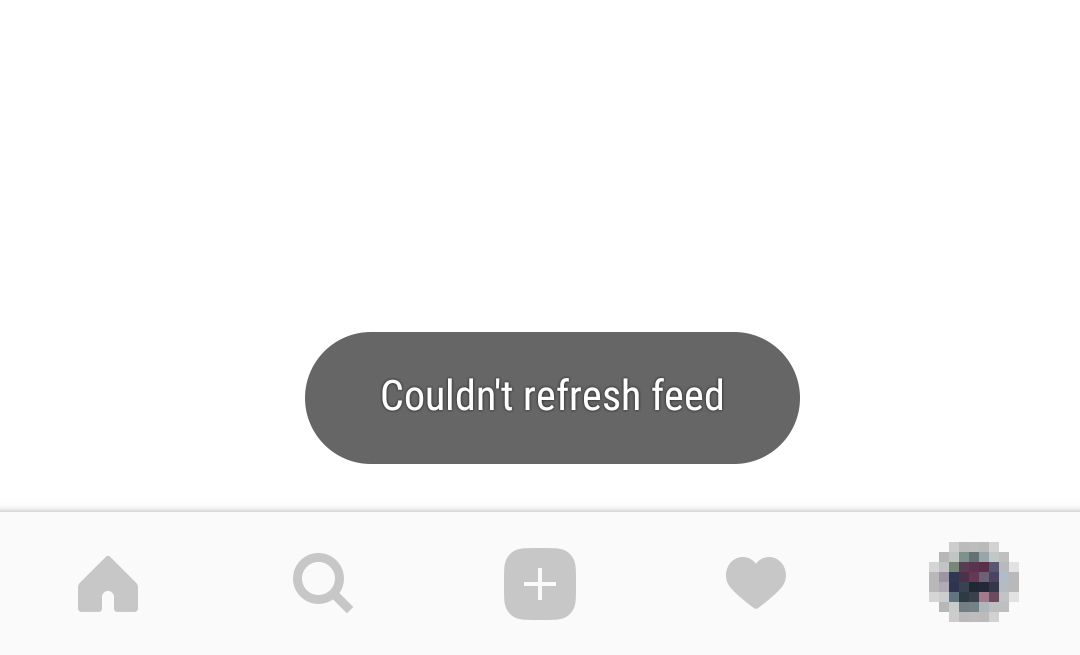
If you're still having trouble loading pictures on Instagram, one of the most helpful things you can do is to report the issue to Instagram. Instagram knows that photos are the lifeblood of their platform, and they take these reports seriously.
So how can you report an issue with photo loading on Instagram?
Log in to your account
The first step is to log in to your account. This is important because it'll allow Instagram to view the specific details associated with your account.
Navigate to the Help Center
From your profile, click on the menu icon (three horizontal lines) in the top-right corner, then scroll down and select Help Center from the list of options.
Select Your Problem
In the Help Center page, select Login & Authentication from list of topics located at left-hand side of page. Here you will find a list of common problems that users have experienced related to photo loading issues.
Submit Your Issue
Once you find a problem that matches yours, click on Get Started button located at lower right-hand side of page and fill out form with as much detail as possible about your photo-loading problem and then click Submit button.
Reporting your issue directly to Instagram's Help Center is a great way to get personalized help and attention from their support team so they can help resolve any issues you're having with loading pictures on Instagram quickly and efficiently.
FAQs
Chances are, at least once you have been through a situation where your pictures, or someone else's pictures, are not loading up on Instagram. Here are some of the most common questions and answers related to this issue:
What if I can't upload a picture?
If you can't upload a picture, the first step is to check your Internet connection. If the problem persists, try resetting the app and logging out and back in again. Another option is to uninstall and then reinstall the app from the App Store or Google Play.
Why isn't my picture showing up in my posts?
This may be because you have insufficient memory on your device or too many other apps running at once. Make sure that you have lots of available storage space on your device and close any apps that are running in the background before trying again.
What if I still can't upload my picture?
Make sure that you meet all requirements for uploading a photo: it should be smaller than 8MB in file size, be in an acceptable format (JPEG, PNG, BMP or GIF), and adhere to any local laws or regulations. If all else fails, contact Instagram Customer Support for more help.
Conclusion
All in all, Instagram can be a great tool to showcase your work and connect with friends, but sometimes it can be slow to load your posts. When this happens, double-check your internet connection, clear some cache, update your app, and make sure you’re using the right resolution and quality settings for your images. When all else fails, reach out to their customer service team and they’ll be able to help you troubleshoot the problem and get your pictures back to posting on Instagram.
Read more »How to Pin Your Posts on Instagram
Published on 22.06.2023 by Sofia N
Picture this: You create a post that you’re excited to share with your audience. But as time passes, it starts to get lost in the shuffle of new posts. It’s a common problem for Instagram enthusiasts who want to make sure their post stays top-of-mind for their followers. But don’t worry; there is a tool you can use so your post never gets buried again—you can pin it!
Pinning one of your posts gives it prominent placement on your profile, with its own section at the top. It also stays fixed in place no matter how many new posts you add, so followers are sure to see it prominently displayed among all your other content. Explore how to pin a post on Instagram and maximize its visibility and engagement from start to finish.
When to Pin an Instagram Post
Another thing to consider when pinning an Instagram post is when to do so. The best time to pin a post is when it will be seen by the most people. That being said, you should pay attention to when your audience is most active and plan your pins accordingly.
If you have access to analytics, use them to determine when your audience is most likely to be active and pin your posts at those times. That way, you can ensure that the post will be seen by as many people as possible. As a general rule of thumb, the best times for pinning are usually in the afternoon or evening on weekdays. Of course, this all depends on your specific audience so, again, refer to analytics if available. Don’t forget that popular times change from day-to-day and from season-to-season. So if you want optimal results with each post you pin, pay attention to both the analytics and popular trends relevant to your niche or topic.
How to Pin a Post
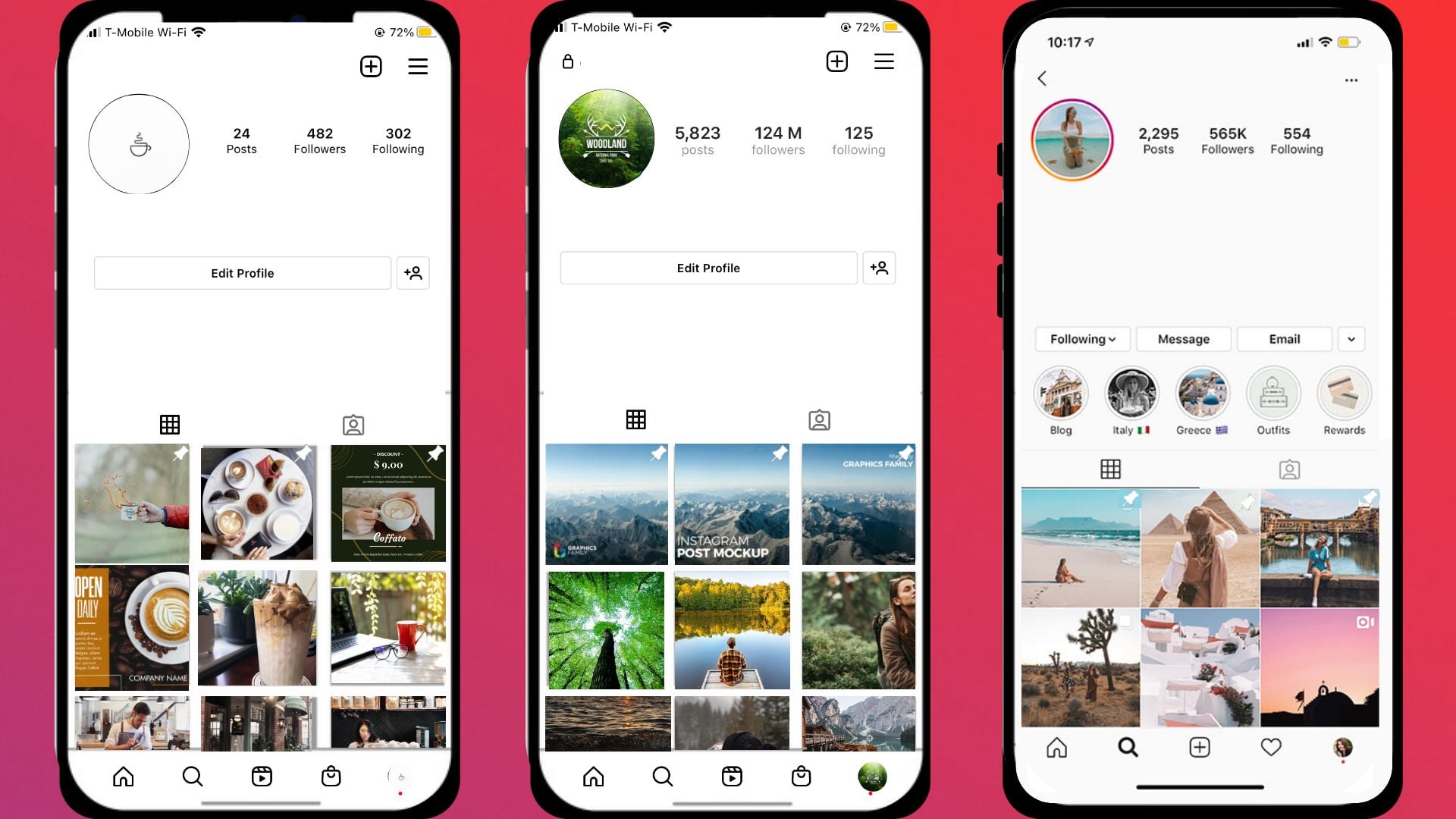
You may not know it, but you can easily pin a post to your profile so that it stays at the top of your feed no matter how many others are added. This is an awesome way to make sure your favorite post doesn’t get buried or lost in the shuffle. Here’s how:
- Open the post you want to pin.
- Tap the three dots in the top right corner of the post and click ‘Pin to Profile’
- You'll see a notification telling you that it's been successfully pinned, and you will now see it at the top of your page!
Pinning a post is also a great way to draw attention to important announcements or information, like when you're launching a new product or asking people to vote in an election. With this strategy, your followers will always be able to find whatever message you really want them to see!
Getting Started With Posts
First things first: Pinning your post on Instagram is super easy to do. All you need to do is pick the post you want to pin, tap the “...” icon at the top of it, and select the option to “Pin to Profile.” Then, when someone visits your profile page, that post will always be there – regardless of how much older content or newer content you have posted.
This feature is especially helpful for brands and businesses that want to make sure their most important posts stay seen by their followers. That could be a sale announcement, an upcoming event, a helpful article – whatever your message may be. And now that it’s pinned, it will always appear at the top of your profile page so more people can access it.
Creating Several Pins for Posts
You may have noticed that sometimes people pin multiple posts to their Instagram Stories. While this is an effective way of highlighting different posts and increasing engagement, it can also get a bit confusing when trying to keep track of all the pins.
Thankfully, Pinterest makes it easy to create multiple pins for posts so that you can easily keep track of them. First, select the post that you want to pin and click "New Pin." Then select the image you'd like to use for the pin and add the post URL and any other information you'd like to include. You can then customize your pin with text or images if desired. Once you've created your first pin, click "Create Another Pin" and repeat the process for each post. This way, you can easily create multiple pins in one go and make sure that all of your posts are properly highlighted!
Organizing Your Pins
Once you've created your multiple posts, you'll want to start organizing them. Organizing your pins is actually a lot easier than you think—all you need to do is:
- Go to the post that you would like to pin
- Tap the three dots in the top right-hand corner of the post
- Select "Pin to Profile"
- Rearrange your pins as needed
- When finished, tap Done at the top right of your profile
When pinning posts, you can make sure that all of your content is where it needs to be and easily accessible for visitors to view. This helps give followers an idea of what they can expect from your profile and makes it easier for them to find what they're looking for without having to scroll through a bunch of posts. Plus, pins stay in place until you decide it's time to switch them out!
Understanding the Reach of Pinned Posts
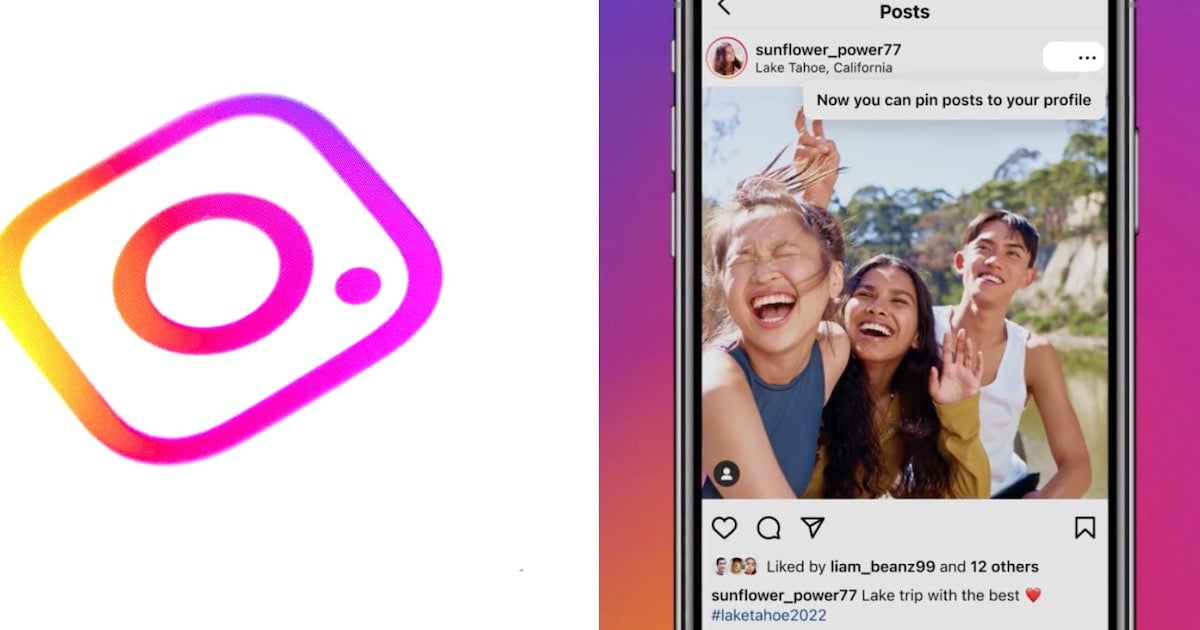
If you want to get the most out of your pinned posts, it's important to understand the reach of pinning. When you pin a post, it will be featured at the top of your profile for one week. This means that more viewers will have access to it and be able to engage with your content.
Additionally, if you're using hashtags in a post and they're relevant to what you want to achieve, they can also help increase the visibility of your post and maximize its reach. So make sure to include relevant hashtags and pay attention to what people are engaging with so that you can use the right ones for your posts.
On top of this, pinned posts also have their own metrics like impressions and engagements because they stay in the same spot for one week straight. This makes it easy for you and anyone visiting your profile page to quickly track how successful your pin has been. You can easily monitor these metrics from within Instagram Insights or other third-party analytics tools.
Why Pinning Posts Is Beneficial
Do you know why you should start pinning posts on Instagram? It’s a great way to bring attention to certain posts, highlight your brand or product, and keep important content front and center. Here are three key benefits to pinning your posts:
Increased visibility
First off, pinning your posts will give them increased visibility. By pinning a post to the top of your page, it will be the first thing people see when they visit your profile. That means more eyes on the post and more potential engagement. It’s especially helpful if you have an announcement or special offer you want people to see right away.
Building engagement
Another benefit of pinning posts is that it will help you build engagement around specific topics or campaigns. If your goal is to generate comments, likes and shares on a particular post, pinning it can be a great way to get the conversation started.
Highlight specific products or campaigns
Finally, one of the best uses for pins is to highlight specific products or campaigns. This could include anything from showcasing a new range of products in your store or promoting an ongoing campaign. Pins can help drive traffic and exposure for those initiatives rather than having those campaigns get lost among other posts in your feed.
Tips to Make Your Pins Stand Out
You want your post to stand out from the crowd and increase engagement? Adding pins to your posts is a great way to do this. But before you get started, here are some tips to make your pins stand out even more.
- Keep it simple: When it comes to pins, make sure they are easy to understand and have a clear message. The simpler the better, as people won't have time to sit and decipher complicated pins.
- Use high-quality visuals: Incorporate visuals into your pins for maximum impact. Choose high-quality images that represent your message, as this is what will grab people's attention and keep them engaged.
- Make sure it's relevant: Make sure the content of your pin is relevant to the post — this way people will be more inclined to interact with it and actually follow through on what you're asking them to do.
- Keep it concise: Time is precious, so keep things concise and include only important information in your pins. People don't want you rambling on about something irrelevant or using fluff language — stick to the point!
Error-Proof Before You Post
Before you hit post on any new Instagram content, make sure to double-check your work. The last thing you want to do is post something with an incorrect caption, or the wrong image. To ensure accuracy, error-proof your work before you post it. Here are a few ways to do so:
- Make sure that any hashtags or links are correct and complete.
- Read through your caption for typos or factual errors.
- Double-check that the image/video is attached correctly and is of high quality.
- Ask a colleague or friend to read and review the post before you share it with the world. A fresh pair of eyes can catch any lingering mistakes you have missed.
Frequently Asked Questions
If you're still having questions about pinning posts to Instagram, here are some frequently asked questions and their answers.
Does pinning a post increase engagement?
Pinning your post to the top of your profile allows users to see it first when they visit your profile, increasing the chances of comments, likes, and other forms of engagement. It's also a great way to draw attention to new posts as soon as they are posted.
Does pinning a post affect my algorithm?
No. Instagram doesn't use pinned posts in any way when ranking how visible your content is in someone’s feed (otherwise known as their algorithm).
Is there a limit on the number of posts I can pin?
Yes. You can only pin one post at a time on each profile or business page you manage, but you can switch up which post is pinned whenever you'd like.
Conclusion
In summary, pinning your posts on Instagram is a great way to give them the extra visibility they deserve. Not only will it draw more attention to your posts and account, but it can also increase engagement and help you reach a larger audience. The best part is that anyone can use this feature, regardless of their follower count. There’s no hidden algorithm or special tools involved — all you need is an Instagram account and a few minutes of your time. So if you’re looking for a powerful (and free!) way to boost the visibility of your posts, pinning is the way to go. Try it today — you won’t regret it!
Read more »
Sign up for SocialWick
Login
InstagramYouTubeTikTokFacebookTwitchSpotifyTwitter (X)SoundCloudIGTVLinkedInThreadsWebsitePinterestVKApple MusicSEO
Checkout
OK

Information
Order processing usually starts within a few minutes, but some services may take a few hours or even a few days. We offer free refills for up to 90 days if needed. Our services are 100% secure and discreet, with a focus on gradual and safe delivery for your peace of mind.
Order processing usually starts within a few minutes, but some services may take a few hours or even a few days. We offer free refills for up to 90 days if needed. Our services are 100% secure and discreet, with a focus on gradual and safe delivery for your peace of mind.
Where should we send your order confirmation?
No account needed! We send your confirmation and tracking link here.
Secure checkout. We never share your email.
Have an account?•
Log in
Use your account to pay faster with your saved details.
Create account
Create an account to track all your orders in one place.
Service
+0,00
Voucher
-0.00
Total
+0.00
OK
Affiliate & Reseller Program
Customer Support
How may we help you?
General Support
Order Support
Frequently Asked Questions
1) What services do you offer?
We are a social media marketing company, and we offer a wide variety of services across several platforms that our clients can choose from. Once selected, we create a plan that fits your needs. We offer several types of services, such as followers, subscribers, likes, views, song plays, etc.
2) Is your service safe?
Yes, as we only sell real followers, likes, views, etc., and we hold every service to strict authenticity and quality standards. In order to protect your account, we deliver every order carefully and gradually. We closely monitor all our services. For more information, we strongly recommend reading our Terms of Service before you order.
3) Will I need to give you the passwords for my accounts?
No, you can keep your passwords to yourself because our services don’t need a password to influence your accounts. And if an email ever shows up claiming to be from us and asking for a password, it’s definitely not us, so please let us know right away.
4) Are the likes, followers, and subscribers real, or are they bots?
Unlike many other services, all our likes, followers, and views come from real accounts operated by real people. You won’t find bots, fake profiles, or hijacked accounts anywhere in what we deliver. Every order has to pass our strict authenticity standards, and we keep checking our quality to make sure it stays that way.
5) How fast can you deliver my order?
We will show you the estimated delivery time when choosing the service. However, this is only a rough estimate. In most cases, the services are delivered much faster. In some cases, it may take longer. We always aim for a natural and safe delivery!
6) What are your best-selling social media marketing services?
Although we have many services across most social media companies, our services for Instagram, TikTok, and YouTube are our best-selling options.
7) How do I know my account will not be flagged or banned?
We take safety very seriously. We never ask for your password, all followers, likes, and views come from real accounts, and orders are usually delivered gradually and naturally. What we can promise is careful delivery and strict quality standards. Plus a support team that’s there whenever you need us. We are not aware of a single case since 2017 where a customer got his profile banned.
8) What is the best method to communicate with you?
Do you have a question or run into a problem? Our customer support is available 24/7 for you. Just click Contact and you’ll land right on the support form. When you buy one of our services, we will email you to see if there were any problems. Your satisfaction is our main priority.
9) Are there discounts for large orders?
Yes! If you would like to request a large order that isn’t on our ordering layout, we will have no problems accommodating you. Just reach out through the support form and we’ll put together a buying plan that fits what you need.
10) What methods of payment do you accept?
We accept all forms of credit and debit cards, as well as Klarna, eps, PayPal, and Crypto.
11) If I am unsatisfied with your services, am I able to receive a refund?
Yes! Every purchase comes with a 30 day money-back guarantee. Not satisfied? Just contact our support within 30 days of your purchase and send us your order details and a short note on what went wrong, and we’ll take a look at your case. The full conditions are in our Refund Policy.
12) I haven’t received my order
Please make sure the following criteria are met before placing an order to make sure we can deliver it successfully.
- Your account is set to public
- You have typed in the correct username or link
- You have not changed your username before the order’s completion
- The post or account still exists and has not been deleted
- The post or account has not been restricted or removed in some countries
- Allow the estimated delivery time for completion of your order
For further assistance, please message our support team through the contact form.
13) How can I request a refill?
Just send us a refill request through the contact form. Please note that we can only provide you with a free refill within the first 90 days of your purchase.
Learn More
What is SocialWick?
We are the leading marketplace for social media promotion. You can buy followers, likes, views, subscribers, and a lot more for almost all social media networks. We offer affordable prices without making any compromises in terms of the service quality. We have a strict policy to only sell social media signals from real people. Part of our engagement, for example, comes from ad-based promotion where real users discover the content through ads. Bots, fake profiles, and hijacked accounts have no place in our services. Every delivery has to meet our authenticity standards, and we run regular quality checks, and anything that does not meet them is removed from our catalog. Our services are available for personal use, whether you want more Instagram likes, TikTok followers, YouTube views, or something else for your own profile.
With over a million satisfied customers, SocialWick is the go-to platform for all your social media needs. Our services are discreet and secure, with gradual and careful delivery to keep your social media accounts safe.
About SocialWick — The Market Leader since 2017
With more than 10 million orders, SocialWick is one of the world’s biggest social media stores. You can find everything on our website to improve your presence on major social media platforms like Instagram, TikTok, YouTube, Twitter (X), Facebook, etc. We offer different types of services for several social media platforms. Your wish is our command, and whatever your goal might be, SocialWick will help you achieve it. Whether you need more likes on your Instagram photos or want to make your LinkedIn profile more popular by getting additional followers, SocialWick is there to turn your goal into reality.
Thanks to our effective services and our customer-oriented work, SocialWick has become a top player. You will not find a better service anywhere else, especially not at such affordable prices. SocialWick is operating since 2017.
365 Days Per Year Customer Service
Your satisfaction is our motivation! We’re not here just for the money; we do our work to help people find their road to social media success. And that’s why our team will do all to make sure everything goes according to plan. If there’s something wrong with your social media campaign, or worry that there might be some problems with your account, or want to learn more about how our services work, feel free to reach out. Our service staff is there for you seven days a week, ready to answer any of your questions. You can get in touch with us using the contact form on our website.
Buying Followers and Likes is Essential
Unless you’re Kylie Jenner, you definitely need some help with social media. The more followers you have on Instagram, TikTok, Twitter (X), or YouTube, the more people will automatically notice you. Having all those eyes on your content isn’t just impressive, it’s genuinely fun. The bad news is that everyone wants to be famous these days, but only a few can succeed. The good news is that you can be the chosen one who will get social media fame and everything that comes with it. But, for that, you need a little help from your friends at SocialWick.
With our help, you will increase the number of followers on social media, which can have a domino effect and bring you even more new followers. Once people see that you got a big followership, they will decide to give you a follow. "If a profile has so many followers, it means that it’s interesting" – you can be sure this is going to be their reasoning. Furthermore, more followers mean more visibility for everything you post. Finally, a large number of followers also do great for your credibility. Our social media services will help you to create a better overall picture of your profile.
Let’s be honest; a profile with 30,000 followers looks much better than one with 74 followers. And that’s exactly what new visitors will pay attention to. A weak social media profile can be a real deal-breaker. At the same time, a fantastic social media profile can do wonders for you. And SocialWick can make your social media profile amazing!