Pinned Articles
» TikTok could be banned after midterm elections
» TikTok could be banned after midterm elections
» How to Set Realistic Social Media Growth Goals
» Call to Action Strategies That Convert
» How to Attract Ideal Clients with Instagram Content Pillars
» The Complete Social Media Marketing Strategy For Businesses
» How to Contact Instagram Customer Service to Get a Response
» Creating Scroll Stopping Instagram Content
» How to Convert Facebook Reel Views into Page Followers
» How to Use Instagram Carousel for Storytelling
» Why Original Facebook Reels Receive Better Distribution
» How to Build Authority in Your Instagram Niche
» How to Make a Facebook Poll That Will Get People Voting
» How to Repurpose Videos for Facebook Reels Properly
» Why Instagram Stories Are Key for Growth
» The Best Facebook Reel Length for More Views
» Creating an Instagram Content Strategy That Works in 2026
» How to Drive Social Media Conversion in 2026
» How to Create Facebook Reels That Hold Viewer Attention
» How in App Checkout Shortens the Customer Buying Journey
» How to Get More Views on Facebook Reels
» Instagram Shopping Strategies for Creators and Brands
» How to Rebuild Engagement on an Inactive Facebook Page
» Influencer Marketing at Different Stages of the Sales Funnel
» How Frequently Should a Facebook Page Publish Content
» TikTok Shop Optimization for Higher Sales in 2026
» What Should Businesses Post on Facebook in 2026
» Social Commerce Tips and Trends for 2026
» How to Optimize a Facebook Page for Better Discovery
» How to Optimize Carousel Posts for Maximum Saves
» Instagram Carousel vs Reels and Which Should You Prioritize in 2026
» How to Get Your First 1000 Facebook Page Followers
» A Guide to Writing Search Friendly Instagram Captions
» How to Grow Your Facebook Page in 2026
» How to Build an Algorithm Proof Instagram Strategy
» How To Promote Your Account Without Spending Money
» Social Media is Dead and Interest Media is Here
» How To Turn Profile Visitors into Loyal Followers
» Understanding Major Shifts in Instagram Algorithms in 2026
» How to Use Collaborations to Gain Followers Organically
» Retargeting Strategies for Social Media
» How Strategic Commenting Can Grow Your Audience
» Social Media Lead Generation Trends in 2026
» Using Social Proof to Increase Conversion
» How To Attract Followers Through Valuable Content
» How to Turn Followers into Customers
» How To Gain More Followers Without Paid Advertising
» Analyzing YouTube Average View Duration and Why It Matters
» Common Mistakes That Prevent New Accounts From Growing
» Turning Views to Sales with Social Media Sales Funnel
» How Often Should a New Social Media Account Post
» How to Track and Increase YouTube Watch Hours
» The Best Types of Content For New Accounts
» How to Measure YouTube Channel Success Accurately
» How to Choose the Right Niche For Fast Social Media Growth
» A Look at YouTube Click Through Rate Data and How to Increase It
» How to Get Your First 1000 Social Media Followers
» Understanding Traffic Source in YouTube Analytics
» How To Grow Your Social Media Following From Zero
» How to Attract and Create a Highly Engaging Sponsored Post
» How to Build a Successful Business as a Digital Creator
» How to Interpret YouTube Analytics Data Like a Pro
» Platforms That Pay Creators the Most in 2026
» How to Build a Loyal Social Media Fanbase
» Choosing the Right Creator Monetization Method
» How to Find a Good Creator Niche
» Top Myths and Mistakes That Kill a Personal Brand
» Creator Economy 2026 and How to Build a Profitable Audience
» Steps to Build and Define a Personal Brand Tone
» How to Position Yourself as an Authority on Social Media
» How to Build Trust and Credibility Online
» Using Personal Branding as a Social Media Growth Hack in 2026
» Content Ideas That Work For YouTube Shorts
» Understanding the Best Posting Frequency for YouTube Shorts
» How to Convert Short Viewers into Subscribers
» Best Short Length and Formats for Virality
» How the YouTube Shorts Algorithm Works in 2026
» Fastest Way to Scale With YouTube Shorts Growth Strategy
» What It Actually Takes to Earn a Salary as a Social Media Content Creator
» How to Launch and Promote Your TikTok Shop
» Using TikTok Analytics to Improve Your Marketing
» How Small Businesses Can Leverage TikTok for Growth
» A Comparison Between TikTok Ads vs Organic Strategy
» How Brands Are Winning on TikTok Right Now
» Reels Editing Styles That Boost Engagement
» TikTok Content Strategy for Businesses in 2026
» How Often to Post Reels For Fast Growth
» Trending Audio Strategy for Instagram Growth
» Best Reels Length and Format for Maximum Reach
» Creating a Reel Hook That Instantly Grabs Attention
» Instagram Reel Strategy to Go Viral in 2026
» Social Media Growth Hacks That Still Work in 2026
» A Guide to Social Media Collaborations for Organic Growth
» Social Media Community Building for Long Term Growth
» Top Engagement Tactics to Boost Your Reach
» How to Grow A Social Media Account With Content Only
» How to Pitch and Get Noticed By Brands on YouTube
» Choosing Between Long Term Influencer Partnerships vs One Off Deals
» A Guide to Product Seeding for YouTube Influencers
» AI and Human Creativity in Social Media for Brands
» How to Optimize a YouTube Channel to Attract Sponsors
» How to Create a Highly Converting YouTube Media Kit
» A Detailed Guide to Organic Social Media Growth Without Ads
» Creating an Influencer Marketing Template That Works
» A Review of the Top Influencer Marketing Platforms for 2026
» The A to Z of Finding and Negotiating YouTube Brand Deals
» How to Become a Social Media Influencer in 2026
» Building More Visibility With Social Media Cross Brand Marketing
» Best Short Video Ideas to Go Viral
» Choosing Between Nano and Micro and Macro Influencers
» Best Tools For Short Form Video Editing
» Key Trends Driving Influencer Marketing in 2026
» Understanding the Dos and Donts of Creating Short Form Videos
» Top Editing Techniques That Increase Retention
» A Guide for Creating Scroll Stopping and Addictive Short Form Videos
» How to Make Money on YouTube Shorts
» A Detailed Guide on Dominating Shortform Videos
» AI Brand Guidelines for Better Prompts and Results
» AI Script Writing Tips for Viral Videos
» How to Use AI for Social Media Management
» Best Practices For Using AI For Maximum Impact
» Best AI Tools for Video Creation
» Best Niches for a YouTube Channel in 2026
» YouTube Retention Hacks to Increase Watch Time
» Thumbnail and Title CTR Optimization Guide
» The Ultimate Guide to Promoting a YouTube Channel and Videos
» How to Rank YouTube Videos on Google Search
» AI Content Creation For Social Media with a Full Guide for 2026
» How to Make Your YouTube Shorts Go Viral
» Combining Long Form and Short Videos for YouTube Growth in 2026
» How to Monetize Instagram Without Sponsorship
» How to Build an Engaged Instagram Community
» How to Start a YouTube Gaming Channel in 2026
» Creating an Instagram Hashtag Strategy That Works in 2026
» How the Instagram Reels Algorithm Works in 2026
» Best AI Tools for Instagram Content Creation
» How to Fix TikTok Video Not Showing Up Issue
» Instagram Marketing Strategies for Small Businesses in 2026
» How to Make Your TikTok Account Public
» How Much Money Does TikTok Pay for 1 Million Views
» How Creators Use Threads for Thought Leadership
» How Snapchat Lenses Increase Brand Awareness
» How TikTok Creators Use Short Clips to Drive Real Sales
» A Guide to Snapchat Advertising
» A Complete Guide to Snapchat Geofilters for Local Marketing
» How to Get 1 Million Views on TikTok
» How to Make a Playlist on TikTok
» TikTok Begins Using Invisible Watermarks on AI Clips
» How to Get Your TikTok Profile URL
» How to Create Outstanding Snapchat Stories
» How to Get More Friends on Snapchat Organically
» Snapchat Marketing Strategies for Business Growth
» Landing Page Content Strategies That Drive Sales
» Building Ethical AI Models and Why Transparency Matters in 2026
» How to Create Highly Converting Bottom of Funnel Content
» Mid Funnel Content Marketing Tactics That Work
» How to Revive a Slow Facebook Page With Consistent Targeted Updates
» Creating Brand Awareness Content That Builds Trust
» Lead Magnet Ideas for the Different Stages of the Buying Journey
» How to Get Sponsored on YouTube
» Meta Adds New Content Protection Tool for Reels
» A Guide to Personal Branding for Influencers
» Creating Content for the Different Stages of the Buying Journey
» How Advanced Audience Segmentation Transforms Multi Platform Campaigns
» How to Choose the Right Social Media Fonts
» Creating Brand Guidelines for Social Media Marketing
» Why YouTube Session Level Metrics Matter More Than Views in 2026
» How to Get Your YouTube Channel URL
» How to Ensure a Consistent Look on Social Media
» The Psychology of Color in Social Media Marketing
» How to Hit 10K TikTok Followers in 7 Days
» Leveraging the Keyword Golden Ratio to Rank Fast
» How Many Views Are Considered Viral on TikTok
» How to Use TikTok Live Sessions to Push Regular Video Views
» How to Get Verified on YouTube in 2026
» Mastering Social Media Branding in 2026
» How to Find and Fix Keyword Cannibalization
» A Guide to Writing SEO Optimized Articles in 2026
» How Threads Fits Into Meta Larger Platform Plans
» Top 5 Best Keyword Research Tools
» How to Use Google Trends for Keyword Research
» How to Blow Up on TikTok With These Tips
» YouTube Renames Its Repetitious Content Policy
» How to Drive Traffic to Your Site Using Quora
» The A to Z of Keyword Research for SEO in 2026
» An Insider Look at How TikTok Interest Graph Actually Builds Audience
» Importance of Building Authority on Online Forums
» Ways to Drive Traffic to Your Site From Reddit
» How to Get More YouTube Community Poll Votes
» How to Get 10 000 Followers on TikTok
» Best Practices for Using Discussion Forums
» Steps in Creating a Popular Online Community Forum
» Essential Tips for Eye Catching YouTube Thumbnails
» How Influencers Decide Which Brand Offers They Say Yes To
» Why is My YouTube Watch Time Not Increasing Even With More Views
» Creative Ways to Repurpose Your White Papers
» Best Tools for Repurposing Content
» Leveraging Community Forum Marketing to Grow Your Brand
» How to Repurpose Content for Pinterest
» How to Build Trust on Social Media Without Spending Money
» How to Turn Blog Posts Into a Carousel
» Repurposing Videos for Maximum Visibility on Social Media
» Meta Alerts Creators When Reels Are Reposted
» A 101 Guide to Repurposing Social Media Content
» Tips for Managing Multiple Social Media Accounts
» Creating a Social Media Posting Schedule
» How LinkedIn Dwell Time Metric Quietly Shapes the Feed
» How to Batch Create Social Media Content
» Setting up a Social Media Content Approval Workflow
» How Creators Use Social Media to Build Crowdfunding Momentum
» How Many Likes on TikTok Do You Need to Go Viral
» The Reason Behind the Rising Popularity of Live Videos
» Productivity Hacks for Social Media Marketers
» TikTok Pulse Ads and What Small Businesses Should Know
» Improve Your Efficiency with a Social Media Workflow Plan
» Video Marketing Trends to Watch in 2026
» How to Turn a Viral TikTok into a Long Term Audience Growth
» How to Optimize Videos for Social Media Platforms
» Using Video SEO to Rank Videos on Google
» How Travel and Lifestyle Brands Use Threads and Instagram Stories
» A Beginner Guide to Facebook B2B Advertising
» Best Practices for Video Marketing in 2026
» Tips for a Successful B2B Marketing on X
» Creating a B2B Content Marketing Strategy
» A Guide to B2B Social Selling
» Harnessing the Power of Video Content Marketing
» Hyper Personalized Email in a Privacy First World
» Finding Social Media Trends for Better Outcomes
» How to Use YouTube for B2B Marketing
» How Privacy Laws Are Reshaping Tracking and Social Ad Targeting
» How to Audit Your Social Media Content
» How to Increase the Number of Social Shares
» What Happens When a Brand Mixes Organic and Paid TikTok Content
» Leveraging Social Media Analytics to Grow Your Channel
» Creating a B2B Social Media Marketing Strategy in 2026
» Inside the Data Pipelines Behind Major Social Media Trend Forecasting
» The Rise of Virtual Try ons for Increasing Conversion
» How to Set and Exceed Your Social Media Goals
» YouTube Thumbnail Choices That Influence Clickthrough Rates
» A Detailed Guide to Social Media Performance Analysis
» How an Interactive Website Enhances User Experience
» Benefits of Using Quizzes in Your Interactive Content Marketing
» 5 Steps LinkedIn DM Strategy to Grow Your Business
» Leveraging Contests to Boost Your Brand on Social Media
» The Approach Agencies Use to Scale Instagram Campaigns
» Instagram DM Marketing Tactics That Work in 2026
» How Interactive Calculators Can Drive Conversion
» How Hybrid Teams Use LinkedIn and Discord to Build Culture
» How Micro Influencers Can Use DMs to Drive Engagement
» How to Leverage TikTok DMs to Supercharge Your Livestream
» Creating an Interactive Content Strategy in 2026
» Where Reels and Shorts and TikTok Stand Now with Short Form Video in 2026
» Proven Way to Increase Mobile Page Speed
» Leveraging Facebook Messenger for Community Management
» Finding Your Writing Style on Threads with Short or Long Posts
» A Guide to Mobile Optimization for Ecommerce Sites
» Steps in a Mobile SEO Audit
» How Mobile SEO Differs From Desktop
» The Future of Live Podcasts and Remote Recording
» How Instagram Monetizes Content from Creators
» How Businesses Use QR Codes in Social Media Marketing
» How to Use DM Marketing to Boost Engagement
» Creating a Mobile First and Trend Setting Site in 2026
» The Integration of Social Media with Mobile Marketing
» What Happens When Your TikTok Account Suddenly Stops Growing
» AI Search Wars with Google and ChatGpt and the Future of Discovery
» Meta Adds Tools to Stop Unauthorized Reel Reposts
» How to Use Push Notifications to Deliver Timely and Relevant Marketing Messages
» Top Mobile Marketing Analytics to Track
» LinkedIn Posting Habits That Get Professional Attention
» A Detailed Guide to App Store Optimization
» How to Create a Facebook Posting Routine That Keeps Engagement Stable
» A Detailed Guide to Mobile SEO in 2026
» VK Marketing Basics for Brands Targeting Eastern European Audiences
» Reddit vs Quora for Community Engagement
» Pinterest SEO Tactics That Quietly Generate Steady Visits
» How to Master and Leverage Quora Space
» The Psychology Behind Why People Follow Brands on Instagram
» Tips to Make Your Quora Answers Go Viral
» How to Build Natural Backlinks from Quora Without Spamming
» AI Driven Social Listening and Spotting New Topics Early
» How to Repurpose Podcast Clips for YouTube Shorts and TikTok
» How to Use Quora to Improve SEO
» How many followers on Instagram to get paid
» Actionable Tips to Get More Google Reviews
» Meta Rolls Out Dubbing for Reels in More Languages
» Top Content Ideas for Your Google Business Profile Posts
» How to Schedule Your Google Business Profile Post
» Top SEO Tips for Your Google Business Profile
» Community First Growth and Why Some Small Pages Build Stronger Fans
» How to Increase Traffic to Your Google Business Profile
» Top Tips to Gain More Views on Reddit
» TikTok Introduces Slider to Control AI Content
» Creating an Outstanding Mobile Marketing Campaign
» A Guide to Using Quora for Online Visibility
» Using Reddit Ads to Reach a Highly Targeted Audience
» How to Create a Podcast Trailer That Converts New Listeners
» Social Listening on Reddit for Market Research
» The Essential Roadmap to Lauching Your First TikTok Marketing Strategy
» Leveraging Google Business Profile to Grow Your Brand
» How to Keep an Audience Engaged During TikTok Clips
» How Reddit SEO Can Improve Your SERP Ranking
» How to Build Brand Awareness on Reddit
» How Creators Use Post Class Clustering to Build Stronger TikTok Niches
» How to Do Keyword Clustering Based on Search Intent
» New TikTok Features Marketers Should Watch This Quarter
» How to Build Brand Authority So Users Search for You Directly
» Social Listening Trends and How Marketers Spot Micro Viral Moments
» A Guide to Using High Intent Keywords to Boost Conversion
» Facebook Ads Fatigue and Spotting the Signs Before Performance Crashes
» Creating an Outstanding Reddit Marketing Strategy
» How a Search Intent Mismatch Hurts Your Ranking
» How to Build Content Funnels Using Intent Mapping
» Using User Generated Content to tell Authentic Stories
» How to Use Customer Testimonials to Create Compelling Stories
» Understanding Search Intent to Boost Your SEO Ranking
» LinkedIn Profile Tweaks That Attract Recruiters and Clients
» Why Does TikTok Keep Showing Me The Same Type of Content
» How to Turn One Podcast Episode Into a Week of Social Content
» The Next Wave of Social Commerce Features on Instagram and TikTok
» How Do I Improve My TikTok Profile So More People Follow Me
» Podcast Branding and How to Build a Memorable Audio Identity
» TikTok Lets Users Reduce AI Videos in Their Feed
» How to Use Storytelling to Convert Customers
» Key Elements of Storytelling on Instagram
» How to Build a Brand Narrative That Audiences Connect With
» How to Use X Space for Community Building in 2026
» How to Use X Analytics to Improve Your Campaign
» How to Unlock the Power of X Threads
» Engage and Inspire Through Social Media Storytelling
» Are Hashtags Dead in 2026
» Top Tips for Increasing Engagement on X
» Using Branded GIFs to Make Your Brand Stand Out
» How to Use GIFs to Improve Your Instagram Stories
» Decoding the New X Algorithm to Stay Visible in 2026
» Threads for Customer Support and Can It Replace Email for Simple Issues
» Mastering LinkedIn Newsletters for Steady Professional Visibility
» Why Is My Facebook Ad Not Bringing Any Results
» How to Use GIFs to Revolutionize Facebook Ads
» How to Integrate Animated GIFs in Email Marketing
» How to Promote a YouTube Channel in 2025
» How to Create Scroll Stopping YouTube Thumbnails
» The Dos and Donts of Using GIFs in Social Media Marketing
» Do Influencers Still Need Daily Posting to Stay Relevant
» How Micro Influencers Create High Conversion Content
» TikTok Shop Rapid Growth and What It Means for Small Brands
» How Journalists and Creators Use X to Follow News in Real Time
» Social Media Trend Reports with What They Get Right and What They Miss
» Pinterest Pins vs Static Pins and Which Gets More Clicks for Service Brands
» Threads Ads and Monetization and What Creators Should Expect
» How to Write Attention Grabbing YouTube Descriptions
» The Ultimate Guide to Using GIFs for Social Media Marketing
» How to Find Low Competition Keywords for YouTube Channels
» How to Hook Your Viewers with a YouTube Channel Trailer
» A Guide to Product Listing Optimization on Facebook Marketplace
» Simple Tips to Buy and Sell on Facebook Marketplaces
» Leveraging YouTube SEO to Drive Video Views in 2025
» How to Convert Inquiries into Sales in Facebook Marketplace
» How to Boost Your Ad on Facebook Marketplace
» How to Use Threads Analytics to Refine Your Marketing Strategy
» How to Write Product Descriptions That Sell on Facebook Marketplace
» Ideas to Post on Threads to Grow Your Account
» How to Build a Personal Brand Voice on Threads
» A Guide to Selling Like a Pro on Facebook Marketplace in 2025
» Choosing Between Threads and X for Social Media Marketing
» Understand the Instagram Threads Algorithm and Optimizing for the Same
» A Guide to Tracking AI Share of Voice
» Understanding SEO Share of Voice and How to Measure It
» How Influencer Marketing Affects Share of Voice
» Creating a MetaThreads Marketing Strategy That Works in 2025
» How to Turn Share of Voice into a Bigger Share of Market
» Top 7 Best Tools to Measure Share of Voice
» Proven Tips to Boost Your Live Selling
» The Ultimate Guide to TikTok Live Shopping
» The Role of Influencers in Shaping Live Shopping
» How to Launch a Product Using TikTok Teasers and Live Shopping
» YouTube Launches New Likeness Detection Tool
» How Brands Can Leverage Threads to Offer Real Time Customer Service
» How Gamification in Live Shopping Can Drive Conversion
» The Role of AI Avatars in Customer Experience and Support
» The Ultimate Guide to YouTube Live Shopping
» The Rise of Micro Communities and How Brands Can Participate
» YouTube Rolls Out Voluntary Leave Package for US Workforce
» Understanding the Share of Voice on Social Media
» TikTok to Debut Its First Official US Awards Show
» Web3 and Content Marketing and What is Relevant Now
» How to Appear in ChatGPT Answers
» Rise of Digital Collectibles with NFTs on Social Media
» How Effective is AI Generated Content for SEO
» Leveraging LinkedIn Video Posts for Corporate Storytelling
» Instagram Introduces Reels Watch History Feature
» Staying Ahead in SERPS with AI Competitor Analysis
» Building a Converting Live Social Shopping Strategy in 2025
» How to master TikTok in Q4 of 2025
» How Google AI Overview Impacts SEO Strategies
» How AI is Revolutionizing Keyword Research and Search Intent Analysis
» Top 5 Best Social Media Monitoring Tools
» How to Use Media Intelligence to Drive Growth
» Using Facebook Reels to Drive Traffic to Your Shopify Store
» Understanding Buzz Monitoring on Social Media
» Creating a Multi Platform Strategy for Music Monetization
» Leveraging Generative Engine Optimization to Appear in AI Search Results
» How Media Monitoring Can Help in Business Development
» How Social Media Monitoring Improves Influencer Marketing
» Hosting a LinkedIn Audio Event with a Step by Step Guide From Our Experts
» Tips for Personalizing Digital Marketing Campaigns
» Scheduling Tweets with AI and Best Tools and Strategies
» How to Build Social Media Buyer Personas
» How to Use Pinterest Trends to Guide Your Content Strategy
» Using TikTok Sounds and Music Strategically to Boost Engagement
» The A to Z of Creating a Social Media Monitoring Strategy
» Building a Facebook Funnel for Lead Generation in the Coaching Industry
» Tips for Extracting Actionable Insights from Social Media Market Research
» How Blockchain is Impacting Social Media Transparency
» How to Include Surveys in Your Social Media Strategy
» How AI Avatars are Changing Influencer Marketing
» Using Social Sentiment Analysis to Refine Campaigns
» Top Podcast Platforms in 2025 and How to Get Featured
» Turn Followers into Personas with Social Media Audience Segmentation
» LinkedIn Premium in 2025 and is it Worth it for Job Seekers
» How to Track and Analyze Brand Mentions Across Social Media
» Twitter Spaces Monetization and How to Set up Paid Rooms
» Decoding Your Followers Through Social Media Audience Analysis
» 2025 Social Media Trends and What Platforms Are Winning
» A Complete Guide to Tracking Hashtag Analytics
» How to Use AI for Social Media Data Analysis
» How to Perform a Social Media Competitor Analysis
» TikTok Trends Calendar 2025 and What is Coming Next
» How to Increase Your CTR Without Using Clickbait
» The A to Z of Social Media Market Research
» How to Use Ethical Clickbait That Does Not Mislead Your Audience
» X Premium Analytics and What Do You Gain From the Upgrade
» Why Clickbait May Harm Your Social Media Marketing
» TikTok Creator Fund 2025 with New Rules and Best Practices
» Why the Use of Clickbait is Slowing Down
» Snapchat Plus and What are the Exclusive Tools for Brands
» The Psychology Behind the Successful Use of Clickbait
» How to Schedule Pins with Tailwind for Consistent Visibility
» Are Social Backlinks Worth Your Time
» TikTok Duets and Stitches and Best Practices for Creative Collaborations
» How to Optimize Your Brand for Social Media Search
» LinkedIn for Nonprofits and How to Attract Donors and Volunteers in 2025
» Should You Be Using Clickbait for Social Media Marketing in 2025
» TikTok Search Function as a Google Alternative and What Marketers Should Know
» An Expert Guide to Keyword Research for Social Media Content
» How to Use Snapchat for Micro Content Series
» Can Social Media Impact Your SEO Ranking
» Using LinkedIn Search Filters to Find High Quality B2B Leads
» The Role of Social Media Mentions for SEO
» Is it safe to buy TikTok followers in 2025 August
» The Ultimate Guide to White Label SEO Services
» Emerging Trends in White Label Social Media Marketing
» How to Run Pinterest Challenge Campaigns That Grow Followers
» Leveraging Social Media SEO in 2025 for Maximum Visibility
» Snapchat Creator Marketplace and Connecting with Influencers
» Common White Label Social Media Marketing Mistakes to Avoid
» Leveraging LinkedIn Polls to Understand Your Professional Audience
» How to Boost Your Brand with White Label Content Marketing
» Creating a Twitter Content Calendar Helps for Consistent Engagement
» How to Handle Social Media Crisis from White Labelling
» How to Use Influencer Endorsement for Your Social Proof
» Leveraging Expert Endorsement in Social Media Marketing
» How to Grow Your Brand with White Label Social Media Marketing
» Maximizing Your Threads Profile to Reflect Your Brand Voice
» Using User Generated Content as a Scalable Social Proof
» Tips for Showcasing Reviews and Testimonials on Social Media
» AI Tools That Enhance Your LinkedIn Content Creation
» How to Use Social Proof to Encourage Conversion
» What are the Best Email Segmentation Strategies for Ecommerce
» The Unseen Impact of Story Highlights on Brand Visibility
» First Click vs Last Click Attribution in the Era of Dark Traffic
» Building a TikTok Calendar That Aligns with Your Brand
» Creating an Outstanding Dark Social Campaign Strategy
» Why it is More Important Than Ever to Build Social Proof on Social Media
» Beyond the Dashboard and Tips for Tracking Unseen Social Shares
» Pinterest for Coaches and Using Visual Content to Attract Ideal Clients
» Creating Thought Leadership Content Using Instagram Threads
» Vanity Metrics vs Actionable Metrics and Why Your Social Metrics Are Lying to You
» How to Use LinkedIn Events to Grow Your Reach
» An Ultimate Guide to Instagram Reel Analytics
» How to Use X Bookmark Feature to Drive Repeat Traffic to Your Posts
» Everything You Need To Know To Start Selling on TikTok Shop
» Top Ideas for Using Reels to Build Your Brand
» How To Find Trending Sounds on TikTok
» Creating Seasonal Content for Pinterest and Planning for Q4 2025
» Best Practices for Sharing Product Announcements on Threads
» Best Practices in Reposting Short Video Content on TikTok and Instagram and YouTube
» Understanding TikTok Live Gifting Monetization and Tools for Creators
» How To Go Viral on TikTok
» Dark Social and the Invisible Sharing Economy
» Building a High Performing LinkedIn Newsletter
» Leveraging Instagram Shoppable Stickers to Boost Sales and Build Loyalty
» How to use TikTok properly with competition
» Writing Effective Reengagement Emails That Win Back Customers
» How Gen Z and Millenials Have Transformed Employee Advocacy
» How to Turn Your Employees into Thought Leaders
» Building Trust in a Saturated Market Through Thought Leadership
» Low video quality after upload on YouTube
» How to Navigate a Dwindling Consumer Attention Span
» TikTok vs Reels vs Shorts and Which is Best for Driving Engagement in 2025
» How to schedule video publish time on YouTube
» What Can Go Wrong with the Risks of Poorly Managed Employee Advocacy
» Measuring the ROI of Employee Advocacy
» LinkedIn as a Secret Weapon for B2B Employee Advocacy
» Common upload errors for YouTube content creators
» How Viral Trend Hopping Can Kill Your Brand Identity
» The Visibility Roadblock and Why It is Too Hard to Go Viral
» How to add tags to your YouTube videos
» Employee Advocacy and the Untapped Goldmine for Brand Growth
» Virality or Evergreen and Which is Better for Long Term Content Strategy
» The Dark Side of Going Viral
» Hooks That Hit with the Initial 3 Seconds Can Make or Break You
» Short Attention Spans and How Virality Devalues Longform Meaningful Content
» How Subscription Based Access is Replacing Traditional Coaching
» Building Trust in Affiliate Marketing That Does Not Feel Sleazy
» Short Term Fame vs Long Term Results and Why Going Viral is not a Social Media Strategy
» How to schedule video publish time on YouTube
» Digital Products for Influencers to Sell from Ebooks to AI Tools
» How to Go Corporate without Selling Out by Licensing Your Content and Name
» Paid Communities on Patreon and Private Clubs and How to Make Money on Patreon
» How Showcasing Mistakes Can Skyrocket Loyalty
» The Business of Influencing with Monetization Models Beyond Sponsorship
» The Rise of Unpolished Personal Brands on LinkedIn and IG
» How to Tell Personal Stories Without Oversharing
» Behind the Scene Content that Builds Trust
» Why Vulnerability is the New Value Proposition
» Brand Storytelling with a Guide for Creating a Compelling Narrative
» How to Build a Founder Led Content Strategy
» Why you must start YouTube content creation
» Why the Future of Influencer Marketing is B2B
» YouTube community guideline for better videos
» How to Increase Your Snapchat Score Quickly
» Strategies for Building an Inclusive Approach in Influencer Marketing
» Building an Influencer Agency Around Your Brand and Not Just Your Audience
» Why Brands Are Hiring Influencers to Run Their Campaigns
» How to create advertiser friendly content on YouTube
» Founder Led Marketing and the Future of Digital Services
» How to moderate comments on YouTube
» Authentic Over Polished Content and Why Raw Content Wins
» Viral Psychology on What Makes Content Shareable in Today Feed
» How to add end screens to YouTube videos
» Remix Culture on Duets and Stitches to Drive Mass Engagement
» How to test YouTube thumbnails and find the winners
» TikTok SEO as the New Front Page of Gen Z
» How add video thumbnails on YouTube
» Mastering Pinterest Analytics as a Guide for Marketers
» Going Viral Organically and What Works in 2025
» How to add cards to YouTube videos
» Understanding Facebook Insights with a Comprehensive Guide
» How to Leverage LinkedIn Groups for Industry Networking
» How to Participate in Twitter Chats to Grow Your Network
» Effective Pinterest Marketing Tactics for Small Businesses
» How to manage spams in YouTube comments
» How do I get YouTube comments
» How do you turn comments on YouTube
» How to Get Featured on the TikTok For You Page with Tips and Tricks
» Creating Engaging Snapchat Lenses to Attract Followers
» Love in the Metaverse and How VR and AR are Reshaping Online Dating
» Where we can buy YouTube comments
» Maximizing Engagement and How to Use Popular Hashtags on Threads Effectively
» The Impact of Dating App Fatigue and Why Some Are Ditching the Swipe Culture
» Are Digital Only Romances the Future
» Understanding the Threads Algorithm with Tips to Enhance Your Content Reach
» From Tinder to TikTok on How Social Media is Influencing Modern Dating Trends
» The Importance of Snapchat Streaks and How to Maintain Them
» The Rise of AI Powered Matchmaking and Can Algorithms Help Find True Love
» TikTok Trends to Leverage in 2025
» The Role of AR Filters in Boosting Engagement and Brand Awareness
» Leveraging Pinterest Ads for Business Growth
» Will Digital Worlds Replace Human Interactions in the Future of VR Socializing
» Are Virtual Influencers and AI Powered Avatars Threats to Real Creators
» Best Practices for Crafting Engaging Twitter Threads
» Will Augmented Reality Shopping Replace Physical Stores
» Engaging Younger Audiences with Snapchat Features to Watch in 2025
» How Meta Vision for the Metaverse is Changing Social Media
» Networking in 2025 and Utilizing LinkedIn Latest Features for Career Growth
» The Metaverse Influence on Fashion and if Digital Fashion is the Future
» Sustainable Fashion vs Fast Fashion and Which Side is Winning Online
» The Role of Influencers in Luxury Brands Collaborations
» LinkedIn Business Analysis Foundations and Business Process Modeling
» Virtual Fashion Shows and Digital Clothings and the Next Big Thing
» How TikTok and Instagram are Changing the Luxury Fashion Market
» Future Regulations on How Countries are Enforcing Data Privacy Regulations
» The Rise of Decentralized Privacy Focused Social Networks
» A New Frontier for Private Sharing on Threads by Instagram
» Governments vs Big Tech and Who Controls Your Data
» The Debate Over Digital IDs and Biometric Verifications for Social Media
» The Evolution of Online Dating and How Social Media is Redefining Romance
» How Social Media Companies Track Users Without Their Knowledge
» Will AI Replace Human Content Creators in the Next Decade
» DeepFake Misinformation and How Platforms Are Fighting AI Fueled Lies
» The Future of AI Powered Virtual Assistants on Social Media
» How Brands Are Using AI Avatars in Digital Marketing
» Ecommerce Integration and How Pinterest is Shaping Online Shopping Trends
» DeepFake Influencers and the Ethics and Risks of AI Powered Personas
» How to access TikTok Shop
» Using LinkedIn Learning to Advance Your Career Skills
» The Future of Voice Search and Its Role on Social Media
» Are AI Generated Voices a Threat to Human Led Podcasting
» Will Remote Work Become the Global Standard
» The Next Frontier of Virtual and Augmented Reality in Social Media
» Use Twitter Lists to Organize Your Feed Efficiently
» Best Practices for Facebook Video Marketing in 2025
» Real Time Engagement to Maximize Your Reach on X in 2025
» Brands Leveraging Audio Content for Deeper Engagement
» LinkedIn Video Integration on How to Enhance Your Professional Presence
» How Social Media Audio Platforms Like ClubHouse and Twitter Spaces Are Evolving
» The Growth of Podcasting and If It Is Still a Profitable Medium
» Effective Facebook Advertising Strategies for Small Businesses
» The Intersection of Fashion with Luxury and Social Media in 2025
» Networking on Threads App
» Overcoming Loneliness and Burnout as a Digital Nomad
» TikTok Marketing Strategies for Engaging Gen Z with Authentic Content
» The Role of AI in Managing Remote Work and Productivity
» Top Countries Welcoming Remote Workers With Special Visas
» How TikTok and Instagram Are Driving the Digital Nomad Movement
» The Dark Side of Social Media and the Rising Concern Over Data Privacy and Surveillance
» New Players in the Social Media Space and Who is Gaining Traction
» Is the Future of Facebook in Reinvention or Decline
» Is X Still Relevant in the Current Social Media Landscape
» YouTube LongForm vs Shorts and What Works Better
» Understanding Twitter Analytics to Optimize Your Tweets
» How to Grow Your LinkedIn Network Effectively
» Will AI Generated Memes Take Over
» The Impact of AI Generated Avatars and DeepFakes on Social Media
» Case Studies of Brands That Nailed Meme Marketing
» The Risks and Rewards of Meme Based Marketing
» The Psychology Behind Viral Memes and Why They Resonate
» How Brands Are Using Memes to Connect With Gen Z
» X New Video Tab and What It Means For Content Creators and Brands
» The Resurgence of Audio Content and Are Podcasts and Voice Apps Making a Comeback
» Adapting to TikTok Uncertainties with Alternative Plaforms
» The Impact of AI on Content Monetization
» Fan Driven Monetization and Direct Support
» Navigating Brand Deals and What Influencers Need to Know in 2025
» Community Building on Facebook and Strategies for Engaging Niche Audiences
» The Rise of Exclusive Content and How Platforms are Rewarding Creators
» Subscription Model vs Ad Revenue and What is More Sustainable For Creators
» How to Use Threads For Close Knit Communities
» Pinterest Visual Search and Leveraging AI for Better User Experience
» The Digital Nomad Lifestyle and How Social Media Fuels Remote Work Trends
» Future Outlook With Balancing Connectivity and Well Being in the Digital Age
» The Battle Between Social Media Giants and Who Will Dominate in 2025
» The Role of Parental Guidance in Managing Children Social Media Use
» Digital Detox with the Benefits and Challenges of Taking a Break From Social Media
» Initiatives By Platforms to Promote a Healthier Online Environment
» Email Marketing For Small Businesses
» How LinkedIn Helps Business Process Improvement
» The Impact of Authenticity on Influencer Partnerships
» The Correlation Between Social Media Use and Anxiety Among Teens
» Navigating Legal and Ethical Considerations in Influencer Marketing
» Measuring ROI in Influencer Marketing Campaigns
» The Evolution of Meme Culture and Its Influence on Digital Marketing
» The Rise of Virtual Influencers as a Passing Trend or the Future
» Micro Influencers vs Macro Influencers and Which is More Effective
» The Future of the Creator Economy and Monetization Trends in 2025
» Social Media Role in Political Campaigns and Elections
» How to change birthday information on TikTok
» Snapchat AR Innovations and How Brands Can Create Immersive Experiences
» Balancing Free Speech and Content Moderation on Social Media
» How to pin a comment on TikTok in 2025
» How to block a TikTok account with few simple steps
» Facebook Shift in 2025 and What Brands Need to Know About Policy Changes
» The Influence of Viral Hashtags on Raising Public Awareness
» How Social Media Platforms are Addressing Fake News
» Learn how to see profile views on TikTok with this trick
» TikTok User Generated Content
» How to change your name on TikTok
» How to tell if someone blocked you on TikTok
» The Spread of Misinformation on Social Media and Its Challenges and Solutions
» Case Studies of Social Media Movements That Sparked Global Change
» How to use TikTok emojis this year
» How Does Twitter Monetization Work
» Best strategy on how to get TikTok followers
» The Growing Concern Over Mental Health and Social Media Usage
» How to get 1k followers on TikTok in few minutes
» Strategies to Adapt to the Changing Social Media Algorithms
» How many likes on TikTok to get paid done easy
» How to Optimize Pinterest Pins
» The Ethical Implications of the Algorithm Driven Content Creation
» How many views to get paid on TikTok
» How the TikTok For You Page Algorithm Catapults Content to Virality
» How to make a playlist on TikTok with few clicks
» The Role of Engagement Metrics in Facebook Content Prioritization
» Decoding Instagram Algorithm and Tips for Maximizing Reach
» How to reset TikTok FYP after new algorithm update
» Experts tutorial on how to hide reposts on TikTok
» The Evolution of Influencer Marketing in 2025
» Email Marketing for Ecommerce
» How to get monetized on TikTok in 2025
» Future Trends and the Evolution of Social Commerce in the Next Decade
» Analyzing Consumer Behavior and Why Shoppers are Turning to Social Platforms
» How to search on TikTok in 2025
» How to edit TikTok videos without being a Pro
» The Role of Influencers in Driving Social Commerce Sales
» Strategies for Brands to Leverage Social Commerce More Effectively
» How TikTok is Revolutionizing the Online Shopping Experience
» How to unblock someone on TikTok
» The Role of Social Media in Shaping Public Opinion
» How long does TikTok Shop take to deliver
» How Brands Can Engage with Niche Communities without Intruding
» From Public Feeds to Private Groups and the Changing Landscape of Social Interaction
» How to get unshadowbanned on TikTok after few tweaks
» The Impact of Social Media Algorithm on Content Visibility
» How to delete collections on TikTok with few simple clicks
» The Integration of Social Commerce in Digital Marketing
» How to see who viewed your TikTok with few clicks
» Implications of Private Communities on Data Privacy and Security
» The Rise of Cozy Web and Why Users Prefer Smaller Intimate Online Spaces
» The Role of Messaging Apps in Facilitating Private Social Interactions
» How to change name on TikTok in 2025
» The Shift Toward Private and Niche Online Communities
» Build a Strong LinkedIn Profile to Attract Recruiters
» How to add link to TikTok bio with this simple strategy
» How to delete repost on TikTok in 2025
» How to make a slideshow on Instagram with these simple steps
» Strategies for Effective Twitter Advertising Campaigns
» How to turn off professional account on Instagram in 2025
» How to see who you requested to follow on Instagram
» The Importance of LinkedIn Recommendations and How to Get Them
» The Role of Facebook Messenger in Customer Service
» How to save a draft on Instagram in 2025
» The Impact of Content Marketing and Brand Trust on Customer Loyalty
» LinkedIn SSI Score to Improve Your Social Selling Index
» How to do layout on Instagram story on any platform
» Using Twitter Advanced Search for Market Research
» How to share someones post on Instagram story in 2025
» Facebook Messenger Bots for Customer Service
» How to reset your Instagram algorithm on any platform
» How to tell if someone deactivated their Instagram or blocked you in 2025
» Pinterest Collaborative Boards for Influencer Partnerships
» How to do a giveaway on Instagram properly in 2025
» Snapchat Lens Studio for Designing Custom AR Experiences
» How to hide followers and following on Instagram from other users
» Creating LinkedIn Showcase Pages for Sub Brands
» How to pin a post on instagram in 2025
» Twitter Analytics for Measuring Tweet Performance
» How to view old stories on Instagram App
» Facebook Lookalike Audiences to Expand Your Reach
» How to delete instagram post in the newest instagram update
» Advanced TikTok Hashtag Strategies for Niche Markets
» Organize Audiences with Twitter Lists
» How to See Old Stories on Instagram in 2025
» Facebook Live Tips for Successful Streaming
» Use TikTok Analytics to Understand Your Audience
» Optimize Pinterest Boards for Better SEO
» How to make a collage on instagram story with ease
» Get Featured on Snapchat Spotlight
» Publish Long Form Content with LinkedIn Articles
» How to turn off active status on instagram
» Twitter Polls to Engage and Gather Follower Feedback
» How to like a note on instagram new update
» Build a Community with Facebook Groups
» Pinterest Rich Pins to Enhance Your Pin Performance
» How to delete Instagram search when typing in a search bar
» How to unread and unsee messages on Instagram this year
» Create SnapChat Geofilters for Local Marketing
» Advanced Targeting with LinkedIn Ads
» Twitter Moments to Curate Content Your Way
» Facebook Instant Articles for Faster Content Delivery
» TikTok Duets as Strategies for User Engagement
» Pinterest Idea Pins to Engage with Creative Content
» Set Up Facebook Pixel to Track Conversions
» How to create a broadcast channel on Instagram in 2025
» Hide or unhide likes on Instagram posts and IG REELS
» Crisis Management to Protect Your Brand Online
» How to make a highlight on Instagram in 2025
» Navigate Social Media Policies with Ease
» Use Analytics for Data Driven Strategies
» Can I repost story on Instagram when I am not tagged on it
» How to add gifs on Instagram comments 2025 edition
» Tips to recover deleted messages on Instagram
» How to add music to Instagram post for better engagement
» What does TikTok user not found means and how to fix it
» Guideone on how to check if someone blocked you on TikTok
» Cross Platform Promotion Tactics That Work
» Optimize Social Media Ads for Better ROI
» The Role of Influencers in Modern Marketing
» How to make slideshow on TikTok in 2025
» See who viewed your TikTok profile
» Leverage User Generated Content for Trust
» Pinterest Marketing to Drive Traffic to Your Site
» How to go live on TikTok even without 1000 followers requirement
» How to block someone on TikTok answered by the actual users
» Why are my Instagram stories blurry and how to fix it
» How to post a long video on Instagram this year
» LinkedIn Strategies for Professional Networking
» Snapchat for Brands to Reach a Younger Audience
» Twitter Marketing to Engage and Grow Followers
» How to see last active on Instagram
» Instagram location not working and how to fix it
» Effective Hashtag Use Across Social Platforms
» Maximize Engagement on Facebook Pages
» TikTok Tips on How to Go Viral Quickly
» Understanding YouTube Algorithm for More Views
» Boost Instagram Growth with Proven Strategies
» A Review of the Best Tools for Social Media Scheduling
» A Review of the Top AI Tools for Social Media
» How to hide who you follow on Instagram solved
» How to get Instagram profile link easily
» Why Instagram DM is not working
» Why I can not create Instagram account
» Can someone see how many times I have viewed Instagram profile
» How to unfollow Instagram followers at once
» Instagram not allowing to post and how to solve it
» Check who blocked you on Instagram
» The A to Z of Social Media Content Creation Tools
» Everything You Need to Know About Influencer Marketing Platforms
» A Complete Guide to Social Media Analytics Platforms
» Why are pictures not loading on Instagram
» How to tag others in Instagram story without others knowing it
» How to post horizontal video on Instagram
» Hide tagged photos on Instagram
» How to see archived content on Instagram
» How to retrieve deleted Facebook messages with few options
» The A to Z of Social Media Management Tools
» Social Media Tools and Resources to Grow Your Account
» A Guide to Video Marketing on Social Media
» How to Use Social Media for eCommerce
» Creating a User Generated Content Strategy
» A Guide to Social Media Crisis Management
» How to Find Niche Specific Keywords
» How to Use Social Media for Small Businesses
» Understanding the Latest Influencer Marketing Trends in 2024
» A Guide to Creating Compelling Visual Content for Social Media
» LinkedIn Engagement Tactics to Grow Your Following
» How to Use LinkedIn for Business
» A Guide to Creating an Effective LinkedIn Ads Campaign
» Creating a LinkedIn Content Strategy to Build Authority
» Proven LinkedIn Networking Tips
» A Guide to LinkedIn Profile Optimization
» Understanding the Best Time to Tweet for Engagement
» Using Twitter Analytics Tools to Grow Your Following
» Top Twitter Engagement Strategies You Should Know
» How to Increase Followers By Building a Brand
» How to Leverage Twitter Trends for Business
» Twitter Marketing Tips for Beginners
» Expert Tips on How to Boost Facebook Posts
» Understanding the Facebook Algorithm Updates in 2024
» How to Create and Increase Facebook Group Engagement
» A Complete Guide to Making Converting TikTok Ads
» TikTok Algorithm Explained in 2024
» TikTok Growth Tips To Get More Followers
» TikTok Trends to Make Your Brand Go Viral
» Instagram video selfie verification is not working and how to fix
» Quick fix for Instagram not uploading story
» Quick solutions for failed to send Instagram DM
» Instagram DM not working and how to fix it
» Understanding Key Social Media Metrics to Track
» Understanding How the Social Media Algorithm Works
» Brainstorming Social Media Content Ideas
» Top Digital Marketing Channels and How to Use Them
» The Role of a Digital Marketing Agency in Growing Your Brand
» How Does Having a Budget Help You Avoid the Traps of Digital Marketing
» How to Create a Digital Marketing Business Plan
» Digital Marketing Strategies for Lead Generation
» Digital Business vs Digital Marketing
» How to Use B2B Digital Marketing in Business Development
» The Role of Business Intelligence in Digital Marketing
» Little Known DIgital Marketing Ideas for Small Businesses
» Instagram keeps crashing when I open it and here is the solution
» How Does Digital Marketing Affect Businesses
» How to Use Digital Marketing for Brand Awareness
» Instagram feed is not refreshing and SocialWick team delivered instant solutions
» The Role of Business Analytics in Digital Marketing
» Using a Digital Affiliate Marketing Program to Grow Your Business
» Digital Marketing Best Practices 2024
» Understanding Website Traffic Growth Calculator and How to Use It
» Best Free Website Traffic Checkers to Grow Your Site
» Which is Better Between SEO vs SEM for Gaining Organic Traffic to a Website
» Steps to Create a Converting Website
» The Ultimate Guide to Website Traffic Forecasting
» How to Market Your Business on TikTok Using SEO
» How to Quickly Sell Products on TikTok
» How to Become an Influencer on TikTok
» Instagram vs TikTok Social Media Marketing
» Creating a Content Strategy for Marketing on TikTok
» Steps to Building Your TikTok Marketing Strategy
» How to Use TikTok for Small Business Marketing
» A Look at the ROI of TikTok Advertising
» TikTok Affiliate Marketing
» Steps to Influencer Marketing on TikTok
» Top 17 TikTok Marketing Ideas
» Top 5 Best TikTok Marketing Companies
» Choosing the Best TikTok Influencer Marketing Hub
» What Happens When You Promote a Video on TikTok
» Does Promoting TikTok Videos Work
» How to Promote TikTok Videos With Copyrighted Music
» TikTok Affiliate Marketing for Beginners
» How to Make Money on TikTok By Watching Videos
» A Detailed Guide on Brainstorming TikTok Video Ideas
» How to Promote TikTok Videos For Free
» How to Make Your Videos Go Viral on TikTok
» TikTok Video Ideas Without Showing Your Face
» How to Promote TikTok Videos
» How to Add Affiliate Links to TikTok
» How to Start Affiliate Marketing on TikTok
» How to Post a Blog on Instagram
» Top 8 Best New Spotify Artist In 2024
» A Guide to Upgrade to Spotify Premium
» Best Instagram Accounts to Follow for Knowledge
» Instagram Advertising and the Cost Per Follower for Ads
» How to Become an Amazon Affiliate on Instagram
» Understanding the Average Follower Growth Rate on Instagram
» Understanding the Instagram Algorithm In 2024
» Best Time to Post In 2024 as Per the Instagram Algorithm
» How to Create a Scrolling Instagram Post
» How to Post a Video Longer than 90 Seconds on Instagram
» How Do You Post A 3 Minute Video on Instagram
» The Power of a Collaborative Instagram Post With Tips
» Creative Captions for Instagram Posts to Improve Engagement
» How to deactivate threads account with a new feature
» Follow request on Threads and how to accept it
» Threads app allows users to see posts you have liked
» Tips to get free Threads followers in 2024
» Why you should buy Thread followers in 2024
» Can you DM on threads and how it is done
» How does threads work and what you should know
» How to get Thread followers in a very easy way
» How to Share WordPress Posts on Facebook
» How to Promote ClickBank Products on Facebook
» How to Become Digital Creators on Facebook
» How to Save YouTube Videos for Offline Viewing on a PC
» How to Build Python Scripts for YouTube Viewing and Downloading
» YouTube Monetisation Guide How Much YouTube Pays Per View
» A Detailed Guide on Getting 1 Million Views on YouTube And Possible Income
» A Beginner Guide to Setting Up a Facebook Shop With Examples
» Facebook Ad Ideas How to Create an Outstanding Ad
» Sample Facebook Ad How to Create a Converting Facebook Ad
» How to Make Your Facebook Page Look Like a Profile
» How to Make Money on Facebook By Liking and Commenting
» A Guide to YouTube Desktop View in Mobile
» Controversial trends of TikTok of 2024
» US Senate first hearing of TikTok CEO
» Lawsuits against TikTok and how company kept the clean history
» Cyberbullying on TikTok and how prevent it
» TikTok controversies in 2024 explained by the professionals
» US Senate is getting ready to ban TikTok in country due to data privacy
» Click through rate on TikTok explained by the experts
» What is video completion rate and how to utilize this metric
» Engagement rate on TikTok as an important metric
» Views and Impressions on TikTok in 2024
» Why hashtag performance has a big impact on TikTok account success
» How to increase average watch time metric on TikTok
» How to have a big follower growth on TikTok
» Importance of shares and saves on TikTok as a metric
» TikTok Metrics guide for the newbies in 2024
» Thousands of popular audio tracks will be removed from TikTok
» TikTok is generating AI songs and it goes viral
» TikTok starts with 30 minute videos and gets closer to YouTube
» TikTok shop feature is to blame for decrease in the app popularity
» TikTok targets monumental expansion of US TikTok shop in 2024
» TikTok Launches Improved App Interface Tailored for Tablets and Foldable Devices
» TikTok commits up to 2 Billion dollars investment in Tokopedia eCommerce operations
» TikTok surpasses 10 Billion dollars in user expenditure
» TikTok shift in Creator Support to Creativity Program
» Gaming equipments to start streaming on YouTube
» Latest Gaming updates and news on YouTube as a channel
» YouTube channel for gaming tutorials and tips
» Gaming channel on YouTube in 2023
» 5 Creative Tips for Facebook Advertising Success in 2023
» Facebook Ad Types explained for the beginners in 2023
» How to set Facebook Ad strategy
» Facebook Advertising in 2023 Full Guide
» The Top 5 Facebook Marketing Strategies
» 10 Best Instagram Hashtags for Business Owners
» How to add music audio to Instagram stories
» The complete guide to Instagram stories this year
» How to Create a Pinterest Business Account
» How to Use Facebook Messenger for Business
» Meta bans up to 9000 accounts on all platforms
» Find live streams on Instagram with easy hacks from the experts
» Playing music during Instagram live
» Guide to join random live streams on Instagram
» Ultimate guide on how to go live on Instagram
» Ten Expert Predictions on the Future of Instagram in 2030
» How to delete Facebook Page
» 2 tips for your Instagram REEL to go viral
» Top rated tips for Instagram Reels from the professionals
» Ultimate guide to 2023 Instagram video aka REELS marketing
» Meta Threads will have a new feature in September 2023
» Twitter will have a legal case against Meta Threads
» Interesting facts you should know about Meta Threads
» Introduction to a new rival of Twitter as Meta Threads goes viral
» How To Go Live on Facebook
» 10 Twitter Tips for Building Your Personal Brand
» How to Set Up a LinkedIn Showcase Page
» How to Optimize Your LinkedIn Profile for Job Search
» How to Use LinkedIn Sales Navigator for Lead Generation
» 10 Tips to Grow Your Instagram Account
» Why is Instagram Not Loading my Pictures
» How to Pin Your Posts on Instagram
» Ways To Set Up A LinkedIn Company Page
» Tips To Increase Reach And Engagement On Facebook Posts
» Quick Fixes For Tweets Are Not Loading Type Of Errors
» How Can I Change My Age on TikTok
» Delete TikTok Videos in Just a Few Steps
» The Rise and Fall of Top TikTok Influencers
» A Look at the Biggest Celebrity Cancellations in the 21st Century
» The Cancel Culture Chronicles for TikTok
» How To Get Verified on TikTok in 2023
» Find Out Who Stalks Your Instagram With These Tips
» How Can I See an Unsent Message on Facebook Messenger
» How Many Highlights Can I Have On Instagram
» How to Schedule Tweets to Get Ahead With Twitter
» How Can I Optimize Facebook Ads To The Max
» Using TikTok on a Mac or PC Step By Step Guide
» How to Connect Facebook to Instagram
» How to Pin A Tweet On Twitter
» Is TikTok Safe for Kids Parents Guide To TikTok Security
» Growing Your Business With Twitter With 9 Proven Strategies
» Get It Right First Time Edit Tweets Quickly And Easily
» How To See Who Viewed Your Instagram Highlights
» Get Ready With Me trend is phenomenal on TikTok
» Top 10 TikTok ideas to go viral
» The Top 5 Pinterest Marketing Strategies
» How Do I Create a Facebook Business Page
» Your guide to TikTok live streaming in 2023 April
» 10 Effective Instagram Story Ideas For Your Business
» The Complete Guide to Using Twitter Analytics for Business
» How to Change Your Twitter Handle Easily
» Guide To How to Schedule Pins on Pinterest
» Why You Should Buy Instagram Followers
» Importance Of Instagram Followers And How To Get Them
» How to Get Verified On Instagram
» Why Does My Instagram Say Oops An Error Occurred
» Why My Instagram Likes Were Gone
» Best Time to Post on Instagram 2023
» How Do You Get Coins On TikTok
» Instagram Statistics 2023
» SoundCloud VS Spotify Which One Is Better
» How To Change Your Username On Spotify
» How To Add Multiple Photos On Instagram Story
» How To Make Money On Instagram
» TikTok employees were spying illegally on the US journalists
» 10 TikTok Content ideas to gain new followers
» Big news outlets are focusing more on TikTok organic marketing
» Why business owners should focus on TikTok marketing in 2023
» Guideline on how to promote a business brand on TikTok
» TikTok is hiring more people while Twitter and Meta slash staff
» Why India and Russia banned TikTok
» Final approach to TikTok and controversy regarding Trump and TikTok
» Getting unbanned on tiktok account
» Shadow ban on TikTok and ways to avoid it
» All about permanent ban explained on TikTok
» Terms and Policies of TikTok explained
» TikTok official say that Chinese employees have access to US and EU data
» YouTube will stream hundreds of shows for free
» TikTok is becoming a major news platform for US adults
» How to be a good influencer on Instagram
» How to become an Instagram influencer
» How do instagram influencers make money
» Everything about Dixie Damelio
» Everyone is interested in Charli DAmelio dating life
» How much Charli DAmelio makes
» Nose job of Charlie DAmelio
» Charli DAmelio TikTok career explained
» How do Influencers on TikTok make money
» What is a TikTok influencer in 2022
» Instagram ads will be visible in you profile feed
» 70s hair trend on TikTok explained by the expert
» 80s hair trend TikTok
» TikTok dye hair trends explained by the experts
» TikTok hair trend in 2022 Autumn edition
» TikTok comment dislike button will be available soon
» Latest dance trends of TikTok
» Most popular dance trends in 2022
» TikTok Dance Trends right now
» TikTok trend related to School shooting threat
» TikTok trend related to School Shooting
» Hight School TikTok Trend
» TikTok is not tied with the China says COO
» Top Instagram Tools you must have in 2022
» iPhone photo trend to use on TikTok in 2022
» Ghost photo trend is dominating charts in 2022
» Live photo trend explained by the experts
» TikTok photo editing trend in 2022
» TikTok 3d photo trend explained by the influencer
» TikTok photo edit trend in 2022
» Colleen Le donates kidney to boyfriends and gets cheated on
» Biggest hashtags of TikTok in 2022
» Trending hashtags right now on TikTok
» Marketing experts opinion on trending hashtags TikTok USA
» Hashtags right now on TikTok
» Trending hashtags on TikTok
» How to Buy and Grow Twitter Retweets in 2022
» 4 reasons why YouTube marketing is important for every business
» Twitch marketing in 2022 explained a simple way
» Twitch streaming equipment in 2022
» How to Buy and Grow Instagram Followers in 2022
» Twitch marketing ideas in 2022
» Twitch advertising as a medium for digital marketing
» Why personal branding is important on Instagram
» Creative tips for Instagram in 2022
» Write a content plan for Instagram marketing
» These digital trends will save popularity of Instagram in 2022
» Instagram content marketing done right in 2022
» TikTok marketing in 2022 could be a little bit different
» Instagram marketing questions answered from the experts
» Instagram hashtags are working like never before
» Instagram reels marketing has to be used in 2022
» Instagram REELS feature is here to dominate
» The best time to post on Instagram in 2022 explained
» Instagram marketing tips with real examples in 2022
» Influencer marketing on instagram is on the rise in 2022
» Why influencer marketing works with dropshipping
» User generated content on Instagram VS professional photos
» Instagram marketing trends you can not ignore this year
» Instagram shopping trend raising to the top in 2022
» Instagram hashtags research done easy for 2022
» How to create a successful TikTok marketing strategy in 2022
» YouTube trends you cant ignore in 2022
» Instagram Marketing Tips for 2022
» Simple tips for Instagram marketing in 2022
» Best Instagram marketing tips for 2022
» Top Instagram marketing hacks to use in 2022
» 3 Top Tips to succeed as a TikTok content creator in 2022
» TikTok Tips for Beginners in 2022
» TikTok marketing aspects you should focus in 2022
» TikTok marketing strategy you should focus in 2022
» Instagram marketing strategy for 2022
» How to become TikTok star with these tips
» How to gain tiktok followers in a right way
» How to get more tiktok followers in 2022 with real examples
» How to get views on tik tok with 2 simple hacks
» Tips why you should buy real TikTok followers in 2022
» How to gain TikTok followers with simple trends
» App to buy tiktok followers in 2022
» Boost TikTok likes in 2022 like never before
» How to get more TikTok views and likes in 2022
» How to solve no views on TikTok
» Create a social media marketing plan in 2022
» How to grow TikTok account for business
» Tips for Advanced Instagram ads in 2021
» Ecommerce brands should use Instagram frequently
» Instagram marketing services in 2021
» Why you should buy Facebook Page Likes
» Top Tiktok songs
» Top Content Creators of TikTok
» Biggest TikTok houses ever existed
» Popular trends on TikTok
» Buy TikTok Followers
» Buy engagement on TikTok
» How to get free Instagram likes from quality and engaged users
» Start with streaming industry buy Twitch views for better results
» 2 Best Instagram Marketing tips for 3rd quarter of 2021
» Instagram influencer marketing tips from experts
» 3 Hacks for Instagram stories
» The Secret Tips for Instagram Stories
» Newbie Friendly Guide 2 Ways to Get Real Instagram Followers in 2021
» Instagram Marketing Tips Latest Working and Proven Strategies
» 2 Tips to Improve Ad Spend on Facebook
» The Latest Trends for Facebook Ads Advanced Strategies and Tips
» Facebook Advertising in 2021 Changes Coming
» TikTok Marketing for Beginners Tips and Strategies
» Instagram Trending in 2021 The Future of Instagram
» Instagram Influencer Marketing Guide beginner Introduction
» Learn How to Buy TikTok Followers and Get More Views
» Digital Marketing trends you cant ignore in 2021 Part I
» Instagram marketing tips that work in 2021
» Marketing trends that will rock Instagram in 2021
» Facebook trends to watch 2021 Affiliates guide to new world
» Trends that shape the future of Instagram marketing in 2021
» How to work with the algorithm of Facebook AD
» 3 Effective Ways To Scale Facebook Ads Campaigns In 2020
» In Depth Look at Marketing on TikTok Part II
» In Depth Look at Marketing on TikTok Part I
» Brainstrom basic ideas for YouTube channel
» Starter Guide to Instagram Influencer Marketing
» Mini guideline for Instagram advertising newbie friendly
» Product research strategies to use in 2021
» Product Research Tips To Uncover Legit Ecommerce Market Opportunities
» How to find top performing niches in 2021
» SEO Trends in 2021 what every marketer should know
» Definitive guide to SEO in 2021 Part III
» Definitive guide to SEO in 2021 Part II
» Definitive guide to SEO in 2021 Part I
» Master TikTok in 2021
» Instagram Marketing Tips That Will Really Take Businesses Forward
» Top Reasons Why Your Instagram Ads Are not Reaping Good Results
» How To Promote Blog Post on Twitter to Drive Traffic
» 7 Instagram Marketing Tips for Businesses
» How Business Can Use IGTV to Engage with Target Audience
» How To Make Twitch A Perfect Marketing Platform
» Four Effective Strategies To A Successful Instagram Campaign
» Advantages Of Facebook Paid Advertising Over the Organic Method
» How To Determine If Your Spotify Podcast Is Performing Well Or Not
» The Major Two Tips To Make Your Spotify Playlist Popular
» Top Reasons Why LinkedIn should be an Integral Part of your Marketing Strategies
» 5 Innovative Methods of Increasing Your YouTube Likes
» 6 Ways to Boost Twitter Followers
» Smart Ways to Acquire YouTube Subscribers in 2020
» How to Build Your Audience by using Instagram Stories
» How to Double Your Subscribers on YouTube
» How to optimize your YouTube channel in 2020
» How to improve your Instagram reach
» Know The Ultimate Impacts Of Instagram Purchase Followers
» Three Real Reasons why Instagram is the Best Platform for Marketing
» Instagram Marketing Tips to Actually Grow Your Brand
» How to Keep Your Audience Focused and Satisfied
» Simple Tips to Actually Engage Your Facebook Audience
» How to pick the best hashtags to grow your Instagram audience
» Three tips to improve your Instagram Marketing Strategy in 2020
» How to use Instagram stories for increasing your business
» How to gain new and maintain current Instagram Followers
» How to make a Facebook page helpful for your business
» How to create the most engaging Instagram posts
» Strategy plan for successful Facebook page in 2020
» Instagram marketing tips that actually increase sells
» The Fresh Tips to Grow Instagram Followers
» Three simple ways to grow your Instagram account
» How do hashtags help to increase your Instagram audience
» Most powerful marketing tips for Instagram that actually work
» Three ways to write shareable content for our Facebook pages
» Top 3 easy tips to Increase Engagement on Instagram
» Three simple ways to get free YouTube subscribers
» Proven tips for Linkedin Marketing in 2020
» GROWTH MARKETING SECRETS FOR PINTEREST Part II
» Growth marketing secrets for Pinterest
» Pinterest Marketing tips to use in 2020 Part II
» Pinterest Marketing tips to use in 2020 Part I
» Two effective marketing tips for Twitter in 2020
» Definitive guide to Facebook Advertising for businesses in 2020 PART II
» Definitive guide to Facebook Adverting for businesses in 2020 PART I
» How to be successful at Instagram in a few steps 2020 Edition
» How to Power Up your Instagram Marketing Campaigns
» Instagram features that business owners can use for engagement
» Definitive Guide to Facebook Affiliate Marketing Part IV
» Definitive Guide to Facebook Affiliate Marketing Part III
» Definitive Guide to Facebook Affiliate Marketing PART II
» Definitive Guide to Facebook Affiliate Marketing PART I
» Definitive guide to Facebook marketing in CPA industry PART III
» Definitive guide to Facebook marketing in CPA industry PART II
» Definitive guide to Facebook marketing in CPA industry PART I
» Shopify and Ecommerce with Facebook Marketing
» How Ecommerce Store Owners Can Use Instagram
» How to make money on Instagram in 2020 part II
» How to make money on Instagram in 2020
» YouTube V Instagram influencer market
» YouTube marketing strategy that actually works for 2020 Part I
» Why should you use Instagram for business promotion
» A perfect platform to promote dropshipping stores
» What is a better platform for Bitcoin Influencers
» Crypto Content Ideas for YouTube
» What can you sell on YouTube Channel Part II
» What can you sell on YouTube channel
» How Entrepreneurs can use YouTube for personal branding
» Why and how to use YouTube to promote your business
» Affiliate marketing is perfectly suitable with YouTube
» How to monetize Youtube Videos on Channel Part II
» How to monetize Youtube Videos on Channel
» Newbie Friendly Youtube Video Ideas Part III
» Newbie Friendly Youtube Video Ideas Part II
» Newbie Friendly Youtube Video Ideas Part I
» Analyzing Youtube Marketing Strategies of Real Estate Agents
» Guide to Social Marketing for Real Estate Entrepreneurs second part
» Increase engagement today Buy Cheapest Instagram Followers
» How to do a proper research to get on Top posts
» Hashtag Game on Instagram Ultimate Guide
» Instagram Edition Content V Marketing
» How to monetize active Instagram followers
» Youtube Video marketing at its best
» Fuel Your Instagram Strategy with Creative Approach
» 11 Pro Tips to improve Instagram Marketing Strategy Part 2
» 11 Pro Tips to improve Instagram Marketing Strategy Part 1
» How to manage clients Instagram accounts
» Instagram Marketing Done Right Tight Budget Edition
» Instagram Marketing Definitive Guide 2019 Update 2
» Instagram Marketing Definitive Guide 2019 Update 1
» The Right Way to become an Instagram Influencer 2
» The Right Way to become an Instagram Influencer 1
» 11 Facts about Instagram Marketing 1
» Advanced Instagram Features you can explore today
» Be an influencer on Instagram
» Buy Twitter Followers
» Buy YouTube Likes
» Buy YouTube Views
» Buying Linkedin Followers
» Why Having Likes and Followers on Instagram Matters
» Give Your YouTube Channel a Rocket Start
» How to Buy Instagram Followers
» Increase Traffic to Your Website
» Why Buying Twitter Followers Increases Your Popularity
» Boost Your Career With Buying LinkedIn Profile Followers
» Boost Your Business With Our Instagram Business Packages
» Increase Your Reach on SoundCloud
» Become Famous By Buying Spotify Followers and Plays
» Increase Your Conversions
» Why buying Instagram Followers Help Your Business
» What is SocialWick
» Call to Action Strategies That Convert
» How to Attract Ideal Clients with Instagram Content Pillars
» The Complete Social Media Marketing Strategy For Businesses
» How to Contact Instagram Customer Service to Get a Response
» Creating Scroll Stopping Instagram Content
» How to Convert Facebook Reel Views into Page Followers
» How to Use Instagram Carousel for Storytelling
» Why Original Facebook Reels Receive Better Distribution
» How to Build Authority in Your Instagram Niche
» How to Make a Facebook Poll That Will Get People Voting
» How to Repurpose Videos for Facebook Reels Properly
» Why Instagram Stories Are Key for Growth
» The Best Facebook Reel Length for More Views
» Creating an Instagram Content Strategy That Works in 2026
» How to Drive Social Media Conversion in 2026
» How to Create Facebook Reels That Hold Viewer Attention
» How in App Checkout Shortens the Customer Buying Journey
» How to Get More Views on Facebook Reels
» Instagram Shopping Strategies for Creators and Brands
» How to Rebuild Engagement on an Inactive Facebook Page
» Influencer Marketing at Different Stages of the Sales Funnel
» How Frequently Should a Facebook Page Publish Content
» TikTok Shop Optimization for Higher Sales in 2026
» What Should Businesses Post on Facebook in 2026
» Social Commerce Tips and Trends for 2026
» How to Optimize a Facebook Page for Better Discovery
» How to Optimize Carousel Posts for Maximum Saves
» Instagram Carousel vs Reels and Which Should You Prioritize in 2026
» How to Get Your First 1000 Facebook Page Followers
» A Guide to Writing Search Friendly Instagram Captions
» How to Grow Your Facebook Page in 2026
» How to Build an Algorithm Proof Instagram Strategy
» How To Promote Your Account Without Spending Money
» Social Media is Dead and Interest Media is Here
» How To Turn Profile Visitors into Loyal Followers
» Understanding Major Shifts in Instagram Algorithms in 2026
» How to Use Collaborations to Gain Followers Organically
» Retargeting Strategies for Social Media
» How Strategic Commenting Can Grow Your Audience
» Social Media Lead Generation Trends in 2026
» Using Social Proof to Increase Conversion
» How To Attract Followers Through Valuable Content
» How to Turn Followers into Customers
» How To Gain More Followers Without Paid Advertising
» Analyzing YouTube Average View Duration and Why It Matters
» Common Mistakes That Prevent New Accounts From Growing
» Turning Views to Sales with Social Media Sales Funnel
» How Often Should a New Social Media Account Post
» How to Track and Increase YouTube Watch Hours
» The Best Types of Content For New Accounts
» How to Measure YouTube Channel Success Accurately
» How to Choose the Right Niche For Fast Social Media Growth
» A Look at YouTube Click Through Rate Data and How to Increase It
» How to Get Your First 1000 Social Media Followers
» Understanding Traffic Source in YouTube Analytics
» How To Grow Your Social Media Following From Zero
» How to Attract and Create a Highly Engaging Sponsored Post
» How to Build a Successful Business as a Digital Creator
» How to Interpret YouTube Analytics Data Like a Pro
» Platforms That Pay Creators the Most in 2026
» How to Build a Loyal Social Media Fanbase
» Choosing the Right Creator Monetization Method
» How to Find a Good Creator Niche
» Top Myths and Mistakes That Kill a Personal Brand
» Creator Economy 2026 and How to Build a Profitable Audience
» Steps to Build and Define a Personal Brand Tone
» How to Position Yourself as an Authority on Social Media
» How to Build Trust and Credibility Online
» Using Personal Branding as a Social Media Growth Hack in 2026
» Content Ideas That Work For YouTube Shorts
» Understanding the Best Posting Frequency for YouTube Shorts
» How to Convert Short Viewers into Subscribers
» Best Short Length and Formats for Virality
» How the YouTube Shorts Algorithm Works in 2026
» Fastest Way to Scale With YouTube Shorts Growth Strategy
» What It Actually Takes to Earn a Salary as a Social Media Content Creator
» How to Launch and Promote Your TikTok Shop
» Using TikTok Analytics to Improve Your Marketing
» How Small Businesses Can Leverage TikTok for Growth
» A Comparison Between TikTok Ads vs Organic Strategy
» How Brands Are Winning on TikTok Right Now
» Reels Editing Styles That Boost Engagement
» TikTok Content Strategy for Businesses in 2026
» How Often to Post Reels For Fast Growth
» Trending Audio Strategy for Instagram Growth
» Best Reels Length and Format for Maximum Reach
» Creating a Reel Hook That Instantly Grabs Attention
» Instagram Reel Strategy to Go Viral in 2026
» Social Media Growth Hacks That Still Work in 2026
» A Guide to Social Media Collaborations for Organic Growth
» Social Media Community Building for Long Term Growth
» Top Engagement Tactics to Boost Your Reach
» How to Grow A Social Media Account With Content Only
» How to Pitch and Get Noticed By Brands on YouTube
» Choosing Between Long Term Influencer Partnerships vs One Off Deals
» A Guide to Product Seeding for YouTube Influencers
» AI and Human Creativity in Social Media for Brands
» How to Optimize a YouTube Channel to Attract Sponsors
» How to Create a Highly Converting YouTube Media Kit
» A Detailed Guide to Organic Social Media Growth Without Ads
» Creating an Influencer Marketing Template That Works
» A Review of the Top Influencer Marketing Platforms for 2026
» The A to Z of Finding and Negotiating YouTube Brand Deals
» How to Become a Social Media Influencer in 2026
» Building More Visibility With Social Media Cross Brand Marketing
» Best Short Video Ideas to Go Viral
» Choosing Between Nano and Micro and Macro Influencers
» Best Tools For Short Form Video Editing
» Key Trends Driving Influencer Marketing in 2026
» Understanding the Dos and Donts of Creating Short Form Videos
» Top Editing Techniques That Increase Retention
» A Guide for Creating Scroll Stopping and Addictive Short Form Videos
» How to Make Money on YouTube Shorts
» A Detailed Guide on Dominating Shortform Videos
» AI Brand Guidelines for Better Prompts and Results
» AI Script Writing Tips for Viral Videos
» How to Use AI for Social Media Management
» Best Practices For Using AI For Maximum Impact
» Best AI Tools for Video Creation
» Best Niches for a YouTube Channel in 2026
» YouTube Retention Hacks to Increase Watch Time
» Thumbnail and Title CTR Optimization Guide
» The Ultimate Guide to Promoting a YouTube Channel and Videos
» How to Rank YouTube Videos on Google Search
» AI Content Creation For Social Media with a Full Guide for 2026
» How to Make Your YouTube Shorts Go Viral
» Combining Long Form and Short Videos for YouTube Growth in 2026
» How to Monetize Instagram Without Sponsorship
» How to Build an Engaged Instagram Community
» How to Start a YouTube Gaming Channel in 2026
» Creating an Instagram Hashtag Strategy That Works in 2026
» How the Instagram Reels Algorithm Works in 2026
» Best AI Tools for Instagram Content Creation
» How to Fix TikTok Video Not Showing Up Issue
» Instagram Marketing Strategies for Small Businesses in 2026
» How to Make Your TikTok Account Public
» How Much Money Does TikTok Pay for 1 Million Views
» How Creators Use Threads for Thought Leadership
» How Snapchat Lenses Increase Brand Awareness
» How TikTok Creators Use Short Clips to Drive Real Sales
» A Guide to Snapchat Advertising
» A Complete Guide to Snapchat Geofilters for Local Marketing
» How to Get 1 Million Views on TikTok
» How to Make a Playlist on TikTok
» TikTok Begins Using Invisible Watermarks on AI Clips
» How to Get Your TikTok Profile URL
» How to Create Outstanding Snapchat Stories
» How to Get More Friends on Snapchat Organically
» Snapchat Marketing Strategies for Business Growth
» Landing Page Content Strategies That Drive Sales
» Building Ethical AI Models and Why Transparency Matters in 2026
» How to Create Highly Converting Bottom of Funnel Content
» Mid Funnel Content Marketing Tactics That Work
» How to Revive a Slow Facebook Page With Consistent Targeted Updates
» Creating Brand Awareness Content That Builds Trust
» Lead Magnet Ideas for the Different Stages of the Buying Journey
» How to Get Sponsored on YouTube
» Meta Adds New Content Protection Tool for Reels
» A Guide to Personal Branding for Influencers
» Creating Content for the Different Stages of the Buying Journey
» How Advanced Audience Segmentation Transforms Multi Platform Campaigns
» How to Choose the Right Social Media Fonts
» Creating Brand Guidelines for Social Media Marketing
» Why YouTube Session Level Metrics Matter More Than Views in 2026
» How to Get Your YouTube Channel URL
» How to Ensure a Consistent Look on Social Media
» The Psychology of Color in Social Media Marketing
» How to Hit 10K TikTok Followers in 7 Days
» Leveraging the Keyword Golden Ratio to Rank Fast
» How Many Views Are Considered Viral on TikTok
» How to Use TikTok Live Sessions to Push Regular Video Views
» How to Get Verified on YouTube in 2026
» Mastering Social Media Branding in 2026
» How to Find and Fix Keyword Cannibalization
» A Guide to Writing SEO Optimized Articles in 2026
» How Threads Fits Into Meta Larger Platform Plans
» Top 5 Best Keyword Research Tools
» How to Use Google Trends for Keyword Research
» How to Blow Up on TikTok With These Tips
» YouTube Renames Its Repetitious Content Policy
» How to Drive Traffic to Your Site Using Quora
» The A to Z of Keyword Research for SEO in 2026
» An Insider Look at How TikTok Interest Graph Actually Builds Audience
» Importance of Building Authority on Online Forums
» Ways to Drive Traffic to Your Site From Reddit
» How to Get More YouTube Community Poll Votes
» How to Get 10 000 Followers on TikTok
» Best Practices for Using Discussion Forums
» Steps in Creating a Popular Online Community Forum
» Essential Tips for Eye Catching YouTube Thumbnails
» How Influencers Decide Which Brand Offers They Say Yes To
» Why is My YouTube Watch Time Not Increasing Even With More Views
» Creative Ways to Repurpose Your White Papers
» Best Tools for Repurposing Content
» Leveraging Community Forum Marketing to Grow Your Brand
» How to Repurpose Content for Pinterest
» How to Build Trust on Social Media Without Spending Money
» How to Turn Blog Posts Into a Carousel
» Repurposing Videos for Maximum Visibility on Social Media
» Meta Alerts Creators When Reels Are Reposted
» A 101 Guide to Repurposing Social Media Content
» Tips for Managing Multiple Social Media Accounts
» Creating a Social Media Posting Schedule
» How LinkedIn Dwell Time Metric Quietly Shapes the Feed
» How to Batch Create Social Media Content
» Setting up a Social Media Content Approval Workflow
» How Creators Use Social Media to Build Crowdfunding Momentum
» How Many Likes on TikTok Do You Need to Go Viral
» The Reason Behind the Rising Popularity of Live Videos
» Productivity Hacks for Social Media Marketers
» TikTok Pulse Ads and What Small Businesses Should Know
» Improve Your Efficiency with a Social Media Workflow Plan
» Video Marketing Trends to Watch in 2026
» How to Turn a Viral TikTok into a Long Term Audience Growth
» How to Optimize Videos for Social Media Platforms
» Using Video SEO to Rank Videos on Google
» How Travel and Lifestyle Brands Use Threads and Instagram Stories
» A Beginner Guide to Facebook B2B Advertising
» Best Practices for Video Marketing in 2026
» Tips for a Successful B2B Marketing on X
» Creating a B2B Content Marketing Strategy
» A Guide to B2B Social Selling
» Harnessing the Power of Video Content Marketing
» Hyper Personalized Email in a Privacy First World
» Finding Social Media Trends for Better Outcomes
» How to Use YouTube for B2B Marketing
» How Privacy Laws Are Reshaping Tracking and Social Ad Targeting
» How to Audit Your Social Media Content
» How to Increase the Number of Social Shares
» What Happens When a Brand Mixes Organic and Paid TikTok Content
» Leveraging Social Media Analytics to Grow Your Channel
» Creating a B2B Social Media Marketing Strategy in 2026
» Inside the Data Pipelines Behind Major Social Media Trend Forecasting
» The Rise of Virtual Try ons for Increasing Conversion
» How to Set and Exceed Your Social Media Goals
» YouTube Thumbnail Choices That Influence Clickthrough Rates
» A Detailed Guide to Social Media Performance Analysis
» How an Interactive Website Enhances User Experience
» Benefits of Using Quizzes in Your Interactive Content Marketing
» 5 Steps LinkedIn DM Strategy to Grow Your Business
» Leveraging Contests to Boost Your Brand on Social Media
» The Approach Agencies Use to Scale Instagram Campaigns
» Instagram DM Marketing Tactics That Work in 2026
» How Interactive Calculators Can Drive Conversion
» How Hybrid Teams Use LinkedIn and Discord to Build Culture
» How Micro Influencers Can Use DMs to Drive Engagement
» How to Leverage TikTok DMs to Supercharge Your Livestream
» Creating an Interactive Content Strategy in 2026
» Where Reels and Shorts and TikTok Stand Now with Short Form Video in 2026
» Proven Way to Increase Mobile Page Speed
» Leveraging Facebook Messenger for Community Management
» Finding Your Writing Style on Threads with Short or Long Posts
» A Guide to Mobile Optimization for Ecommerce Sites
» Steps in a Mobile SEO Audit
» How Mobile SEO Differs From Desktop
» The Future of Live Podcasts and Remote Recording
» How Instagram Monetizes Content from Creators
» How Businesses Use QR Codes in Social Media Marketing
» How to Use DM Marketing to Boost Engagement
» Creating a Mobile First and Trend Setting Site in 2026
» The Integration of Social Media with Mobile Marketing
» What Happens When Your TikTok Account Suddenly Stops Growing
» AI Search Wars with Google and ChatGpt and the Future of Discovery
» Meta Adds Tools to Stop Unauthorized Reel Reposts
» How to Use Push Notifications to Deliver Timely and Relevant Marketing Messages
» Top Mobile Marketing Analytics to Track
» LinkedIn Posting Habits That Get Professional Attention
» A Detailed Guide to App Store Optimization
» How to Create a Facebook Posting Routine That Keeps Engagement Stable
» A Detailed Guide to Mobile SEO in 2026
» VK Marketing Basics for Brands Targeting Eastern European Audiences
» Reddit vs Quora for Community Engagement
» Pinterest SEO Tactics That Quietly Generate Steady Visits
» How to Master and Leverage Quora Space
» The Psychology Behind Why People Follow Brands on Instagram
» Tips to Make Your Quora Answers Go Viral
» How to Build Natural Backlinks from Quora Without Spamming
» AI Driven Social Listening and Spotting New Topics Early
» How to Repurpose Podcast Clips for YouTube Shorts and TikTok
» How to Use Quora to Improve SEO
» How many followers on Instagram to get paid
» Actionable Tips to Get More Google Reviews
» Meta Rolls Out Dubbing for Reels in More Languages
» Top Content Ideas for Your Google Business Profile Posts
» How to Schedule Your Google Business Profile Post
» Top SEO Tips for Your Google Business Profile
» Community First Growth and Why Some Small Pages Build Stronger Fans
» How to Increase Traffic to Your Google Business Profile
» Top Tips to Gain More Views on Reddit
» TikTok Introduces Slider to Control AI Content
» Creating an Outstanding Mobile Marketing Campaign
» A Guide to Using Quora for Online Visibility
» Using Reddit Ads to Reach a Highly Targeted Audience
» How to Create a Podcast Trailer That Converts New Listeners
» Social Listening on Reddit for Market Research
» The Essential Roadmap to Lauching Your First TikTok Marketing Strategy
» Leveraging Google Business Profile to Grow Your Brand
» How to Keep an Audience Engaged During TikTok Clips
» How Reddit SEO Can Improve Your SERP Ranking
» How to Build Brand Awareness on Reddit
» How Creators Use Post Class Clustering to Build Stronger TikTok Niches
» How to Do Keyword Clustering Based on Search Intent
» New TikTok Features Marketers Should Watch This Quarter
» How to Build Brand Authority So Users Search for You Directly
» Social Listening Trends and How Marketers Spot Micro Viral Moments
» A Guide to Using High Intent Keywords to Boost Conversion
» Facebook Ads Fatigue and Spotting the Signs Before Performance Crashes
» Creating an Outstanding Reddit Marketing Strategy
» How a Search Intent Mismatch Hurts Your Ranking
» How to Build Content Funnels Using Intent Mapping
» Using User Generated Content to tell Authentic Stories
» How to Use Customer Testimonials to Create Compelling Stories
» Understanding Search Intent to Boost Your SEO Ranking
» LinkedIn Profile Tweaks That Attract Recruiters and Clients
» Why Does TikTok Keep Showing Me The Same Type of Content
» How to Turn One Podcast Episode Into a Week of Social Content
» The Next Wave of Social Commerce Features on Instagram and TikTok
» How Do I Improve My TikTok Profile So More People Follow Me
» Podcast Branding and How to Build a Memorable Audio Identity
» TikTok Lets Users Reduce AI Videos in Their Feed
» How to Use Storytelling to Convert Customers
» Key Elements of Storytelling on Instagram
» How to Build a Brand Narrative That Audiences Connect With
» How to Use X Space for Community Building in 2026
» How to Use X Analytics to Improve Your Campaign
» How to Unlock the Power of X Threads
» Engage and Inspire Through Social Media Storytelling
» Are Hashtags Dead in 2026
» Top Tips for Increasing Engagement on X
» Using Branded GIFs to Make Your Brand Stand Out
» How to Use GIFs to Improve Your Instagram Stories
» Decoding the New X Algorithm to Stay Visible in 2026
» Threads for Customer Support and Can It Replace Email for Simple Issues
» Mastering LinkedIn Newsletters for Steady Professional Visibility
» Why Is My Facebook Ad Not Bringing Any Results
» How to Use GIFs to Revolutionize Facebook Ads
» How to Integrate Animated GIFs in Email Marketing
» How to Promote a YouTube Channel in 2025
» How to Create Scroll Stopping YouTube Thumbnails
» The Dos and Donts of Using GIFs in Social Media Marketing
» Do Influencers Still Need Daily Posting to Stay Relevant
» How Micro Influencers Create High Conversion Content
» TikTok Shop Rapid Growth and What It Means for Small Brands
» How Journalists and Creators Use X to Follow News in Real Time
» Social Media Trend Reports with What They Get Right and What They Miss
» Pinterest Pins vs Static Pins and Which Gets More Clicks for Service Brands
» Threads Ads and Monetization and What Creators Should Expect
» How to Write Attention Grabbing YouTube Descriptions
» The Ultimate Guide to Using GIFs for Social Media Marketing
» How to Find Low Competition Keywords for YouTube Channels
» How to Hook Your Viewers with a YouTube Channel Trailer
» A Guide to Product Listing Optimization on Facebook Marketplace
» Simple Tips to Buy and Sell on Facebook Marketplaces
» Leveraging YouTube SEO to Drive Video Views in 2025
» How to Convert Inquiries into Sales in Facebook Marketplace
» How to Boost Your Ad on Facebook Marketplace
» How to Use Threads Analytics to Refine Your Marketing Strategy
» How to Write Product Descriptions That Sell on Facebook Marketplace
» Ideas to Post on Threads to Grow Your Account
» How to Build a Personal Brand Voice on Threads
» A Guide to Selling Like a Pro on Facebook Marketplace in 2025
» Choosing Between Threads and X for Social Media Marketing
» Understand the Instagram Threads Algorithm and Optimizing for the Same
» A Guide to Tracking AI Share of Voice
» Understanding SEO Share of Voice and How to Measure It
» How Influencer Marketing Affects Share of Voice
» Creating a MetaThreads Marketing Strategy That Works in 2025
» How to Turn Share of Voice into a Bigger Share of Market
» Top 7 Best Tools to Measure Share of Voice
» Proven Tips to Boost Your Live Selling
» The Ultimate Guide to TikTok Live Shopping
» The Role of Influencers in Shaping Live Shopping
» How to Launch a Product Using TikTok Teasers and Live Shopping
» YouTube Launches New Likeness Detection Tool
» How Brands Can Leverage Threads to Offer Real Time Customer Service
» How Gamification in Live Shopping Can Drive Conversion
» The Role of AI Avatars in Customer Experience and Support
» The Ultimate Guide to YouTube Live Shopping
» The Rise of Micro Communities and How Brands Can Participate
» YouTube Rolls Out Voluntary Leave Package for US Workforce
» Understanding the Share of Voice on Social Media
» TikTok to Debut Its First Official US Awards Show
» Web3 and Content Marketing and What is Relevant Now
» How to Appear in ChatGPT Answers
» Rise of Digital Collectibles with NFTs on Social Media
» How Effective is AI Generated Content for SEO
» Leveraging LinkedIn Video Posts for Corporate Storytelling
» Instagram Introduces Reels Watch History Feature
» Staying Ahead in SERPS with AI Competitor Analysis
» Building a Converting Live Social Shopping Strategy in 2025
» How to master TikTok in Q4 of 2025
» How Google AI Overview Impacts SEO Strategies
» How AI is Revolutionizing Keyword Research and Search Intent Analysis
» Top 5 Best Social Media Monitoring Tools
» How to Use Media Intelligence to Drive Growth
» Using Facebook Reels to Drive Traffic to Your Shopify Store
» Understanding Buzz Monitoring on Social Media
» Creating a Multi Platform Strategy for Music Monetization
» Leveraging Generative Engine Optimization to Appear in AI Search Results
» How Media Monitoring Can Help in Business Development
» How Social Media Monitoring Improves Influencer Marketing
» Hosting a LinkedIn Audio Event with a Step by Step Guide From Our Experts
» Tips for Personalizing Digital Marketing Campaigns
» Scheduling Tweets with AI and Best Tools and Strategies
» How to Build Social Media Buyer Personas
» How to Use Pinterest Trends to Guide Your Content Strategy
» Using TikTok Sounds and Music Strategically to Boost Engagement
» The A to Z of Creating a Social Media Monitoring Strategy
» Building a Facebook Funnel for Lead Generation in the Coaching Industry
» Tips for Extracting Actionable Insights from Social Media Market Research
» How Blockchain is Impacting Social Media Transparency
» How to Include Surveys in Your Social Media Strategy
» How AI Avatars are Changing Influencer Marketing
» Using Social Sentiment Analysis to Refine Campaigns
» Top Podcast Platforms in 2025 and How to Get Featured
» Turn Followers into Personas with Social Media Audience Segmentation
» LinkedIn Premium in 2025 and is it Worth it for Job Seekers
» How to Track and Analyze Brand Mentions Across Social Media
» Twitter Spaces Monetization and How to Set up Paid Rooms
» Decoding Your Followers Through Social Media Audience Analysis
» 2025 Social Media Trends and What Platforms Are Winning
» A Complete Guide to Tracking Hashtag Analytics
» How to Use AI for Social Media Data Analysis
» How to Perform a Social Media Competitor Analysis
» TikTok Trends Calendar 2025 and What is Coming Next
» How to Increase Your CTR Without Using Clickbait
» The A to Z of Social Media Market Research
» How to Use Ethical Clickbait That Does Not Mislead Your Audience
» X Premium Analytics and What Do You Gain From the Upgrade
» Why Clickbait May Harm Your Social Media Marketing
» TikTok Creator Fund 2025 with New Rules and Best Practices
» Why the Use of Clickbait is Slowing Down
» Snapchat Plus and What are the Exclusive Tools for Brands
» The Psychology Behind the Successful Use of Clickbait
» How to Schedule Pins with Tailwind for Consistent Visibility
» Are Social Backlinks Worth Your Time
» TikTok Duets and Stitches and Best Practices for Creative Collaborations
» How to Optimize Your Brand for Social Media Search
» LinkedIn for Nonprofits and How to Attract Donors and Volunteers in 2025
» Should You Be Using Clickbait for Social Media Marketing in 2025
» TikTok Search Function as a Google Alternative and What Marketers Should Know
» An Expert Guide to Keyword Research for Social Media Content
» How to Use Snapchat for Micro Content Series
» Can Social Media Impact Your SEO Ranking
» Using LinkedIn Search Filters to Find High Quality B2B Leads
» The Role of Social Media Mentions for SEO
» Is it safe to buy TikTok followers in 2025 August
» The Ultimate Guide to White Label SEO Services
» Emerging Trends in White Label Social Media Marketing
» How to Run Pinterest Challenge Campaigns That Grow Followers
» Leveraging Social Media SEO in 2025 for Maximum Visibility
» Snapchat Creator Marketplace and Connecting with Influencers
» Common White Label Social Media Marketing Mistakes to Avoid
» Leveraging LinkedIn Polls to Understand Your Professional Audience
» How to Boost Your Brand with White Label Content Marketing
» Creating a Twitter Content Calendar Helps for Consistent Engagement
» How to Handle Social Media Crisis from White Labelling
» How to Use Influencer Endorsement for Your Social Proof
» Leveraging Expert Endorsement in Social Media Marketing
» How to Grow Your Brand with White Label Social Media Marketing
» Maximizing Your Threads Profile to Reflect Your Brand Voice
» Using User Generated Content as a Scalable Social Proof
» Tips for Showcasing Reviews and Testimonials on Social Media
» AI Tools That Enhance Your LinkedIn Content Creation
» How to Use Social Proof to Encourage Conversion
» What are the Best Email Segmentation Strategies for Ecommerce
» The Unseen Impact of Story Highlights on Brand Visibility
» First Click vs Last Click Attribution in the Era of Dark Traffic
» Building a TikTok Calendar That Aligns with Your Brand
» Creating an Outstanding Dark Social Campaign Strategy
» Why it is More Important Than Ever to Build Social Proof on Social Media
» Beyond the Dashboard and Tips for Tracking Unseen Social Shares
» Pinterest for Coaches and Using Visual Content to Attract Ideal Clients
» Creating Thought Leadership Content Using Instagram Threads
» Vanity Metrics vs Actionable Metrics and Why Your Social Metrics Are Lying to You
» How to Use LinkedIn Events to Grow Your Reach
» An Ultimate Guide to Instagram Reel Analytics
» How to Use X Bookmark Feature to Drive Repeat Traffic to Your Posts
» Everything You Need To Know To Start Selling on TikTok Shop
» Top Ideas for Using Reels to Build Your Brand
» How To Find Trending Sounds on TikTok
» Creating Seasonal Content for Pinterest and Planning for Q4 2025
» Best Practices for Sharing Product Announcements on Threads
» Best Practices in Reposting Short Video Content on TikTok and Instagram and YouTube
» Understanding TikTok Live Gifting Monetization and Tools for Creators
» How To Go Viral on TikTok
» Dark Social and the Invisible Sharing Economy
» Building a High Performing LinkedIn Newsletter
» Leveraging Instagram Shoppable Stickers to Boost Sales and Build Loyalty
» How to use TikTok properly with competition
» Writing Effective Reengagement Emails That Win Back Customers
» How Gen Z and Millenials Have Transformed Employee Advocacy
» How to Turn Your Employees into Thought Leaders
» Building Trust in a Saturated Market Through Thought Leadership
» Low video quality after upload on YouTube
» How to Navigate a Dwindling Consumer Attention Span
» TikTok vs Reels vs Shorts and Which is Best for Driving Engagement in 2025
» How to schedule video publish time on YouTube
» What Can Go Wrong with the Risks of Poorly Managed Employee Advocacy
» Measuring the ROI of Employee Advocacy
» LinkedIn as a Secret Weapon for B2B Employee Advocacy
» Common upload errors for YouTube content creators
» How Viral Trend Hopping Can Kill Your Brand Identity
» The Visibility Roadblock and Why It is Too Hard to Go Viral
» How to add tags to your YouTube videos
» Employee Advocacy and the Untapped Goldmine for Brand Growth
» Virality or Evergreen and Which is Better for Long Term Content Strategy
» The Dark Side of Going Viral
» Hooks That Hit with the Initial 3 Seconds Can Make or Break You
» Short Attention Spans and How Virality Devalues Longform Meaningful Content
» How Subscription Based Access is Replacing Traditional Coaching
» Building Trust in Affiliate Marketing That Does Not Feel Sleazy
» Short Term Fame vs Long Term Results and Why Going Viral is not a Social Media Strategy
» How to schedule video publish time on YouTube
» Digital Products for Influencers to Sell from Ebooks to AI Tools
» How to Go Corporate without Selling Out by Licensing Your Content and Name
» Paid Communities on Patreon and Private Clubs and How to Make Money on Patreon
» How Showcasing Mistakes Can Skyrocket Loyalty
» The Business of Influencing with Monetization Models Beyond Sponsorship
» The Rise of Unpolished Personal Brands on LinkedIn and IG
» How to Tell Personal Stories Without Oversharing
» Behind the Scene Content that Builds Trust
» Why Vulnerability is the New Value Proposition
» Brand Storytelling with a Guide for Creating a Compelling Narrative
» How to Build a Founder Led Content Strategy
» Why you must start YouTube content creation
» Why the Future of Influencer Marketing is B2B
» YouTube community guideline for better videos
» How to Increase Your Snapchat Score Quickly
» Strategies for Building an Inclusive Approach in Influencer Marketing
» Building an Influencer Agency Around Your Brand and Not Just Your Audience
» Why Brands Are Hiring Influencers to Run Their Campaigns
» How to create advertiser friendly content on YouTube
» Founder Led Marketing and the Future of Digital Services
» How to moderate comments on YouTube
» Authentic Over Polished Content and Why Raw Content Wins
» Viral Psychology on What Makes Content Shareable in Today Feed
» How to add end screens to YouTube videos
» Remix Culture on Duets and Stitches to Drive Mass Engagement
» How to test YouTube thumbnails and find the winners
» TikTok SEO as the New Front Page of Gen Z
» How add video thumbnails on YouTube
» Mastering Pinterest Analytics as a Guide for Marketers
» Going Viral Organically and What Works in 2025
» How to add cards to YouTube videos
» Understanding Facebook Insights with a Comprehensive Guide
» How to Leverage LinkedIn Groups for Industry Networking
» How to Participate in Twitter Chats to Grow Your Network
» Effective Pinterest Marketing Tactics for Small Businesses
» How to manage spams in YouTube comments
» How do I get YouTube comments
» How do you turn comments on YouTube
» How to Get Featured on the TikTok For You Page with Tips and Tricks
» Creating Engaging Snapchat Lenses to Attract Followers
» Love in the Metaverse and How VR and AR are Reshaping Online Dating
» Where we can buy YouTube comments
» Maximizing Engagement and How to Use Popular Hashtags on Threads Effectively
» The Impact of Dating App Fatigue and Why Some Are Ditching the Swipe Culture
» Are Digital Only Romances the Future
» Understanding the Threads Algorithm with Tips to Enhance Your Content Reach
» From Tinder to TikTok on How Social Media is Influencing Modern Dating Trends
» The Importance of Snapchat Streaks and How to Maintain Them
» The Rise of AI Powered Matchmaking and Can Algorithms Help Find True Love
» TikTok Trends to Leverage in 2025
» The Role of AR Filters in Boosting Engagement and Brand Awareness
» Leveraging Pinterest Ads for Business Growth
» Will Digital Worlds Replace Human Interactions in the Future of VR Socializing
» Are Virtual Influencers and AI Powered Avatars Threats to Real Creators
» Best Practices for Crafting Engaging Twitter Threads
» Will Augmented Reality Shopping Replace Physical Stores
» Engaging Younger Audiences with Snapchat Features to Watch in 2025
» How Meta Vision for the Metaverse is Changing Social Media
» Networking in 2025 and Utilizing LinkedIn Latest Features for Career Growth
» The Metaverse Influence on Fashion and if Digital Fashion is the Future
» Sustainable Fashion vs Fast Fashion and Which Side is Winning Online
» The Role of Influencers in Luxury Brands Collaborations
» LinkedIn Business Analysis Foundations and Business Process Modeling
» Virtual Fashion Shows and Digital Clothings and the Next Big Thing
» How TikTok and Instagram are Changing the Luxury Fashion Market
» Future Regulations on How Countries are Enforcing Data Privacy Regulations
» The Rise of Decentralized Privacy Focused Social Networks
» A New Frontier for Private Sharing on Threads by Instagram
» Governments vs Big Tech and Who Controls Your Data
» The Debate Over Digital IDs and Biometric Verifications for Social Media
» The Evolution of Online Dating and How Social Media is Redefining Romance
» How Social Media Companies Track Users Without Their Knowledge
» Will AI Replace Human Content Creators in the Next Decade
» DeepFake Misinformation and How Platforms Are Fighting AI Fueled Lies
» The Future of AI Powered Virtual Assistants on Social Media
» How Brands Are Using AI Avatars in Digital Marketing
» Ecommerce Integration and How Pinterest is Shaping Online Shopping Trends
» DeepFake Influencers and the Ethics and Risks of AI Powered Personas
» How to access TikTok Shop
» Using LinkedIn Learning to Advance Your Career Skills
» The Future of Voice Search and Its Role on Social Media
» Are AI Generated Voices a Threat to Human Led Podcasting
» Will Remote Work Become the Global Standard
» The Next Frontier of Virtual and Augmented Reality in Social Media
» Use Twitter Lists to Organize Your Feed Efficiently
» Best Practices for Facebook Video Marketing in 2025
» Real Time Engagement to Maximize Your Reach on X in 2025
» Brands Leveraging Audio Content for Deeper Engagement
» LinkedIn Video Integration on How to Enhance Your Professional Presence
» How Social Media Audio Platforms Like ClubHouse and Twitter Spaces Are Evolving
» The Growth of Podcasting and If It Is Still a Profitable Medium
» Effective Facebook Advertising Strategies for Small Businesses
» The Intersection of Fashion with Luxury and Social Media in 2025
» Networking on Threads App
» Overcoming Loneliness and Burnout as a Digital Nomad
» TikTok Marketing Strategies for Engaging Gen Z with Authentic Content
» The Role of AI in Managing Remote Work and Productivity
» Top Countries Welcoming Remote Workers With Special Visas
» How TikTok and Instagram Are Driving the Digital Nomad Movement
» The Dark Side of Social Media and the Rising Concern Over Data Privacy and Surveillance
» New Players in the Social Media Space and Who is Gaining Traction
» Is the Future of Facebook in Reinvention or Decline
» Is X Still Relevant in the Current Social Media Landscape
» YouTube LongForm vs Shorts and What Works Better
» Understanding Twitter Analytics to Optimize Your Tweets
» How to Grow Your LinkedIn Network Effectively
» Will AI Generated Memes Take Over
» The Impact of AI Generated Avatars and DeepFakes on Social Media
» Case Studies of Brands That Nailed Meme Marketing
» The Risks and Rewards of Meme Based Marketing
» The Psychology Behind Viral Memes and Why They Resonate
» How Brands Are Using Memes to Connect With Gen Z
» X New Video Tab and What It Means For Content Creators and Brands
» The Resurgence of Audio Content and Are Podcasts and Voice Apps Making a Comeback
» Adapting to TikTok Uncertainties with Alternative Plaforms
» The Impact of AI on Content Monetization
» Fan Driven Monetization and Direct Support
» Navigating Brand Deals and What Influencers Need to Know in 2025
» Community Building on Facebook and Strategies for Engaging Niche Audiences
» The Rise of Exclusive Content and How Platforms are Rewarding Creators
» Subscription Model vs Ad Revenue and What is More Sustainable For Creators
» How to Use Threads For Close Knit Communities
» Pinterest Visual Search and Leveraging AI for Better User Experience
» The Digital Nomad Lifestyle and How Social Media Fuels Remote Work Trends
» Future Outlook With Balancing Connectivity and Well Being in the Digital Age
» The Battle Between Social Media Giants and Who Will Dominate in 2025
» The Role of Parental Guidance in Managing Children Social Media Use
» Digital Detox with the Benefits and Challenges of Taking a Break From Social Media
» Initiatives By Platforms to Promote a Healthier Online Environment
» Email Marketing For Small Businesses
» How LinkedIn Helps Business Process Improvement
» The Impact of Authenticity on Influencer Partnerships
» The Correlation Between Social Media Use and Anxiety Among Teens
» Navigating Legal and Ethical Considerations in Influencer Marketing
» Measuring ROI in Influencer Marketing Campaigns
» The Evolution of Meme Culture and Its Influence on Digital Marketing
» The Rise of Virtual Influencers as a Passing Trend or the Future
» Micro Influencers vs Macro Influencers and Which is More Effective
» The Future of the Creator Economy and Monetization Trends in 2025
» Social Media Role in Political Campaigns and Elections
» How to change birthday information on TikTok
» Snapchat AR Innovations and How Brands Can Create Immersive Experiences
» Balancing Free Speech and Content Moderation on Social Media
» How to pin a comment on TikTok in 2025
» How to block a TikTok account with few simple steps
» Facebook Shift in 2025 and What Brands Need to Know About Policy Changes
» The Influence of Viral Hashtags on Raising Public Awareness
» How Social Media Platforms are Addressing Fake News
» Learn how to see profile views on TikTok with this trick
» TikTok User Generated Content
» How to change your name on TikTok
» How to tell if someone blocked you on TikTok
» The Spread of Misinformation on Social Media and Its Challenges and Solutions
» Case Studies of Social Media Movements That Sparked Global Change
» How to use TikTok emojis this year
» How Does Twitter Monetization Work
» Best strategy on how to get TikTok followers
» The Growing Concern Over Mental Health and Social Media Usage
» How to get 1k followers on TikTok in few minutes
» Strategies to Adapt to the Changing Social Media Algorithms
» How many likes on TikTok to get paid done easy
» How to Optimize Pinterest Pins
» The Ethical Implications of the Algorithm Driven Content Creation
» How many views to get paid on TikTok
» How the TikTok For You Page Algorithm Catapults Content to Virality
» How to make a playlist on TikTok with few clicks
» The Role of Engagement Metrics in Facebook Content Prioritization
» Decoding Instagram Algorithm and Tips for Maximizing Reach
» How to reset TikTok FYP after new algorithm update
» Experts tutorial on how to hide reposts on TikTok
» The Evolution of Influencer Marketing in 2025
» Email Marketing for Ecommerce
» How to get monetized on TikTok in 2025
» Future Trends and the Evolution of Social Commerce in the Next Decade
» Analyzing Consumer Behavior and Why Shoppers are Turning to Social Platforms
» How to search on TikTok in 2025
» How to edit TikTok videos without being a Pro
» The Role of Influencers in Driving Social Commerce Sales
» Strategies for Brands to Leverage Social Commerce More Effectively
» How TikTok is Revolutionizing the Online Shopping Experience
» How to unblock someone on TikTok
» The Role of Social Media in Shaping Public Opinion
» How long does TikTok Shop take to deliver
» How Brands Can Engage with Niche Communities without Intruding
» From Public Feeds to Private Groups and the Changing Landscape of Social Interaction
» How to get unshadowbanned on TikTok after few tweaks
» The Impact of Social Media Algorithm on Content Visibility
» How to delete collections on TikTok with few simple clicks
» The Integration of Social Commerce in Digital Marketing
» How to see who viewed your TikTok with few clicks
» Implications of Private Communities on Data Privacy and Security
» The Rise of Cozy Web and Why Users Prefer Smaller Intimate Online Spaces
» The Role of Messaging Apps in Facilitating Private Social Interactions
» How to change name on TikTok in 2025
» The Shift Toward Private and Niche Online Communities
» Build a Strong LinkedIn Profile to Attract Recruiters
» How to add link to TikTok bio with this simple strategy
» How to delete repost on TikTok in 2025
» How to make a slideshow on Instagram with these simple steps
» Strategies for Effective Twitter Advertising Campaigns
» How to turn off professional account on Instagram in 2025
» How to see who you requested to follow on Instagram
» The Importance of LinkedIn Recommendations and How to Get Them
» The Role of Facebook Messenger in Customer Service
» How to save a draft on Instagram in 2025
» The Impact of Content Marketing and Brand Trust on Customer Loyalty
» LinkedIn SSI Score to Improve Your Social Selling Index
» How to do layout on Instagram story on any platform
» Using Twitter Advanced Search for Market Research
» How to share someones post on Instagram story in 2025
» Facebook Messenger Bots for Customer Service
» How to reset your Instagram algorithm on any platform
» How to tell if someone deactivated their Instagram or blocked you in 2025
» Pinterest Collaborative Boards for Influencer Partnerships
» How to do a giveaway on Instagram properly in 2025
» Snapchat Lens Studio for Designing Custom AR Experiences
» How to hide followers and following on Instagram from other users
» Creating LinkedIn Showcase Pages for Sub Brands
» How to pin a post on instagram in 2025
» Twitter Analytics for Measuring Tweet Performance
» How to view old stories on Instagram App
» Facebook Lookalike Audiences to Expand Your Reach
» How to delete instagram post in the newest instagram update
» Advanced TikTok Hashtag Strategies for Niche Markets
» Organize Audiences with Twitter Lists
» How to See Old Stories on Instagram in 2025
» Facebook Live Tips for Successful Streaming
» Use TikTok Analytics to Understand Your Audience
» Optimize Pinterest Boards for Better SEO
» How to make a collage on instagram story with ease
» Get Featured on Snapchat Spotlight
» Publish Long Form Content with LinkedIn Articles
» How to turn off active status on instagram
» Twitter Polls to Engage and Gather Follower Feedback
» How to like a note on instagram new update
» Build a Community with Facebook Groups
» Pinterest Rich Pins to Enhance Your Pin Performance
» How to delete Instagram search when typing in a search bar
» How to unread and unsee messages on Instagram this year
» Create SnapChat Geofilters for Local Marketing
» Advanced Targeting with LinkedIn Ads
» Twitter Moments to Curate Content Your Way
» Facebook Instant Articles for Faster Content Delivery
» TikTok Duets as Strategies for User Engagement
» Pinterest Idea Pins to Engage with Creative Content
» Set Up Facebook Pixel to Track Conversions
» How to create a broadcast channel on Instagram in 2025
» Hide or unhide likes on Instagram posts and IG REELS
» Crisis Management to Protect Your Brand Online
» How to make a highlight on Instagram in 2025
» Navigate Social Media Policies with Ease
» Use Analytics for Data Driven Strategies
» Can I repost story on Instagram when I am not tagged on it
» How to add gifs on Instagram comments 2025 edition
» Tips to recover deleted messages on Instagram
» How to add music to Instagram post for better engagement
» What does TikTok user not found means and how to fix it
» Guideone on how to check if someone blocked you on TikTok
» Cross Platform Promotion Tactics That Work
» Optimize Social Media Ads for Better ROI
» The Role of Influencers in Modern Marketing
» How to make slideshow on TikTok in 2025
» See who viewed your TikTok profile
» Leverage User Generated Content for Trust
» Pinterest Marketing to Drive Traffic to Your Site
» How to go live on TikTok even without 1000 followers requirement
» How to block someone on TikTok answered by the actual users
» Why are my Instagram stories blurry and how to fix it
» How to post a long video on Instagram this year
» LinkedIn Strategies for Professional Networking
» Snapchat for Brands to Reach a Younger Audience
» Twitter Marketing to Engage and Grow Followers
» How to see last active on Instagram
» Instagram location not working and how to fix it
» Effective Hashtag Use Across Social Platforms
» Maximize Engagement on Facebook Pages
» TikTok Tips on How to Go Viral Quickly
» Understanding YouTube Algorithm for More Views
» Boost Instagram Growth with Proven Strategies
» A Review of the Best Tools for Social Media Scheduling
» A Review of the Top AI Tools for Social Media
» How to hide who you follow on Instagram solved
» How to get Instagram profile link easily
» Why Instagram DM is not working
» Why I can not create Instagram account
» Can someone see how many times I have viewed Instagram profile
» How to unfollow Instagram followers at once
» Instagram not allowing to post and how to solve it
» Check who blocked you on Instagram
» The A to Z of Social Media Content Creation Tools
» Everything You Need to Know About Influencer Marketing Platforms
» A Complete Guide to Social Media Analytics Platforms
» Why are pictures not loading on Instagram
» How to tag others in Instagram story without others knowing it
» How to post horizontal video on Instagram
» Hide tagged photos on Instagram
» How to see archived content on Instagram
» How to retrieve deleted Facebook messages with few options
» The A to Z of Social Media Management Tools
» Social Media Tools and Resources to Grow Your Account
» A Guide to Video Marketing on Social Media
» How to Use Social Media for eCommerce
» Creating a User Generated Content Strategy
» A Guide to Social Media Crisis Management
» How to Find Niche Specific Keywords
» How to Use Social Media for Small Businesses
» Understanding the Latest Influencer Marketing Trends in 2024
» A Guide to Creating Compelling Visual Content for Social Media
» LinkedIn Engagement Tactics to Grow Your Following
» How to Use LinkedIn for Business
» A Guide to Creating an Effective LinkedIn Ads Campaign
» Creating a LinkedIn Content Strategy to Build Authority
» Proven LinkedIn Networking Tips
» A Guide to LinkedIn Profile Optimization
» Understanding the Best Time to Tweet for Engagement
» Using Twitter Analytics Tools to Grow Your Following
» Top Twitter Engagement Strategies You Should Know
» How to Increase Followers By Building a Brand
» How to Leverage Twitter Trends for Business
» Twitter Marketing Tips for Beginners
» Expert Tips on How to Boost Facebook Posts
» Understanding the Facebook Algorithm Updates in 2024
» How to Create and Increase Facebook Group Engagement
» A Complete Guide to Making Converting TikTok Ads
» TikTok Algorithm Explained in 2024
» TikTok Growth Tips To Get More Followers
» TikTok Trends to Make Your Brand Go Viral
» Instagram video selfie verification is not working and how to fix
» Quick fix for Instagram not uploading story
» Quick solutions for failed to send Instagram DM
» Instagram DM not working and how to fix it
» Understanding Key Social Media Metrics to Track
» Understanding How the Social Media Algorithm Works
» Brainstorming Social Media Content Ideas
» Top Digital Marketing Channels and How to Use Them
» The Role of a Digital Marketing Agency in Growing Your Brand
» How Does Having a Budget Help You Avoid the Traps of Digital Marketing
» How to Create a Digital Marketing Business Plan
» Digital Marketing Strategies for Lead Generation
» Digital Business vs Digital Marketing
» How to Use B2B Digital Marketing in Business Development
» The Role of Business Intelligence in Digital Marketing
» Little Known DIgital Marketing Ideas for Small Businesses
» Instagram keeps crashing when I open it and here is the solution
» How Does Digital Marketing Affect Businesses
» How to Use Digital Marketing for Brand Awareness
» Instagram feed is not refreshing and SocialWick team delivered instant solutions
» The Role of Business Analytics in Digital Marketing
» Using a Digital Affiliate Marketing Program to Grow Your Business
» Digital Marketing Best Practices 2024
» Understanding Website Traffic Growth Calculator and How to Use It
» Best Free Website Traffic Checkers to Grow Your Site
» Which is Better Between SEO vs SEM for Gaining Organic Traffic to a Website
» Steps to Create a Converting Website
» The Ultimate Guide to Website Traffic Forecasting
» How to Market Your Business on TikTok Using SEO
» How to Quickly Sell Products on TikTok
» How to Become an Influencer on TikTok
» Instagram vs TikTok Social Media Marketing
» Creating a Content Strategy for Marketing on TikTok
» Steps to Building Your TikTok Marketing Strategy
» How to Use TikTok for Small Business Marketing
» A Look at the ROI of TikTok Advertising
» TikTok Affiliate Marketing
» Steps to Influencer Marketing on TikTok
» Top 17 TikTok Marketing Ideas
» Top 5 Best TikTok Marketing Companies
» Choosing the Best TikTok Influencer Marketing Hub
» What Happens When You Promote a Video on TikTok
» Does Promoting TikTok Videos Work
» How to Promote TikTok Videos With Copyrighted Music
» TikTok Affiliate Marketing for Beginners
» How to Make Money on TikTok By Watching Videos
» A Detailed Guide on Brainstorming TikTok Video Ideas
» How to Promote TikTok Videos For Free
» How to Make Your Videos Go Viral on TikTok
» TikTok Video Ideas Without Showing Your Face
» How to Promote TikTok Videos
» How to Add Affiliate Links to TikTok
» How to Start Affiliate Marketing on TikTok
» How to Post a Blog on Instagram
» Top 8 Best New Spotify Artist In 2024
» A Guide to Upgrade to Spotify Premium
» Best Instagram Accounts to Follow for Knowledge
» Instagram Advertising and the Cost Per Follower for Ads
» How to Become an Amazon Affiliate on Instagram
» Understanding the Average Follower Growth Rate on Instagram
» Understanding the Instagram Algorithm In 2024
» Best Time to Post In 2024 as Per the Instagram Algorithm
» How to Create a Scrolling Instagram Post
» How to Post a Video Longer than 90 Seconds on Instagram
» How Do You Post A 3 Minute Video on Instagram
» The Power of a Collaborative Instagram Post With Tips
» Creative Captions for Instagram Posts to Improve Engagement
» How to deactivate threads account with a new feature
» Follow request on Threads and how to accept it
» Threads app allows users to see posts you have liked
» Tips to get free Threads followers in 2024
» Why you should buy Thread followers in 2024
» Can you DM on threads and how it is done
» How does threads work and what you should know
» How to get Thread followers in a very easy way
» How to Share WordPress Posts on Facebook
» How to Promote ClickBank Products on Facebook
» How to Become Digital Creators on Facebook
» How to Save YouTube Videos for Offline Viewing on a PC
» How to Build Python Scripts for YouTube Viewing and Downloading
» YouTube Monetisation Guide How Much YouTube Pays Per View
» A Detailed Guide on Getting 1 Million Views on YouTube And Possible Income
» A Beginner Guide to Setting Up a Facebook Shop With Examples
» Facebook Ad Ideas How to Create an Outstanding Ad
» Sample Facebook Ad How to Create a Converting Facebook Ad
» How to Make Your Facebook Page Look Like a Profile
» How to Make Money on Facebook By Liking and Commenting
» A Guide to YouTube Desktop View in Mobile
» Controversial trends of TikTok of 2024
» US Senate first hearing of TikTok CEO
» Lawsuits against TikTok and how company kept the clean history
» Cyberbullying on TikTok and how prevent it
» TikTok controversies in 2024 explained by the professionals
» US Senate is getting ready to ban TikTok in country due to data privacy
» Click through rate on TikTok explained by the experts
» What is video completion rate and how to utilize this metric
» Engagement rate on TikTok as an important metric
» Views and Impressions on TikTok in 2024
» Why hashtag performance has a big impact on TikTok account success
» How to increase average watch time metric on TikTok
» How to have a big follower growth on TikTok
» Importance of shares and saves on TikTok as a metric
» TikTok Metrics guide for the newbies in 2024
» Thousands of popular audio tracks will be removed from TikTok
» TikTok is generating AI songs and it goes viral
» TikTok starts with 30 minute videos and gets closer to YouTube
» TikTok shop feature is to blame for decrease in the app popularity
» TikTok targets monumental expansion of US TikTok shop in 2024
» TikTok Launches Improved App Interface Tailored for Tablets and Foldable Devices
» TikTok commits up to 2 Billion dollars investment in Tokopedia eCommerce operations
» TikTok surpasses 10 Billion dollars in user expenditure
» TikTok shift in Creator Support to Creativity Program
» Gaming equipments to start streaming on YouTube
» Latest Gaming updates and news on YouTube as a channel
» YouTube channel for gaming tutorials and tips
» Gaming channel on YouTube in 2023
» 5 Creative Tips for Facebook Advertising Success in 2023
» Facebook Ad Types explained for the beginners in 2023
» How to set Facebook Ad strategy
» Facebook Advertising in 2023 Full Guide
» The Top 5 Facebook Marketing Strategies
» 10 Best Instagram Hashtags for Business Owners
» How to add music audio to Instagram stories
» The complete guide to Instagram stories this year
» How to Create a Pinterest Business Account
» How to Use Facebook Messenger for Business
» Meta bans up to 9000 accounts on all platforms
» Find live streams on Instagram with easy hacks from the experts
» Playing music during Instagram live
» Guide to join random live streams on Instagram
» Ultimate guide on how to go live on Instagram
» Ten Expert Predictions on the Future of Instagram in 2030
» How to delete Facebook Page
» 2 tips for your Instagram REEL to go viral
» Top rated tips for Instagram Reels from the professionals
» Ultimate guide to 2023 Instagram video aka REELS marketing
» Meta Threads will have a new feature in September 2023
» Twitter will have a legal case against Meta Threads
» Interesting facts you should know about Meta Threads
» Introduction to a new rival of Twitter as Meta Threads goes viral
» How To Go Live on Facebook
» 10 Twitter Tips for Building Your Personal Brand
» How to Set Up a LinkedIn Showcase Page
» How to Optimize Your LinkedIn Profile for Job Search
» How to Use LinkedIn Sales Navigator for Lead Generation
» 10 Tips to Grow Your Instagram Account
» Why is Instagram Not Loading my Pictures
» How to Pin Your Posts on Instagram
» Ways To Set Up A LinkedIn Company Page
» Tips To Increase Reach And Engagement On Facebook Posts
» Quick Fixes For Tweets Are Not Loading Type Of Errors
» How Can I Change My Age on TikTok
» Delete TikTok Videos in Just a Few Steps
» The Rise and Fall of Top TikTok Influencers
» A Look at the Biggest Celebrity Cancellations in the 21st Century
» The Cancel Culture Chronicles for TikTok
» How To Get Verified on TikTok in 2023
» Find Out Who Stalks Your Instagram With These Tips
» How Can I See an Unsent Message on Facebook Messenger
» How Many Highlights Can I Have On Instagram
» How to Schedule Tweets to Get Ahead With Twitter
» How Can I Optimize Facebook Ads To The Max
» Using TikTok on a Mac or PC Step By Step Guide
» How to Connect Facebook to Instagram
» How to Pin A Tweet On Twitter
» Is TikTok Safe for Kids Parents Guide To TikTok Security
» Growing Your Business With Twitter With 9 Proven Strategies
» Get It Right First Time Edit Tweets Quickly And Easily
» How To See Who Viewed Your Instagram Highlights
» Get Ready With Me trend is phenomenal on TikTok
» Top 10 TikTok ideas to go viral
» The Top 5 Pinterest Marketing Strategies
» How Do I Create a Facebook Business Page
» Your guide to TikTok live streaming in 2023 April
» 10 Effective Instagram Story Ideas For Your Business
» The Complete Guide to Using Twitter Analytics for Business
» How to Change Your Twitter Handle Easily
» Guide To How to Schedule Pins on Pinterest
» Why You Should Buy Instagram Followers
» Importance Of Instagram Followers And How To Get Them
» How to Get Verified On Instagram
» Why Does My Instagram Say Oops An Error Occurred
» Why My Instagram Likes Were Gone
» Best Time to Post on Instagram 2023
» How Do You Get Coins On TikTok
» Instagram Statistics 2023
» SoundCloud VS Spotify Which One Is Better
» How To Change Your Username On Spotify
» How To Add Multiple Photos On Instagram Story
» How To Make Money On Instagram
» TikTok employees were spying illegally on the US journalists
» 10 TikTok Content ideas to gain new followers
» Big news outlets are focusing more on TikTok organic marketing
» Why business owners should focus on TikTok marketing in 2023
» Guideline on how to promote a business brand on TikTok
» TikTok is hiring more people while Twitter and Meta slash staff
» Why India and Russia banned TikTok
» Final approach to TikTok and controversy regarding Trump and TikTok
» Getting unbanned on tiktok account
» Shadow ban on TikTok and ways to avoid it
» All about permanent ban explained on TikTok
» Terms and Policies of TikTok explained
» TikTok official say that Chinese employees have access to US and EU data
» YouTube will stream hundreds of shows for free
» TikTok is becoming a major news platform for US adults
» How to be a good influencer on Instagram
» How to become an Instagram influencer
» How do instagram influencers make money
» Everything about Dixie Damelio
» Everyone is interested in Charli DAmelio dating life
» How much Charli DAmelio makes
» Nose job of Charlie DAmelio
» Charli DAmelio TikTok career explained
» How do Influencers on TikTok make money
» What is a TikTok influencer in 2022
» Instagram ads will be visible in you profile feed
» 70s hair trend on TikTok explained by the expert
» 80s hair trend TikTok
» TikTok dye hair trends explained by the experts
» TikTok hair trend in 2022 Autumn edition
» TikTok comment dislike button will be available soon
» Latest dance trends of TikTok
» Most popular dance trends in 2022
» TikTok Dance Trends right now
» TikTok trend related to School shooting threat
» TikTok trend related to School Shooting
» Hight School TikTok Trend
» TikTok is not tied with the China says COO
» Top Instagram Tools you must have in 2022
» iPhone photo trend to use on TikTok in 2022
» Ghost photo trend is dominating charts in 2022
» Live photo trend explained by the experts
» TikTok photo editing trend in 2022
» TikTok 3d photo trend explained by the influencer
» TikTok photo edit trend in 2022
» Colleen Le donates kidney to boyfriends and gets cheated on
» Biggest hashtags of TikTok in 2022
» Trending hashtags right now on TikTok
» Marketing experts opinion on trending hashtags TikTok USA
» Hashtags right now on TikTok
» Trending hashtags on TikTok
» How to Buy and Grow Twitter Retweets in 2022
» 4 reasons why YouTube marketing is important for every business
» Twitch marketing in 2022 explained a simple way
» Twitch streaming equipment in 2022
» How to Buy and Grow Instagram Followers in 2022
» Twitch marketing ideas in 2022
» Twitch advertising as a medium for digital marketing
» Why personal branding is important on Instagram
» Creative tips for Instagram in 2022
» Write a content plan for Instagram marketing
» These digital trends will save popularity of Instagram in 2022
» Instagram content marketing done right in 2022
» TikTok marketing in 2022 could be a little bit different
» Instagram marketing questions answered from the experts
» Instagram hashtags are working like never before
» Instagram reels marketing has to be used in 2022
» Instagram REELS feature is here to dominate
» The best time to post on Instagram in 2022 explained
» Instagram marketing tips with real examples in 2022
» Influencer marketing on instagram is on the rise in 2022
» Why influencer marketing works with dropshipping
» User generated content on Instagram VS professional photos
» Instagram marketing trends you can not ignore this year
» Instagram shopping trend raising to the top in 2022
» Instagram hashtags research done easy for 2022
» How to create a successful TikTok marketing strategy in 2022
» YouTube trends you cant ignore in 2022
» Instagram Marketing Tips for 2022
» Simple tips for Instagram marketing in 2022
» Best Instagram marketing tips for 2022
» Top Instagram marketing hacks to use in 2022
» 3 Top Tips to succeed as a TikTok content creator in 2022
» TikTok Tips for Beginners in 2022
» TikTok marketing aspects you should focus in 2022
» TikTok marketing strategy you should focus in 2022
» Instagram marketing strategy for 2022
» How to become TikTok star with these tips
» How to gain tiktok followers in a right way
» How to get more tiktok followers in 2022 with real examples
» How to get views on tik tok with 2 simple hacks
» Tips why you should buy real TikTok followers in 2022
» How to gain TikTok followers with simple trends
» App to buy tiktok followers in 2022
» Boost TikTok likes in 2022 like never before
» How to get more TikTok views and likes in 2022
» How to solve no views on TikTok
» Create a social media marketing plan in 2022
» How to grow TikTok account for business
» Tips for Advanced Instagram ads in 2021
» Ecommerce brands should use Instagram frequently
» Instagram marketing services in 2021
» Why you should buy Facebook Page Likes
» Top Tiktok songs
» Top Content Creators of TikTok
» Biggest TikTok houses ever existed
» Popular trends on TikTok
» Buy TikTok Followers
» Buy engagement on TikTok
» How to get free Instagram likes from quality and engaged users
» Start with streaming industry buy Twitch views for better results
» 2 Best Instagram Marketing tips for 3rd quarter of 2021
» Instagram influencer marketing tips from experts
» 3 Hacks for Instagram stories
» The Secret Tips for Instagram Stories
» Newbie Friendly Guide 2 Ways to Get Real Instagram Followers in 2021
» Instagram Marketing Tips Latest Working and Proven Strategies
» 2 Tips to Improve Ad Spend on Facebook
» The Latest Trends for Facebook Ads Advanced Strategies and Tips
» Facebook Advertising in 2021 Changes Coming
» TikTok Marketing for Beginners Tips and Strategies
» Instagram Trending in 2021 The Future of Instagram
» Instagram Influencer Marketing Guide beginner Introduction
» Learn How to Buy TikTok Followers and Get More Views
» Digital Marketing trends you cant ignore in 2021 Part I
» Instagram marketing tips that work in 2021
» Marketing trends that will rock Instagram in 2021
» Facebook trends to watch 2021 Affiliates guide to new world
» Trends that shape the future of Instagram marketing in 2021
» How to work with the algorithm of Facebook AD
» 3 Effective Ways To Scale Facebook Ads Campaigns In 2020
» In Depth Look at Marketing on TikTok Part II
» In Depth Look at Marketing on TikTok Part I
» Brainstrom basic ideas for YouTube channel
» Starter Guide to Instagram Influencer Marketing
» Mini guideline for Instagram advertising newbie friendly
» Product research strategies to use in 2021
» Product Research Tips To Uncover Legit Ecommerce Market Opportunities
» How to find top performing niches in 2021
» SEO Trends in 2021 what every marketer should know
» Definitive guide to SEO in 2021 Part III
» Definitive guide to SEO in 2021 Part II
» Definitive guide to SEO in 2021 Part I
» Master TikTok in 2021
» Instagram Marketing Tips That Will Really Take Businesses Forward
» Top Reasons Why Your Instagram Ads Are not Reaping Good Results
» How To Promote Blog Post on Twitter to Drive Traffic
» 7 Instagram Marketing Tips for Businesses
» How Business Can Use IGTV to Engage with Target Audience
» How To Make Twitch A Perfect Marketing Platform
» Four Effective Strategies To A Successful Instagram Campaign
» Advantages Of Facebook Paid Advertising Over the Organic Method
» How To Determine If Your Spotify Podcast Is Performing Well Or Not
» The Major Two Tips To Make Your Spotify Playlist Popular
» Top Reasons Why LinkedIn should be an Integral Part of your Marketing Strategies
» 5 Innovative Methods of Increasing Your YouTube Likes
» 6 Ways to Boost Twitter Followers
» Smart Ways to Acquire YouTube Subscribers in 2020
» How to Build Your Audience by using Instagram Stories
» How to Double Your Subscribers on YouTube
» How to optimize your YouTube channel in 2020
» How to improve your Instagram reach
» Know The Ultimate Impacts Of Instagram Purchase Followers
» Three Real Reasons why Instagram is the Best Platform for Marketing
» Instagram Marketing Tips to Actually Grow Your Brand
» How to Keep Your Audience Focused and Satisfied
» Simple Tips to Actually Engage Your Facebook Audience
» How to pick the best hashtags to grow your Instagram audience
» Three tips to improve your Instagram Marketing Strategy in 2020
» How to use Instagram stories for increasing your business
» How to gain new and maintain current Instagram Followers
» How to make a Facebook page helpful for your business
» How to create the most engaging Instagram posts
» Strategy plan for successful Facebook page in 2020
» Instagram marketing tips that actually increase sells
» The Fresh Tips to Grow Instagram Followers
» Three simple ways to grow your Instagram account
» How do hashtags help to increase your Instagram audience
» Most powerful marketing tips for Instagram that actually work
» Three ways to write shareable content for our Facebook pages
» Top 3 easy tips to Increase Engagement on Instagram
» Three simple ways to get free YouTube subscribers
» Proven tips for Linkedin Marketing in 2020
» GROWTH MARKETING SECRETS FOR PINTEREST Part II
» Growth marketing secrets for Pinterest
» Pinterest Marketing tips to use in 2020 Part II
» Pinterest Marketing tips to use in 2020 Part I
» Two effective marketing tips for Twitter in 2020
» Definitive guide to Facebook Advertising for businesses in 2020 PART II
» Definitive guide to Facebook Adverting for businesses in 2020 PART I
» How to be successful at Instagram in a few steps 2020 Edition
» How to Power Up your Instagram Marketing Campaigns
» Instagram features that business owners can use for engagement
» Definitive Guide to Facebook Affiliate Marketing Part IV
» Definitive Guide to Facebook Affiliate Marketing Part III
» Definitive Guide to Facebook Affiliate Marketing PART II
» Definitive Guide to Facebook Affiliate Marketing PART I
» Definitive guide to Facebook marketing in CPA industry PART III
» Definitive guide to Facebook marketing in CPA industry PART II
» Definitive guide to Facebook marketing in CPA industry PART I
» Shopify and Ecommerce with Facebook Marketing
» How Ecommerce Store Owners Can Use Instagram
» How to make money on Instagram in 2020 part II
» How to make money on Instagram in 2020
» YouTube V Instagram influencer market
» YouTube marketing strategy that actually works for 2020 Part I
» Why should you use Instagram for business promotion
» A perfect platform to promote dropshipping stores
» What is a better platform for Bitcoin Influencers
» Crypto Content Ideas for YouTube
» What can you sell on YouTube Channel Part II
» What can you sell on YouTube channel
» How Entrepreneurs can use YouTube for personal branding
» Why and how to use YouTube to promote your business
» Affiliate marketing is perfectly suitable with YouTube
» How to monetize Youtube Videos on Channel Part II
» How to monetize Youtube Videos on Channel
» Newbie Friendly Youtube Video Ideas Part III
» Newbie Friendly Youtube Video Ideas Part II
» Newbie Friendly Youtube Video Ideas Part I
» Analyzing Youtube Marketing Strategies of Real Estate Agents
» Guide to Social Marketing for Real Estate Entrepreneurs second part
» Increase engagement today Buy Cheapest Instagram Followers
» How to do a proper research to get on Top posts
» Hashtag Game on Instagram Ultimate Guide
» Instagram Edition Content V Marketing
» How to monetize active Instagram followers
» Youtube Video marketing at its best
» Fuel Your Instagram Strategy with Creative Approach
» 11 Pro Tips to improve Instagram Marketing Strategy Part 2
» 11 Pro Tips to improve Instagram Marketing Strategy Part 1
» How to manage clients Instagram accounts
» Instagram Marketing Done Right Tight Budget Edition
» Instagram Marketing Definitive Guide 2019 Update 2
» Instagram Marketing Definitive Guide 2019 Update 1
» The Right Way to become an Instagram Influencer 2
» The Right Way to become an Instagram Influencer 1
» 11 Facts about Instagram Marketing 1
» Advanced Instagram Features you can explore today
» Be an influencer on Instagram
» Buy Twitter Followers
» Buy YouTube Likes
» Buy YouTube Views
» Buying Linkedin Followers
» Why Having Likes and Followers on Instagram Matters
» Give Your YouTube Channel a Rocket Start
» How to Buy Instagram Followers
» Increase Traffic to Your Website
» Why Buying Twitter Followers Increases Your Popularity
» Boost Your Career With Buying LinkedIn Profile Followers
» Boost Your Business With Our Instagram Business Packages
» Increase Your Reach on SoundCloud
» Become Famous By Buying Spotify Followers and Plays
» Increase Your Conversions
» Why buying Instagram Followers Help Your Business
» What is SocialWick
How Can I See an Unsent Message on Facebook Messenger
Published on 25.05.2023 by Sofia N
From one Messenger user to another, haven't we all been there when we've accidentally hit send on a message before we intended to? We have our arms flailing and we're in a frantic hurry to delete the message before anyone sees it. But what if you wanted to keep the message and send it later? If you're a Facebook user, there may be hope. You might be able to find your unsent message in Facebook Messenger’s archives if you know where to look. And if you don't, don't worry—that's what this article is here for! We'll take you through step-by-step how to search for and see an unsent message on Facebook Messenger.
Overview of Messenger Features
Facebook Messenger is an online messaging service that allows you to communicate with your friends and family. It also provides a variety of features, such as message recall, which allows you to unsend messages and get them back in some cases.
So, what are the features of Facebook Messenger? For starters, it has a wide range of options for sending and receiving messages, including text, photos, videos, stickers and GIFs. You can also use it to chat with groups of friends or family members. Additionally, Facebook Messenger has features like voice and video calling, sharing your location with others and more.
But one of the coolest features on Facebook Messenger is the ability to recall an unsent message. With this feature, you have the option to unsend a message up to 10 minutes after it was sent. This can be helpful if you sent something out without double-checking first or if you realize that the message was sent to the wrong person.
With these features in mind, you should be able to stay connected with your friends and family while also having control over what is sent out— enabling you to send messages without ever having to worry about making a mistake!
How to View Unsent Messages on an Android Device
If you have an Android device, you can view any unsent messages in Facebook Messenger by opening the app, tapping on the People tab and then choosing the desired conversation. Once the conversation is open, tap and hold down any message that has not been sent yet; a pop-up menu will appear with an option to "View message info." Select this option to open up the unsent message. You'll also be able to view information about when the message was created and by whom. This can be especially useful if you are working with a team or if multiple people are collaborating on a project, as each team member can keep track of who sent which messages when—even if they were never actually sent!
How to View Unsent Messages on an iOS Device
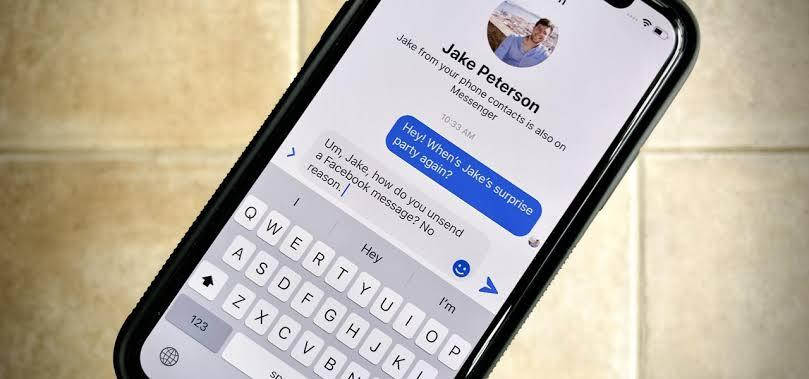
Have you ever started typing out a message on Facebook Messenger and then realized it was too late or you had the wrong person in mind? Well, don't worry! You can actually view unsent messages on an iOS device. Here's how:
- Open up Facebook Messenger
- Tap on your profile photo at the top left corner of the page
- Select “People”
- Scroll down to “Unsent Messages”
- Tap to view your unsent message
- You'll be able to copy, delete, or send that unsent message if you wish
- Once you've done that, simply tap “Done” at the top right corner of your screen
- When asked if you want to save changes, tap “Save Changes”
That's it! Now you know how to view (and manage) unsent messages on an iOS device through Facebook Messenger—no more worries about what messages have yet to be sent or seen!
How to Edit and Resend an Unsent Message
Wondering how you can see that unsent message on Facebook Messenger? It's easier than you think.
Step 1: Open the conversation
Open the conversation where the unsent Message was located and tap on the message that you did not send. The message should open up for editing.
Step 2: Edit or Resend the Message
Once the message is open, you can edit it and then tap "Send" to send it, or delete it as needed. You can also add new content to the Message if desired.
Step 3: Double Check Before Sending
It's always a good idea to double check your messages before sending, just like with any form of communication. Be sure that what you're sending is accurate and won't be misinterpreted by your recipient. That way, you can avoid any potential misunderstandings or miscommunications.
That's all there is to seeing an unsent message on Facebook Messenger—it's easy as pie!
Tips for Restoring Deleted Messages in Messenger
Did you know that Facebook Messenger gives you the ability to actually view messages you’ve already deleted? Well, it’s true – and the process is actually easier than you think. Here are some tips for restoring deleted messages in Messenger:
Check your Archive
When you delete a message in Messenger, it goes straight to the Archive folder. To view these deleted messages, just find the “Archive” option on the left hand side of your Messenger screen and click it. You should be able to see all of your archived conversations there.
Check Your Notifications
If you’re looking for a specific message, try checking your notifications. If a message was sent recently, then chances are that it’s still in your notifications folder. To view these notifications, just tap on the bell icon at the bottom right-hand corner of your app and all of your recent notifications will appear.
Use Your Phone Settings
If neither of these options work, then it may be time to check your phone settings. You can do this by going into your phone Settings > Apps > Facebook Messenger > Storage > Clear Cache and Data. This will reset your app, giving you access to all messages from before the reset occurred – including deleted ones! Just remember that this will also delete any other info stored in the app before it was reset so make sure that doesn't contain anything important either!
How to Prevents Unsent Messages From Accidentally Being Sent

If you've ever accidentally sent a message on Facebook Messenger, you know that all that follows is a panicked moment of regret. Fear not—there's an easy way to prevent this from happening again, and it's called "unsending" a message. Unsending is an easy way to keep yourself from accidentally sending off messages with typos in them or that you don't want your recipients to see altogether.
So here's how it works: Instead of the usual "Send" button, the message will have an "Unsend" button if you want to take it back. To do so, just follow these simple instructions:
- Open your conversation within Facebook Messenger
- Tap and hold on the message you'd like to take back
- A pop-up menu will appear with options for "Copy," "Delete," and "Unsend"
- Tap the Unsend option
- You'll then receive a pop-up window asking you to confirm your choice
- Once confirmed, the message will be removed from the conversation and your recipient won't see it
- In cases where multiple people are in the conversation and one person unsends a message, everyone in the conversation will be notified that a message has been removed by another person
- Finally, make sure to hit send when you're good to go!
Reasons Why You Might Not See an Unsent Message
If you sent a message on Facebook Messenger and it didn't go through, you may be wondering why—and how can you view the unsent message? There are a few potential reasons why you might not be able to see an unsent message:
The Message Was Not Sent
The first possibility is that the message simply wasn't sent. This could happen if your internet connection was spotty or if the app timed out for some reason. To see if this is the case, try sending the same exact message again and see if it goes through. If it does, there's a good chance that's what happened.
The Recipient Hasn't Read It Yet
Another possibility is that the recipient hasn't read your message yet. Since messages on Facebook Messenger are "sent" as soon as they're delivered, they may still be waiting to be read by someone else. To see if this is true, check to see if your message sent successfully or not in your chat window.
The Message Was Deleted
The other possibility is that the recipient has already read your message and then deleted it from their end. Facebook Messenger doesn't store messages once they've been read, so in this case there's no way for either of you to access them anymore.
How to Avoid Losing Important Messages on Facebook Messenger
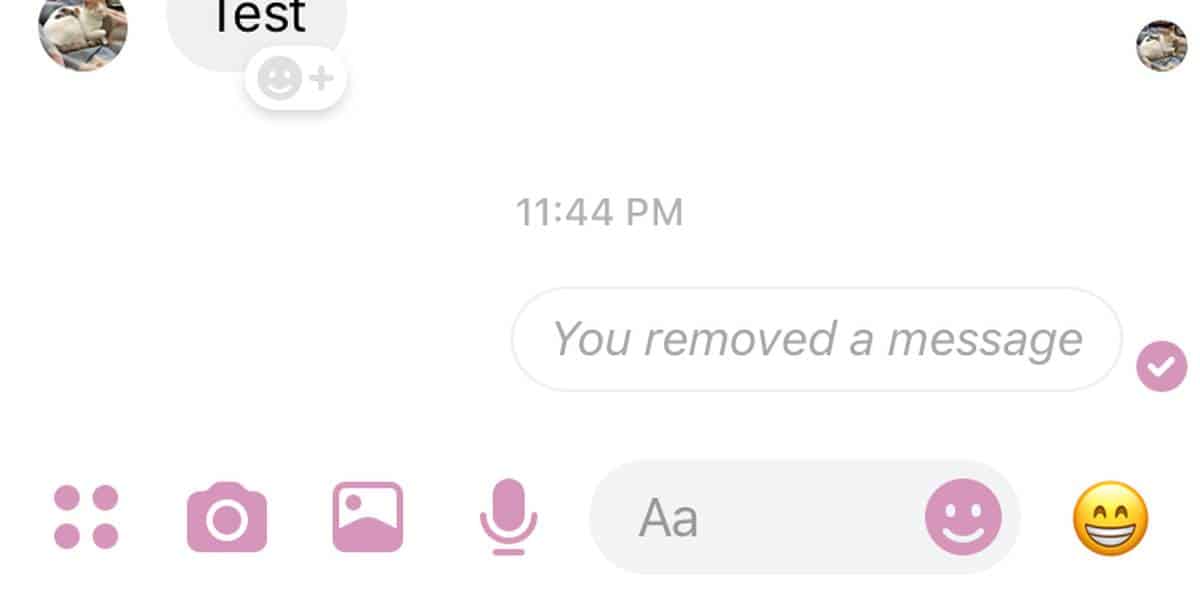
In order to prevent the loss of important messages on Facebook Messenger, it’s important to take a few proactive steps.
Drafts
One way to make sure your message is preserved is to use the “Drafts” feature in Facebook Messenger. This saves a copy of your message so that you can retrieve it later if you change your mind about sending it. You simply open the conversation you're writing in, tap on the “draft” icon located in the upper right-hand corner, and select 'Save Draft.' To access and edit drafts, click on the pencil icon at the bottom right of the compose box on any chat thread.
Recalled Messages
If you have already sent a message and would like to delete it, there is a little-known feature called “Recall” which removes messages you have sent up to 10 minutes ago. All you need to do is long press on any message you want to recall and select “Recall Message” from the popup menu. Your message will be removed from everyone in that conversation thread's view — including your own.
Logging Out Quickly
If you are in a hurry, it may be best for you to quickly log out of Facebook Messenger rather than actually sending the message before exiting out of the app. That way, if you change your mind about sending your message later, all of your work is still intact and ready for review when you log back in again — saving precious time.
FAQs
Now that you know how to view unsent messages on Facebook Messenger, here are some common questions related to this process:
Can I See an Unsent Message I Sent by Mistake?
Yes, you can see and recover an unsent message you sent on Facebook Messenger even if the message hasn't been sent yet. The only thing to note is that you must take action within ten minutes of sending the message, otherwise the message will be lost forever.
How Do I Resend a Message After Viewing It?
Resending a message after viewing it is easy. Just tap on “Resend” and your message will be sent over Facebook Messenger. If you'd like to edit the message before resending it, simply tap “Edit” and make any changes you need to make.
Can I View Unsent Messages from Someone Else?
No, you cannot view unsent messages from someone else on Facebook Messenger unless they have given explicit permission for their conversation history to be shared with another user or device (for example, if they've logged in using their laptop). It's important to remember that all messaging conversations with another user are private and should not be shared without their permission.
Conclusion
Facebook Messenger has made it possible to see the unsent messages you have sent by letting you access the "Recent Activity" tab where you can view the messages. You can also access the message sent in your Drafts folder. Whether you’ve sent the message by mistake or you’re simply curious, it’s reassuring to know that Facebook Messenger gives you the ability to check up on your messages and makes sure no message is ever lost. Now you know how to view a message you did not send on Facebook Messenger and can take peace of mind in the knowledge that it is possible to recover any unsent messages and delete them if necessary.
Read more »How Many Highlights Can I Have On Instagram
Published on 24.05.2023 by Sofia N
Do you ever feel like your Instagram feed needs a little something extra? You could post more frequent updates, switch up your filters, or… add highlights! That’s right, animated images and stories that you can “highlight” for all to see. When it comes to highlights, the possibilities are near-endless - from how-to guides and inspiring quotes to product launches and behind-the-scenes looks. But with great power comes great responsibility (or something like that). How many highlights should you have on Instagram? Too few and no one will know what’s going on. Too many and it looks cluttered. Explore the specifics of how many highlights you should have displayed on your profile, as well as when and why you should be adding them in the first place.
Viewing Instagram Highlights on Your Profile
Having highlights on your Instagram profile helps keep your content organized and easily accessible. Whenever you want to share your content with visitors to your profile, all you need to do is create a highlight and add any post to it that you’d like others to see. That way, they don’t have to scroll through your entire timeline of posts to find something interesting.
The good news is that there’s no limit on how many highlights you can have—so feel free to create as many as you need! Each highlight can contain up to 100 posts, so if you have a lot of great content related to one topic or activity, you can keep it all in one place and make it easier for visitors to access it. For example, if you love taking travel photos, you could create a highlight specifically for these photos and organize them into categories such as “European Cities” or “Adventure Trips”. This way, when someone visits your profile, they can quickly navigate your highlights and be able to find what they are looking for in no time!
How Many Highlights Can I Have on Instagram
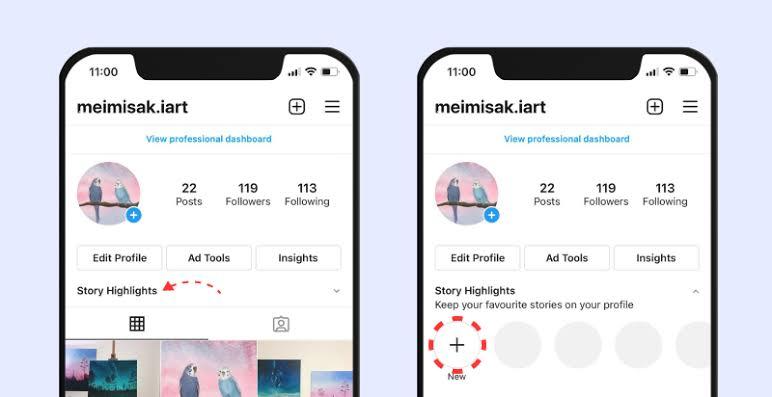
You might be wondering how many Instagram highlights you can have. The answer is that there is no limit to the number of highlights you can have on Instagram. However, it's important to use your highlights strategically to make sure they are visible and not overwhelming your page.
For example, if you're a food blogger and you have 50 different recipes on Instagram, it probably wouldn't make sense to create 50 different highlight categories. Instead, narrow it down to something like "lunch ideas" or "vegetarian recipes" so that your followers can easily find what they are looking for. When it comes to creating your Instagram highlights, here are some tips to keep in mind:
- Use clear names for each highlight category so that people know what kind of content they'll find there.
- Be strategic about the order in which you place your highlights - try putting more important categories higher up so that people see them first.
- Keep the number of highlights reasonable - a few dozen is more than enough for most people.
- Don’t be afraid to reorganize or delete outdated content occasionally - this will help keep things fresh and help you get creative with new highlight categories.
How to Create and Edit Instagram Highlights
Creating and editing Instagram Highlights is a great way to keep your content organized and easily accessible. They can help boost engagement and make it easier for viewers to find the information they’re looking for. Though it may seem a little intimidating, creating Highlights is actually really simple. Here’s how:
- Select the posts you want to add to your Highlight. You can add photos, videos, stories, and IGTV content.
- Create a new Highlight or choose an existing one, then select “add to highlight”.
- Give your Highlight a name and make sure you include relevant keywords in order to show up in searches.
- Select an icon image from the thumbnail images you’ve chosen or upload one of your own images that best represents the content inside the Highlight
- Click done and voila – you have your new Highlight!
Editing Highlights is just as easy as creating them; just head over to “edit highlight” and make any necessary changes such as deleting posts, replacing or rearranging them, or even changing the title or the icon image of the Highlight itself!
What to Do When You Reach the Limit
When you reach the limit of highlights on Instagram, what do you do? If you're anything like us, you want to get creative! Here are a few tips to help you make the most of your highlights:
Delete Old Highlights
The easiest way to make more room for new highlights is to delete the ones that no longer make sense or don't fit your brand anymore. This can give you some much-needed space and allow you to create more relevant content.
Combine Highlights Under One Category
If there are several related things that don't quite fit under one highlight, consider grouping them together! You can create a “Miscellaneous” highlight or something similar that encompasses all of your related posts. This way, your followers can still find the content without cluttering up your profile with too many highlights.
Prioritize Your Content
When creating new highlights, try to prioritize content that will benefit your followers the most. What questions do people often ask about your brand/business? What topics do they show the most interest in? If a post can answer one of these questions or provide knowledge in an area that people might be interested in, it's worth including.
These are just three ideas—there are plenty of other ways that you can make use of those limited number of highlights on Instagram! With a little bit of creativity and planning, you'll be able to showcase all the best content on your profile and keep yourself organized in the process.
How to Reorder and Delete Highlights
You can reorder or delete Instagram highlights at any time—your highlights are never set in stone. Reordering your highlights gives you more control over how your page looks, so you don’t have to have the same highlight in the first position all the time. Here’s how to do it:
Reorder highlights
- Go to your profile page and tap on the ‘Highlights’ section.
- Tap the ‘Edit Highlight’ option on the top right-hand side of your screen.
- Tap and hold on the three-bar icon at the left of a highlight and drag it to its desired position in the list.
- Tap ‘Done’ in the top right corner when you are finished reordering your highlights.
Delete highlights
- Go to your profile page and tap on the ‘Highlights’ section.
- Tap ‘Edit Highlight’ on the top right-hand side of your screen, then select which highlight you want to delete or edit from the list that appears.
- Select ‘Delete Highlight’ and then confirm by tapping ‘yes, delete this highlight cover’ for this highlight cover to be removed from your profile page completely!
Tips on Highlight Titles and Cover Photos
The good news is that you can have as many Highlights on your Instagram profile as you want. However, it’s important to keep them organized so that people can easily find what they are looking for. Here are some tips to help you create great titles and cover photos for your Highlights:
Keep Titles Short and Descriptive
Keep the titles short and descriptive, so that people can quickly get the gist of what each highlight is about. For example, if you have a highlight about travel, then something like “Travel Adventures” would be a better choice than “My trips of a lifetime.” It helps users understand what they will see inside the highlight when they click on it.
Choosing Your Cover Photo
You want to make sure that your cover photo looks great and helps users understand what they will find in each highlight. The cover photo should be relevant to the content within the highlight and should be eye-catching enough to draw people’s attention. If you have multiple highlights with similar content, then you can use the same cover photo for all of them to keep things consistent. These tips will help ensure your Highlights look professional and organized, while also drawing in more viewers to see your content.
Strategies for Growing an Engaged Audience With Highlights
Having a strategy for growing an engaged audience with highlights is essential for success on Instagram. It doesn't have to be complicated – here are some tips for making sure you're doing it right.
Keep it relevant
You want your highlights to be organized and relevant, so make sure the content in each highlight makes sense in terms of theme. For example, if you have a “Fashion” highlight, only use posts related to fashion in it—including photos of your products, customer photos showing off their purchases, or even styling tips or tutorials. This will make it easier for viewers to find the content they want within each highlight and will help you create an overall cohesive page.
Build anticipation
Your highlights should act as a teaser for the content that lives in each one. Try using multiple posts and stories in a highlight reel that drives people to take action – for example, offering discounts or freebies when they subscribe to your email list.
Leverage trends and holidays
Take advantage of seasonal trends and holidays by creating new highlights accordingly. Posting holiday-related content is also a great way to show customers that your brand cares about their wellbeing and what’s important to them.
FAQs
Here are some of the FAQs about using Instagram Highlights for your personal and business accounts:
How do I set up Instagram Highlights?
To set up Instagram Highlights, start by creating a Story post and click the “Highlight” icon at the bottom of your screen. This will create a new Highlight category, which you can add Stories to by clicking the “Highlight” icon when viewing a Story post.
How many videos or photos can I add to my Instagram Highlight?
You can add as many photos and videos as you'd like to an Instagram Highlight—there is no limit!
How long should a video or photo stay in my Instagram Highlight?
It depends on how often you want people to see the content. For example, if the content is timely or seasonally relevant, it might be best to remove it after some time and replace it with something new. But if it's evergreen content (useful all year round), there's no need to remove it unless you want to make room for something else!
Conclusion
The max number of highlights you can have on Instagram isn't necessarily set in stone, as it is closely linked to the number of stories you post. Nevertheless, having more than a dozen highlights will clutter your profile too much, so it's a good idea to keep the number manageable. When deciding on the number of highlights you want to feature on your profile, consider how many stories will fit well into them. Make sure you keep each highlight focused, preferably within a specific theme, and make use of the custom cover photos to make them more visually appealing. The number of highlights you can have is up to you, but don't forget the key purpose of highlights—to showcase your best content and drive more people to your page. The number you decide on should be indicative of the content you want to share.
Read more »How to Schedule Tweets to Get Ahead With Twitter
Published on 23.05.2023 by Sofia N
Scheduling Tweets is one of the best ways to optimize your Twitter presence and boost your reach. With the right strategy, scheduling your Tweets can take a lot of the guesswork out of tweeting, giving you more time to focus on creating great content. Plus, it can help you stay consistent and focused when it comes to the topics you’re discussing on Twitter. If you’re new to Twitter or just need a refresher, we’ve got some tips for you on scheduling tweets. From what it is to how you should use it, this article will give you all the info you need to determine if scheduled tweets are right for your strategy—and if so, how to get started.
What Is Tweet Scheduling?
Do you dread having to post tweets every day? Do you ever wonder how your favorite Twitter influencers seem to have the time to post multiple tweets a day? Well, the secret behind it is tweet scheduling! It allows you to pre-write and schedule tweets for a later date, so that your followers can still receive content from you on a regular basis.
Using a service like Hootsuite, tweet scheduling is as easy as creating an account and connecting it to your Twitter account. You'll be taken through a few steps to set up your profile and can start creating posts right away. On the interface, you can select the exact date and time that each tweet should be posted. Plus, there are other features such as tracking statistics and managing multiple accounts at once. Tweet scheduling is an essential tool that can save you time while allowing you to stay top of mind with your followers. With this helpful tool in hand, you'll never have to worry about not having enough time in the day for tweeting again!
Benefits of Scheduling Tweets
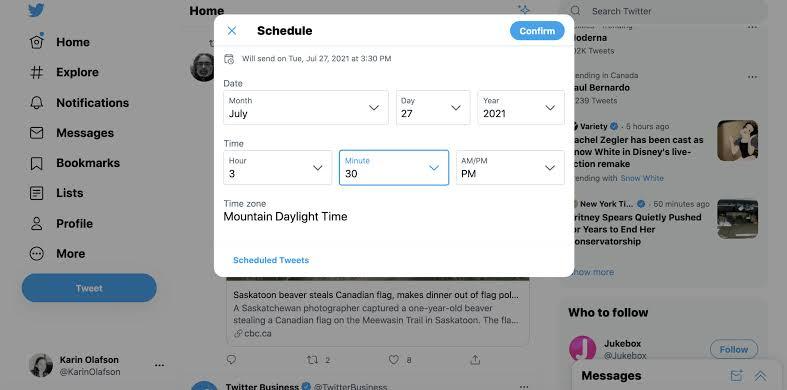
Scheduling allows you to plan ahead and make sure that your tweets are seen by your followers at the optimal time. For starters, it helps you create a steady stream of content, even when you're busy with other tasks. By having your tweets planned in advance and ready to go, you can rest assured that there's always something fresh on your page and that your followers won't miss out on any important updates or offers.
Moreover, it can also give you peace of mind that all your content will be posted at the best time for engagement. With some experimentation with different times and days of posts, you can get an idea as to when might be the best times for you to post for maximum visibility and interaction. Once you've established a posting pattern that works for you, scheduling ensures that everything is taken care of without any extra effort from your part!
Automating Twitter Scheduling
Scheduling tweets is a great way to save time and keep your Twitter followers engaged without you having to manually post every single tweet. But it can be tricky and time-consuming to do if you don’t have the right tools. Luckily, there are some great tools out there that make it easy for you to automate your Twitter scheduling. Taking advantage of these tools can make your life a lot easier. You can enter in all the details of when, what, and where you want your tweets to be posted while you’re focusing on other aspects of your business or personal life.
Social Media Dashboard Services
One type of tool that makes scheduling tweets easy is a social media dashboard service. These services allow you to schedule tweets in batches, draft entire campaigns with multiple tweets, view analytics data about your tweets, and more.
Automated Scheduling Services
You can also look into automated scheduling services like Buffer or Later, which are designed specifically for automating Twitter content scheduling. These services allow you to batch-schedule content across multiple platforms (including Twitter) and use various features such as queueing posts, auto-scheduling intervals, viewing analytics data about your posts, and more.
How to Schedule Twitter Posts With Online Tools
Find a super user-friendly online platform that lets you organize, schedule, and analyze your social media posts from one place. Plus, with the ability to schedule posts in advance and across multiple networks, it should make managing your Twitter presence a cinch.
Here's how it works:
- Sign up for an account or log in if you already have an account in the tool of your choice.
- Navigate to the "New Post" tab and select the Twitter account you wish to post from.
- Compose your message, include media if desired, then click “Schedule” to set the date/time you want your post published or use “AutoSchedule” to let it pick a time for you.
- Once scheduled, check back periodically as needed to monitor interactions with followers and respond accordingly
- Rinse and repeat for future tweeting!
Scheduling tweets with such platforms is quick and easy - plus, since all of your posts will be organized in one place, it can help ensure that nothing gets lost in the shuffle of managing multiple accounts!
How to Schedule a Tweet Manually
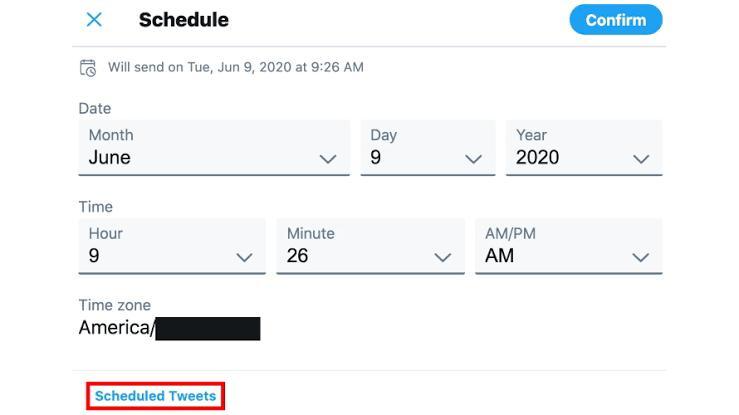
Have you ever wanted to know how to schedule a tweet manually? Don't worry—it's actually quite simple. The first step is to compose the tweet you'd like to schedule. Make sure that the content you're tweeting is interesting and engaging! The second step is to click on the three-dot menu icon in the top right corner of the tweet box. You'll then see an option for "Schedule Tweet" which you should select. Afterwards, select a date and time for your scheduled tweet from the calendar window that appears. You'll then be able to preview how the post will look when it goes out, so make sure everything looks good before finally clicking on "Schedule" at the bottom of the box.
And that's it! Once you've clicked on "Schedule," you can go back and modify or delete your scheduled tweet at any time before it goes out by clicking on "Scheduled Tweets" in your profile menu, or by accessing it directly from your profile page. So now there's no excuse not to get ahead with Twitter and start scheduling tweets!
How to Use Social Media Analytics to Track Performance
Social media analytics are a great way to track the performance of your tweets—so you know what's working, and what needs to be improved.
- Track important metrics: With social media analytics, you can get insight into important metrics like impressions, clicks, engagements, likes, retweets and replies. This is helpful in understanding how your followers are engaging with your content, and most platforms offer insights into the performance of each individual tweet.
- Test different strategies: Having good data is essential for testing different strategies on Twitter. You can track performance over time on different types of tweets—such as promotional content or polls. So, you can tailor your approach to what works best for your audience.
- Get better ROI from marketing efforts: Having a good understanding of how well your tweets are performing will help you get more out of your Twitter marketing efforts. This allows you to focus on where you're getting the most value out of the time and money that you're investing in social media marketing.
Tips and Tricks for Effective Scheduling
Ready to get the most out of scheduling your tweets? Here are some tips and tricks that will help you do just that!
Pre-Schedule Posts
The key to successful scheduling is pre-scheduling posts. This allows you to plan ahead and make sure your tweets get sent at the most optimal times, as well as ensures you don't miss any important deadlines or events.
Use a Scheduling Tool
There are many different tools you can use to schedule your tweets — these tools can save you time and energy by creating one-time or reoccurring schedules for all of your posts. Not only do these tools allow for easy scheduling, but they also ensure that all of your posts are accurate and follow brand guidelines. Plus, many of them have analytics features so you can track how well each post does.
Consider Time Zones
When creating a schedule, it’s important to keep time zones in mind — especially if you’re posting to an international audience. You want to make sure your tweets are going out when the majority of your followers will be reading them!
Types of Tweet Scheduling Options
Did you know that there are different types of scheduling options when it comes to sending out tweets? By understanding the different options, you can make sure that your content gets to your audience exactly when they need it. Here's a quick rundown of the different types of scheduling options so you can make the most out of Twitter:
- Scheduling for one tweet at a time: The simplest form of scheduling is sending out one tweet at a time. You're just setting up the time and date for each post, without any automation.
- Bulk uploads in CSV format: If you have a lot of tweets to send out in quick succession (say, five or more), bulk uploading them in CSV format will make the process easier. All you need to do is prepare the data in the right format, upload it and set up when each post should go live—simple!
- Automation with tools: Finally, if you want create an entire schedule of tweets over a few weeks or months, tools let you do that. You can set up a whole stream of content ahead of time and easily manage everything from one dashboard.
With these three options, your tweets will get seen by your followers exactly when they need them—no manual labor required!
Conclusion
Scheduling tweets can be a great way to improve your reach and engagement, but it's important to remember that it's not a substitute for being engaged and active on Twitter. The key is to find the right balance between scheduling tweets and interacting with your followers in real time, a balance which will ultimately depend on the size of your audience, your goals, and the amount of time you can dedicate to the platform. At the end of the day, Twitter is about making connections and having conversations, so don't forget that scheduling Tweets doesn't replace engaging in conversations with other users. With the right balance of scheduled Tweets and real-time conversations, you'll be able to get the most out of your Twitter account.
Read more »How Can I Optimize Facebook Ads To The Max
Published on 21.05.2023 by Sofia N
You know that Facebook Ads are a powerful tool for getting in front of the right people, but are you sure you’re using them to their full potential? If your ads aren’t converting at the rate you want or need them to, it might be time to optimize them. But optimizing Facebook Ads can be a tricky and intimidating task—one that leaves even experienced advertisers feeling overwhelmed and powerless. That doesn’t have to be the case though! You want to know exactly how to optimize your Facebook Ads so that they can become high-converting, cost-effective marketing tools. Explore everything from testing different ad creatives and setting the right budgeting goals to selecting the right audience targeting and analyzing results.
What Are the Benefits of Optimizing Facebook Ads?
Optimizing your Facebook Ads can be a great way to maximize your return on investment (ROI) and get the most out of your ad spend. When optimized properly, Facebook Ads can be incredibly effective for driving leads and sales, as well as building brand awareness. It allows you to focus on specific audiences and target them more effectively. When you optimize an ad, you can adjust various elements, including the budget, targeting criteria, placements of the ad, call-to-action button, and message or visuals. This also helps to focus on potential customers who are most likely to convert.
By optimizing your ads over time, you can ensure that they are reaching the right people in the right places—leading to better results and a higher ROI. You'll also be able to track the performance of each ad to see what's working best and make changes accordingly. It is an essential practice if you want to get maximum value out of each campaign.
How to Optimize Facebook Ads
Let’s quickly check out various ways you can quickly and easily optimize your Facebook Ads.
Setting the Right Objectives for Your Ads
When it comes to optimizing your Facebook Ads, setting the right objectives is key. Why? Because it allows you to focus your efforts on the goals that will have the greatest impact on performance. For instance, if you are selling a product, you might want to set an objective focused on conversion (e.g., "convert leads into customers") or one that emphasizes sales (e.g., "increase purchase rate"). Conversely, if you're running an awareness campaign, you might consider setting an objective designed to increase brand recognition (e.g., "increase brand engagement").
On top of this, it's important to consider how each objective aligns with your broader marketing goals. For example, if you're looking to build customer loyalty and increase purchase frequency, then focusing on re-engagement may be more effective than concentrating solely on driving conversions. By taking the time now to set the right objectives for your ads, you will be able to make more informed decisions when creating and testing different ad campaigns in the future.
Create Compelling Ad Copy
When creating your ads, it's important to write clear, compelling ad copy that catches people's attention and encourages them to take action. The better your ad copy is, the more likely your ad will be successful.
Here are some tips for creating compelling Facebook ad copy:
- Know your target audience: Get to know who you're targeting so you can craft relevant and persuasive messages.
- Keep it simple: People have short attention spans, so use concise statements that are easy to understand. Highlight only the most important points and avoid using industry jargon or overly long sentences.
- Make it engaging: Use strong language and visual elements (like images and video) to draw people in and make them want to learn more about what you’re offering.
- Include a call-to-action (CTA): A CTA should tell people exactly what they need to do next, like “Sign Up Now” or “Learn More." Use action words like “Buy” or “Shop” for your CTAs to make sure they stand out.
- Test different versions: Try out a few different versions of the same ad to see which one performs best with your target audience—this will help you get the highest return on investment (ROI).
Target Audiences Carefully
Facebook Ads are a great way to reach potential customers, but it's important to target the right audiences. Facebook Ads allow you to create targeted campaigns that are tailored to the specific consumer groups you're looking to reach. This can involve selecting certain demographics and interests, as well as targeting people based on their behaviors, location and other factors.
To get the most out of your ad campaigns, it's essential that you know who you're targeting and why. Here are a few tips on how to optimize your Facebook Ads for maximum impact:
- Research your target audience: Before launching an ad campaign, it’s key that you understand who your target audience is, such as their age range, interests and geographical location. This information will help you craft more effective ads that will resonate with your audience.
- Identify your goals: Clearly defining what success looks like will help guide you in creating an optimized ad campaign that meets your objectives. Whether it’s driving website traffic or increasing sales, this will shape how you design and adjust your campaigns over time
- Test different strategies: The only way to know if a strategy works is to test it out! Try different strategies until you find what works best for your business—this may include testing different images or text in order to see which one gets the most clicks or conversions.
Design Eye-Catching Visuals
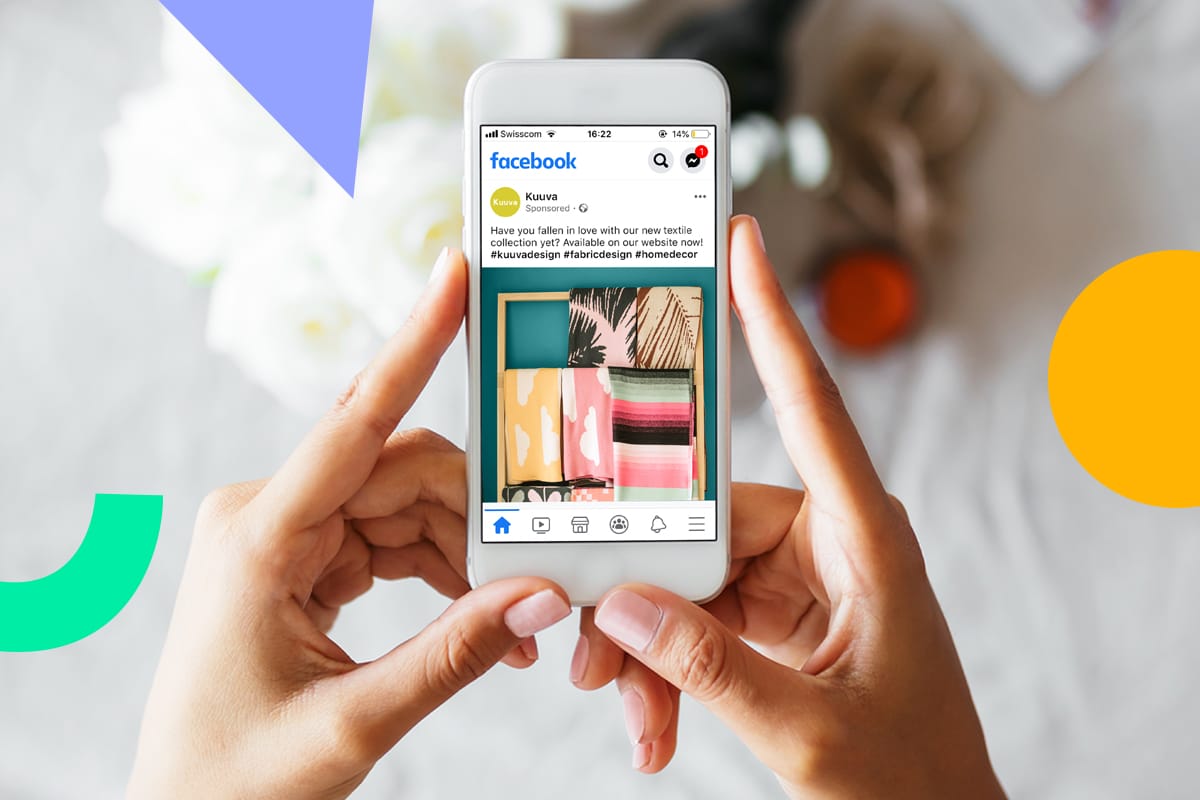
When it comes to grabbing users' attention, visuals are key. With this in mind, it's essential to design eye-catching visuals when creating your Facebook Ads. It's important to remember that visuals should be relevant and engaging to your target audience, as this is what will make them click on the ad and take action. The visuals used in Facebook Ads should tell a story about the product or service that you're advertising. Whether it's an image of the product itself, a person using the product, or an image that conveys the feeling associated with the product, you need to create something that speaks directly your target audience.
Colors Matter
Aside from having strong visuals, it's also important to pay attention to color when designing your Facebook Ads. Color has a big impact on how users perceive your product—for example, warm tones evoke feelings of comfort and safety while cool tones evoke feelings of exclusivity and sophistication. Choose colors that fit with your branding and also resonate with your target audience in order to create ads that stand out from competition.
To ensure maximum success with Facebook Ad visuals:
- Make sure that they're relevant and engaging
- Tell a story about the product or service you're advertising
- Choose colors based on how users will perceive them
Develop a Clear Call-to-Action
A powerful way to optimize your Facebook Ads is to create a clear call-to-action that encourages people to act. A call-to-action is typically what you want your audience to do once they’ve seen your ad, like clicking a link or downloading an app.
Creating an effective call-to-action can be tricky, but it's well worth the effort. Here are some tips to help you get started:
- Make sure your call-to-action is clear. Use simple, straightforward language that will be easy for your target audience to understand. Avoid using jargon or slang that might confuse them.
- Make sure your call-to-action matches the message of the ad. If you’re trying to get people to sign up for a newsletter, don’t use a CTA like “buy now” instead of “sign up”—that won’t make any sense!
- Use words that create urgency, such as “now” and “today,” or phrases like “limited time only!” These can help capture the attention of potential customers and encourage them to take action immediately.
- Test different calls-to-action until you find one that works for your ad and target audience. You can use A/B testing tools or software like Google Analytics or Facebook Insights to track and measure results from different CTAs so you can determine which ones are most effective.
Take Advantage of a/B Testing
A/B testing is one of the most important tools you can use to optimize your Facebook ads. It allows you to test different variations of your ad, such as different copy and visuals, to see which is more effective. By running A/B tests, you can determine what works best for your target audience, allowing you to create more successful campaigns in the future.
- The first step in A/B testing is to decide what factors you want to test. This could include things like the headline, description, visuals, and CTA (call-to-action). Once you've identified what elements need to be tested, it's time to set up your experiment by creating two (or more) versions of your ad.
- Now that you have two versions of your ad running at the same time, it's time to measure the results and see which one performs better. You can use metrics like cost per click (CPC), cost per conversion (CPA), and clickthrough rate (CTR) to track the performance of each version over a certain period of time.
- Once you have a clear idea of which variation performs better than the other, then it’s time to focus on optimizing the winning version. By regularly monitoring your tests and optimizing accordingly, you can maximize the performance of your Facebook ads and reach higher ROI targets with ease!
Track Performance and Analyze Results
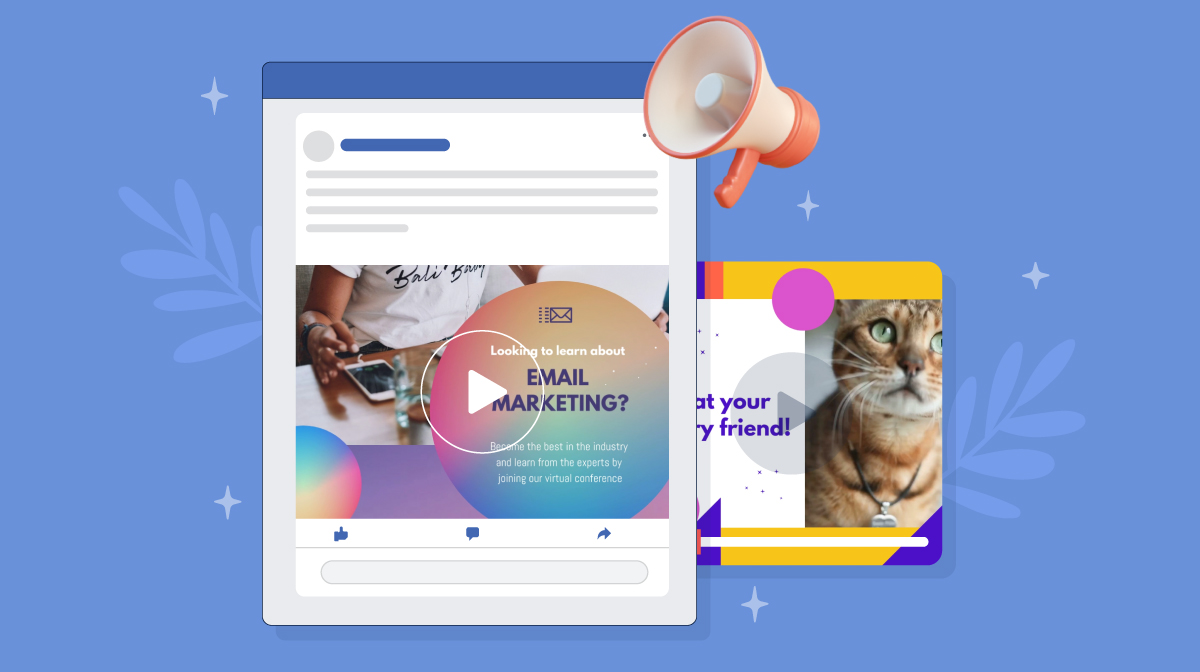
When running Facebook ads, you want to make sure that you're tracking their performance and analyzing the results. This will help you see what is working and what isn't so that you can optimize your ads for better results.
Understand Your Funnel
The first step in tracking and analyzing your ads is to understand your funnel. You should have an idea of what steps need to be taken in order for a user to convert. This can mean something like making a purchase, signing up for a newsletter, or downloading an ebook. Once you know the steps, you can begin tracking and analyzing data on each step of the funnel.
Track Your Key Metrics
The next step is to track your key metrics and analyze the results. Some key metrics to keep an eye on include: impressions, clicks, and conversions. Tracking each of these metrics will give you insight into how effective your ads are at driving users to take the desired action (such as making a purchase). It will also allow you to adjust your strategy as needed if one type of ad performs better than another.
Analyzing Your Ads
Finally, once you have tracked the performance of your ads, it's important that you analyze them in order to determine what changes need to be made in order optimize them for better results. In addition to looking at key metrics such as impressions and clicks, pay careful attention to things like ad placement, ad targeting settings, audience demographics, etc., in order to get the most out of each ad campaign.
Retarget Previous Visitors
Have you ever noticed that when you visit a website, sometimes you'll start seeing ads from that same website on your Facebook newsfeed? That's called retargeting, and it can be a great way to optimize your Facebook ads. So how does it work? Well typically retargeting involves placing a tracking cookie on the user's computer when they first visit the site. After that, when they log onto Facebook, the cookie will allow you to track their activity and target them with ads specifically tailored to them.
Retargeting enables you to get the most out of your ad campaigns by targeting users who have already demonstrated an interest in your brand before. It also allows you to target users who have been inactive for a set period of time — so if someone hasn't made a purchase for 60 days, for example, you can retarget them with an ad reminding them about your product or service.
Tips for Improving Your Facebook Ad Performance
You've created the perfect ad for your Facebook campaign, but how do you make sure it performs? Here are some tips you can use to make sure your ads are optimized for maximum performance:
- Facebook Ads are a great way to get your message out there, but each format has its own advantages. Try experimenting with different formats - such as Carousel Ads, Video Ads, and Collection Ads - to see which format works best for you.
- Visuals can help grab people's attention and draw them into your ad. Try using visuals that are vibrant and high-quality - this will help people remember your ad and come back to it later.
- Facebook has powerful targeting features that allow you to target specific audiences with your ads. You can target people by location, interests, demographics, or even by behavior patterns. Experiment with these features to find the perfect audience for your ad.
Conclusion
Successful Facebook ad optimization requires you to understand your audience, establish clear goals and objectives, and accurately measure and track the performance of your campaigns. Take time to research and identify the most effective techniques for optimizing so that you’ll be able to maximize the return on your investment and ensure that your campaigns are set up for success. Whether you’re focused on boosting brand awareness, generating leads, or driving conversions. This way, you’ll be well on your way to creating campaigns that are optimized and optimized to deliver the results you’re looking for.
Read more »Using TikTok on a Mac or PC Step By Step Guide
Published on 20.05.2023 by Sofia N
Trying to figure out how to use TikTok on a Mac or PC? Welcome to the club! Before you get too frustrated, we’re here to help. We know the feeling of being stuck and not sure where to begin. But don’t worry—this comprehensive guide will provide step-by-step instructions for using TikTok on your computer. Whether you're brand new to TikTok or have had an account for a while but never gave a Mac/PC version a shot, this guide is here to help you out. From setting up your profile, learning some of the basics of navigating TikTok to checking out some helpful tips and tricks.
How to Set Up TikTok on a Mac or PC
If you're a Mac or PC user and you're interested in joining in on the TikTok trend, then here's your guide to getting started. Setting up TikTok is easy and only takes a few minutes.
- First, make sure that you have the latest version of either macOS or Windows installed. Then, visit the TikTok website and click on the 'Download' button in the upper right-hand corner. From there, follow the instructions that appear on your screen to install the app on your computer.
- Once it's downloaded, click on the app icon to launch TikTok and create an account with your email address or phone number. After you've created your account and chosen a username, set up a profile by adding a photo and bio information about yourself!
How to Record Your First Video on TikTok
Ready to start recording your first TikTok video? Great! All you need to do is launch the TikTok app on your Mac or PC and click on the “+” icon to open the create page. Once there, you will have a few options to choose from. You can go ahead and record a video right away, or you can use one of their templates to get going. The templates come with various musical and visual effects that you can mix, match and edit until you’re satisfied with the end result. When you’re finished, click on “Next”. This will open a page where you can add additional elements like hashtags, stickers, filters, etc. Once everything looks perfect – click “Post” and your video has been successfully uploaded!
How to Edit and Upload Videos to TikTok
Editing and uploading your videos to TikTok is easy, and can be done in just a few simple steps. First, you'll need to create an account. Then you can start creating and uploading your content.
Editing Your Videos
To edit your videos, you have a few options:
- You can use the built-in tools on TikTok itself to edit. This includes trimming, adding filters, captions and more.
- If you're looking for more advanced editing tools, like audio mixing or advanced video effects, you'll need to download a third-party app such as iMovie for Mac or Movie Maker for PC.
When you've finished editing your video, it's time to upload it! This part is easy – all you have to do is click the upload button at the bottom of the screen and give your video a title. Afterwards, hit ‘Post’ and voila – your content is now live on TikTok!
How to Share Videos to Other Platforms From TikTok
Sharing videos from TikTok to other platforms is pretty easy, and it can be done from your Mac or PC. To do this, open the video you want to share. Then click the Share button at the bottom right of the video. From there, you’ll be able to select the platform you want to share your video on: Twitter, Facebook, Instagram, YouTube or Reddit. Click the platform you want; a window will pop up asking for your log in information for that platform. If you are already logged into that account in your browser window, it should automatically fill out this information for you. After that’s done, click ‘Post’ and your video will automatically be shared on that platform!
In addition to sharing videos directly from TikTok, there are also some other ways of sharing using third-party services or websites. You can use online tools to record and save a video from TikTok directly on your computer. Or some websites offer a quick and easy way of downloading and sharing TikTok videos with just a few clicks. No matter which way you choose to share with other platforms, it’s always easy and straightforward on both Mac or PC!
Tips for Growing Your Audience on TikTok
Grow your audience on TikTok and get your content seen by more people. Here are some tips to help you get started:
- Optimize Your Content: Make sure that the content you post is optimized for the platform. This means using catchy titles, interesting visuals, and hashtags that will draw in an audience.
- Use Live Videos: Live videos are a great way to engage with your followers and let them know who you are. People on TikTok love to watch and join in on live streams, so make sure you’re utilizing this feature to its fullest potential.
- Engage With Your Followers: Engage with your followers by liking and commenting on their posts, participating in group chats, or replying to messages from fans. When people feel seen and appreciated, they’re more likely to share your content with others.
- Share Across Multiple Platforms: TikTok isn’t the only platform out there. Take advantage of other platforms like Instagram or Twitter to promote your TikTok content or direct people over there if they want to learn more about you. Cross-promotion can help grow both of your accounts in the long run.
- Privacy and Safety Considerations When Using TikTok: No matter where you use TikTok, it is important to make sure you're staying safe and protecting your personal information. Here are a few tips for using TikTok on a Mac or PC:
- Set strong passwords: When creating a TikTok account, make sure to create a strong password that is not easily guessed. Set up two-factor authentication if possible to add an extra layer of security.
- Think before you post: Be conscious of the content that you post on your account. Personal information such as your address, phone number and date of birth should be kept private. If you are ever in doubt about what to post, take some time to think before posting so that you are not putting yourself at risk of identity theft or other malicious activities.
- Be aware of scammers: TikTok is a prime platform for scammers who are looking to target unsuspecting users. Be vigilant against messages or posts requesting personal information, as well as offers that seem too good to be true. It's best practice to ignore these posts and keep your personal information private.
First Time User Tips

If you’re just getting started with TikTok, there are a few tips that can help you make the most of your experience. Whether you’re using a Mac or PC, getting the hang of TikTok isn’t as hard as it may seem. Here are some things to keep in mind:
Explore your options
The first thing you should do is explore all of the features and options available to you on TikTok. There are so many different ways to engage with other users and find content, so take some time to explore them all and try them out.
Personalize your profile
Make sure that your profile reflects who you are—go ahead and upload a profile picture, customize your bio, and connect any other social media profiles if you want. This will make it easier for people to find and follow you when they come across your content.
Be authentic
Remember that on TikTok, being authentic is always the best policy—so be genuine when engaging with people, sharing content or creating videos! Posting quality content that resonates with your followers is key here—it’s what will help you gain more likes and followers over time.
Hashtag Strategies for Success
When it comes to hashtags, you'll want to use them to help your videos reach more people! Here are some strategies for success:
- Keep It Relevant: You want to use hashtags that are relevant and make sense for the content you're sharing. That way, people who are searching for that specific hashtag will come across your content.
- Take Advantage of Popular Hashtags: If a hashtag is popular enough, it can really increase the reach of your video and help you gain even more followers over time. Just be sure that the hashtag still makes sense for your video and isn't used just for the sake of reaching a larger audience.
- Use a Combination of Hashtags: Make sure to vary up your hashtags so you can target different audiences. You don't want to use the same hashtags every time—mix it up! Try out different combinations to see what works best for you.
- Don't Go Overboard: Sometimes less is more! Don't go overboard with your hashtags—too many can make your post look spammy and can overwhelm potential viewers of your video. Stick with one or two relevant hashtags and keep things concise!
Building a Following on TikTok
The next step in becoming a TikTok pro is building a following. Now before you start churning out content, you need to think about how you want to be remembered. You should come up with a theme or overall concept for the content you post and make sure the majority of your posts are related to that theme.
Create high-quality content
Creating high-quality content is the best way to draw people in and gain followers. This can mean using engaging videos as well as funny, clever, or informative captions that provide valuable context to your videos.
Use hashtags
Hashtags are one of the most important tools when it comes to growing your audience on TikTok, so use them! Make sure your hashtags are relevant and don’t go overboard—choose a few that are most relevant to the content and captions you wrote. That way, when people search those hashtags, they’ll be more likely to find your page.
Engage with other users
Engaging with other users is key for building a following on TikTok—make sure you’re commenting on other people’s videos as well as posting your own! This will help put your page on their radar and allow you to potentially collaborate with them down the line. It’s also important for getting more views on your own profile if other people engage with it.
Conclusion
If you're ready to start using TikTok on your Mac or PC, now you know how to get started. Setting up a TikTok account on your computer is simple, and now you have the tools you need to make your own videos, browse the latest trends, and start creating. Now that you know the ins and outs of TikTok for Mac or PC, you can join the millions of others taking the platform by storm. So go ahead and jump into the world of TikTok, and start making the most of the fun and creativity the platform has to offer!
Read more »
Sign up for SocialWick
Login
InstagramYouTubeTikTokFacebookTwitchSpotifyTwitter (X)SoundCloudIGTVLinkedInThreadsWebsitePinterestVKApple MusicSEO
Checkout
OK

Information
Order processing usually starts within a few minutes, but some services may take a few hours or even a few days. We offer free refills for up to 90 days if needed. Our services are 100% secure and discreet, with a focus on gradual and safe delivery for your peace of mind.
Order processing usually starts within a few minutes, but some services may take a few hours or even a few days. We offer free refills for up to 90 days if needed. Our services are 100% secure and discreet, with a focus on gradual and safe delivery for your peace of mind.
Where should we send your order confirmation?
No account needed! We send your confirmation and tracking link here.
Secure checkout. We never share your email.
Have an account?•
Log in
Use your account to pay faster with your saved details.
Create account
Create an account to track all your orders in one place.
Service
+0,00
Voucher
-0.00
Total
+0.00
OK
Affiliate & Reseller Program
Customer Support
How may we help you?
General Support
Order Support
Frequently Asked Questions
1) What services do you offer?
We are a social media marketing company, and we offer a wide variety of services across several platforms that our clients can choose from. Once selected, we create a plan that fits your needs. We offer several types of services, such as followers, subscribers, likes, views, song plays, etc.
2) Is your service safe?
Yes, as we only sell real followers, likes, views, etc., and we hold every service to strict authenticity and quality standards. In order to protect your account, we deliver every order carefully and gradually. We closely monitor all our services. For more information, we strongly recommend reading our Terms of Service before you order.
3) Will I need to give you the passwords for my accounts?
No, you can keep your passwords to yourself because our services don’t need a password to influence your accounts. And if an email ever shows up claiming to be from us and asking for a password, it’s definitely not us, so please let us know right away.
4) Are the likes, followers, and subscribers real, or are they bots?
Unlike many other services, all our likes, followers, and views come from real accounts operated by real people. You won’t find bots, fake profiles, or hijacked accounts anywhere in what we deliver. Every order has to pass our strict authenticity standards, and we keep checking our quality to make sure it stays that way.
5) How fast can you deliver my order?
We will show you the estimated delivery time when choosing the service. However, this is only a rough estimate. In most cases, the services are delivered much faster. In some cases, it may take longer. We always aim for a natural and safe delivery!
6) What are your best-selling social media marketing services?
Although we have many services across most social media companies, our services for Instagram, TikTok, and YouTube are our best-selling options.
7) How do I know my account will not be flagged or banned?
We take safety very seriously. We never ask for your password, all followers, likes, and views come from real accounts, and orders are usually delivered gradually and naturally. What we can promise is careful delivery and strict quality standards. Plus a support team that’s there whenever you need us. We are not aware of a single case since 2017 where a customer got his profile banned.
8) What is the best method to communicate with you?
Do you have a question or run into a problem? Our customer support is available 24/7 for you. Just click Contact and you’ll land right on the support form. When you buy one of our services, we will email you to see if there were any problems. Your satisfaction is our main priority.
9) Are there discounts for large orders?
Yes! If you would like to request a large order that isn’t on our ordering layout, we will have no problems accommodating you. Just reach out through the support form and we’ll put together a buying plan that fits what you need.
10) What methods of payment do you accept?
We accept all forms of credit and debit cards, as well as Klarna, eps, PayPal, and Crypto.
11) If I am unsatisfied with your services, am I able to receive a refund?
Yes! Every purchase comes with a 30 day money-back guarantee. Not satisfied? Just contact our support within 30 days of your purchase and send us your order details and a short note on what went wrong, and we’ll take a look at your case. The full conditions are in our Refund Policy.
12) I haven’t received my order
Please make sure the following criteria are met before placing an order to make sure we can deliver it successfully.
- Your account is set to public
- You have typed in the correct username or link
- You have not changed your username before the order’s completion
- The post or account still exists and has not been deleted
- The post or account has not been restricted or removed in some countries
- Allow the estimated delivery time for completion of your order
For further assistance, please message our support team through the contact form.
13) How can I request a refill?
Just send us a refill request through the contact form. Please note that we can only provide you with a free refill within the first 90 days of your purchase.
Learn More
What is SocialWick?
We are the leading marketplace for social media promotion. You can buy followers, likes, views, subscribers, and a lot more for almost all social media networks. We offer affordable prices without making any compromises in terms of the service quality. We have a strict policy to only sell social media signals from real people. Part of our engagement, for example, comes from ad-based promotion where real users discover the content through ads. Bots, fake profiles, and hijacked accounts have no place in our services. Every delivery has to meet our authenticity standards, and we run regular quality checks, and anything that does not meet them is removed from our catalog. Our services are available for personal use, whether you want more Instagram likes, TikTok followers, YouTube views, or something else for your own profile.
With over a million satisfied customers, SocialWick is the go-to platform for all your social media needs. Our services are discreet and secure, with gradual and careful delivery to keep your social media accounts safe.
About SocialWick — The Market Leader since 2017
With more than 10 million orders, SocialWick is one of the world’s biggest social media stores. You can find everything on our website to improve your presence on major social media platforms like Instagram, TikTok, YouTube, Twitter (X), Facebook, etc. We offer different types of services for several social media platforms. Your wish is our command, and whatever your goal might be, SocialWick will help you achieve it. Whether you need more likes on your Instagram photos or want to make your LinkedIn profile more popular by getting additional followers, SocialWick is there to turn your goal into reality.
Thanks to our effective services and our customer-oriented work, SocialWick has become a top player. You will not find a better service anywhere else, especially not at such affordable prices. SocialWick is operating since 2017.
365 Days Per Year Customer Service
Your satisfaction is our motivation! We’re not here just for the money; we do our work to help people find their road to social media success. And that’s why our team will do all to make sure everything goes according to plan. If there’s something wrong with your social media campaign, or worry that there might be some problems with your account, or want to learn more about how our services work, feel free to reach out. Our service staff is there for you seven days a week, ready to answer any of your questions. You can get in touch with us using the contact form on our website.
Buying Followers and Likes is Essential
Unless you’re Kylie Jenner, you definitely need some help with social media. The more followers you have on Instagram, TikTok, Twitter (X), or YouTube, the more people will automatically notice you. Having all those eyes on your content isn’t just impressive, it’s genuinely fun. The bad news is that everyone wants to be famous these days, but only a few can succeed. The good news is that you can be the chosen one who will get social media fame and everything that comes with it. But, for that, you need a little help from your friends at SocialWick.
With our help, you will increase the number of followers on social media, which can have a domino effect and bring you even more new followers. Once people see that you got a big followership, they will decide to give you a follow. "If a profile has so many followers, it means that it’s interesting" – you can be sure this is going to be their reasoning. Furthermore, more followers mean more visibility for everything you post. Finally, a large number of followers also do great for your credibility. Our social media services will help you to create a better overall picture of your profile.
Let’s be honest; a profile with 30,000 followers looks much better than one with 74 followers. And that’s exactly what new visitors will pay attention to. A weak social media profile can be a real deal-breaker. At the same time, a fantastic social media profile can do wonders for you. And SocialWick can make your social media profile amazing!